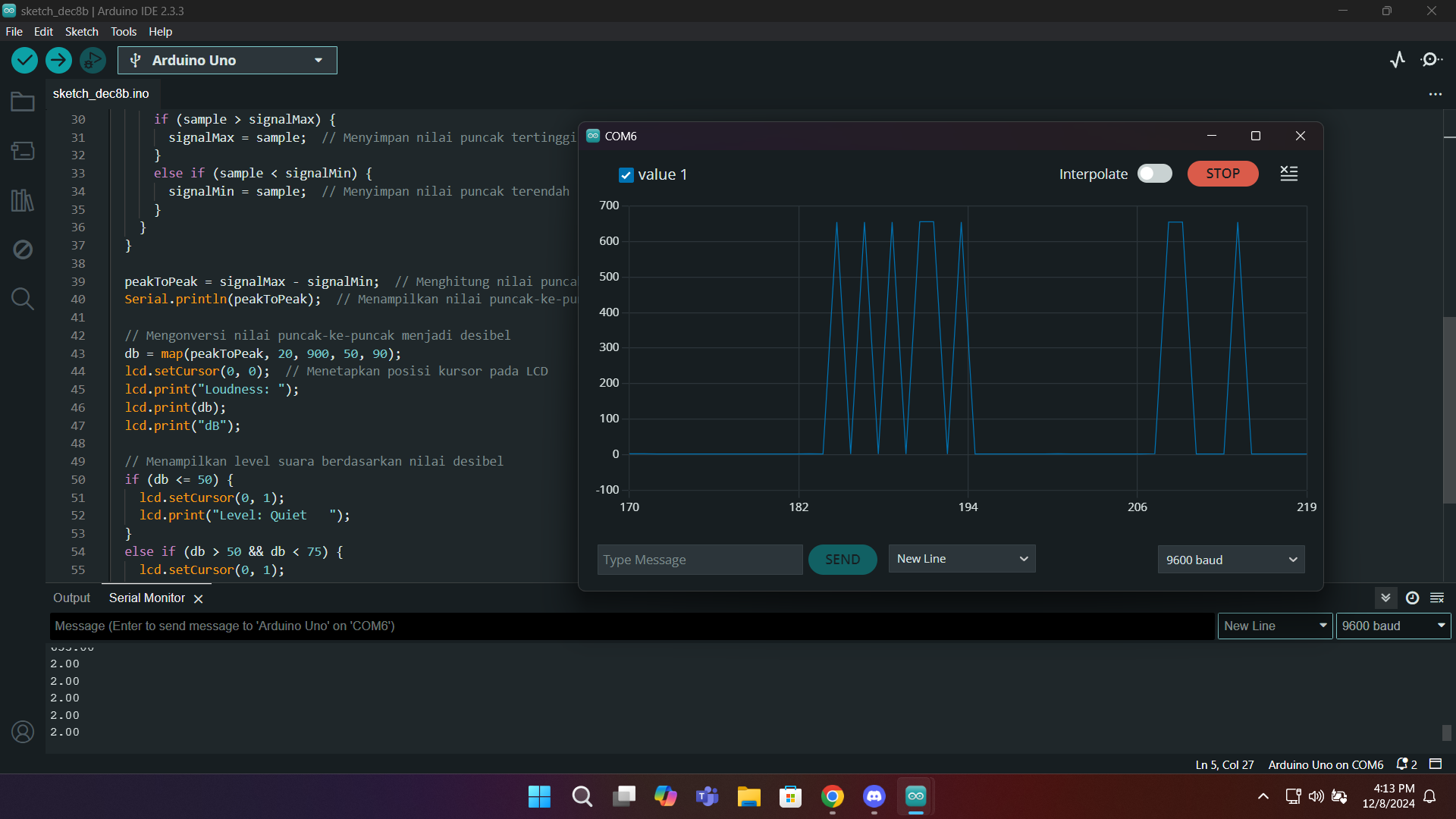
Hi,
i have problem with my ESP8266 serial plotter can't dislpay analog signal but the analog signal is normal. When i try in arduino uno it can be display but the analog signal not normal.
this is code in ESP8266
#include <Wire.h>
#include <LiquidCrystal_I2C.h>

// Inisialisasi LCD pada alamat I2C 0x27
LiquidCrystal_I2C lcd(0x27, 16, 2);

const int sensorPin = A0;         // Pin sensor suara (A0 pada ESP8266)
const int sampleWindow = 50;      // Window sampling dalam ms
unsigned int sample;

void setup() {
  lcd.init();                     // Inisialisasi LCD
  lcd.backlight();                // Menyalakan lampu latar
  lcd.setCursor(0, 0);
  lcd.print("Decibel Meter");     // Tampilkan teks awal
  delay(2000);
  lcd.clear();
  Serial.begin(115200);           // Serial monitor dengan baudrate 115200 untuk ESP8266
}

void loop() {
  unsigned long startMillis = millis(); // Waktu awal
  unsigned int signalMax = 0;           // Nilai sinyal maksimum
  unsigned int signalMin = 1023;        // Nilai sinyal minimum

  // Ambil data selama jendela waktu tertentu
  while (millis() - startMillis < sampleWindow) {
    sample = analogRead(sensorPin);
    if (sample < 1024) {
      if (sample > signalMax) {
        signalMax = sample; // Simpan nilai maksimum
      } else if (sample < signalMin) {
        signalMin = sample; // Simpan nilai minimum
      }
    }
  }

  // Hitung nilai peak-to-peak
  int peakToPeak = signalMax - signalMin;

  // Konversi ke desibel (kalibrasi sederhana)
  int dB = map(peakToPeak, 20, 900, 35, 70);

  // Tampilkan nilai di LCD
  lcd.setCursor(0, 0);
  lcd.print("Loudness: ");
  lcd.print(dB);
  lcd.print(" dB");

  lcd.setCursor(0, 1);
  if (dB >= 35 && dB <= 45) {
    lcd.print("Level: Tenang   ");
  } else if (dB >= 46 && dB <= 55) {
    lcd.print("Level: Sedang   ");
  } else if (dB >= 56 && dB <= 60) {
    lcd.print("Level: Bising   ");
  } else if (dB >= 61 && dB <= 90) {
    lcd.print("Level: Melampaui");
  } else {
    lcd.print("Level: Unknown  ");
  }

  // Debugging di Serial Monitor
  Serial.print("Peak-to-Peak: ");
  Serial.println(peakToPeak);
  Serial.print("Desibel: ");
  Serial.println(dB);

  delay(100); // Tunggu sebelum pembacaan berikutnya
}

this is code in Arduino UNO
#include <Wire.h>
#include <LiquidCrystal_I2C.h>

// Inisialisasi LCD pada alamat I2C 0x27
LiquidCrystal_I2C lcd(0x27, 16, 2);

const int sensorPin = A0;         // Pin sensor suara
const int sampleWindow = 50;      // Window sampling dalam ms
unsigned int sample;

void setup() {
  lcd.init();                     // Inisialisasi LCD
  lcd.backlight();                // Menyalakan lampu latar
  lcd.setCursor(0, 0);
  lcd.print("Decibel Meter");     // Tampilkan teks awal
  delay(2000);
  lcd.clear();
  Serial.begin(9600);             // Untuk debugging
}

void loop() {
  unsigned long startMillis = millis(); // Waktu awal
  unsigned int signalMax = 0;           // Nilai sinyal maksimum
  unsigned int signalMin = 1023;        // Nilai sinyal minimum

  // Ambil data selama jendela waktu tertentu
  while (millis() - startMillis < sampleWindow) {
    sample = analogRead(sensorPin);
    if (sample < 1024) {
      if (sample > signalMax) {
        signalMax = sample; // Simpan nilai maksimum
      } else if (sample < signalMin) {
        signalMin = sample; // Simpan nilai minimum
      }
    }
  }

  // Hitung nilai peak-to-peak
  int peakToPeak = signalMax - signalMin;

  // Konversi ke desibel (kalibrasi sederhana)
  int dB = map(peakToPeak, 20, 900, 35, 70);

  // Tampilkan nilai di LCD
  lcd.setCursor(0, 0);
  lcd.print("Loudness: ");
  lcd.print(dB);
  lcd.print(" dB");

  lcd.setCursor(0, 1);
  if (dB >= 35 && dB <= 45) {
    lcd.print("Level: Tenang   ");
  } else if (dB >= 46 && dB <= 55) {
    lcd.print("Level: Sedang   ");
  } else if (dB >= 56 && dB <= 60) {
    lcd.print("Level: Bising   ");
  } else if (dB >= 61 && dB <= 90) {
    lcd.print("Level: Melampaui");
  } else {
    lcd.print("Level: Unknown  ");
  }

  // Debugging di Serial Monitor
  Serial.print("Peak-to-Peak: ");
  Serial.println(peakToPeak);
  Serial.print("Desibel: ");
  Serial.println(dB);

  delay(500); // Tunggu sebelum pembacaan berikutnya
}