Here's my setup:
Arduino Due with a TB6600 driver and a small NEMA23 motor. I'm running it at 12v but upping it to 24v makes no difference.
The best reliable rpm I'm getting is 300 with a 60 delay.
Microstepping is set at 8 but if I set it to 4 I have to use 120 delay and still end up at 300 rpm.
The programming, to my novice eyes, looks pretty straight forward and should easily give me at least double that speed.
So, my question is: Do I have a programming issue or a hardware problem?
/* Example sketch to control a stepper motor with TB6600 stepper motor driver
  and Arduino without a library: continuous rotation.
  More info: https://www.makerguides.com */
// Define stepper motor connections:
const int ena = 13;  //Enable Pin
const int Switch = 53;
int D = 60; //Delay

#define stepPin 11
#define dirPin 12
#define enaPin 13
//#define stepsPerRevolution 1600

void setup() {
  pinMode(Switch, INPUT_PULLUP);
  // Declare pins as output:
  pinMode(stepPin, OUTPUT);
  pinMode(dirPin, OUTPUT);
  pinMode(enaPin, OUTPUT);

  // Set the spinning direction CW/CCW:
  digitalWrite(dirPin, HIGH);
  digitalWrite(enaPin, LOW);
}

//Main Program.
void loop() {
  digitalWrite(ena, HIGH);  // Set enable high
  if (digitalRead(Switch) == LOW)
    digitalWrite(ena, LOW);  // Set enable low
    Run();

  }


  //Run
  void Run() {
    //digitalWrite(ena, LOW);  // Set enable low
    // These four lines result in 1 step:
    while (digitalRead(Switch) == LOW) {
    digitalWrite(stepPin, HIGH);
    delayMicroseconds(D);  //324 rpm @ 55 @ 1600
    digitalWrite(stepPin, LOW);
    delayMicroseconds(D);}  //343 rpm @ 50 @ 1600
  }
I've tried it on two different motors. One is 3A and the other is 2A. Same result.
"Microstepping is set at 8 but if I set it to 4 I have to use 120 delay and still end up at 300 rpm." I've not tried 1/2 or full step, that's too coarse.
Yes, but that just makes the motor go slower. I need to go faster. The motor run smoothly all the way from extremely slow to a bit over 300. At that point it just hums and doesn't turn like it can't handle that frequency. It also has very good torque right up to the point where it dies.
I don’t have the hardware here to do a similar testing.
Let’s do some math:
300RPM ÷ 60sec/min = 5 rev per second
1 ÷ 5 = 200ms in one revolution
200ms ÷ 120us = 1666 steps in 1 revolution.
1666 ÷ 8 (1/8 stepping) ≈ 200 full steps
Agree with the above ?
What is your stepper’s steps per revolution rating ?
1.8° steps gives 200 steps per revolution, agrees with that in Post #4
So you want to go from 120us to 60us per step (to get to 600 RPM)
There is a delay from just executing code on the Arduino, not sure what the fastest step rate the motor or the stepper driver can handle.
Out of curiosity, what is the minimum delay that still lets the stepper move (. . . 100us, 80us, 40us, 30us . . .) ?
In order to achieve higher speeds, you need to implement an acceleration profile. You can't just hit a stepper with max rate frequency and expect it to perform an instant acceleration.
There are several libraries to drive steppers with acceleration, e.g. AccelStepper.
Actually, I started with AccelStepper and one other library that I can't recall the name of just now. Neither, it seems, could do continuous rotation. They're made to just do positional movement.
But, you nailed it about implementing acceleration. I added a pot and it now does 606 rpm at 24 delay. In the end, this should work out fine since the finished machine will have the speed selected with a rotary encoder.
If you know of a way to get one of the libraries to run continuous, I'd love to hear about it.
So, I thought I'd drop by with an update. I did end up re-writing the code with ContinuousStepper only to find that it didn't want to play well with the rest of my code.
I ended up going back to the libraries and taking a second look at ContinuousStepper_Generic. I had been avoiding that one because I really don't understand it.
Long story short, it worked fine and integrated nicely with the rest of my code. Here's the finished code:
```cpp
#include "ContinuousStepper_Generic.h"
#include <Arduino.h>
#include <U8g2lib.h>
#include <Wire.h>

#define _PWM_LOGLEVEL_ 4
#define USING_TIMER true
#define STEP_PIN 11  //For Stepper Driver
#define DIR_PIN 12   //For Stepper Driver
#define ENA_PIN 13   //For Stepper Driver
int ena = 13;

U8G2_SSD1306_128X32_UNIVISION_F_SW_I2C u8g2(U8G2_R0, SCL, SDA, U8X8_PIN_NONE);
//CLK=SCL pin, DT=SDA pin ~ For Display

#define CLK_PIN 2     //For Encoder
#define DATA_PIN 3    //For Encoder
#define SWITCH_PIN 4  //For Encoder
int StopSW = 4;

#define REV_PIN 53  //For Reverse Switch
int RevSW = 53;

SAMDUE_PWM* stepper;

void setSpeed(int speed) {
  if (speed == 0) {
    // Use DC = 0 to stop stepper
    stepper->setPWM(STEP_PIN, 500, 0);
  } else {
    //  Set the frequency of the PWM output and a duty cycle of 50%
    digitalWrite(DIR_PIN, (speed < 0));
    stepper->setPWM(STEP_PIN, abs(speed), 50);
  }
}

void setup() {
  u8g2.begin();

  pinMode(STEP_PIN, OUTPUT);
  pinMode(DIR_PIN, OUTPUT);
  pinMode(ENA_PIN, OUTPUT);

  // Create PWM object and passed just a random frequency of 500
  // The duty cycle is how you turn the motor on and off
  stepper = new SAMDUE_PWM(STEP_PIN, 500, 0);

  pinMode(CLK_PIN, INPUT);
  pinMode(DATA_PIN, INPUT);
  pinMode(SWITCH_PIN, INPUT_PULLUP);

  pinMode(REV_PIN, INPUT_PULLUP);

  digitalWrite(ena, HIGH);  // Set enable high
  PrintReady();
}
static uint16_t state = 0;
static int8_t counter = 0;
char buf[3];
int rpm = 0;
int sps = rpm * 1600 / 60;

//Main Program
void loop() {

  if (digitalRead(StopSW) == LOW) { StopRotation(); }
  if (digitalRead(RevSW) == LOW && counter == 0) { Reverse(); }

  sps = (rpm * 1600 / 60);
  setSpeed(sps);

  Counter();
}
//End Main Program

void Counter() {

  state = (state << 1) | digitalRead(CLK_PIN) | 0xe000;  //Digital Debounce Filter
  if (state == 0xf000) {
    state = 0x0000;
    if (digitalRead(DATA_PIN)) counter++;
    else counter--;

    if (counter > 12) counter = 12;
    if (counter < 0) counter = 0;
    rpm = counter * 50;
    if (rpm != 0) PrintRpm();
    else
      PrintReady();
  }
}

void PrintRpm() {
  digitalWrite(ena, LOW);              // Set enable low
  u8g2.clearBuffer();                  // clear internal memory
  u8g2.setFont(u8g2_font_helvB24_tf);  // choose font
  sprintf(buf, "%d", rpm);
  u8g2.drawStr(35, 28, buf);  // write to the internal memory
  u8g2.sendBuffer();          // transfer internal memory to the display
}

void PrintReady() {
  digitalWrite(ena, HIGH);             // Set enable high
  u8g2.clearBuffer();                  // clear internal memory
  u8g2.setFont(u8g2_font_helvB24_tf);  // choose font
  u8g2.drawStr(3, 28, "READY");        // write to the internal memory
  u8g2.sendBuffer();                   // transfer internal memory to the display
}

void StopRotation() {
  counter = 0;
  PrintReady();
}

void Reverse() {
  while (digitalRead(RevSW) == LOW) {
    u8g2.clearBuffer();                  // clear internal memory
    u8g2.setFont(u8g2_font_helvB18_tf);  // choose font
    u8g2.drawStr(3, 26, "REVERSE");      // write to the internal memory
    u8g2.sendBuffer();                   // transfer internal memory to the display
    digitalWrite(ena, LOW);              // Set enable low
    setSpeed(-1333);                     // 50 RPM
  }
  PrintReady();
}
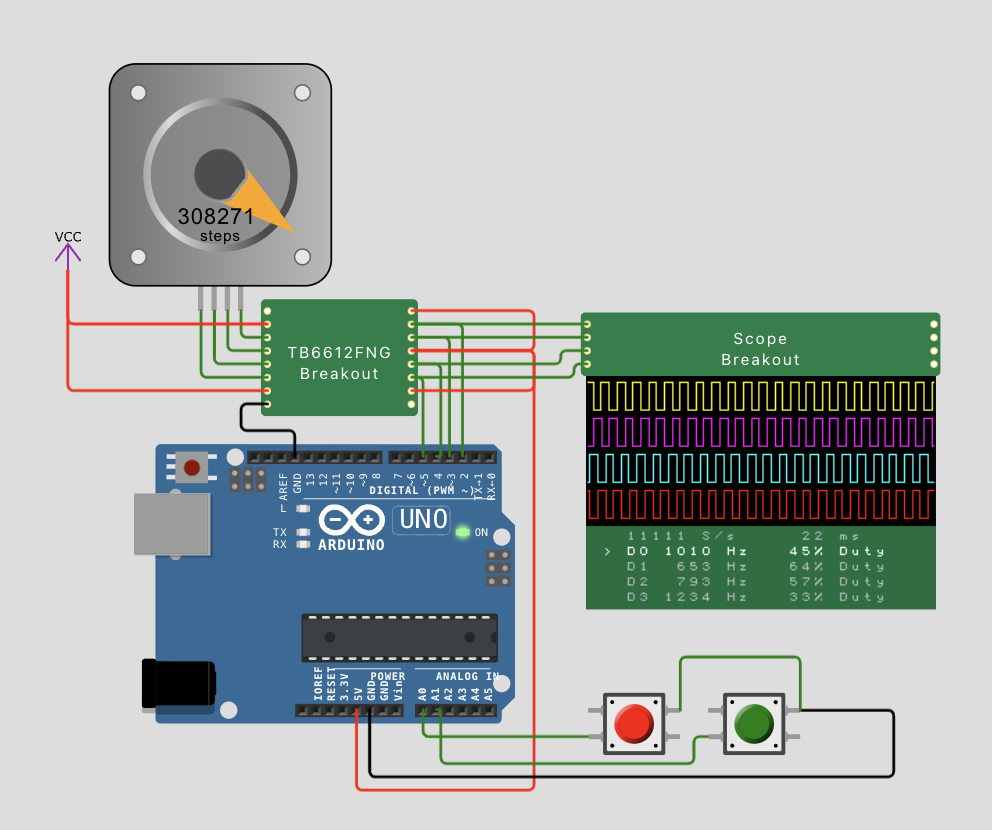
AccelStepper does do non-positional continuous rotation with stepper.runspeed(). However you would need to manage the transition from acceleration mode (stepper.run()) where it does the acceleration calculations into the no-acceleration-calculation constant speed mode (stepper.runspeed()) once it reaches the target speed.
// AccelStepper_AccelToConstantSpeed
// https://wokwi.com/projects/422896273363206145
// based on:
// https://wokwi.com/projects/419849124942020609
// Code from https://github.com/waspinator/AccelStepper/blob/master/examples/ConstantSpeed/ConstantSpeed.pde
// Other example simulations https://forum.arduino.cc/t/wokwi-simulations-for-arduino-built-in-examples/1304754
// You should not drive a stepper direcly from the controller
// Use a modern H-bridge driver like a TB6612FNG, or an old,
// inefficient L298N, or a modern STEP+DIR driver.

// ConstantSpeed.pde
// -*- mode: C++ -*-
//
// Shows how to run AccelStepper in the simplest,
// fixed speed mode with no accelerations
/// \author  Mike McCauley (mikem@airspayce.com)
// Copyright (C) 2009 Mike McCauley
// $Id: ConstantSpeed.pde,v 1.1 2011/01/05 01:51:01 mikem Exp mikem $

#include <AccelStepper.h>

AccelStepper stepper; // Defaults to AccelStepper::FULL4WIRE (4 pins) on 2, 3, 4, 5

enum State {INIT, ACCEL, CRUISING, STOPPING} state = INIT;

const int StopPin = A0;
const int GoPin = A1;

void setup()
{
  pinMode(StopPin,INPUT_PULLUP);
  pinMode(GoPin,INPUT_PULLUP);
}

void loop()
{
  switch (state) {
    case INIT:
      stepper.setMaxSpeed(4000);
      stepper.setAcceleration(400);
      stepper.move(100000); // needs to be far enough to ramp up
      state = ACCEL;
      break;
    case ACCEL:
      if (stepper.speed() == stepper.maxSpeed()) {
        state = CRUISING;
      }
      if( digitalRead(StopPin) == LOW){
        stepper.stop();
        state = STOPPING;
      }
      stepper.run();
      break;
    case CRUISING:
      stepper.runSpeed();
      if( digitalRead(StopPin) == LOW){
        stepper.stop();
        state = STOPPING;
      }
      break;
    case STOPPING:
      stepper.run();
      if(stepper.speed() == 0 && digitalRead(GoPin)== LOW){
        state = INIT;
      }
  }
}