Supposons que je veuille afficher sur un écran Oled 128x64 pixels le logo suivant :
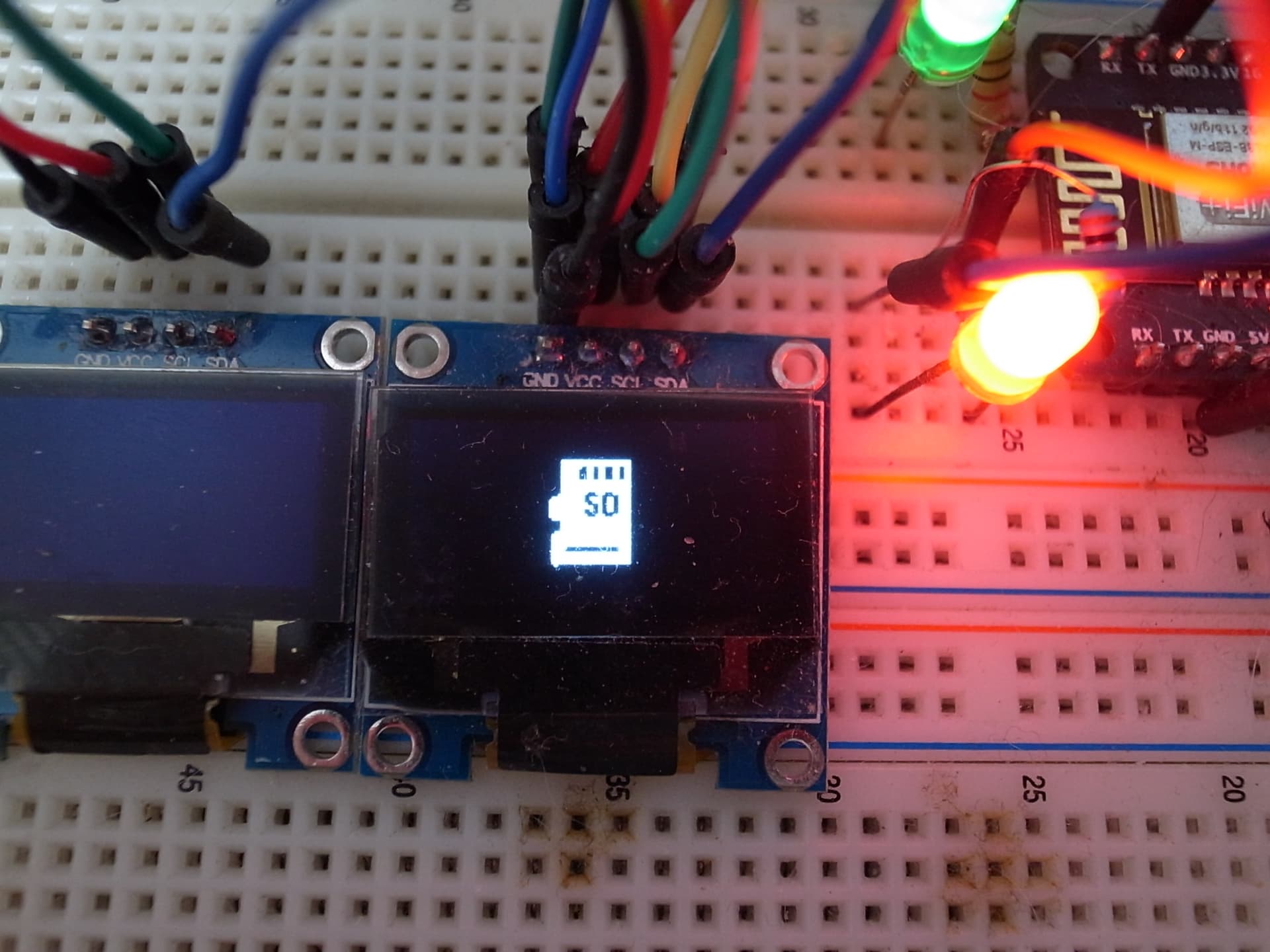
un logo blanc sur fond noir que je veux placer sur un écran noir (le resultat réel sur l'oled est beaucoup plus détaillé que sur la photo)
1ere étape: j'ai téléchargé sur internet ce logo (BMP ou JPG peu importe) qui ici fait 350x350 pixels mais cela n'a strictement aucune importance

2eme étape : il est nécessaire de réduire ce logo à moins de 128x64 car ce sont les dimensions maximales de l'écran.! .. j'ai choisi 45x45
Pour cela, lancez cette application on line : image2cpp
Puis remplissez les champs comme ceci :


3eme étape : PREVISUALISATION DU RESULTAT sur un oled 168x64**
Voici un scketch ,parmi d'autres possibles, de vérification .. copier-y le code généré et envoyez-le dans votre arduino
CODE_DE_TEST_IMAGES_JPG_CONVERTIS_EN_ARDUINO.ino (6.7 KB)
#include <Adafruit_SSD1306.h>


// =======================
// Paramètrages écran OLED
// =======================
#define nombreDePixelsEnLargeur   128         // Taille de l'écran OLED, en pixel, au niveau de sa largeur
#define nombreDePixelsEnHauteur   64          // Taille de l'écran OLED, en pixel, au niveau de sa hauteur
#define brocheResetOLED           -1          // Reset de l'OLED partagé avec l'Arduino (d'où la valeur à -1, et non un numéro de pin)
#define adresseI2CecranOLED       0x3C        // Adresse de "mon" écran OLED sur le bus i2c (généralement égal à 0x3C ou 0x3D)
Adafruit_SSD1306 ecranOLED(nombreDePixelsEnLargeur, nombreDePixelsEnHauteur, &Wire, brocheResetOLED);

// ================
// Image à afficher
// ================
#define largeurDeLimage           45          // Largeur de l'image à afficher, en pixels
#define hauteurDeLimage           45         // Hauteur de l'image à afficher, en pixels

const unsigned char imageAafficher [] PROGMEM = {

0x00, 0x00, 0x00, 0x00, 0x00, 0x00, 0x00, 0x00, 0x00, 0x00, 0x00, 0x00, 0x00, 0x00, 0x00, 0x00,
0x00, 0x00, 0x00, 0x3f, 0xff, 0xff, 0xc0, 0x00, 0x00, 0x3f, 0xff, 0xff, 0xc0, 0x00, 0x00, 0x3f,
0x99, 0x9c, 0xc0, 0x00, 0x00, 0x3f, 0x19, 0x8c, 0xc0, 0x00, 0x00, 0x3f, 0x19, 0x8c, 0xc0, 0x00,
0x00, 0x3f, 0x19, 0x8c, 0xc0, 0x00, 0x00, 0x3f, 0x19, 0x8c, 0xc0, 0x00, 0x00, 0x3f, 0xff, 0xff,
0xc0, 0x00, 0x00, 0x3f, 0xff, 0xff, 0xc0, 0x00, 0x00, 0x3f, 0xff, 0xff, 0xc0, 0x00, 0x00, 0x3f,
0xff, 0xff, 0xc0, 0x00, 0x00, 0x3f, 0xf3, 0x9f, 0xc0, 0x00, 0x00, 0xff, 0xc1, 0x07, 0xc0, 0x00,
0x01, 0xff, 0xcf, 0x33, 0xc0, 0x00, 0x03, 0xff, 0xc7, 0x33, 0xc0, 0x00, 0x03, 0xff, 0xe1, 0x33,
0xc0, 0x00, 0x03, 0xff, 0xf9, 0x33, 0xc0, 0x00, 0x03, 0xff, 0xd9, 0x33, 0xc0, 0x00, 0x03, 0xff,
0xc1, 0x07, 0xc0, 0x00, 0x03, 0xff, 0xff, 0xff, 0xc0, 0x00, 0x03, 0xff, 0xff, 0xff, 0xc0, 0x00,
0x00, 0x3f, 0xff, 0xff, 0xc0, 0x00, 0x00, 0x3f, 0xff, 0xff, 0xc0, 0x00, 0x00, 0x3f, 0xff, 0xff,
0xc0, 0x00, 0x00, 0x7f, 0xff, 0xff, 0xc0, 0x00, 0x00, 0xff, 0xff, 0xff, 0xc0, 0x00, 0x01, 0xff,
0xff, 0xff, 0xc0, 0x00, 0x01, 0xff, 0xff, 0xff, 0xc0, 0x00, 0x01, 0xff, 0xff, 0xff, 0xc0, 0x00,
0x01, 0xff, 0xff, 0xff, 0xc0, 0x00, 0x01, 0xf0, 0x00, 0x07, 0xc0, 0x00, 0x01, 0xf0, 0x00, 0x03,
0xc0, 0x00, 0x01, 0xff, 0xff, 0xff, 0xc0, 0x00, 0x01, 0xff, 0xff, 0xff, 0xc0, 0x00, 0x01, 0xff,
0xff, 0xff, 0xc0, 0x00, 0x01, 0xff, 0xff, 0xff, 0xc0, 0x00, 0x01, 0xff, 0xff, 0xff, 0xc0, 0x00,
0x00, 0x00, 0x00, 0x00, 0x00, 0x00, 0x00, 0x00, 0x00, 0x00, 0x00, 0x00, 0x00, 0x00, 0x00, 0x00,
0x00, 0x00, 0x00, 0x00, 0x00, 0x00, 0x00, 0x00, 0x00, 0x00, 0x00, 0x00, 0x00, 0x00

};

void setup() {

  // Initialisation de l'écran OLED
  if(!ecranOLED.begin(SSD1306_SWITCHCAPVCC, adresseI2CecranOLED))
    while(1);                               // Arrêt du programme (boucle infinie) en cas d'échec de l'initialisation


  // Affichage d'une image au centre de l'écran
  ecranOLED.clearDisplay();                           // Effaçage de la mémoire tampon de l'écran OLED

  ecranOLED.drawBitmap(
    (ecranOLED.width()  - largeurDeLimage ) / 2,      // Position de l'extrême "gauche" de l'image (pour centrage écran, ici)
    (ecranOLED.height() - hauteurDeLimage) / 2,       // Position de l'extrême "haute" de l'image (pour centrage écran, ici)
    imageAafficher, largeurDeLimage, hauteurDeLimage, WHITE);    // "couleur" de l'image

  ecranOLED.display();                                // Transfert de la mémoire tampon à l'écran OLED, pour affichage

}


// =================
// Boucle principale
// =================
void loop() {
  // Partie vide, car tout se passe dans la fonction setup()

}