Uploading image to Google Drive (adapting esp32-Cam example)

The aim of my project is to take a screen capture of a TFT and upload it to Google Drive. I am using the FeatherWing 3.5" with onboard SD and Feather Huzzah esp8266. I have all the code worked out to take and make the image and am now trying to adapt an espCam project that uploads, however, I'm running into challenges in doing so

The only examples I have found rely on esp32-Cam library functions that I don't know how to replicate for my environment. Namely these:

typedef struct {
    uint8_t * buf;              /*!< Pointer to the pixel data */
    size_t len;                 /*!< Length of the buffer in bytes */
    size_t width;               /*!< Width of the buffer in pixels */
    size_t height;              /*!< Height of the buffer in pixels */
    pixformat_t format;         /*!< Format of the pixel data */
} camera_fb_t;

Here is the part of the code that I need help on with full code below. This version follows the example here.

void saveCapturedImage(String filename) {
  Serial.println("Connect to " + String(host));
  client.setInsecure();
  
  if (client.connect(host, port)) {
    Serial.println("Client connection successful");
    
    bmpFile = SD.open(filename, FILE_READ);
  
    //char *input = (char *)fb->buf;
    char *input = (char *)bmpFile.read();
    //int fbLen = fb->len;
    int fbLen = sizeof(bmpFile);
    char output[base64_enc_len(3)];
    String imageFile = "";
    for (int i=0; i<fbLen; i++) {
      base64_encode(output, (input++), 3);
      if (i%3==0) imageFile += urlencode(String(output));
    }
    String Data = filename+mimeType+myImage;
    
    Serial.println("Send a captured image to Google Drive.");
    
    client.println("POST " + url + " HTTP/1.1");
    client.println("Host: " + String(host));
    client.println("Content-Length: " + String(Data.length()+imageFile.length()));
    client.println("Content-Type: application/x-www-form-urlencoded");
    client.println();
    
    client.print(Data);
    int Index;
    for (Index = 0; Index < imageFile.length(); Index = Index+1000) {
      client.print(imageFile.substring(Index, Index+1000));
    }
    
    Serial.println("Waiting for response.");
    long int StartTime=millis();
    while (!client.available()) {
      Serial.print(".");
      delay(100);
      if ((StartTime+waitingTime) < millis()) {
        Serial.println();
        Serial.println("No response.");
        //If you have no response, maybe need a greater value of waitingTime
        break;
      }
    }
    Serial.println();   
    while (client.available()) {
      Serial.print(char(client.read()));
    }  
  } else {         
    Serial.println("Connected to " + String(host) + " failed.");
  }
  client.stop();
}

This will successfully connect, however the following error message happens (with a long stream of what I assume is byte data )after a bit of chugging:

Connect to script.google.com
Client connection successful
Fatal exception 28(LoadProhibitedCause):
epc1=0x4020180b, epc2=0x00000000, epc3=0x00000000, excvaddr=0x00000042, depc=0x00000000

I think this comes down to what I've tried to do to adapt the esp32-Cam functions that are likely wrong (the commented out being the originals and my solve uncommented):

//char *input = (char *)fb->buf;
char *input = (char *)bmpFile.read();
//int fbLen = fb->len;
int fbLen = sizeof(bmpFile);

What I could use is some guidance on how to replicate what is going on in these two functions, as everything else in the examples is not specific to the adapted esp32-Cam example or library.

full code here:

#include <SPI.h>
#include <Adafruit_GFX.h>
#include <Adafruit_HX8357.h>
#include <Adafruit_STMPE610.h>
//#include <Adafruit_ImageReader.h>
#include <ESP8266WiFi.h>
#include <WiFiClientSecure.h>
//#include "SdFat.h"
#include "SD.h"
#include <Bounce2.h>
#include "time.h"
#include <Arduino_JSON.h>
#include "Base64.h"
  
#define STMPE_CS 16
#define TFT_CS   0
#define TFT_DC   15
#define SD_CS    2
#define TFT_RST -1
  
Adafruit_HX8357 tft = Adafruit_HX8357(TFT_CS, TFT_DC, TFT_RST);
Adafruit_STMPE610 touch = Adafruit_STMPE610(STMPE_CS);
  
File bmpFile;
  
const char* ssid     = "mySSID";
const char* password = "myPass";
  
const char* NTP_SERVER = "pool.ntp.org";
const char* TZ_INFO = "EST5EDT,M3.2.0,M11.1.00";
// const long  gmtOffset = -18000;        //should be 5 * 3600 or 18000 (seconds)
// const int   daylightOffset = 3600;   //Replace with your daylight offset (seconds)
tm timeinfo;
time_t now;
long unsigned lastNTPtime;
unsigned long lastEntryTime;
char theDate[20];
char fileDate[20];
  
//google drive stuff
WiFiClientSecure client;
const char* host = "script.google.com";
const uint16_t port = 443;
String myDeploymentID = "string_of_nonsense";
String url = "/macros/s/string_of_nonsense/exec";
String myMainFolderName = "myFolder";
String mimeType = "&mimetype=image/jpeg";
String myImage = "&data=";
int waitingTime = 30000; //Wait 30 seconds to google response.
  
// This is calibration data for touchscreen at no rotation
#define TS_MINX 120
#define TS_MAXX 3950
#define TS_MINY 120
#define TS_MAXY 3950
  
#define PENRADIUS 1
unsigned long lastTouch = millis();
int prevPt[] = {0,0,0};
  
const int debounceDelay = 50;
#define capPin 17
Bounce captureButton = Bounce();
#define clearPin 5
Bounce clearButton = Bounce();
#define menuPin 4
Bounce menuButton = Bounce();
  
const unsigned int penColor = 0x0000;    //Black
const unsigned int bgColor = 0xF72F;     //#F3E779
  
void setup() { 
  Serial.begin(115200);
  
  //pinMode(capPin, INPUT);
  captureButton.attach(capPin, INPUT);
  captureButton.interval(debounceDelay);
  //pinMode(clearPin, INPUT);
  clearButton.attach(clearPin, INPUT);
  clearButton.interval(debounceDelay);
  //pinMode(menuPin, INPUT);
  menuButton.attach(menuPin, INPUT);
  menuButton.interval(debounceDelay);
  
  tft.begin();
  //tft.setRotation(1);
  tft.fillScreen(bgColor);
  
  if (! touch.begin()) {
    Serial.println("STMPE not found!");
    while(1);
  }
  Serial.println("Waiting for touch sense");
  
  Serial.print("Initializing SD card...");
  if(!SD.begin(SD_CS)) {
  //if(!SD.begin(SD_CS, SD_SCK_MHZ(25))) { // ESP32 requires 25 MHz limit
    Serial.println(F("SD begin() failed"));
    for(;;); // Fatal error, do not continue
  }
  
  Serial.printf("Connecting to %s ", ssid);
  WiFi.begin(ssid, password);
  while (WiFi.status() != WL_CONNECTED) {
    delay(300);
    Serial.print(".");
  }
  Serial.println("CONNECTED to WIFI");
  
  configTime(0, 0, NTP_SERVER);
  setenv("TZ", TZ_INFO, 1);
  if(getNTPtime(5)) {  // wait up to 10sec to sync
  } else {
    Serial.println("Time not set");
    //ESP.restart();
  }
  lastNTPtime = time(&now);
  lastEntryTime = millis();
}
  
void loop() {
  captureButton.update();
  if(captureButton.fell()){
    bmpSave();
  }
  
  clearButton.update();
  if(clearButton.fell()){
    clearScreen();
  }
  
  menuButton.update();
  if(menuButton.fell()){
    menuCall();
  }
  
  uint16_t x, y, ptX, ptY;
  uint8_t z, ptZ;
  if (touch.touched()) {
    // read x & y & z;
    while (! touch.bufferEmpty()) {
      touch.readData(&x, &y, &z);
      // normal alignment with no setRotation
      ptX = map(x, TS_MINX, TS_MAXX, 0, tft.width());
      ptY = map(y, TS_MINY, TS_MAXY, 0, tft.height());
      if(millis() - lastTouch < 40){
        tft.drawLine(prevPt[0], prevPt[1], ptX, ptY, penColor);
        prevPt[0] = ptX;  prevPt[1] = ptY;  prevPt[2] = ptZ;
        lastTouch = millis();
      } else{
        prevPt[0] = ptX;  prevPt[1] = ptY;  prevPt[2] = ptZ;
        lastTouch = millis();
      }
    }
  }
  //delay(10);
}
  
void drawAngledLine(int x, int y, int x1, int y1) {
  float dx = (PENRADIUS+1/2.0) * (x-x1) / sqrt(sq(x-x1) + sq(y-y1));
  float dy = (PENRADIUS+1/2.0) * (y-y1) / sqrt(sq(x-x1) + sq(y-y1));
  tft.fillTriangle(x+dx, y-dy, x-dx, y+dy, x1+dx, y1-dy, HX8357_WHITE);
  tft.fillTriangle(x-dx, y+dy, x1-dx, y1+dy, x1+dx, y1-dy, HX8357_WHITE);
}
  
void clearScreen() {
  tft.fillScreen(bgColor);
}
  
void bmpSave() {
  uint32_t filesize, offset;
  uint16_t width = tft.width(), height = tft.height();
  unsigned long startTime;
  unsigned long elapsedTime;
    
  if(!SD.begin(SD_CS)){
    Serial.println(F("SD begin() failed"));
    for(;;); // Fatal error, do not continue
  }
  
  //String filename = getDate();
  //filename = filename + ".bmp";
  char filename[20] ;
  strcpy(filename, fileDate);
  strcat(filename, "_note001.bmp");
  while (SD.exists(filename)) { 
    String num = String(filename).substring(13, 16);
    int val = num.toInt();
    char stuff[20];
    sprintf(stuff, "num in string: %s | value: %d", num, val);
    val++;
    sprintf(filename, "%s_note%03d.bmp", fileDate, val);
  } 
  Serial.println(filename);
  
  bmpFile = SD.open(filename, FILE_WRITE);
  // On error hang up
  if (!bmpFile) for (;;);
  Serial.print("image: "); Serial.print(filename); Serial.println(" started processing");
  //
  // File header: 14 bytes
  bmpFile.write('B'); bmpFile.write('M');
  writeFour(14+40+12+width*height*2); // File size in bytes
  writeFour(0);
  writeFour(14+40+12);                // Offset to image data from start
  //
  // Image header: 40 bytes
  writeFour(40);                      // Header size
  writeFour(width);                   // Image width
  writeFour(height);                  // Image height
  writeTwo(1);                        // Planes
  writeTwo(16);                       // Bits per pixel
  writeFour(0);                       // Compression (none)
  writeFour(0);                       // Image size (0 for uncompressed)
  writeFour(0);                       // Preferred X resolution (ignore)
  writeFour(0);                       // Preferred Y resolution (ignore)
  writeFour(0);                       // Colour map entries (ignore)
  writeFour(0);                       // Important colours (ignore)
  Serial.println("header written");
  
  // Colour masks: 12 bytes
  writeFour(0b0000011111100000);      // Green
  writeFour(0b1111100000000000);      // Red
  writeFour(0b0000000000011111);      // Blue
  Serial.println("color mask applied");
  
  // Image data: width * height * 2 bytes
  for (int y=height-1; y>=0; y--) {
    for (int x=0; x<width; x++) {
      writeTwo(getPixel(x,y));    // Each row must be a multiple of four bytes
    }
  }
  Serial.println("finished encoding");
  
  // Close the file
  bmpFile.close();
  elapsedTime = millis() - startTime;
  Serial.println("file finished saving");
  Serial.print("the file took "); Serial.print(elapsedTime/1000); Serial.println(" secs to complete");
  
  //uploadFile(filename);
  saveCapturedImage(filename);
  
  // http://www.technoblogy.com/show?398X
}
  
void writeTwo (uint16_t word) {
  bmpFile.write(word & 0xFF); bmpFile.write((word >> 8) & 0xFF);
}
  
void writeFour (uint32_t word) {
  bmpFile.write(word & 0xFF); bmpFile.write((word >> 8) & 0xFF);
  bmpFile.write((word >> 16) & 0xFF); bmpFile.write((word >> 24) & 0xFF);
}
  
uint16_t getPixel(int x, int y) { // get pixel color code in rgb565 format
  tft.startWrite();    //needed for low-level methods.  CS active
  tft.setAddrWindow(x, y, 1, 1);
  tft.writeCommand(0x2E); // memory read command.  sets DC
  
  uint8_t r, g, b;
  r = tft.spiRead(); // discard dummy read
  r = tft.spiRead();
  g = tft.spiRead();
  b = tft.spiRead();
  tft.endWrite();    //needed for low-level methods.  CS idle
  
  return ((r & 0xF8) << 8) | ((g & 0xFC) << 3) | ((b & 0xF8) >> 3);
  
  //https://forum.arduino.cc/t/create-snapshot-of-3-5-tft-and-save-to-file-in-bitmap-format/391367/7
}
  
bool getNTPtime(int sec) {
  {
    uint32_t start = millis();
    do {
      time(&now);
      localtime_r(&now, &timeinfo);
      Serial.print(".");
      delay(10);
    } while (((millis() - start) <= (1000 * sec)) && (timeinfo.tm_year < (2016 - 1900)));
    if (timeinfo.tm_year <= (2016 - 1900)) return false;  // the NTP call was not successful
    Serial.print("now ");  Serial.println(now);
    char time_output[30];
    strftime(time_output, 30, "%a  %d-%m-%y %T", localtime(&now));
    strftime(theDate, 30, "%d-%m-%y", localtime(&now));
    strftime(fileDate, 30, "%b%d-%y", localtime(&now));
    Serial.println(time_output);
    Serial.println();
  }
  return true;
  //https://github.com/SensorsIot/NTP-time-for-ESP8266-and-ESP32/blob/master/NTP_Example/NTP_Example.ino
  //https://microcontrollerslab.com/current-date-time-esp8266-nodemcu-ntp-server/
  //https://arduino.stackexchange.com/questions/42922/get-hour-with-ctime-time-library-with-esp8266
}
  
void saveCapturedImage(String filename) {
  Serial.println("Connect to " + String(host));
  client.setInsecure();
  
  if (client.connect(host, port)) {
    Serial.println("Client connection successful");
    
    bmpFile = SD.open(filename, FILE_READ);
  
    //char *input = (char *)fb->buf;
    char *input = (char *)bmpFile.read();
    //int fbLen = fb->len;
    int fbLen = sizeof(bmpFile);
    char output[base64_enc_len(3)];
    String imageFile = "";
    for (int i=0; i<fbLen; i++) {
      base64_encode(output, (input++), 3);
      if (i%3==0) imageFile += urlencode(String(output));
    }
    String Data = filename+mimeType+myImage;
    
    Serial.println("Send a captured image to Google Drive.");
    
    client.println("POST " + url + " HTTP/1.1");
    client.println("Host: " + String(host));
    client.println("Content-Length: " + String(Data.length()+imageFile.length()));
    client.println("Content-Type: application/x-www-form-urlencoded");
    client.println();
    
    client.print(Data);
    int Index;
    for (Index = 0; Index < imageFile.length(); Index = Index+1000) {
      client.print(imageFile.substring(Index, Index+1000));
    }
    
    Serial.println("Waiting for response.");
    long int StartTime=millis();
    while (!client.available()) {
      Serial.print(".");
      delay(100);
      if ((StartTime+waitingTime) < millis()) {
        Serial.println();
        Serial.println("No response.");
        //If you have no response, maybe need a greater value of waitingTime
        break;
      }
    }
    Serial.println();   
    while (client.available()) {
      Serial.print(char(client.read()));
    }  
  } else {         
    Serial.println("Connected to " + String(host) + " failed.");
  }
  client.stop();
}
  
String urlencode(String str) {
    String encodedString="";
    char c;
    char code0;
    char code1;
    char code2;
    for (int i =0; i < str.length(); i++){
      c=str.charAt(i);
      if (c == ' '){
        encodedString+= '+';
      } else if (isalnum(c)){
        encodedString+=c;
      } else{
        code1=(c & 0xf)+'0';
        if ((c & 0xf) >9){
            code1=(c & 0xf) - 10 + 'A';
        }
        c=(c>>4)&0xf;
        code0=c+'0';
        if (c > 9){
            code0=c - 10 + 'A';
        }
        code2='\0';
        encodedString+='%';
        encodedString+=code0;
        encodedString+=code1;
        //encodedString+=code2;
      }
      yield();
    }
    return encodedString;
}

That's your biggest problem. The read() function returns a char, so casting it to a char * is complete nonsense. With ESP32 CAM the image is already in memory so you can access it by dereferencing the fb->buf pointer. However, with the image on SD card, you need to read it in first. I don't have that hardware to test, but I image you'd start with getting rid of that line. Then try:

    for (int i=0; i<fbLen; i++) {
      char tempChar = bmpFile.read();
      base64_encode(output, &tempChar, 3);
      if (i%3==0) imageFile += urlencode(String(output));
    }

BTW, which library are you #includ(ing) with the line #include "Base64.h"? Where did you get it? I ask because the function ' base64_encode()' is not part of the built-in ESP32 Base64 library.

I'll give that a try. Was the definition correct? I didn't know if it was

int fbLen = sizeof(bmpFile);
or
int fbLen = bmpFile.size();

The Base64.h was a separate include in the example and it's here. Can't say why they didn't use the regular library.

/*
 * Copyright (c) 2013 Adam Rudd.
 * See LICENSE for more information
 * https://github.com/adamvr/arduino-base64 
 */
#ifndef _BASE64_H
#define _BASE64_H

/* b64_alphabet:
 *      Description: Base64 alphabet table, a mapping between integers
 *                   and base64 digits
 *      Notes: This is an extern here but is defined in Base64.c
 */
extern const char b64_alphabet[];

/* base64_encode:
 *      Description:
 *          Encode a string of characters as base64
 *      Parameters:
 *          output: the output buffer for the encoding, stores the encoded string
 *          input: the input buffer for the encoding, stores the binary to be encoded
 *          inputLen: the length of the input buffer, in bytes
 *      Return value:
 *          Returns the length of the encoded string
 *      Requirements:
 *          1. output must not be null or empty
 *          2. input must not be null
 *          3. inputLen must be greater than or equal to 0
 */
int base64_encode(char *output, char *input, int inputLen);

/* base64_decode:
 *      Description:
 *          Decode a base64 encoded string into bytes
 *      Parameters:
 *          output: the output buffer for the decoding,
 *                  stores the decoded binary
 *          input: the input buffer for the decoding,
 *                 stores the base64 string to be decoded
 *          inputLen: the length of the input buffer, in bytes
 *      Return value:
 *          Returns the length of the decoded string
 *      Requirements:
 *          1. output must not be null or empty
 *          2. input must not be null
 *          3. inputLen must be greater than or equal to 0
 */
int base64_decode(char *output, char *input, int inputLen);

/* base64_enc_len:
 *      Description:
 *          Returns the length of a base64 encoded string whose decoded
 *          form is inputLen bytes long
 *      Parameters:
 *          inputLen: the length of the decoded string
 *      Return value:
 *          The length of a base64 encoded string whose decoded form
 *          is inputLen bytes long
 *      Requirements:
 *          None
 */
int base64_enc_len(int inputLen);

/* base64_dec_len:
 *      Description:
 *          Returns the length of the decoded form of a
 *          base64 encoded string
 *      Parameters:
 *          input: the base64 encoded string to be measured
 *          inputLen: the length of the base64 encoded string
 *      Return value:
 *          Returns the length of the decoded form of a
 *          base64 encoded string
 *      Requirements:
 *          1. input must not be null
 *          2. input must be greater than or equal to zero
 */
int base64_dec_len(char *input, int inputLen);

#endif // _BASE64_H

Is it this one https://github.com/adamvr/arduino-base64/tree/master?

Where did you get the original ESP32 CAM example that you posted. I ask because I think I've seen someone post it here before. It's not very good. The loop for encoding to Base64 processes each input byte three times. So, my suggested code probably won't work.

If you want to continue using that mediocre example code you'll probably have to read the entire file into a buffer first (use PSRAM if your board has it). Then, you can use the code more or less as is with the buffer pointer substituted for fb->buf.

There are a couple of different examples out there of ESP32-Cam to google drive. They still all rely on those two library functions that I need to find a different way of constructing and then chunking out the file to upload.

Other version 1

void SendCapturedPhotos() {
  const char* host = "script.google.com";
  Serial.println();
  Serial.println("-----------");
  Serial.println("Connect to " + String(host));
  
  client.setInsecure();

  //---------------------------------------- The Flash LED blinks once to indicate connection start.
  digitalWrite(FLASH_LED_PIN, HIGH);
  delay(100);
  digitalWrite(FLASH_LED_PIN, LOW);
  delay(100);
  //---------------------------------------- 

  //---------------------------------------- The process of connecting, capturing and sending photos to Google Drive.
  if (client.connect(host, 443)) {
    Serial.println("Connection successful.");
    
    if (LED_Flash_ON == true) {
      digitalWrite(FLASH_LED_PIN, HIGH);
      delay(100);
    }

    //.............................. Taking a photo.
    Serial.println();
    Serial.println("Taking a photo...");
    
    for (int i = 0; i <= 3; i++) {
      camera_fb_t * fb = NULL;
      fb = esp_camera_fb_get();
       if(!fb) {
          Serial.println("Camera capture failed");
          Serial.println("Restarting the ESP32 CAM.");
          delay(1000);
          ESP.restart();
          return;
        } 
      esp_camera_fb_return(fb);
      delay(200);
    }
  
    camera_fb_t * fb = NULL;
    fb = esp_camera_fb_get();
    if(!fb) {
      Serial.println("Camera capture failed");
      Serial.println("Restarting the ESP32 CAM.");
      delay(1000);
      ESP.restart();
      return;
    } 
  
    if (LED_Flash_ON == true) digitalWrite(FLASH_LED_PIN, LOW);
    
    Serial.println("Taking a photo was successful.");
    //.............................. 

    //.............................. Sending image to Google Drive.
    Serial.println();
    Serial.println("Sending image to Google Drive.");
    Serial.println("Size: " + String(fb->len) + "byte");
    
    String url = "/macros/s/" + myDeploymentID + "/exec?folder=" + myMainFolderName;

    client.println("POST " + url + " HTTP/1.1");
    client.println("Host: " + String(host));
    client.println("Transfer-Encoding: chunked");
    client.println();

    int fbLen = fb->len;
    char *input = (char *)fb->buf;
    int chunkSize = 3 * 1000; //--> must be multiple of 3.
    int chunkBase64Size = base64_enc_len(chunkSize);
    char output[chunkBase64Size + 1];

    Serial.println();
    int chunk = 0;
    for (int i = 0; i < fbLen; i += chunkSize) {
      int l = base64_encode(output, input, min(fbLen - i, chunkSize));
      client.print(l, HEX);
      client.print("\r\n");
      client.print(output);
      client.print("\r\n");
      delay(100);
      input += chunkSize;
      Serial.print(".");
      chunk++;
      if (chunk % 50 == 0) {
        Serial.println();
      }
    }
    client.print("0\r\n");
    client.print("\r\n");

    esp_camera_fb_return(fb);
    //.............................. 

    //.............................. Waiting for response.
    Serial.println("Waiting for response.");
    long int StartTime = millis();
    while (!client.available()) {
      Serial.print(".");
      delay(100);
      if ((StartTime + 10 * 1000) < millis()) {
        Serial.println();
        Serial.println("No response.");
        break;
      }
    }
    Serial.println();
    while (client.available()) {
      Serial.print(char(client.read()));
    }
    //.............................. 

    //.............................. Flash LED blinks once as an indicator of successfully sending photos to Google Drive.
    digitalWrite(FLASH_LED_PIN, HIGH);
    delay(500);
    digitalWrite(FLASH_LED_PIN, LOW);
    delay(500);
    //.............................. 
  }
  else {
    Serial.println("Connected to " + String(host) + " failed.");
    
    //.............................. Flash LED blinks twice as a failed connection indicator.
    digitalWrite(FLASH_LED_PIN, HIGH);
    delay(500);
    digitalWrite(FLASH_LED_PIN, LOW);
    delay(500);
    digitalWrite(FLASH_LED_PIN, HIGH);
    delay(500);
    digitalWrite(FLASH_LED_PIN, LOW);
    delay(500);
    //.............................. 
  }

  Serial.println("-----------");

  client.stop();
}

Other version 2

void SendCapturedPhotos() {
  const char* host = "script.google.com";
  Serial.println();
  Serial.println("-----------");
  Serial.println("Connect to " + String(host));
  
  client.setInsecure();

  //---------------------------------------- The Flash LED blinks once to indicate connection start.
  digitalWrite(FLASH_LED_PIN, HIGH);
  delay(100);
  digitalWrite(FLASH_LED_PIN, LOW);
  delay(100);
  //---------------------------------------- 

  //---------------------------------------- The process of connecting, capturing and sending photos to Google Drive.
  if (client.connect(host, 443)) {
    Serial.println("Connection successful.");
    
    if (LED_Flash_ON == true) {
      digitalWrite(FLASH_LED_PIN, HIGH);
      delay(100);
    }

    //.............................. Taking a photo.
    Serial.println();
    Serial.println("Taking a photo...");
    
    for (int i = 0; i <= 3; i++) {
      camera_fb_t * fb = NULL;
      fb = esp_camera_fb_get();
       if(!fb) {
          Serial.println("Camera capture failed");
          Serial.println("Restarting the ESP32 CAM.");
          delay(1000);
          ESP.restart();
          return;
        } 
      esp_camera_fb_return(fb);
      delay(200);
    }
  
    camera_fb_t * fb = NULL;
    fb = esp_camera_fb_get();
    if(!fb) {
      Serial.println("Camera capture failed");
      Serial.println("Restarting the ESP32 CAM.");
      delay(1000);
      ESP.restart();
      return;
    } 
  
    if (LED_Flash_ON == true) digitalWrite(FLASH_LED_PIN, LOW);
    
    Serial.println("Taking a photo was successful.");
    //.............................. 

    //.............................. Sending image to Google Drive.
    Serial.println();
    Serial.println("Sending image to Google Drive.");
    Serial.println("Size: " + String(fb->len) + "byte");
    
    String url = "/macros/s/" + myDeploymentID + "/exec?folder=" + myMainFolderName;

    client.println("POST " + url + " HTTP/1.1");
    client.println("Host: " + String(host));
    client.println("Transfer-Encoding: chunked");
    client.println();

    int fbLen = fb->len;
    char *input = (char *)fb->buf;
    int chunkSize = 3 * 1000; //--> must be multiple of 3.
    int chunkBase64Size = base64_enc_len(chunkSize);
    char output[chunkBase64Size + 1];

    Serial.println();
    int chunk = 0;
    for (int i = 0; i < fbLen; i += chunkSize) {
      int l = base64_encode(output, input, min(fbLen - i, chunkSize));
      client.print(l, HEX);
      client.print("\r\n");
      client.print(output);
      client.print("\r\n");
      delay(100);
      input += chunkSize;
      Serial.print(".");
      chunk++;
      if (chunk % 50 == 0) {
        Serial.println();
      }
    }
    client.print("0\r\n");
    client.print("\r\n");

    esp_camera_fb_return(fb);
    //.............................. 

    //.............................. Waiting for response.
    Serial.println("Waiting for response.");
    long int StartTime = millis();
    while (!client.available()) {
      Serial.print(".");
      delay(100);
      if ((StartTime + 10 * 1000) < millis()) {
        Serial.println();
        Serial.println("No response.");
        break;
      }
    }
    Serial.println();
    while (client.available()) {
      Serial.print(char(client.read()));
    }
    //.............................. 

    //.............................. Flash LED blinks once as an indicator of successfully sending photos to Google Drive.
    digitalWrite(FLASH_LED_PIN, HIGH);
    delay(500);
    digitalWrite(FLASH_LED_PIN, LOW);
    delay(500);
    //.............................. 
  }
  else {
    Serial.println("Connected to " + String(host) + " failed.");
    
    //.............................. Flash LED blinks twice as a failed connection indicator.
    digitalWrite(FLASH_LED_PIN, HIGH);
    delay(500);
    digitalWrite(FLASH_LED_PIN, LOW);
    delay(500);
    digitalWrite(FLASH_LED_PIN, HIGH);
    delay(500);
    digitalWrite(FLASH_LED_PIN, LOW);
    delay(500);
    //.............................. 
  }
  //---------------------------------------- 

  Serial.println("-----------");

  client.stop();
}

Other version 3

void sendPhotoDrive(camera_fb_t *fb)
{
  Serial.println("Connect to " + String(host));
  WiFiClientSecure client;
  client.setInsecure(); // Comment out this line on Windows
  if (client.connect(host, port))
  {
    Serial.println("Connection successful");
    Serial.println("Sending image to Google Drive.");
    Serial.println("Size: " + String(fb->len) + "byte");

    String url = "/macros/s/" + String(scriptID) + "/exec?folder=" + String(folder);

    client.println("POST " + url + " HTTP/1.1");
    client.println("Host: " + String(host));
    client.println("Transfer-Encoding: chunked");
    client.println();

    int fbLen = fb->len;
    char *input = (char *)fb->buf;
    int chunkSize = 3 * 1000; // must be multiple of 3
    int chunkBase64Size = base64_enc_len(chunkSize);
    char output[chunkBase64Size + 1];

    Serial.println();
    int chunk = 0;
    for (int i = 0; i < fbLen; i += chunkSize)
    {
      int l = base64_encode(output, input, min(fbLen - i, chunkSize));
      client.print(l, HEX);
      client.print("\r\n");
      client.print(output);
      client.print("\r\n");
      delay(100);
      input += chunkSize;
      Serial.print(".");
      chunk++;
      if (chunk % 50 == 0)
      {
        Serial.println();
      }
    }
    client.print("0\r\n");
    client.print("\r\n");

    Serial.println("Waiting for response.");
    long int StartTime = millis();
    while (!client.available())
    {
      Serial.print(".");
      delay(100);
      if ((StartTime + waitingTime * 1000) < millis())
      {
        Serial.println();
        Serial.println("No response.");
        break;
      }
    }
    Serial.println();
    while (client.available())
    {
      Serial.print(char(client.read()));
    }
  }
  else
  {
    Serial.println("Connected to " + String(host) + " failed.");
  }
  client.stop();
}

Do any of these look better?

The Base64 functions are fine. It's just that the initial code you posted uses them poorly.

Looks to me like Other Version #1 and Other Version #2 are the exact same web page. Regardless, they all use the Base64 library correctly. And they all depend on manipulating pointers to access the image already in memory. So, as I said, all you have to do is first read the image from SD into memory (preferably PSRAM). Then use that buffer just like 'fb->buf'

I don't know very much about interfacing with Google drive, but there's one thing I find interesting. The code in your first post includes the extra step of "encoding" the Base64 into the URL. Here it replaces all characters that are not alphanumeric or a space with the "%xy" notation where "xy" is the ASCII HEX equivalent of the character. The other two code you linked don't do that.

Do you know the reason for this? Please post a link to where you originally found your first code.

I hadn't noticed that. Here is the link to the original code:
esp32cam-gdrive.ino

I tried your code:

for (int i=0; i<fbLen; i++) {
    char tempChar = bmpFile.read();
    base64_encode(output, &tempChar, 3);
    if (i%3==0) imageFile += urlencode(String(output));
  }

and it got pretty far. There is still something wrong with the encoding I believe from the message back from Google:

HTTP/1.1 200 OK
Content-Type: text/html; charset=utf-8
Cache-Control: no-cache, no-store, max-age=0, must-revalidate
Pragma: no-cache
Expires: Mon, 01 Jan 1990 00:00:00 GMT
Date: Sun, 14 Jan 2024 16:33:45 GMT
Referrer-Policy: origin
X-Content-Type-Options: nosniff
X-XSS-Protection: 1; mode=block
Server: GSE
Alt-Svc: h3=":443"; ma=2592000,h3-29=":443"; ma=2592000
Accept-Ranges: none
Vary: Accept-Encoding
Transfer-Encoding: chunked
299

Errorbody {background-color: #fff; margin: 0; padding: 0;}.errorMessage {font-family: Arial,sans-serif; font-size: 12pt; font-weight: bold; line-height: 150%; padding-top: 25px;}
Google Apps Script
Exception: Could not decode string. (line 5, file "Code")

The biggest difference I've found between the examples is the encoding methods. Both use the alternate Base64 functions as includes.

original approach:

char *input = (char *)fb->buf;
char output[base64_enc_len(3)];
String imageFile = "";
for (int i=0;i<fb->len;i++) {
  base64_encode(output, (input++), 3);
  if (i%3==0) imageFile += urlencode(String(output));
}
String Data = myFilename+mimeType+myImage;

other approach:

int fbLen = fb->len;
char *input = (char *)fb->buf;
int chunkSize = 3 * 1000; //--> must be multiple of 3.
int chunkBase64Size = base64_enc_len(chunkSize);
char output[chunkBase64Size + 1];

int chunk = 0;
for (int i = 0; i < fbLen; i += chunkSize) {
  int l = base64_encode(output, input, min(fbLen - i, chunkSize));
  client.print(l, HEX);
  client.print("\r\n");
  client.print(output);
  client.print("\r\n");
  delay(100);
  input += chunkSize;
  Serial.print(".");
  chunk++;
  if (chunk % 50 == 0) {
    Serial.println();
  }
}
client.print("0\r\n");
client.print("\r\n");

What code is "this" code?

Apologies. I meant to quote your post. It was your updated for loop code.

for (int i=0; i<fbLen; i++) {
  char tempChar = bmpFile.read();
  base64_encode(output, &tempChar, 3);
  if (i%3==0) imageFile += urlencode(String(output));
}

What I think could be the solve though is that you have done what fb->buf does and then done the Base64 encoding at the same time. The examples above do the fb->buf and then take that output and Base64 encode it.

How can I separate the functions? By that I mean how can I just get what fb->buf does and then use that in the example functions separately?

I attempted to the other version from here

void saveCapturedImage(String filename) {
  Serial.println("Connect to " + String(host));
  client.setInsecure();
  
  if (client.connect(host, port)) {
    Serial.println("Client connection successful");
    
    bmpFile = SD.open(filename, FILE_READ);

    Serial.println("Send a captured image to Google Drive.");
    
    String Data = filename+mimeType+myImage;
    client.println("POST " + url + " HTTP/1.1");
    client.println("Host: " + String(host));
    client.println("Content-Type: application/x-www-form-urlencoded");
    client.println("Transfer-Encoding: chunked");
    client.println();
    Serial.println("headers sent");
    
    unsigned int fbLen = bmpFile.size();
    //char *input = (char *)fb->buf;
    char* input; 
    input = (char*)malloc(fbLen + 1);             // Allocate memory for the file and a terminating null char.
    bmpFile.read((uint8_t*)input, fbLen);         // Read the file into the buffer.
    input[fbLen] = '\0';                          // Add the terminating null char.
    Serial.println("image file converted");       // Print the file to the serial monitor.

    int chunkSize = 3 * 1000; //--> must be multiple of 3.
    int chunkBase64Size = base64_enc_len(chunkSize);
    char output[chunkBase64Size + 1];

    Serial.println("sending bytes");
    int chunk = 0;
    for(int i=0; i<fbLen; i+=chunkSize) {
      int currLen = fbLen-i;
      int l = base64_encode(output, input, min(currLen, chunkSize));
      client.print(l, HEX);
      client.print("\r\n");
      client.print(output);
      client.print("\r\n");
      delay(100);
      input += chunkSize;
      Serial.print(".");
      chunk++;
      if (chunk % 50 == 0) {
        Serial.println();
      }
    }
    client.print("0\r\n");
    client.print("\r\n");
    
    Serial.println("Waiting for response.");
    long int StartTime=millis();
    while (!client.available()) {
      Serial.print(".");
      delay(100);
      if ((StartTime+waitingTime) < millis()) {
        Serial.println();
        Serial.println("No response.");
        //If you have no response, maybe need a greater value of waitingTime
        break;
      }
    }

    free(input);
    bmpFile.close();

    Serial.println();   
    while (client.available()) {
      Serial.print(char(client.read()));
    }  
  } else {         
    Serial.println("Connected to " + String(host) + " failed.");
  }
  client.stop();
}

It executes up to the headers being sent then I get this error message:

Fatal exception 29(StoreProhibitedCause):

epc1=0x40202d78, epc2=0x00000000, epc3=0x00000000, excvaddr=0x00000200, depc=0x00000000

My snooping around tells me it is trying to write to a protected or otherwise unavailable memory location. I have no idea how to proceed.

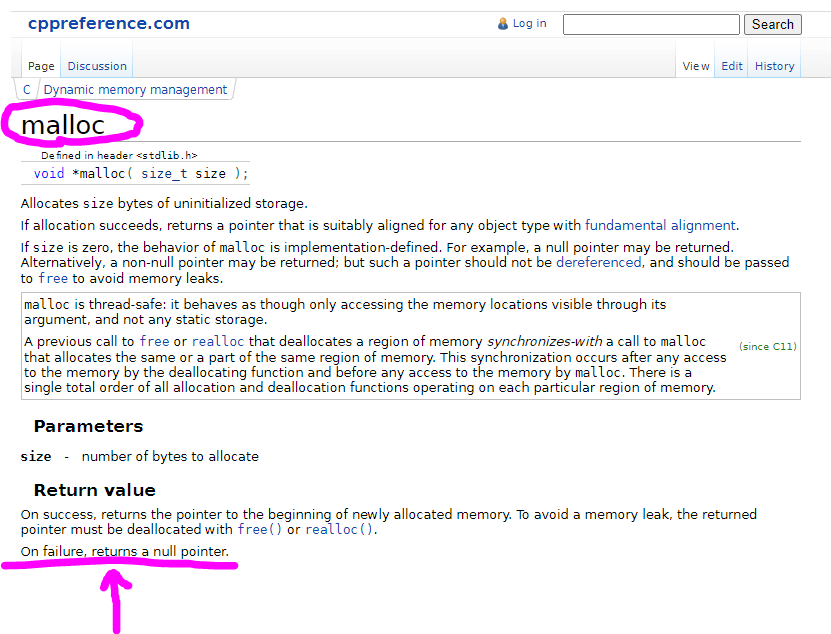
You didn't check to see if there was sufficient memory and the buffer was actually allocated before you started writing to it.

Also, image files are binary. There's no need to null-terminate the buffer. You know how many bytes are in it and that's how many bytes you should process.

So does this mean it can't be done? The function is right, but if I don't have the RAM, then it's a moot point? It is a .bmp and around 300kb. It is already open in RAM as bmpFile and now I'm essentially creating a duplicate of the same size in the buffer and that is too much? Or am I misunderstanding that part?

Is there another way to do it than in memory?

I don't know. Did you check on the success of the memory allocation as I suggested? Did it succeed?

Sounds like you are. I don't see anywhere else in your code where you've already loaded the file into memory. Do you know difference between opening a file for reading and actually reading the contents into memory?

You could read the file into memory in smaller chunks and process them until the entire file is complete.
Or maybe.......
Post #4:

Or Post #6:

I did not as I have no idea how to do this.

You go me there. I guess I don't know the difference. I thought when you do a FIle.open() that it holds it in RAM. So I guess it doesn't but when I do the bmpFile.read() does it not? So I have that in memory along with the same sized buffer? If that Is not the case, please tell me how it does work.

Could you explain PSRAM to me. I'm unfamiliar with this. I don't believe my board has PSRAM, but would like to understand it for future use. I'm using a Feather Huzzah esp8266

For the option of chunking the data, would it be something to the effect of:

int fbLen = sizeof(bmpFile);
char input[fbLen];
int chunkSize = ?
for (int i=0; i<fbLen; i+=chunkSize) {
  input[i] = bmpFile.read(i, i+chunkSize);
}

Late to the party and getting sleepy..
Been working hard on with my cams too..
chunking like mad..

probably gonna be 4, which is the size of a pointer..
the whole point of chunking is you only need a buffer that is the size of the max chunk..

something like this maybe, untested, sorry, sleepy..

  //globals..
  const uint16_t chunkSize = 3000;
  byte buf[chunkSize];
  int bytesRead;
  bool lastChunk = false;
  // don't use sizeof on bmpFile, use this instead..
  int fbLen = bmpFile.size();

  bytesRead = 0;
  while (bmpFile.available()) {
    if (bmpFile.available() >= chunkSize) {
      //read a chunk..
      bmpFile.Read(buf, chunkSize);
      bytesRead = chunkSize;
      if (bmpFile.available() == 0) lastChunk = true;
    } else {
      bytesRead = bmpFile.available();
      //read remaining..
      bmpFile.Read(buf, bytesRead);
      lastChunk = true;
    }
    //send the chunk, use bytesRead..
    if (lastChunk || bytesRead == 0) {
      //last chunk
    } else {
      //not the last chunk..
    }
    //reset the buf
    memset(buf, 0, sizeof(buf));
  }

Here's what I'm working on, if curious..
peek at chunkFrame() line 642..
few more days for me still..

fun stuff.. ~q

My bad, I glossed over that. After reading the title of this thread: "Uploading image to Google Drive (adapting esp32-Cam example)", I had assumed you were using an ESP32. So, everything I've told you is now suspect. Sorry about that. In all fairness, every example you linked also used an ESP32.

Given the ESP8266, my only valid suggestion from above was sending in chunks. It looks like @qubits-us is on the right track. If it were me, I'd switch to an ESP32 anyway.

By the way, for future reference: https://en.cppreference.com/w/c/memory/malloc