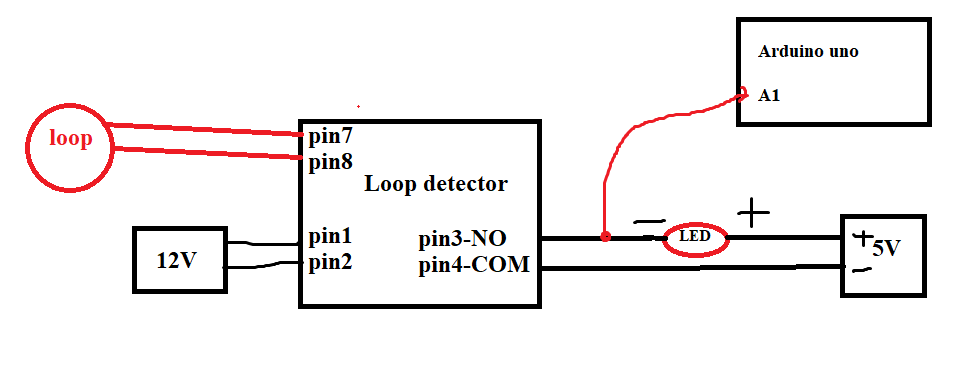
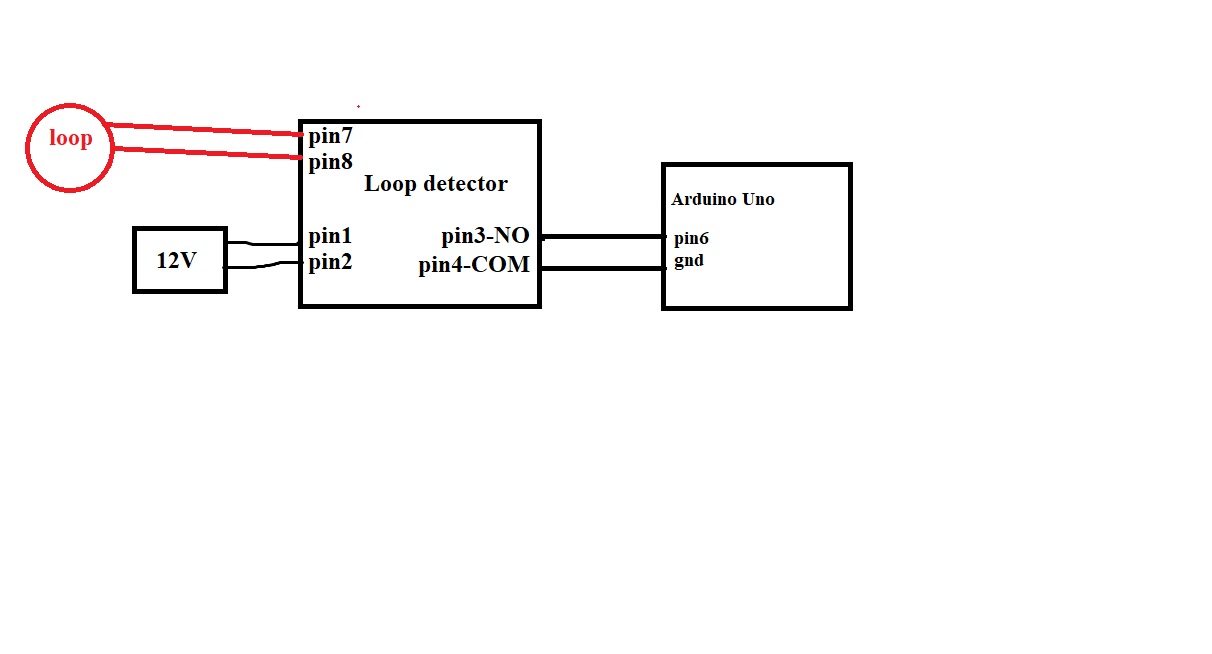
We have used a Loop detector (MATRIX-S12-24) as a input with 12V. The output i.e NO and COM pins of the Loop Detector are calibrated along with external 5V and NO pin is given to A1 pin of Arduino. We are receiving an error in the Serial monitor.Please tell us how to calibrate the output of Loop detector.
we wrote this code for the counting system but we are getting random values sometimes.
int count = 100;
int previous = 0;

float voltage;

void setup()
{
  Serial.begin(115200);
}

void loop()
{
  delay(2000);
 int sensorValue= analogRead(A1);
 voltage= sensorValue*(5.0/1023.0);
  if ( voltage == 0.00)
  {
    Serial.println(voltage);
  }
  else
  {
    Serial.print("Car hai");
    Serial.println(voltage);
    delay(1000);
    if (previous != 0.00)
    {
      Serial.println("Same car");
    }
    else
    {
      count--;
      Serial.print("count is ");
      Serial.println(count);
    }
  }
  previous =voltage;
}
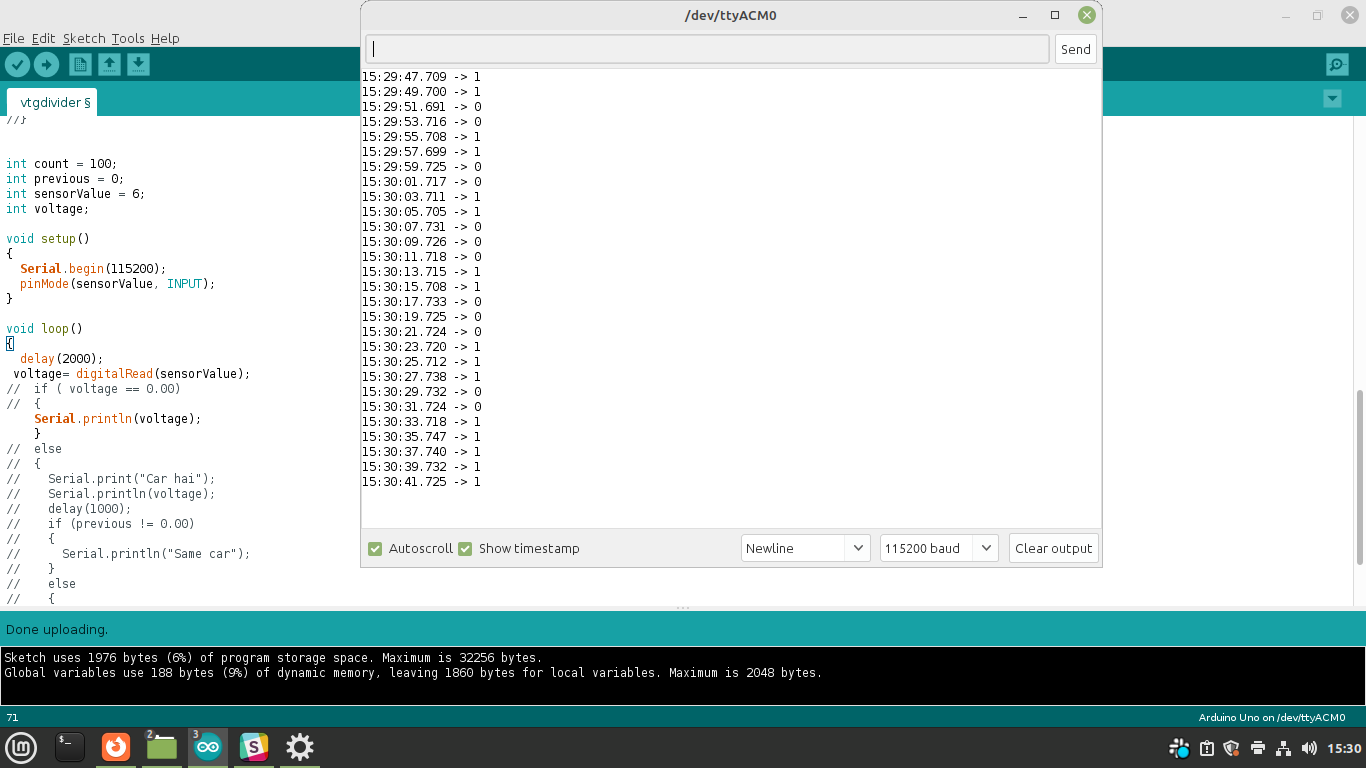
We have also attached the serial monitor readings when nothing is present on loop
Welcome to the forum
You might want to post a schematic. It sounds like you get an output from this detector and need to count how many you receive. As above this is a digital thing ie 1/0 rather than analog. Look at button tutorials and detecting when a button becomes pressed rather than when it is pressed. Then increment your counter
Talking of over-complication, as already pointed out there's no need to do an analogRead() anyway. OP said the connections are NO and COM so it's a switch: digitalRead() is the way to go, with state change detection.
edit: or even easier, use one of the button libraries that does state change detection built in. I think (but may be wrong) ezButton does that.
We have used analogRead() because we are using the 5V as base to read the relay output. We have as well tried with digital also and we are still receiving the glitch.We want to receive higher voltage when obj is placed in the loop and decrement the counter indicating the availability, else we want a zero at output
Not sure I understand. If you are taking a reading from a switch it is digital not analog. Ie the switch is open or closed. In arduino that is the same as any button and there are loads of sample codes for buttons.
This is the schematic made by LarryD of this parish. S3 is most typical
I did the changes in code according to your suggestion still we are receiving glitch.
For the hardware part , i haven't connected a single wire still i'm getting high as output.
PS.... then put your led with resistor on another digital pin to ground, and digitalWrite() it high and low. (Or use the built in led.)
Seems you want to detect the arrival of a new car, not just the presence of a car: so for that you need to use state change detect as mentioned earlier. Here's the standard example modified for input_pullup, so-called "active low":
We did according to your solution but still receiving glitch.
(we have placed the object at 99 count and is present till the end of the output)
we are receiving error values i.e 0 in between the counting