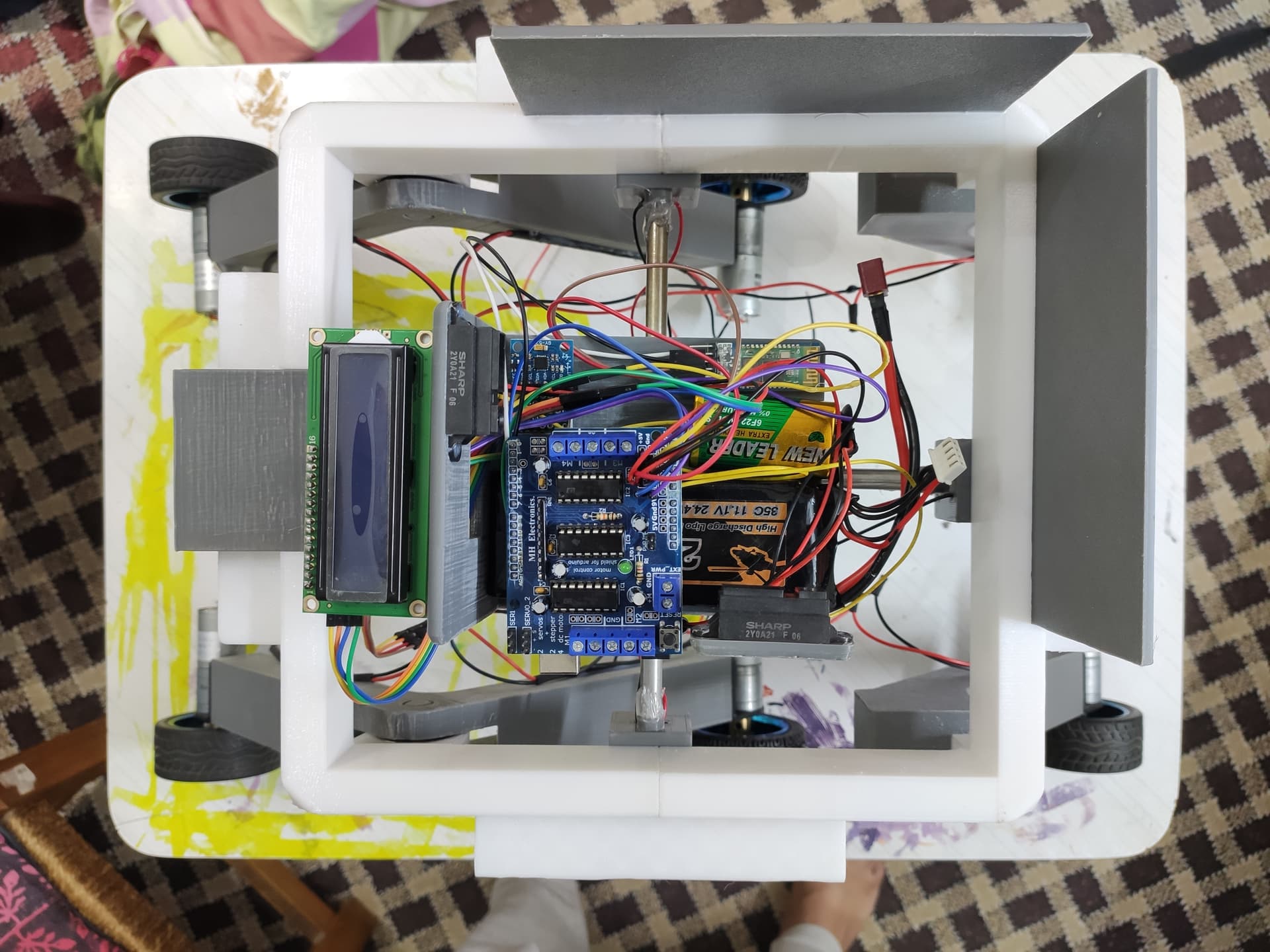
Hi, I'm new to arduino. I am making a custom Rover project for a University course. And my loop function in my code isn't looping. The LCD shows the data once and then goes blank. I even tried a serial.print() function in the loop function and everything appears only once.
Can anyone tell me what's wrong with my code?
~TIA
#include <AFMotor.h>
#include <SharpIR.h>
#include <MPU6050.h>
#include <Wire.h>
#include <Adafruit_I2CDevice.h>
#include <LiquidCrystal_I2C.h>

#define IR1 A0
#define IR2 A1
#define model 1080

AF_DCMotor motor1(1);
AF_DCMotor motor2(2);
AF_DCMotor motor3(3);
AF_DCMotor motor4(4);

SharpIR sensor1(IR1, model);
SharpIR sensor2(IR2, model);
int minx = 10; //minimum sensor1 distance
int maxx = 21; //maximum sensor1 distance
int miny = 12; //minimum sensor2 distance
int maxy = 20; //maximum sensor2 distance
int p = (minx + maxx) / 2;
int q = (miny + maxy) / 2;

char bt = 'S';

int trig = 2;
int echo = 9;
long timeInMicro;
long obs;

MPU6050 mpu;
int16_t ax, ay, az;
int16_t gx, gy, gz;

struct MyData
{
  byte X;
  byte Y;
  byte Z;
};

MyData data;
LiquidCrystal_I2C lcd(0x27, 16, 2);

void setup()
{
  //BAUD-RATE Setup
  Serial.begin(9600);

  //MOTOR-SPEED Setup
  motor1.setSpeed(255);
  motor2.setSpeed(255);
  motor3.setSpeed(255);
  motor4.setSpeed(255);
  Stop();

  //SONAR Setup
  pinMode(2, OUTPUT);
  pinMode(9, INPUT);
  //GYRO Setup
  Wire.begin();
  mpu.initialize();

  //DISPLAY Setup
  lcd.init();
  lcd.backlight();
}

void loop()
{
  //MOVEMENT
  bt = Serial.read(); //Bluetooth data
  if (bt == 'F')
  {
    forward();
  }
  if (bt == 'B')
  {
    backward();
  }
  if (bt == 'L')
  {
    left();
  }
  if (bt == 'R')
  {
    right();
  }
  if (bt == 'S')
  {
    Stop();
  }

  //SONAR
  digitalWrite(trig, LOW);
  delayMicroseconds(2);
  digitalWrite(trig, HIGH);
  delayMicroseconds(10);
  digitalWrite(trig, LOW);
  timeInMicro = pulseIn(echo, HIGH);
  obs = ((timeInMicro / 29) / 2); //Sonar Reading in cm
  /*
    delay(500);
    Serial.print("Obstruction = ");  //For Serial Monitor Only
    Serial.println(obs);  //For Serial Monitor Only
  */

  //INFRARED
  unsigned long startTime = millis();
  int d_x = sensor1.distance(); //IR1 Reading in cm
  int d_y = sensor2.distance(); //IR2 Reading in cm
  /*
    delay(500);
    Serial.print("Distance1: ");  //For Serial Monitor Only
    Serial.print(d_x);  //For Serial Monitor Only
    Serial.print("Distance2: ");  //For Serial Monitor Only
    Serial.println(d_y);  //For Serial Monitor Only
  */

  //GYRO
  mpu.getMotion6(&ax, &ay, &az, &gx, &gy, &gz);
  data.X = map(ax, -17000, 17000, 0, 255);
  data.Y = map(ay, -17000, 17000, 0, 255);
  data.Z = map(az, -17000, 17000, 0, 255);
  int x = (data.X - 140) * (90 / 122.5); //Gyro X-axis angle reading
  int y = (data.Y - 125) * (90 / 122.5); //Gyro Y-axix angle reading
  /*
    delay(500);
    Serial.print("Axis X = ");  //For Serial Monitor Only
    Serial.print(data.X);  //For Serial Monitor Only
    Serial.print("  ");  //For Serial Monitor Only
    Serial.print("Axis Y = ");  //For Serial Monitor Only
    Serial.print(data.Y);  //For Serial Monitor Only
    Serial.print("  ");  //For Serial Monitor Only
    Serial.print("Axis Z = ");  //For Serial Monitor Only
    Serial.println(data.Z);  //For Serial Monitor Only
  */

  //DISPLAY
  lcd.setCursor(0, 0);
  lcd.print("Tilt = ");
  lcd.print(x);
  lcd.print("\337");
  lcd.setCursor(0, 1);
  lcd.print("Incline = ");
  lcd.print(y);
  lcd.print("\337");
  delay(1000);
  lcd.clear();

  //Serial Monitor
  delay(500);
  Serial.print("Obstruction = ");
  Serial.println(obs);
  Serial.print("Distance1: ");
  Serial.print(d_x);
  Serial.print("Distance2: ");
  Serial.println(d_y);
  Serial.print("Axis X = ");
  Serial.print(data.X);
  Serial.print("  ");
  Serial.print("Axis Y = ");
  Serial.print(data.Y);
  Serial.print("  ");
  Serial.print("Axis Z = ");
  Serial.println(data.Z);

  //WEIGHT-SHIFT
  if (obs <= 15)
  {
    while (d_y > miny)
    {
      motor2.run(BACKWARD);
    }
  }
  else
  {
    if (x > 70)
    {
      while (d_x > minx)
      {
        motor1.run(FORWARD);
      }
    }
    else if (x < -70)
    {
      while (d_x < maxx)
      {
        motor1.run(BACKWARD);
      }
    }
    else
    {
      if (d_x > p)
      {
        while (d_x != p)
        {
          motor1.run(FORWARD);
        }
      }
      else if (d_x < p)
      {
        while (d_x != p)
        {
          motor1.run(BACKWARD);
        }
      }
    }
    if (y > 50)
    {
      while (d_y < maxy)
      {
        motor2.run(FORWARD);
      }
    }
    else if (y < -50)
    {
      while (d_y > miny)
      {
        motor2.run(BACKWARD);
      }
    }
    else
    {
      if (d_y < q)
      {
        while (d_y != q)
        {
          motor2.run(FORWARD);
        }
      }
      else if (d_y > q)
      {
        while (d_y != q)
        {
          motor2.run(BACKWARD);
        }
      }
    }
  }
}

void forward()
{
  motor3.run(FORWARD);
  motor4.run(FORWARD);
}

void backward()
{
  motor3.run(BACKWARD);
  motor4.run(BACKWARD);
}
void   left()
{
  motor3.run(BACKWARD);
  motor4.run(FORWARD);
}
void right()
{
  motor3.run(FORWARD);
  motor4.run(BACKWARD);
}
void   Stop()
{
  motor3.run(RELEASE);
  motor4.run(RELEASE);
}