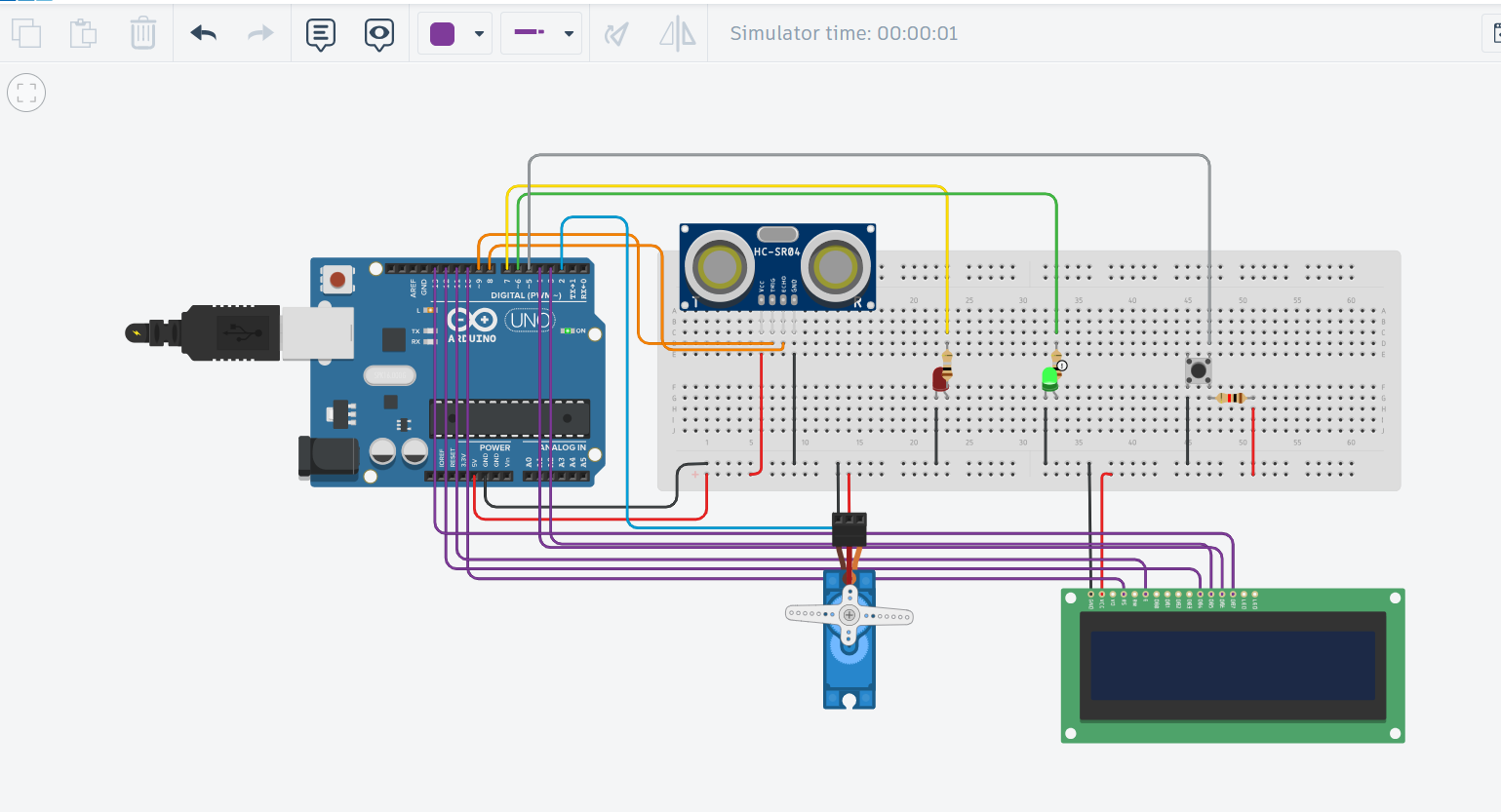
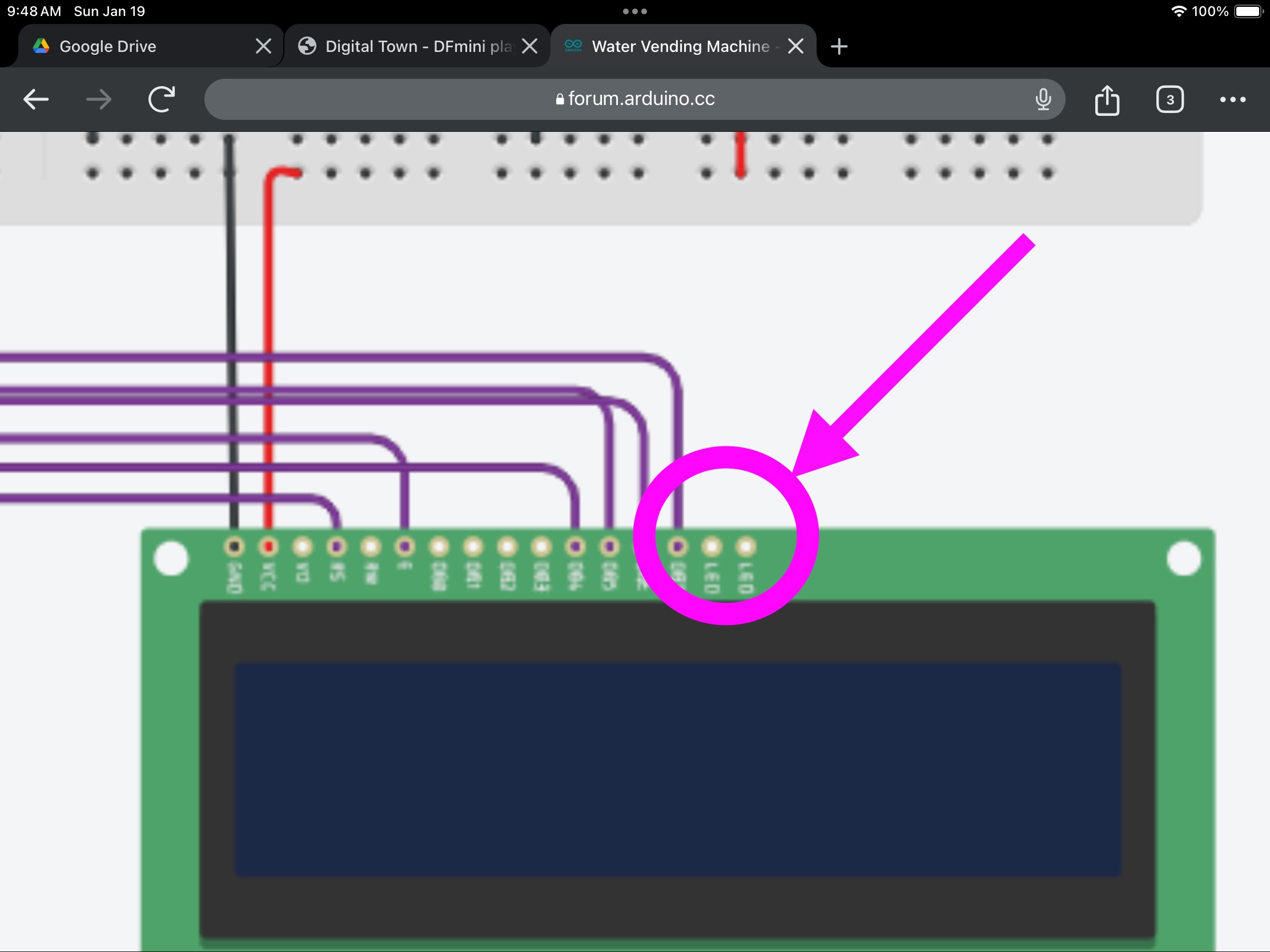
Hello I am planning on making a water vending Machine but instead of coins I will use plastic bottles (small, medium, larger) but the problem is :(I am using tinkerCad)
- the LCD is not showing any texts
This is the circuit:

Here is the code:
#include <Wire.h>
#include <LiquidCrystal.h>  // Include standard LCD library
#include <Servo.h>

// Initialize the LCD (using new pins)
LiquidCrystal lcd(10, 11, 12, 3, 4, 13);  // Adjust pins according to your wiring

// Pin Definitions
const int trigPin = 9;        // Ultrasonic trigger
const int echoPin = 8;        // Ultrasonic echo
const int redLedPin = 7;      // Red LED for scanning
const int greenLedPin = 6;    // Green LED for "Okay"
const int buttonPin = 5;      // Push button for starting
const int servoPin = 2;       // Servo motor for water valve

// Servo object
Servo waterValve;

// Bottle Sizes (in cm)
#define SMALL_BOTTLE_DIST 50  // Distance thresholds in cm
#define MEDIUM_BOTTLE_DIST 70
#define LARGE_BOTTLE_DIST 100

// Timing
unsigned long waterTime = 0;  // Time to keep servo valve open
bool isButtonPressed = false;

void setup() {
  // Start Serial communication for debugging
  Serial.begin(9600);

  // Initialize I/O pins
  pinMode(trigPin, OUTPUT);
  pinMode(echoPin, INPUT);
  pinMode(redLedPin, OUTPUT);
  pinMode(greenLedPin, OUTPUT);
  pinMode(buttonPin, INPUT_PULLUP); // Using internal pull-up resistor for the button

  // Initialize the Servo motor
  waterValve.attach(servoPin);
  waterValve.write(0);  // Keep valve closed (0 degrees)

  // Initialize the LCD
  lcd.begin(16, 2);
  lcd.print("Water Vending");
  lcd.setCursor(0, 1);
  lcd.print("Insert Bottle");

  // Display initial message in the serial monitor
  Serial.println("System Ready");
}

void loop() {
  // Measure distance to detect bottle
  float distance = getDistance();

  // Determine bottle type based on distance
  String bottleType;
  if (distance <= SMALL_BOTTLE_DIST) {
    bottleType = "Small";
    waterTime = 5000;  // 5 seconds of water
  } else if (distance <= MEDIUM_BOTTLE_DIST) {
    bottleType = "Medium";
    waterTime = 7000;  // 7 seconds of water
  } else if (distance <= LARGE_BOTTLE_DIST) {
    bottleType = "Large";
    waterTime = 10000; // 10 seconds of water
  } else {
    bottleType = "No Bottle";
  }

  // Display bottle type on the LCD
  lcd.clear();
  lcd.setCursor(0, 0);  // Set cursor at the top left
  lcd.print("Bottle Type:");
  lcd.setCursor(0, 1);  // Move to the next line
  lcd.print(bottleType);

  // Output bottle type to Serial Monitor
  Serial.print("Bottle Type: ");
  Serial.println(bottleType);

  // Scanning: Turn red LED on during detection
  digitalWrite(redLedPin, HIGH);

  // Check if a bottle is detected and button is pressed
  if (bottleType != "No Bottle" && digitalRead(buttonPin) == LOW) {
    isButtonPressed = true;
  }

  if (isButtonPressed) {
    // Turn off red LED and turn on green LED to indicate water dispensing
    digitalWrite(redLedPin, LOW);
    digitalWrite(greenLedPin, HIGH);

    // Open the water valve by rotating the servo to 90 degrees
    waterValve.write(90);
    delay(waterTime);  // Keep valve open for the set amount of time

    // Close the valve by rotating the servo back to 0 degrees
    waterValve.write(0);
    digitalWrite(greenLedPin, LOW);

    // Reset the button state
    isButtonPressed = false;

    // Display the countdown on LCD during dispensing
    for (int i = waterTime / 1000; i > 0; i--) {
      lcd.clear();
      lcd.setCursor(0, 0);
      lcd.print("Dispensing Water");
      lcd.setCursor(0, 1);
      lcd.print("Time Left: ");
      lcd.print(i);
      lcd.print(" s");
      delay(1000);
    }
  }
}

// Function to measure distance using ultrasonic sensor (returns cm)
float getDistance() {
  // Trigger the sensor
  digitalWrite(trigPin, LOW);
  delayMicroseconds(2);
  digitalWrite(trigPin, HIGH);
  delayMicroseconds(10);
  digitalWrite(trigPin, LOW);

  // Measure the duration of the echo
  long duration = pulseIn(echoPin, HIGH);

  // Calculate distance in cm
  float distance = duration * 0.034 / 2;  // Convert to cm

  return distance;
}