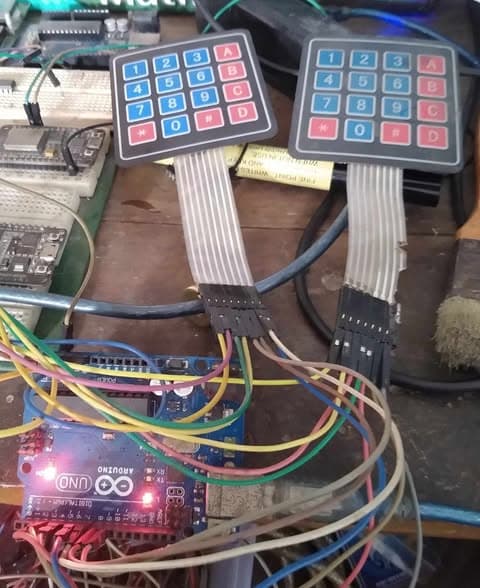
What the problem with my keyboard matrix?

I have my keyboard matrix wired up with diodes and they are all in the right direction.
It's 4 rows and 16 columns. I don't get any ghosting between rows, however when I press and hold a key I get alternating prints of press/released continuously for most keys. But a few of the keys work correctly for some reason.

I don't thing it's mechanical bounce since it's only happening when holding down keys.

Adding the 10 microsecond delay seem to make it worse.

Printing just the currentStates continuously looks to be registrering correctly and not flicker. There might be some minimal flicker at times but it's hard to tell when it's printing so fast.

I'm I doing something wrong in the code or is there some electrical issue?

bool KeyboardMatrix::scanKeyboard() 
{
    static bool currentStates[64];
    static bool prevStates[64];
    
    int i = 0;
    for (int r = 0; r < NUM_ROWS; r++) 
    {
        // Put all rows in INPUT_PULLUP (isolated)
        for (int rr = 0; rr < NUM_ROWS; rr++) {
            pinMode(rowPins[rr], INPUT_PULLUP);
        }

        // Drive row r LOW
        pinMode(rowPins[r], OUTPUT);
        digitalWrite(rowPins[r], LOW);
        // delayMicroseconds(20);  // This makes it worse

        // Read the columns for row r and store into currentStates[]
        for (int c = 0; c < NUM_COLUMNS; c++) 
        {
            bool isPressed = (digitalRead(columnPins[c]) == LOW);
            uint8_t keyId = r * NUM_COLUMNS + c;
            currentStates[keyId] = isPressed;
            i++;
        }

        digitalWrite(rowPins[r], INPUT_PULLUP);
    }

    for (int i = 0; i < 64; i++) 
    {
        if (currentStates[i] != prevStates[i]) 
        {
            if (currentStates[i]) 
            {
                Serial.print("Key pressed at row ");
                Serial.print(i % 16);
                Serial.print(", keyID ");
                Serial.println(i);
            }
            else 
            {
                Serial.print("Key released at row ");
                Serial.print(i % 16);
                Serial.print(", keyID ");
                Serial.println(i);
            }
            Serial.println();
        }
 
    //    Serial.print(keyStates[i]); 
    }

    for (int i = 0; i < 64; i++)
    {
        prevStates[i] = currentStates[i];
    }
      

    delay(1);
    return true;
}

Post an annotated schematic as I do not know what the right direction is.

1 Like

You may have bouncing, an easy way to see would be to increase the delay for the moment, viz:

    delay(20);
    return true;
}

If you are sure about the diodes, then don't remove (short out) a few of them and see if just those keys work.

The diodes are important later when you want to be able to see multiple keys at once, for now you can test without them and without the questions it raises.

a7

Here are the schematics, sorry for the blurryness but I think it’s visable enough.

It is on a pcb and I have soldered cables from the pcb pins that goes to the arduino board pins. These cable are around 30cm if that could be a problem?

I donˋt think it’s a debounce issue. When I read only one switch I donˋt get bouncing on press/release changes. The problem is only when holding down one or more keys, those keys detect alternating press/release.

I’m not sure but I think it has to do with the scanning. When I do some test and only have one row active(not looping through all rows) the readings are clean.

have you tried your matrix with the keypad library?

1 Like

Changing the out commented microseconds delay to a 100ms delay after setting the row active(low) stops the scanning from registrering anything at all (even when holding down keys much longer than that), isn't that strange?
Scanning the columns after that should still register something if a key is pressed/released right?

Increasing the delay at the end from 1ms to something like 100ms does make the false readings less frequent, but that's probably just because it scans much less frequent, it is still registering occasional releases.

If I run this code and pause after a detected key change i get this print:
0000000000000000000000000000000000000000000000000000000000000000
0000000000000000000000000000000000000000000000000000000000000000
0000000000000000000000000000000000000000000000000000000000000000
000000000000000000000000000000000000000Key pressed, KeyId: 39
0000000000000000000000000000000000000001000000000000000000000000
0000000000000000000000000000000000000001000000000000000000000000
0000000000000000000000000000000000000001000000000000000000000000
0000000000000000000000000000000000000001000000000000000000000000
0000000000000000000000000000000000000001000000000000000000000000
0000000000000000000000000000000000000001000000000000000000000000
0000000000000000000000000000000000000001000000000000000000000000
0000000000000000000000000000000000000001000000000000000000000000
0000000000000000000000000000000000000001000000000000000000000000
0000000000000000000000000000000000000001000000000000000000000000
0000000000000000000000000000000000000001000000000000000000000000
0000000000000000000000000000000000000001000000000000000000000000
0000000000000000000000000000000000000001000000000000000000000000
0000000000000000000000000000000000000001000000000000000000000000
0000000000000000000000000000000000000001000000000000000000000000
0000000000000000000000000000000000000001000000000000000000000000
0000000000000000000000000000000000000001000000000000000000000000
0000000000000000000000000000000000000001000000000000000000000000
0000000000000000000000000000000000000001000000000000000000000000
0000000000000000000000000000000000000001000000000000000000000000
0000000000000000000000000000000000000001000000000000000000000000
0000000000000000000000000000000000000001000000000000000000000000
0000000000000000000000000000000000000001000000000000000000000000
0000000000000000000000000000000000000001000000000000000000000000
000000000000000000000000000000000000000Key released, keyId:39

0000000000000000000000000
000000000000000000000000000000000000000Key pressed, KeyId: 39
0000000000000000000000000000000000000001000000000000000000000000
0000000000000000000000000000000000000001000000000000000000000000
0000000000000000000000000000000000000001000000000000000000000000
0000000000000000000000000000000000000001000000000000000000000000
0000000000000000000000000000000000000001000000000000000000000000
0000000000000000000000000000000000000001000000000000000000000000

So I never get false press readings, but when holding a key it sometimes registers a key release once when still pressing the key and then the next scan it registrers it as pressed again. But there is never any bounce when transitioning a press/release.


bool KeyboardMatrix::scanKeyboard(int row) 
{
    static bool currentStates[64];
    static bool prevStates[64];
    
    int i = 0;
    for (int r = 0; r < NUM_ROWS; r++) 
    {
        // Put all rows in INPUT_PULLUP (isolated)
        for (int rr = 0; rr < NUM_ROWS; rr++) {
            pinMode(rowPins[rr], INPUT_PULLUP);
        }

        // Drive row r LOW
        pinMode(rowPins[r], OUTPUT);
        digitalWrite(rowPins[r], LOW);
        // delayMicroseconds(20); 
        // delay(100); 

        // Read the columns for row r and store into currentStates[]
        for (int c = 0; c < NUM_COLUMNS; c++) 
        {
            bool isPressed = (digitalRead(columnPins[c]) == LOW);
            uint8_t keyId = r * NUM_COLUMNS + c;
            currentStates[keyId] = isPressed;
            i++;
        }

        digitalWrite(rowPins[r], INPUT_PULLUP);
    }

    for (int i = 0; i < 64; i++) 
    {
        if (currentStates[i] != prevStates[i]) 
        {
            if (currentStates[i]) 
            {
                Serial.print("Key pressed, KeyId: ");
                Serial.println(i);
            }
            else 
            {
                Serial.print("Key released, keyId:");
                Serial.println(i);
            }
            delay(2000);
            Serial.println();
        }
 
        Serial.print(currentStates[i]); 
    }
    Serial.println();

    // memcpy(prevStates, currentStates, sizeof(currentStates));
    for (int i = 0; i < 64; i++)
    {
        prevStates[i] = currentStates[i];
    }
      

    // delay(20);
    return true;
}

I did and it was also problematic so I wrote it from scratch simplifying it trying to more easily spot the problem.

I don't see your scanner function in the context of a complete sketch. If you haven't posted one, please do If you have, say where and thanks.

The function looks plausible. That you had problems with a library scanner seems to point elsewhere, so the rest of the code.

Also maybe some real photos of what you have in front of you.

a7

Is there any pattern to the particular keys that have the problem?
What type Arduino are you using, and which particular pins is the keyboard connected to?

A bit late to change it now, but a 64 key key matrix takes the fewest pins when it is arranged as 8 x 8.

Another thing to try…

Remove all the keyboard stuff. Buttons and diodes and any wires leading to them from the Arduino board.

Then use a jumper and try a row and column for "pressing" one button. Try a number of row/column pairs. If you know for sure one particular row/column is problematic, hammer on that switch or that row or that column.

Your symptoms sound like noise or a switch that can't be held closed dependably. By using just the jumper, you can see if the scanner is operating correctly.

a7

Do you have the column pins set to INPUT or INPUT_PULLUP?

If you are using a Mega, are you also using the SPI or I2C bus? Any conflict between those pins and the pins used for the keyboard?

I have tried the following Keypad.h based sketch and the 4x8 Keypad (Fig-1). The response on the Serial Monitor does not agree with the legends of the keys of Keypad. Would appreciate guidance to make necessary corrections/adjustments. (I suspect that the Library receives 8-bit Scan Code when a Key is pressed which fits well with 4x4 (8-bit) Keypad and NOT with 4x8 (12-bit) Keypad).


Figure-1:

Sketch:

#include <Keypad.h> 

const byte ROWS = 4;
const byte COLS = 8;
bool flag = false;

char hexaKeys [ROWS][COLS] =
{
  {'1', '2', '3', 'A', 'a', 'b', 'c', 'd'},
  {'4', '5', '6', 'B', 'e', 'f', 'g', 'h'},
  {'7', '8', '9', 'C', 'i', 'j', 'k', 'l'},
  {'*', '0', '#', 'D', 'm', 'n', 'o', 'p'}
};

byte rowPins[ROWS] = {2, 3, 4, 5}; //R1R2R3R4 
byte colPins[COLS] = {6, 7, 8, 9, 10, 11, 12, 13};  //C1C2C3C4 C5C6C7C8

Keypad customKeypad = Keypad(makeKeymap(hexaKeys), rowPins, colPins, ROWS, COLS);

void setup()
{
  Serial.begin(9600);
}

void loop() 
{
  char customKey = customKeypad.getKey();
  if (customKey != 0x00)
  {
     Serial.print(customKey);
  }
}

Output: when Keys of 1st Row have been pressed one-by-one.

22A1bc

No response for K11
K18 is already broken (Col line bad)

seems to work with wokwi

1 Like

Yes! Your sketch works on wokwi.

I will reconnect my 4x8 Keypad ae per your Sketch and check if it physically works.

@GolamMostafa - it may not be worth your time. The issue is a hardware one, and keypad.h

… assumes a maximum keypad size of 10 x 16 and that no more than 10 keys can be pressed at any one time (by 8 fingers and 2 thumbs).

@J-M-L
I have re-connect my Keypad based on your Wokwi sketch (post #14). It looks like that the Kepad is working except that the responses of C2 and C3 are the same. (I suspect C2 and C3 are shorted internally. I will check the Keypad alone.)

Output:

ACCDEFGH
IKKLMNOP
QSSTUVWX
Y1123456

OK - check indeed.

I rearranged the wokwi so that the wires look nicer :slight_smile:

The Keypad library can be modified fairly easily for a key array larger than 10x16, but the memory usage goes up, and anything over 255 keys needs two bytes per key for the return code.

Somewhere I still have the code for a large key array, as well as storing the row, column, and key codes in PROGMEM.

No not really that I’ve identified yet. But I will do some more testing.

Having the matrix 8x8 made the pcb tracing much harder because of how the switches are layed out on the pcb and I had no shortage of pins so went with that. Might change it in the next iteration of the prototype.