this is my first big project with an Arduino where I’m figuring out things myself instead of just following instruction. The project is to create a generator control system. I want this system to include voltage sensing to know if the generator is working correctly and to disconnect it if there is an issue. To that end I have purchased a few ZMPT101B’s from AliExpress. However, I’m having a really hard time getting them to work. The various instructions I have seen give very clear sign waves using the serial plotter but mine looked like garbage. I’ve tried multiple Arduino’s one of them being a name brand. in my frustration I bought the cheapest oscilloscope I could find to help troubleshoot.
First I checked the AC from the utility. This should be a beautiful sign wave and it is.
Then I power the ZMPT101B from a little 5v power supply and check output side and its honestly pretty trash but maybe the I just need to get better ones. However, it’s still a sign wave.
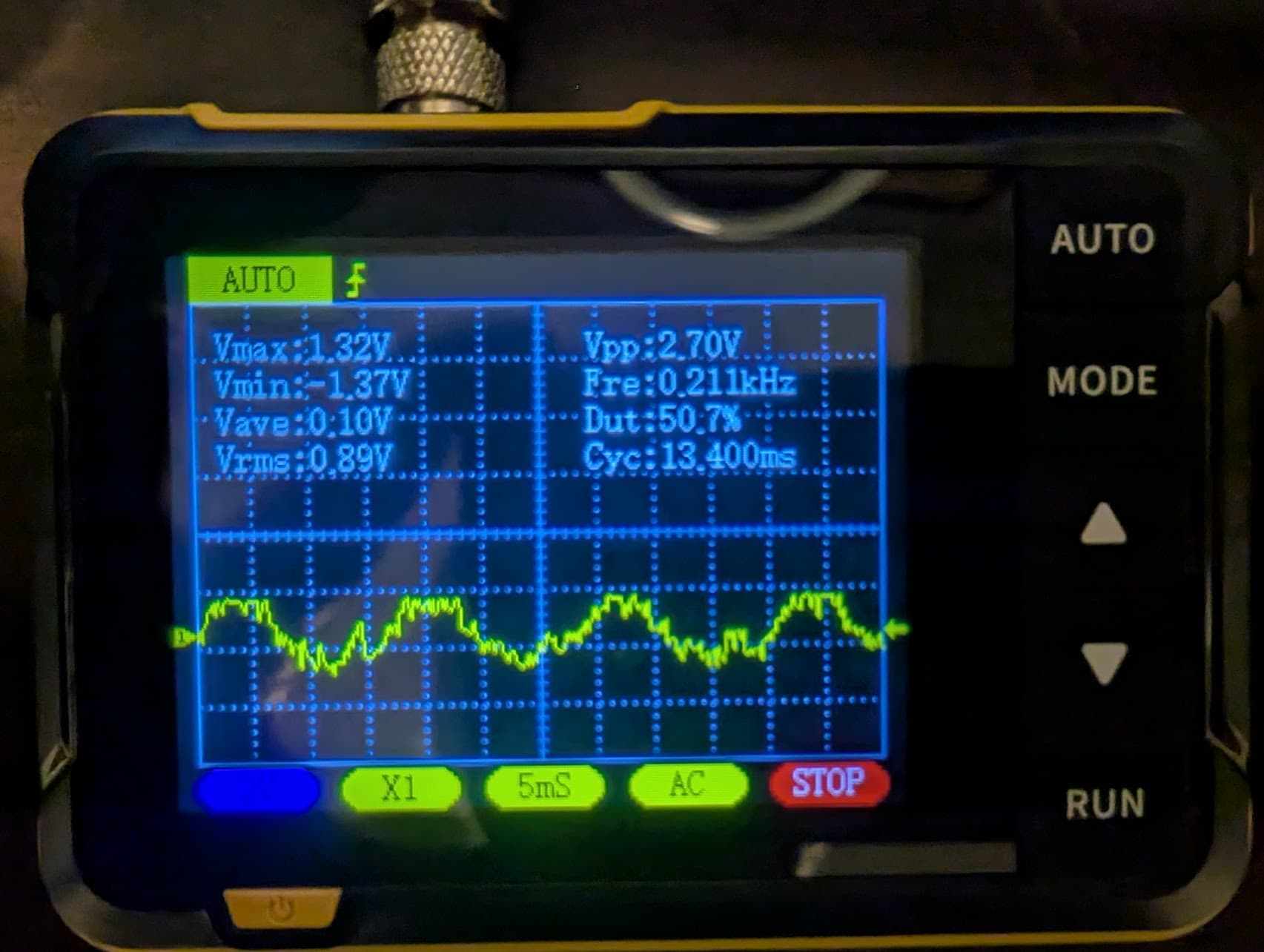
I’m sort of stumped. I tried using my desktop and laptop, and two Arduino’s, one name brand (Elegoo) but im just getting a garbage signal when connected to USB.
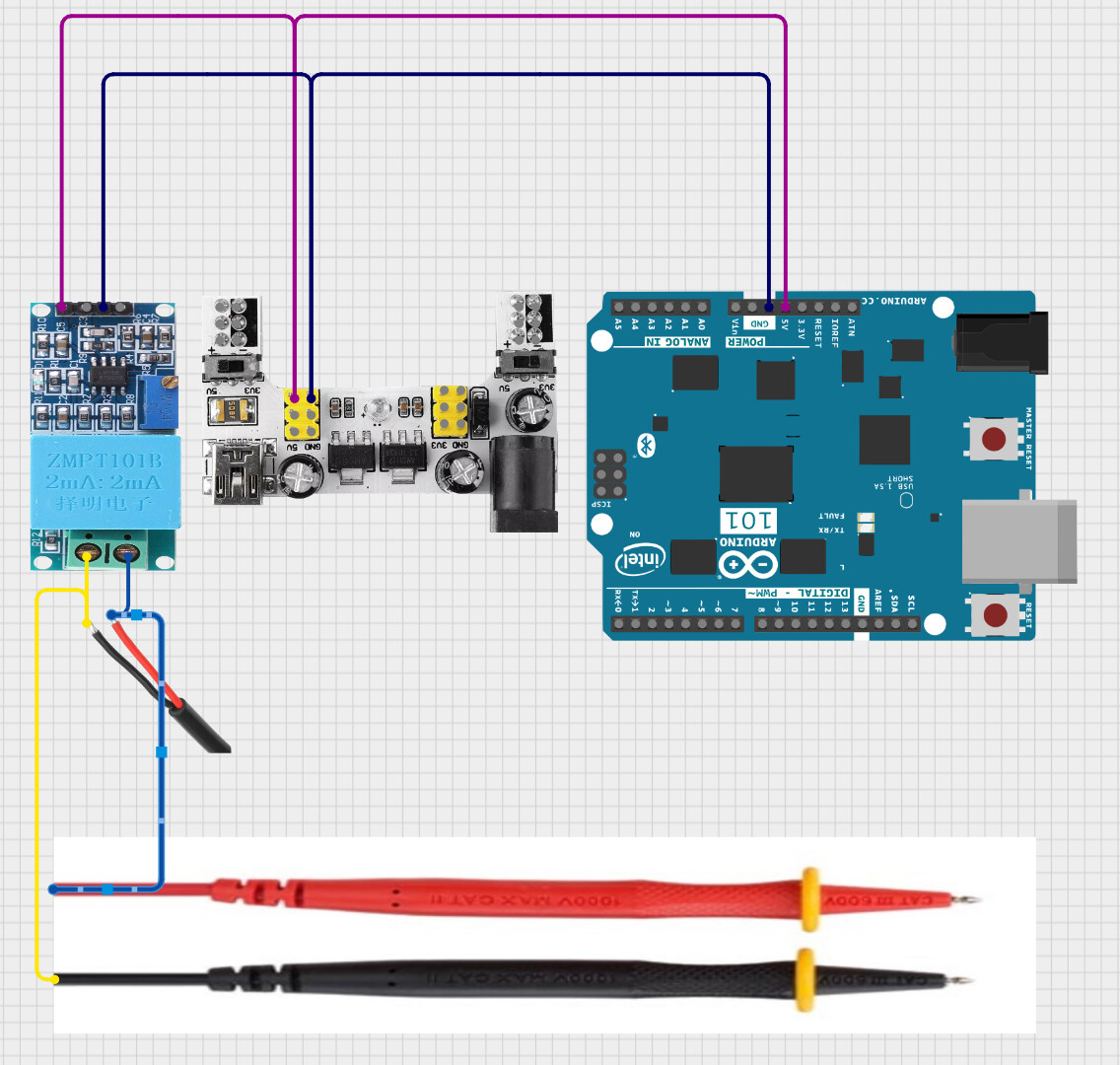
Here is the wiring diagram for the 3 tests that I listed above. Note that I did not have the output side of the ZMPT101B connected to the Arduino. only power.
Ah, sorry. I did use the build in adjustment to bring the signal to just below clipping. From what I understand the ZMPT101B is designed for 250v and I’m only using 120v so the signal will be weaker.
Of course, that's why it has the opamp to adjust the signal.
You could also change the input resistance (calculated for 1000V) to a smaller one, e.g. 100KΩ 1/4W would give a good entry signal and with better noise immunity.
I can try that, do you think that the signal is just getting lost in the noise when additional power sources are introduced? it seems weird that it’s got a recognizable signal until i add the USB cable.
Looks like the problem is in the generator. An AC generator has two slip rings to bring the AC from the rotating armature to the outside world. If the contacts touching the slip rings are not properly seated, you get what you see on the scope. There is arcing between the carbon contacts and the metal rings.
What load do you have on the generator? You should load the generator to the rated power in order to seat the carbon contacts. Then look at the scope trace.
@MaximoEsfuerzo right now I have the project simplified to just the sensors I’m having issues with. However when it’s completed I’ll need an external power supply to run the motor controller for the choke, display, relays for the fuel line, ect. I have a question about the resistor replacement. The ZMPT101B doesn’t use 0V for the center point of the wave and instead uses VCC/2 is there a way to shift the voltage down because i think if i boost the signal it will only be 0V to 5V ptp not -5v to 5v ptp.