It seems like it’s been brought up numerous times, but doesn’t seem like it’s been resolved.
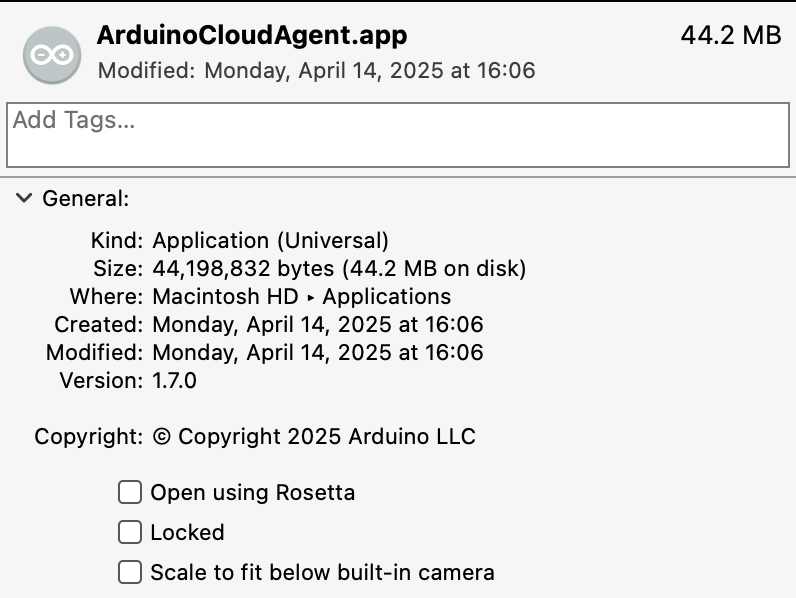
Agent version 1.7.0. Safari. Mac OS 14.x, 15.6. MacBook Pro M1. Arduino Uno R4.
Uninstalled agent. Went to add a device, followed the installation instructions. Curiously enough I got a “Your agent is ready. You can now close this tab” page with some birthday looking graphics. Uninstalled the certificate for Safari, installed it back again. Restarted Safari. Rebooted because that’s the first thing everyone suggests… Repeated all those steps a couple of times. I had the same issue with Mac OS 14.x. I installed Sequoia just to see if that fixes anything. I have everything unplugged other than the board. The error shows up whether the board is connected or not. The board shows up in the USB tree… I am an admin on the computer. I changed the properties on the ArduinoCloudAgent as far as “Open using Rosetta'“ on and off with the same result.
Any suggestions? Please don’t say Chrome… It’s like lowering an SUV to fit in a parking garage of a mall…
I use Mac M3. Have the agent running, see below. No idea why you mention Safari, I don’t think I have ever rebooted a Mac to solve any problem. No idea re certificates. I am always current and would have to look to tell you what release I am on. I don’t use Safari, it is the worst browser bar none.
Can you show a screenshot of your problem? I don't understand what you are saying.
Calling it the worst ignores the fact that many of its design choices deliberately prioritize efficiency, security and platform integration over feature bloat.
I like security and privacy and also the power efficiency when on the go - so that’s what I’m using all the time but sure it means some stuff might be blocked.
For the dev environment - if you are on a laptop, really I don’t see why you would not download and install the IDE and compilers locally…
That makes more sense, but I don;t understand why you are saying that, is someone in a prior post said otherwise? I don;t know of any other way of editing and compiling other than with the IDE (other choices are possible) and compiling with the local compilers.
I just had a thought, are you confusing using the Cloud Editor and compiler with the OP's original Agent post?
Did you determine what you were doing wrong? Since you have not posted a follow up which is good manners I assume you have. If you had started your own thread you could have closed it but you can't do that when you jump on someone else's thread.
Not really, it was more a general though since OP is trying to install the agent for a MacBook Pro M1 to drive an UNO R4... I just feel the local IDE empowers you just way more .
I think you can develop Arduino Cloud App just with the IDE and Arduino Cloud web interface to create your things etc but may be I'm wrong. Long time I did not look at that.
(I thought that the Arduino Cloud Agent was just a plugin to upload sketches, and read/write serial data to/from your board, via your web browser. isn't that the case ?)
Sounds about right, but AFAIK it is required to register the board and not sure about after that. Since it took all of 10 secs to install and forget I don;t spend any time thinking about it.
You can use the IDE but at some point I think you have to upload the code to the cloud. Since many actions in the cloud write code to the cloud sketch I don;t know if the upload/download is smart enough to merge sketch changes.
i'm having this exact issue, agent is installed and running, I got the birthday hat too, but is undetectable when I search devices because it won't connect for some reason.
iusedtoski --
I just found on my chrome browser where the permissions on ad/pop blockers were blocked, so I changed them all to allow/full access and now it's working!
(in chrome) go to settings > privacy and security > site settings > app.arduino.cc to change the settings.
I suspect it was the local network one at the end that did the trick, but i went ahead and allowed all just to be on the safe side.
hope that helps you!
I ran into similar problems on macOS Sequoia where the Cloud Agent couldn’t detect my boards (Uno R4, MKR series). Instead of juggling drivers or switching browsers, I used the CliDeck platform. It opens a serial/SSH session in the browser via a small local agent, so I could connect to the console port of my boards without extra installations, even on M1 Macs. This approach helped me manage devices reliably when the Cloud Agent was missing.