Hi!
I'm new to the Forum but a long time user of Arduino and I've been here on the site many times for troubleshooting my code with your help.
This time tho I'm stuck. My ambitious project is to build Midi to CV for 8 voices and I've drawn the schematics, got the PCB and it's now populated. Everything else on the circuitry works but I'm stuck with the most annoying part. I have eight MCP421 DACs on the board and thought these are a cakewalk with libraries and all but no... they don't work at all.
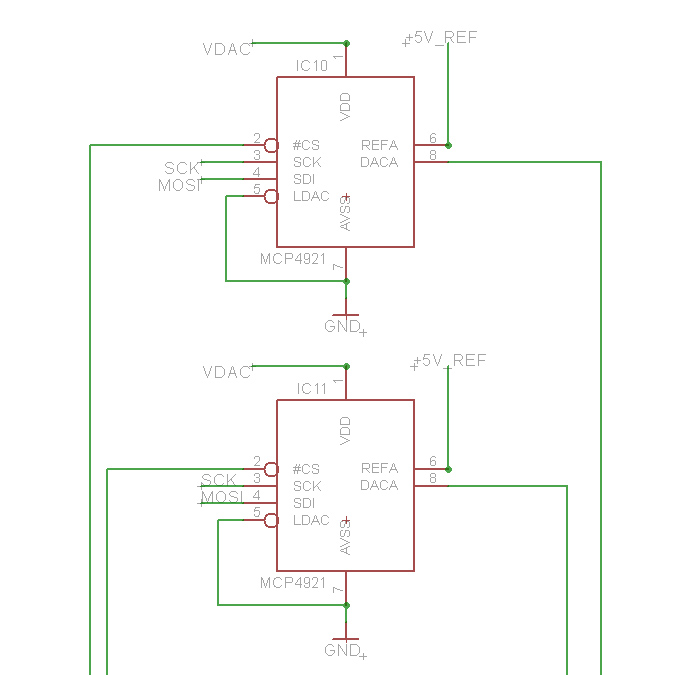
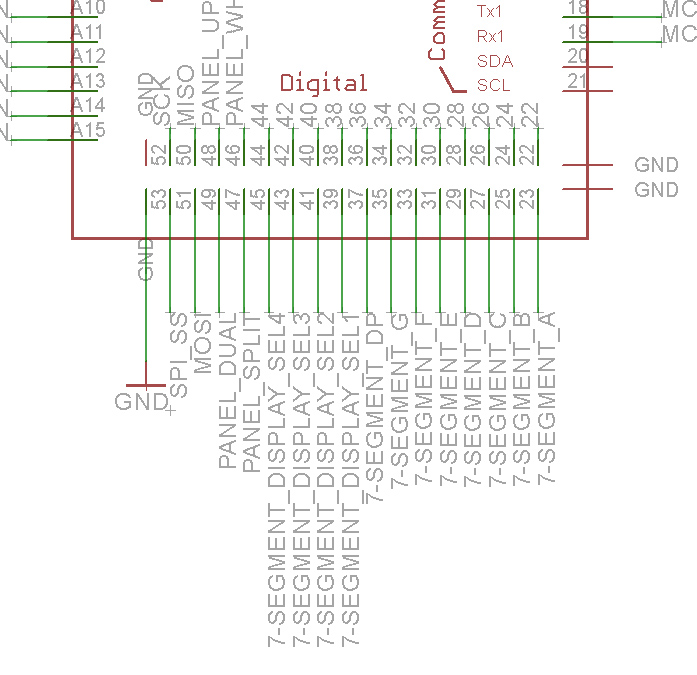
I've hardwired the MCP4921 DACs to Arduinos MOSI (51), SCK (52) and (SPI)SS (53) and I've tried several Arduino MCP4921 libraries but the result is the same. No output on DACS output pin.
I've mostly noodled with the MCP492x library :
(GitHub - michd/Arduino-MCP492X: MCP4921/MCP4922 Digital to analog converter Arduino library, using SPI.h library)
And I've put the following lines to my code but it won't work:
#include <MCP492X.h> // Include the library
#define PIN_SPI_CHIP_SELECT_DAC 53
MCP492X myDac(PIN_SPI_CHIP_SELECT_DAC);
in void setup()
myDac.begin();
and in the program code:
myDac.analogWrite(2048);
delay(1000);
myDac.analogWrite(0);
delay(1000);
but the output is in 0 voltages.
I dont have a scope but I measured with multimeter that the DAC pin 2 (from pin 53 SS) is at 4,97V and swinging. And the voltages at DAC pin 4 (MOSI 51) and DAC pin 3 (SCK 52) show swing between 0-40 mV. (I put the delays to make the measuring easier).
I don't know whats wrong. Is there something with the Arduino Megas default SPI pins that it won't correspond to the MCP492x library settings?
Any help would be much appreciated.
Here is links to the Schematics:

What did you ever do with this circuitry that worked before you spun the PCB?
Multiple SPI devices usually use a SS pin unique to each instance of a device on the bus. Here it means each DAC needs its own SS so you can talk to a particular one at a time.
Your small code example is not appropriate for multiple devices.
Post a small example of how you plan to handle more than one DAC.
You will need as many DAC objects as there are physical DACs. You have only declared one, e.g.
a7
At this point I try to communicate just one DAC and it gets its Chip Select from Pin53 (SPI) SS.
And this simple code is just try to make the first dac "alive"
here is a schamatic at arduinos end:

TBC you have placed just one DAC on your board? And left 7 slots empty?
And how were you planning to supply the other 7 SS signals when after you get this one working..
It seems this must be something you have already done on a breadbox or otherwise*, so we looking at an error in your OCD or an error you made stuffing and soldering it…
*or you are way more confident than am I!
a7
Hi alto777 and thank you for the comments 
I've build Analog Polysynth voice pcb's and other synth clones for the past 10 years and I thought I can handle this  But I have to say, I'm more familiar with the analog world than with the digital hardware and coding, so this I'm just learning butI thought I can get the Dacs to work.
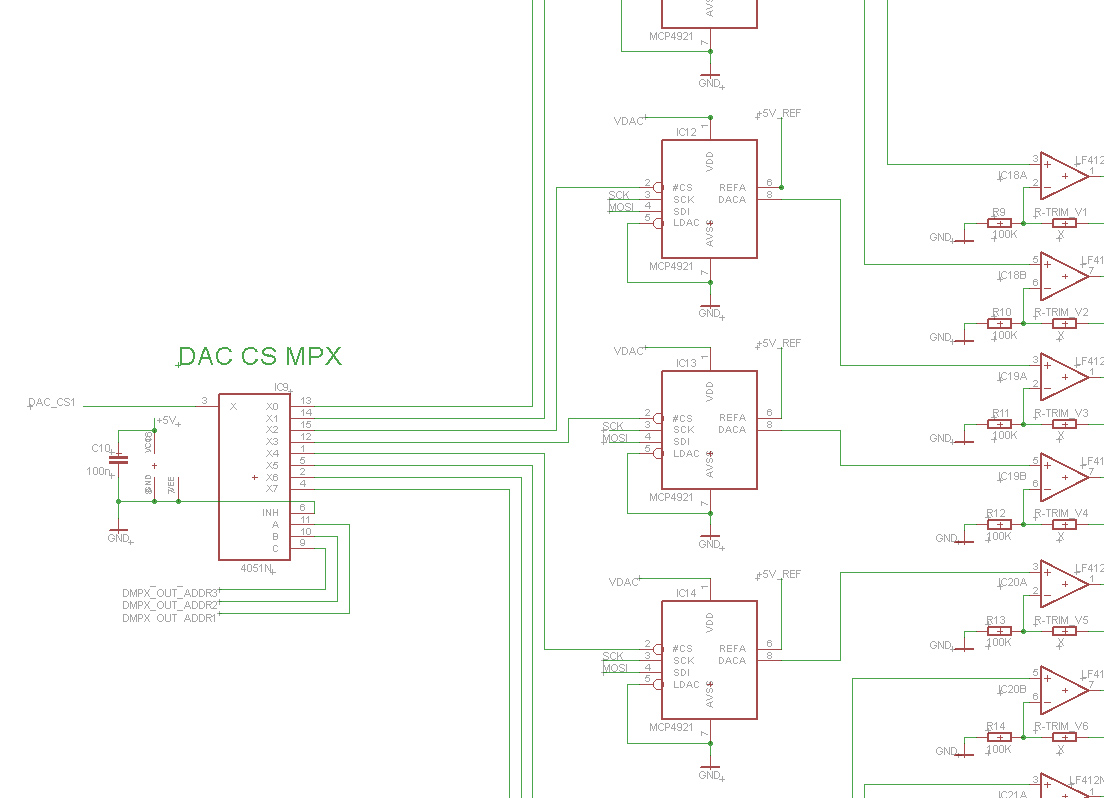
DAC's are driven by 4051 multiplexer that feeds the CS signal from arduino. I made a mistake thinking that the DAC is active on HIGH CS signal so I could easily feed it to dacs with MPX. Now I know that the MCP4921 is active on LOW so I have to make some fixes but those I can handle.
I just can't figure out what I'm doing wrong since the very simple DAC library code won't work.
I've searched around the new and at some posts there was a mention that SPI codes/libraries that are ment for UNO wouldn't work with Mega due that the MOSI, SCK and SPI SS are on the different pins and those would need to be addressed with software SPI in some cases.. I don't know.
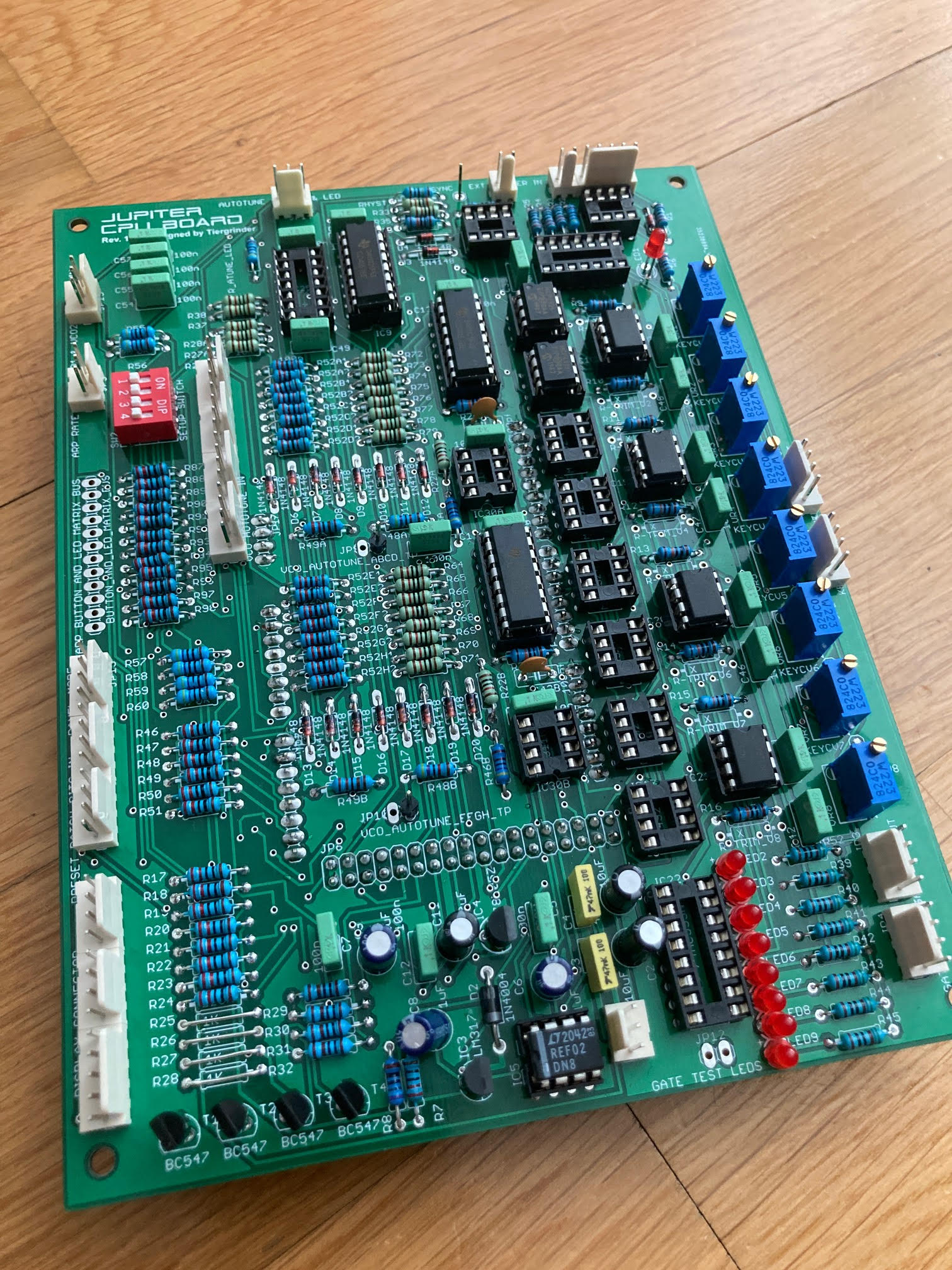
Here is a screen capture from the MPX and photo from the PCB.


Well that's very different. And nice… 
(Sorry, just working towards my "thumb's up" badge, 99 to go, but sincere)
I poked around because I have used some MCP49X variant. I should say I have experimented with it and deployed it in local noncritical projects. But it worked fine over SPI.
I found code from years ago.
I only used the SPI library. Evidently I knew more about SPI at the moment and just rolled my own interface to the DAC.
BTW last time I used SPI I did not use the SPI library. I would rather strukkle with my own code than figure out someone's library. YMMV.
I suggest you build a small circuit on a breadbox or otherwise and get the simplest thing working.
I don't typically leave sketches around that don't function. On the other hand, I cannot test this.
// simplest fastest MCP4922 test

#include <SPI.h>

const int slaveSelectPin = 10;
int cUp, cDown;

void setup() {
  pinMode(slaveSelectPin, OUTPUT);
  SPI.begin();

  cUp = cDown = 0;
}

void loop() {
  cUp++; cDown--;
  dacWrite(0, cUp); // channel B will be skewed! measure it. then sit on a tack.
  dacWrite(1, cDown);

  delay(15);  // for now just to see it.
}

/* write to the MCP4922 channel 0 or 1, int value will be masked */
void dacWrite(int address, int value) {
  unsigned char b0, b1;

  digitalWrite(slaveSelectPin, LOW);

  b0 = 0x70 | ((value >> 8) & 0x0f);
  if (address & 0x1) b0 |= 0x80;
  b1 = value & 0xff;

  SPI.transfer(b0);
  SPI.transfer(b1);

  digitalWrite(slaveSelectPin, HIGH);
}
Obviously not the fastest as I was still using digitalWrite, haha.
HTH
a7
Hi again A7
Thank you for chiming in Much appreciated!
This is one of those cases where you seek the error for days and then when you finally go and ask for help, you figure it out 
I found what the issue was. I have a huge pile of code that runs Arpeggiator, Patch memory functions,drives display and handles MIDI. I was try to be all clever and started to implement the DACs on my main code. After lot of frustration I wrote simple code that had just the essentials for DAC and voila, it works.. So I go and dived to my main code and found out that I had declared Pin 52 (SCK) to a button that wasn't now even in use. This was a relic from the very early days when I used this button to turn on the arpeggiator on and off before I had made the proper button and led matrix.. I removed this and the DAC's came alive, even the multiplexer seems to work so its all good