Hey. I have been following through over previous discussions concerning flashing of the on built ESP8266 and I tried but I can’t get over the syntax error of invalid decimal literal after running this code on python terminal
esptool.py write_flash --flash_size 2MB-c1 0x0 boot_v1.7.bin 0x01000 at/1024+1024/user1.2048.new.5.bin 0x1fb000 blank.bin 0x1fc000 esp_init_data_default_v08.bin 0xfe000 blank.bin 0x1fe000 blank.bin.
If I run it on command prompt it has got no error but it is not downloading anything.@juraj
Hi @wenso.
Please provide the full and exact text of the error in a reply here on the forum topic.

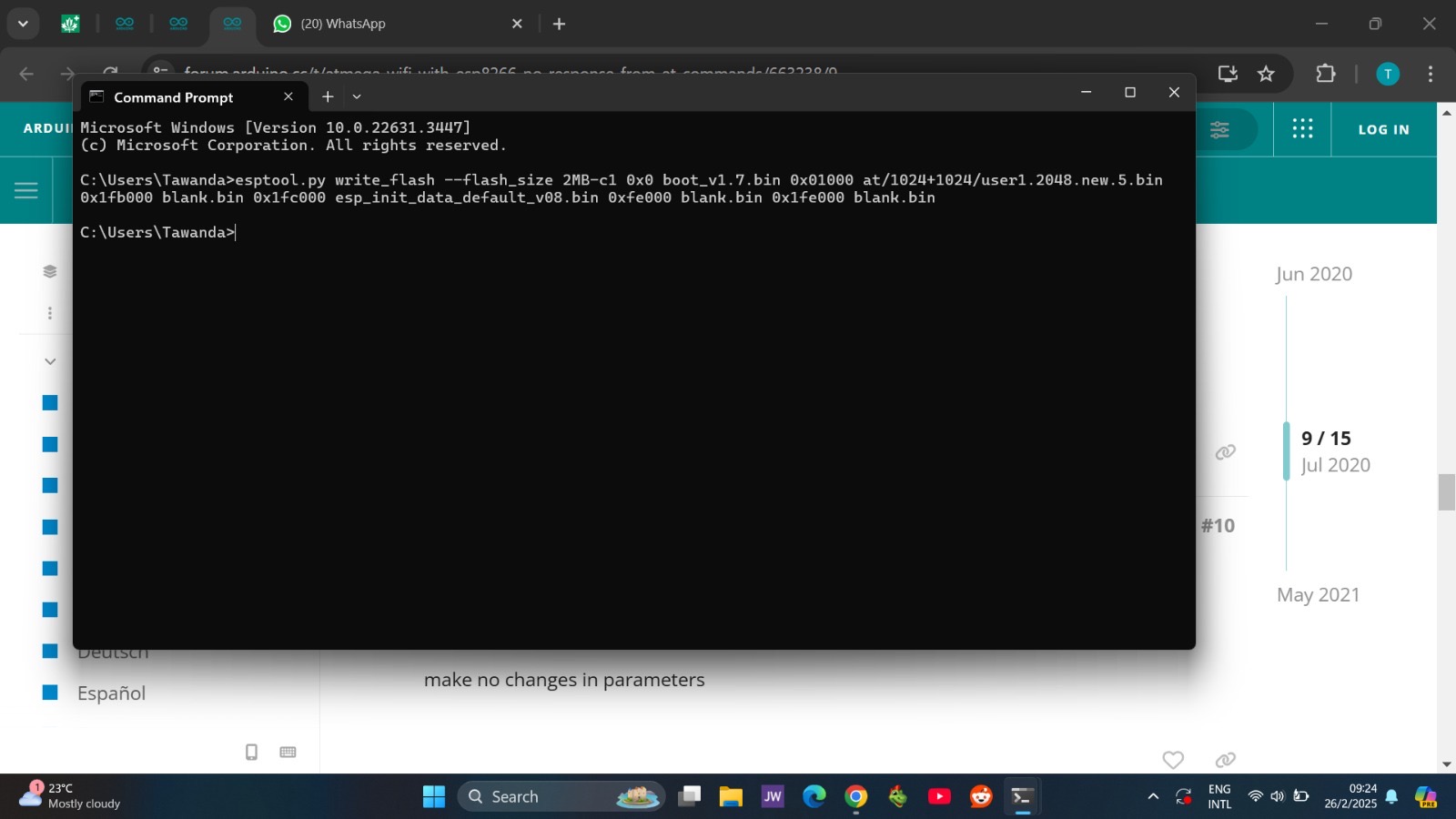
This is the cause of the error. The Python terminal is for running Python code. For example, you could write something like this in the Python terminal and it will work as expected:
print("Hello, world!")
Because that is Python code.
Although it is true that esptool.py is a Python script that contains Python code, you can not run Python scripts from a Python terminal. You must instead run them from a command prompt terminal. I see you did that in the second screenshot you shared, so it seems that you have already found this out for yourself.
Thank you but on the command prompt isn’t it supposed to start downloading and flashing the esp8266?

I have tried all this but it’s not working, I feel like there is something I’m doing wrong on the command prompt
The command ran successfully.
Please provide a detailed description of what you mean by "not working" in a reply on this forum thread, including:
- What were the results you expected from doing that thing?
- What were the results you observed that did not match your expectations?

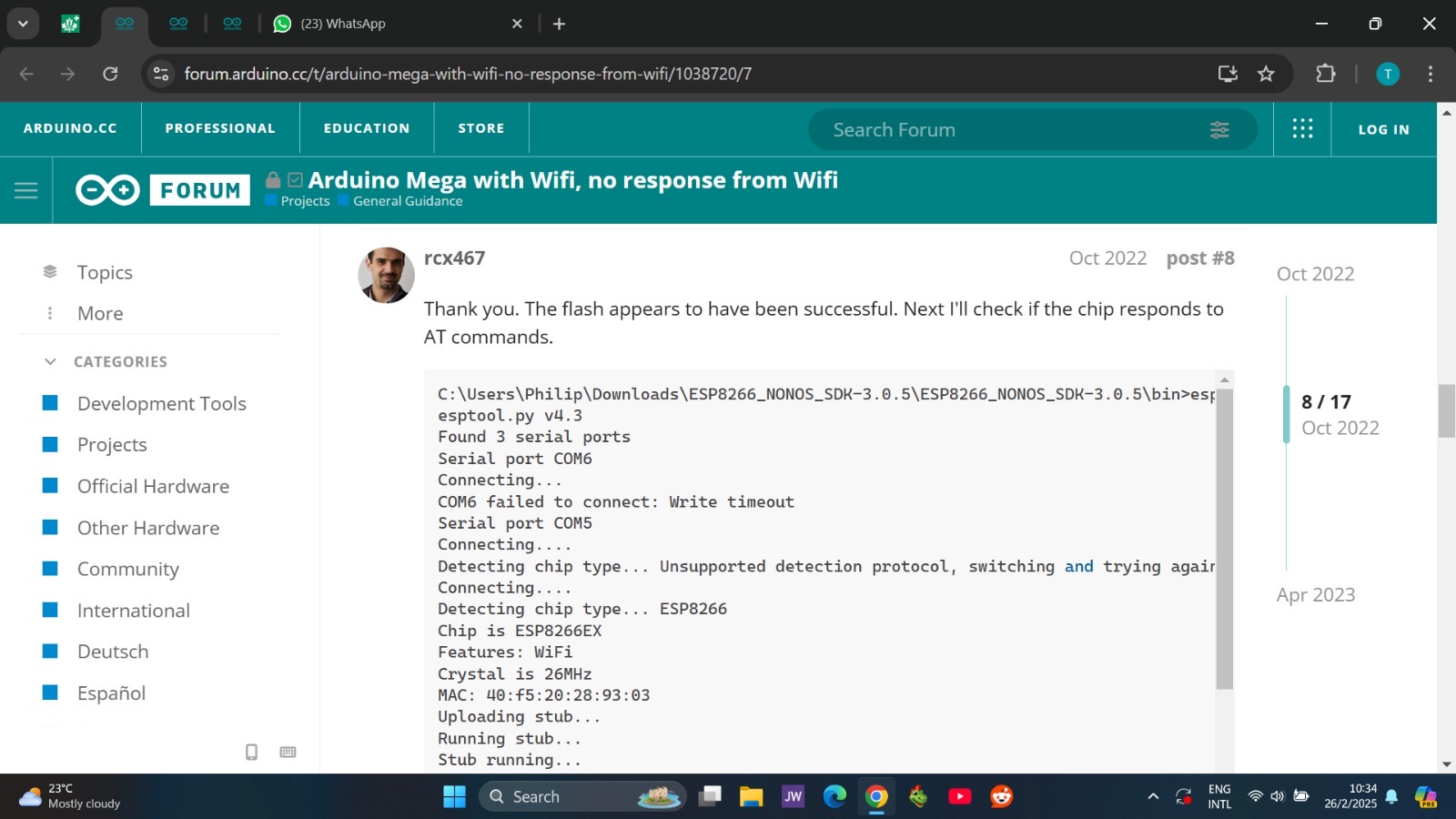

As I said earlier I went through past threads of this same topic and I was referencing to that one I just shared pictures of. I expected to get my ESP8266 flashed so that it can respond well to the WiFi library and the AT commands
Hey anyone
This topic was automatically closed 180 days after the last reply. New replies are no longer allowed.