I recently have been learning how to use the Adafruit Ultimate GPS Breakout Board V3 with my Arduino boards. I started out using it with my Uno R4, which works great with it. But when I connected it up to my brand-new Arduino Nano R4, I've run into some problems.
The main issue is that the GPS board is no longer sending data to the Serial monitor. I've tried connecting the RX and TX pins on the GPS to different pairs of pins on the Nano R4, but nothing has helped so far. None of the LEDs on the Nano R4 are flashing either, which makes it seem to me that it isn't processing the data from the GPS board. It's like it doesn't even know it's there.
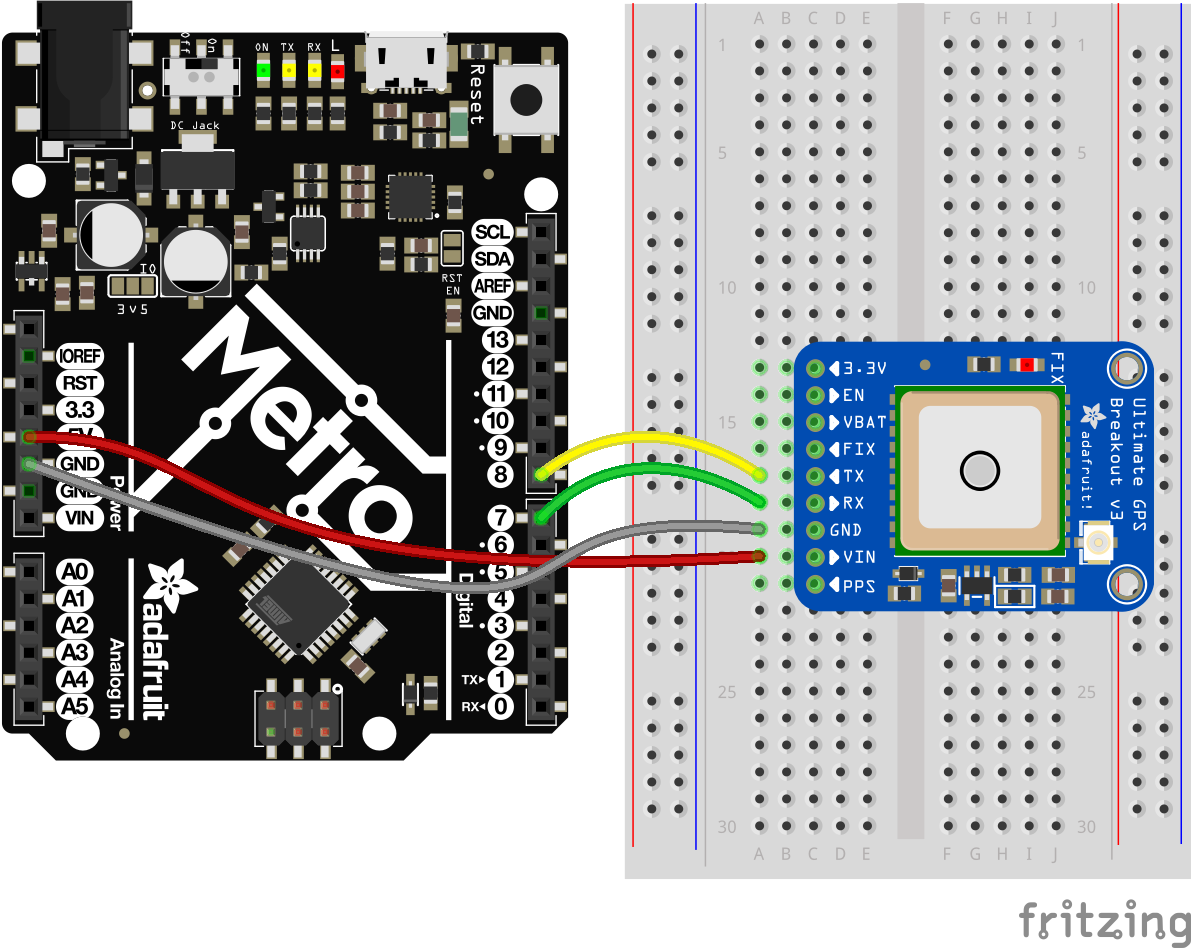
I've been following the wiring setup shown below. This diagram is from Adafruit, which is why it shows a Metro board, but my wiring is the same except for my use of a Nano R4.
Has anyone else experienced this kind of trouble with the Arduino Nano R4? I've confirmed the board isn't defective by testing it with other components (like LEDs) and other code, so maybe this is a software compatibility issue unique to the GPS board? Arduino advertises the Nano R4 as being comparable to the Uno R4, just smaller; in theory, there shouldn't be any compatibility problems. So, I'm stumped on this one. Does anyone here have any ideas or advice on how to fix this? Thanks.
Please follow the advice given in the link below when posting code, in particular the section entitled 'Posting code and common code problems'
Use code tags (the < CODE/ > icon above the compose window) to make it easier to read and copy for examination
Please post your full sketch, using code tags when you do
Posting your code using code tags prevents parts of it being interpreted as HTML coding and makes it easier to copy for examination
In my experience the easiest way to tidy up the code and add the code tags is as follows
Start by tidying up your code by using Tools/Auto Format in the IDE to make it easier to read. Then use Edit/Copy for Forum and paste what was copied in a new reply. Code tags will have been added to the code to make it easy to read in the forum thus making it easier to provide help.
It is also helpful to post error messages in code tags as it makes it easier to scroll through them and copy them for examination
I've actually tried using pins 0 and 1 already and neither one yielded any results. You're saying I don't need to use SoftwareSerial, so do you think this is what's causing the problem? I just want to make sure I understand correctly.
No, I didn't. I'm still pretty new to this kind of stuff, so I'm actually not sure how to use the Serial1 interface. Should I just replace anywhere it says Serial with Serial1, or is there a better way to do this?