Hi,
I recently started using a Nextion 3.5" Enhanced screen with an Arduino Uno. The idea is to build an alarm panel. The Nextion display will receive data from the Arduino to the display, this part I can do.
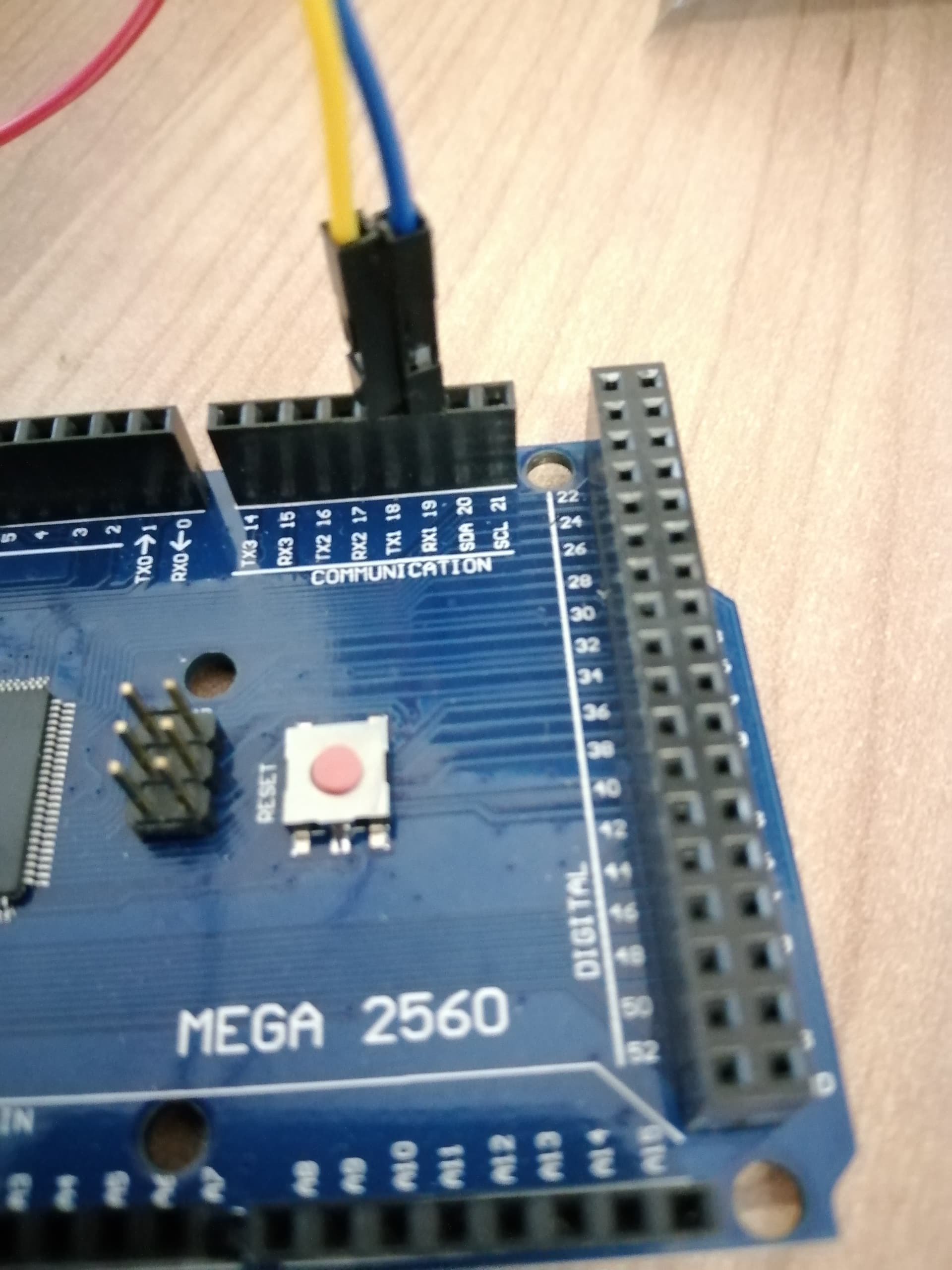
What I am struggling with is using the Nextion display as a button input. I just have two buttons on the display that will either mute the alarm or test it. I have tried several methods from using the standard RX, TX (0, 1) pins as well as using other pins for example Serial1 with an Arduino Mega.
I do not use the Nextion libraries.
I use an 'if' statement to see whether data is being sent from the Nextion display. My problems are as follows:
- The 'if' statement is activated a) without me pressing any button b) I press a button on the screen which is not supposed to send data (e.g. changing pages on the display)
- The 'if' statement is always being called even if nothing is pressed.
- The data received from the Nextion display is not readable. I have tried sending it as HEX or as a string and neither works.
When using the Arduino Mega I have tried using Serial1 with the appropriate pins, but then I can not send data or receive data at all with the Nextion display.
I have used the following tutorials:
- Using Nextion displays with Arduino
- 174 Using the #nextion display with the #arduino without a library - YouTube
This is my code for the Arduino Uno:
int outputVal = 0; // int value for sensor

int pot = A0; // initialising analog pin for sensor


void setup() {
  pinMode(pot,INPUT);
  pinMode(11, OUTPUT);   //RGB Red Pin
  pinMode(10, OUTPUT);   //RGB Green Pin
  pinMode(9, OUTPUT);    //RGB Blue Pin

  Serial.begin(9600);


}

void loop() {


  if(Serial.available()){                               // If statement to see if data is available.
    Serial.println("If");                               // Print test to show if the 'if' statement was initialized.
    String data_from_display ="";                       // String variable to store data from display
    delay(30);


    while(Serial.available()){
     data_from_display  += char(Serial.read());        // Stores the data from the display
    }

    Serial.println(data_from_display);                 // Prints the received message from Nextion display on serial monitor


  }


  outputVal = map(analogRead(pot), 0, 800, 0, 100);   // Stores and converts sensor value

  Serial.print("t0.txt=\"");                          // Prints sensor value to Nextion Display
  Serial.print(outputVal);
  Serial.print("\"");
  Serial.write(0xff);
  Serial.write(0xff);
  Serial.write(0xff);                                 // Indicates end of message for Nextion Display


  if(outputVal < 25)
  {

    Serial.print("t1.txt=\"LOW\"");                  // Prints status to Nextion Display
    Serial.write(0xff);
    Serial.write(0xff);
    Serial.write(0xff);

    Serial.print("t1.bco=63488");                    // Changes colour to Red on Nextion Display
    Serial.write(0xff);
    Serial.write(0xff);
    Serial.write(0xff);
    RGB_color(255, 0, 0);                             // Change RGB colour to Red

  } else if(outputVal > 75){

    Serial.print("t1.txt=\"HIGH\"");                // Prints status to Nextion Display
    Serial.write(0xff);
    Serial.write(0xff);
    Serial.write(0xff);

    Serial.print("t1.bco=63488");                   // Changes colour to Red on Nextion Display
    Serial.write(0xff);
    Serial.write(0xff);
    Serial.write(0xff);
    RGB_color(255, 0, 0);                           // Change RGB colour to Red

  } else {

    Serial.print("t1.txt=\"NORMAL\"");             // Prints status to Nextion Display
    Serial.write(0xff);
    Serial.write(0xff);
    Serial.write(0xff);

    Serial.print("t1.bco=2016");                  // Changes colour to Green on Nextion Display
    Serial.write(0xff);
    Serial.write(0xff);
    Serial.write(0xff);
    RGB_color(0, 255, 0);                          // Change RGB colour to Green

  }

  delay(100);                                     // Delay just to make reading on serial monitor easier will be removed
}


// Function to assign RGB Values

void RGB_color(int red_light_value, int green_light_value, int blue_light_value)
 {
  analogWrite(11, red_light_value);
  analogWrite(10, green_light_value);
  analogWrite(9, blue_light_value);
}
The code for the mega is very similar except I also initialize Serial1 and send the data to Serial1. But with the Mega, nothing works if I use Serial1. An example of the code for Arduino Mega:
Serial1.begin(9600);

  Serial1.print("t0.txt=\"");
  Serial1.print(outputVal);
  Serial1.print("\"");
  Serial1.write(0xff);
  Serial1.write(0xff);
  Serial1.write(0xff);
The output on the Serial Monitor is as follows as it enters the 'if' statement and never exits. I understand the 255 (or hex 0xff) is the end of an instruction, but I do not understand why the 'if' statement is continuously being called and why I get random numbers like 126, 186, 90, and so on. The following is a screenshot of the Serial monitor

So, I am not sure if my code is the wrong way to receive input from the screen, or if my Nextion screen might be faulty. Any help will be much appreciated.