ATTiny85 micronucleus doesn't create a COM port

I have an MCU ATTiny85 that the Windows 10 Device Manager recognizes as a USB device when I plug it in.

However, I suspect Windows is not fully recognizing the board because a new COM port is not created when I plug the board in (COM 1 was already there).

The micronucleus driver details indicate the winusb driver is used (version 10.3.19041.1). I used Zadig 2.9 to install WinUSB using the micronucleus.cfg file.

image

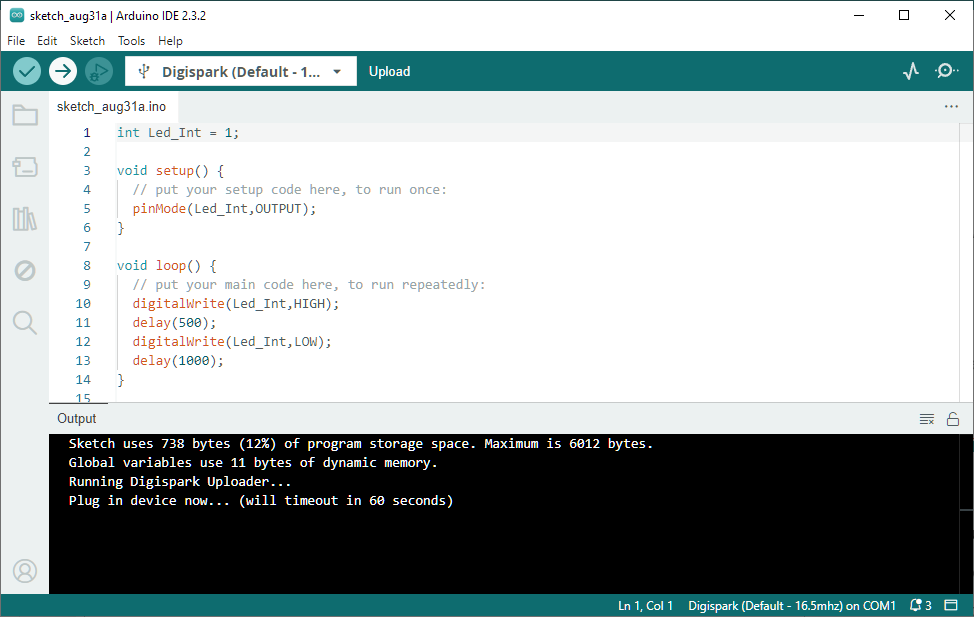
I've installed the ATTinyCore via the Board Manager and selected the ATTiny85/micronucleus board type and the only serial port to choose is COM1. Uploading fails immediately with "Failed uploading: uploading error: exit status 0xc0000135", which I imagine is because COM1 is not the ATTiny85 MCU.

I've rebooted the computer with no change resulting. I've also tried numerous USB ports, some 3.0 and some not, again without any change.

Any suggestions? Thanks.

You don't get an extra com port, like with an Arduino with a USB/Serial adapter on it.

You need to disconnect the board, then press "upload" and only plug in the device when asked to do so.

[edit] Mine is using LibusbK instead of WinUSB, registers as an "Unknown Device" but works just fine.
It can be a pain in the neck to get them working. E.g. I have to unplug all other cables from my USB Hub to make them upload.

I've tried unplugging the board before uploading. When the board type is as illustrated, I don't get prompted to plug in the board. The error message appears immediately.

I only get prompted if I select a board type such as Digispark Default 16.5 MHz.

Of course, plugging in the board doesn't work at this point, presumably because the Digispark /COM1 is invalid.

Also, I'm plugging this directly into my desktop PC. I suppose it may have an internal hub. I've tried numerous built-in USB ports, of course without success.

I tried a different Windows 10 laptop that did not have the Arduino IDE installed. Plugging in the board, the Device Manager listed the micronucleus USB device.

I then installed the Arduino IDE and then the ATTinyCore library from drazzy.com, which successfully installed the Windows drivers.

I unplugged the ATTiny85 MCU and attempted to compile/upload a small sketch. The IDE returned the same error 135 on the first run.

I then plugged the board in, figuring "what the heck", and attempted the upload again. This time the IDE prompted for the board to be plugged in. I unplugged it and plugged it in again and, voila, the upload was successful.

Turning back to my desktop Windows 10 PC, I uninstalled Arduino and the various Windows drivers. I reinstalled Arduino. The ATTinyCore appeared to still be installed. I removed it via the board manager and reinstalled it, which installed the drivers. Attempting to upload a sketch still gets the same upload error 135, despite following the same steps as with the laptop.

Suspecting that perhaps something lingered in the weeds, I uninstalled Arduino and the associated Windows drivers again. I also renamed my documents\arduino directory so it wouldn't be used again (presumably).

I reinstalled Arduino but found that the preferences were again unchanged from before (i.e. drazzy still included in the the board managers URL). I removed and reinstalled the ATTinyCore board/drivers as before. As before, the drivers were successfully installed.

image

I selected the ATTiny85 (micronecleus) board again and attempted to upload again, following the same steps as with the laptop. Still, I get error 135 regardless of whether the board is plugged in or not and regardless of which USB port it's plugged into.

The verbose upload information logged is as follows.

"C:\Users\karlh\AppData\Local\Arduino15\packages\ATTinyCore\tools\micronucleus\2.5-azd1b/micronucleus" --no-ansi --run --timeout 60 C:\Users\karlh\AppData\Local\Temp\arduino\sketches\896E47366FEDC5124B40C2B72B2FB83E/sketch_sep1a.ino.hex
Failed uploading: uploading error: exit status 0xc0000135
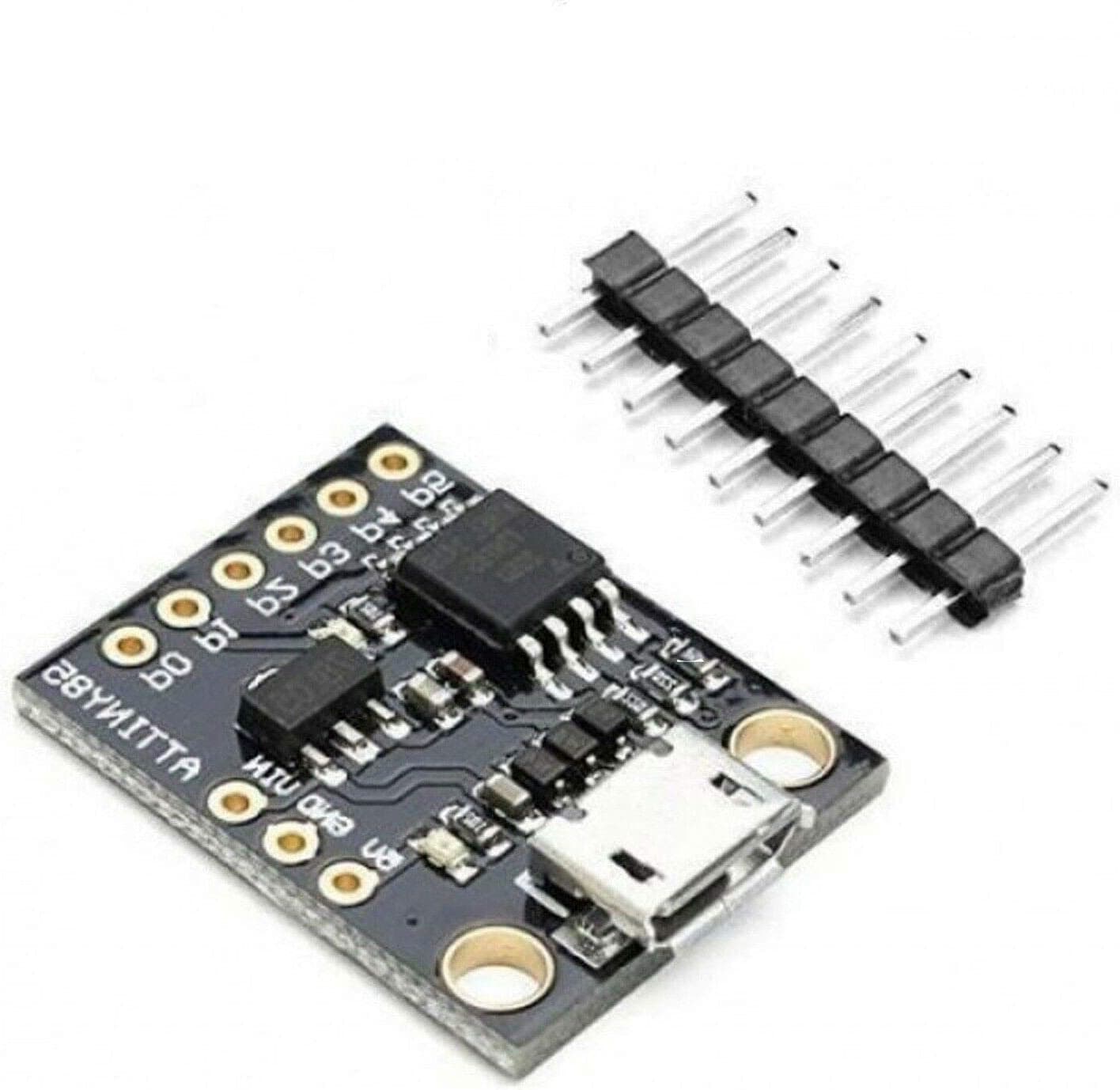
The board is not assined a virtaul COMn Port. It is always seen as a USB device. You may follow Section-19.2.2 of the attached pdf file to make your board working.
Ch-19 ATtiny85 MCULec (3).pdf (778.9 KB)

Those were the steps I followed without success.

Suspecting an issue running micronucleus, I tried the command explicitly by opening a command window and entering:

C:\Users\karlh\AppData\Local\Arduino15\packages\ATTinyCore\tools\micronucleus\2.5-azd1b/micronucleus

A dialog appeared stating:

image

Comparing the working laptop against the non-working desktop, I found versions of libusb0.dll and libusbK.dll in both C:\Windows\SysWOW64 and C:\Windows\System32.

I copied and pasted these DLL's into the same locations on the desktop computer. Now running micronecleus from the command line returned usage help as one would expect.

Within Arduino IDE, uploading the sketch now displays the expected "> Please plug in the device (will time out in 60 seconds) ...". However, the upload eventually times out regardless of which USB port I plug the ATTiny85 board into.

According to the Windows Device Manager, the ATTiny85 board's hardware ID is USB\VID_16D0&PID_0753&REV_0106. Running zadig-2.9, it reports the same as follows.

image

I'm wondering if there's a disconnect between the ATTiny85 board's hardware ID and that expected by Arduino.

1. You include the ATinyCore.
2. You install the driver by downloading it from the path I have given.
Digistump.Drivers.zip (1.6 MB)

3. Open the IDE.
4. Connect the board with PC using USB Port.
5. Select right board and check for correct parameters as described in the pdf.
6. Copy the blink sketch of the referred pdf.
7. when the message appears "Please plug in the device", disconnect the USB cable and connect back. A ding-dong sound appears and ploadng begins.

8. I have just now cheked my ATtiny85 Dev Board and it works.

Note: Your ATtiny85 Dev Board is suppoed to have contained the Digispark Bootloader Program.
Digisparkbootloader.zip (3.9 KB)

I also remember from the past that I had issues with a non responding bootloader, and had to freshly install the Micronucleus bootloader on the Attiny85 board again from within Attinycore (Burn Bootloader)
You need an ISP programmer to do so (USBASP or "Arduino as ISP" etc..)

Or maybe you have hidden USB devices with the associated driver still on your desktop, so when deleting drivers you don't delete all of them.

The driver is libusb-win32, not WinUSB.

This was the cause of the second problem you had:

I was able to reproduce the fault by using Zadig to install WinUSB driver for my previously working Digispark board. After I used Zadig to replace WinUSB with libusb-win32 or libusbK, the upload started working again.

Looking at the laptop that works with the board, I see the ATTiny85 listed as a Digispark Bootloader an not a Micronucleus as it is on the desktop computer.

Do I need to uninstall the WinUSB driver? My gut feeling is that is integral to Windows and needs to stay.

Perhaps, given how the Digispark drivers did not install as expected on the desktop computer, the new driver installations are not correct. I've tried uninstalling them via the Windows uninstall utility and reinstalling them via Zadig 2.9 but the board continues to use the WinUSB driver. Perhaps I need to dig into the libusb0/K driver installation deeper to trouble shoot their installation on the desktop.

I say as long as it is working, just leave everything as is.

If you are using Device Manager, it will be smart enough not to remove anything that is required by other devices.

When you installed the driver via Zadig, which driver did you select?

Are you sure you had the correct device selected from the Zadig menu?

How did you determine that it is still using WinUSB?

Following your advice, I reinstalled the libusb-win32 driver after loading the micronucleus preset.

image

It took a few attempts and I verified the installation by reviewing the newly-created log and inf files in C:\Windows\INF. After unplugging and plugging in the ATTiny85 board, the Windows Device Manager now lists the device as a libusb-win32 device.

image

I was able to successfully upload an Arduino sketch.

Thanks for all your suggestions and help. I don't know why this was so difficult as compared to my laptop's installation but I'm glad we got over that hump.

You are welcome. I'm glad it is working now!

Both ATTinyCore and the "Digistump AVR Boards" platforms (the unmaintained official one and the ArminJo fork) are configured to automatically install the libusb-win32 driver when you install the platform via the Arduino IDE Boards Manager. However, there is a problem with the cryptographic signature of the "libusb-win32 Digispark Bootloader" driver in the Micronucleus tool distributed with ATTinyCore and the ArminJo fork. So Windows will display a warning message:

Windows can't verify the publisher of this driver software
[...]
The driver software you're attempting to install does not have a valid digital signature
[...]

The maintainers of both those platforms (DrAzzy/SpenceKonde and Armin Joachimsmeyer) are definitely trustworthy, but I still don't like to risk installing a driver without a valid signature. So I was quite interested by the idea of using Zadig to install the properly signed driver for the Digispark board instead of messing with the one that has the signature problem. I was glad to be able to try out this alternative approach. It will be useful for my own use of the Digispark board I have, and probably also for supporting other users of Digisparks (and other boards that use the micronucleus bootloader) here on the forum in the future.

Regards, Per

This topic was automatically closed 180 days after the last reply. New replies are no longer allowed.