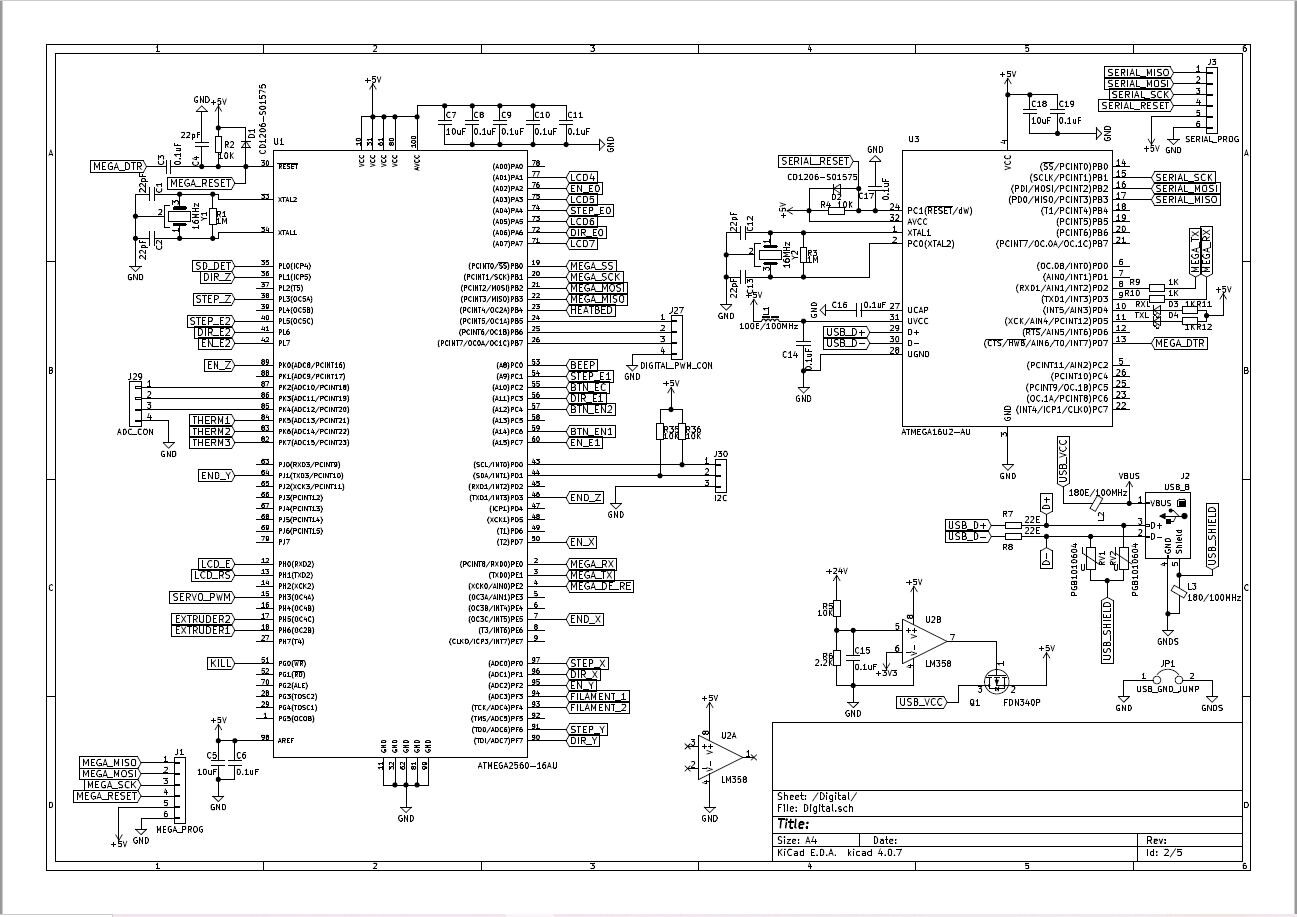
I am currently uploading bootloader to a custom-made marlin board that uses atmega2560. This board is being used for a 3d - printer. I use Arduino UNO as the ISP to the board and I followed all the initial steps which are:
Selected the Arduino ISP from the example programs and uploaded it to the UNO and selected programmer to Arduino as ISP
Changed the board to Arduino Mega or Mega 2560 and started the burn bootloader option
The bootloader is successfully burnt and when I try to dump a blink code, it starts the timeout error
At first, I figured out from other forums that the timeout was due to a small error in the boards.txt where the stk500v2 must be changed to wiring.
But the error didn't stop and I am not able to figure out what's wrong here. Please help me out with this!
Apparently I'm mistaken about the way the 2560 bootloader blinks (or doesn't blink) the LED on reset. It looks like it only blinks once.
I see that over on avrfreaks you posted an actual schematic, and it includes a 16u2 as the USB/Serial chip. Are you sure that the 16u2 has been programmed with "correct" firmware? (you didn't mention programming it, but ... it wouldn't show up as a "port" if it was empty...)
do we use flip software for programming the 16u2? If yes, I did it when I first connected the custom board. If no, please enlighten me with the procedures!
I'm not sure. I didn't think you could use FLIP until AFTER the 16u2 had been programmed with it's initial firmware. (it can upgrade/replace the USB/Serial part of the firmware, but it needs a USB bootloader in there to do that, and it's controlled by jumpers. So you have to have at least the bootloader part of the code loaded in the 16u2 for that to work, and I don't think it comes with a bootloader pre-loaded, so that has to be programmed with something like Arduino as ISP (but it doesn't have an "easy" method like "burn bootloader.")
I have never programmed or re-programmed a 16u2.
I think normally you use a programmer to load a .hex file that contains both the 16u2 bootloader AND the USB/Serial code ( ...hardware/avr/1.8.4/firmwares/atmegaxxu2/Arduino-COMBINED-dfu-usbserial-atmega16u2-Mega2560-Rev3.hex or similar)
Can you tell me a method where I can upload the hex file to the 16u2 through the icsp pins? I tried uploading through the usb, but I get the same timeout error!

 It looks like it only blinks once.