my .ino file and .h file are in the same file, but as i run the .ino document, it constantly told me "Compilation error: Project.h: No such file or directory". i don't know if it's because of my slection of UNO boards or some other reasons:(
It could be due to errors in the sketch that you didn't show us. Or other reasons.
You must delete the statement in row 31 and swap lines 44 and 45. For any reason.
Welcome to the forum
If you mean that they are in the same folder then what does your #include statement look like
Is it
#include <Project.h>
or
#include "Project.h"
There is a difference and the second one would be correct as long as you have used the correct filename for the .h file
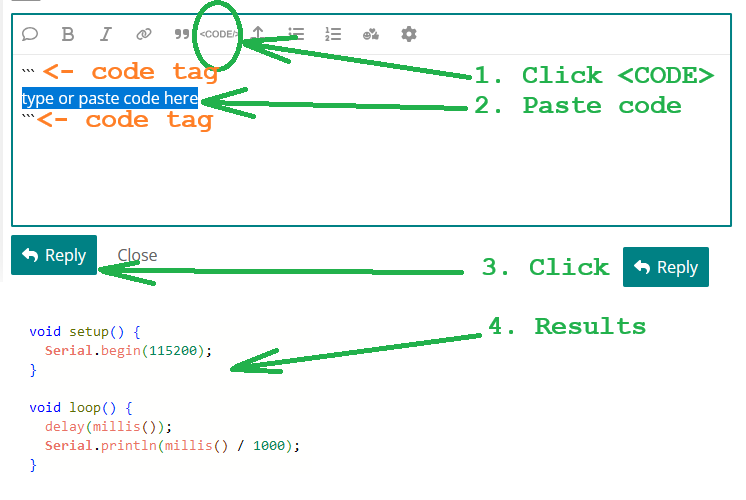
Please post your full sketch, using code tags when you do
"Case" is important....
Project.h
... is different from...
project.h
Be sure the filename is correct.
 )


Hi @haouser.
That is the problem. Try this:
- Select File > Preferences... (or Arduino IDE > Settings... for macOS users) from the Arduino IDE menus.
The "Preferences" dialog will open. - Take note of the path shown in the "Sketchbook location" field of the dialog.
- Click the "CANCEL" button.
The "Preferences" dialog will close. - Start macOS "Finder").
- Navigate in finder to the folder at the following path on your hard drive:
/Users/mao/Downloads/Smart_Car_Project/addLibrary - Copy the folders from the
addLibraryfolder to thelibrariessubfolder of the path you saw in the "Sketchbook location" preference.
The folder structure of the installation must look like this:
(where<Sketchbook location>/ ├── libraries/ │ ├── FastLED/ │ │ ├── FastLED.h │ │ ... │ ... ...<Sketchbook location>is the path from the Sketchbook location" preference) - Select File > Quit (or Arduino IDE > Quit Arduino IDE for macOS users) from the Arduino IDE menus.
All Arduino IDE windows will close. - Start Arduino IDE.
Now try compiling the sketch again. Hopefully this time everything will work as expected. Let us know if you still encounter some problems and we'll try to provide further assistance.
i don't know if there are missing files for "Sketchbook location " while downloading... as i opened the Arduino folder from sketch, there is no folder, even the libraries. i create a new one but it still didn't work
This is expected if you have never installed any libraries before. I should have mentioned that you might need to create the libraries folder in my instructions. I apologize for any confusion caused by my omission.
Please provide more details. By "didn't work", do you mean that you still encounter the exact same error when compiling the sketch?:
In file included from /Users/mao/Downloads/Smart_Car_Project/DeviceDriverSet_xxx0.h:15:0,
                 from /Users/mao/Downloads/Smart_Car_Project/Project.h:10,
                 from /Users/mao/Downloads/Smart_Car_Project/Smart_Car_Project.ino:1:
/Users/mao/Downloads/Smart_Car_Project/FastLED.h:38:10: fatal error: cpp_compat.h: No such file or directory
 #include "cpp_compat.h"
          ^~~~~~~~~~~~~~
compilation terminated.
exit status 1

Compilation error: cpp_compat.h: No such file or directory
Or are you now encountering a different problem?

and thanks yall so much for help!!! 
Great news! I'm glad it is compiling now.
Regards, Per
The name of the folder should be libraries (lowercase l)
i just tried both lowercase and uppercase and there was no error message. I guess the key problem is i didn't have that folder, no matter started with which lettercase lol
macOS has a case-insensitive filesystem, so you can sometimes get away with using the incorrect case in folder names.