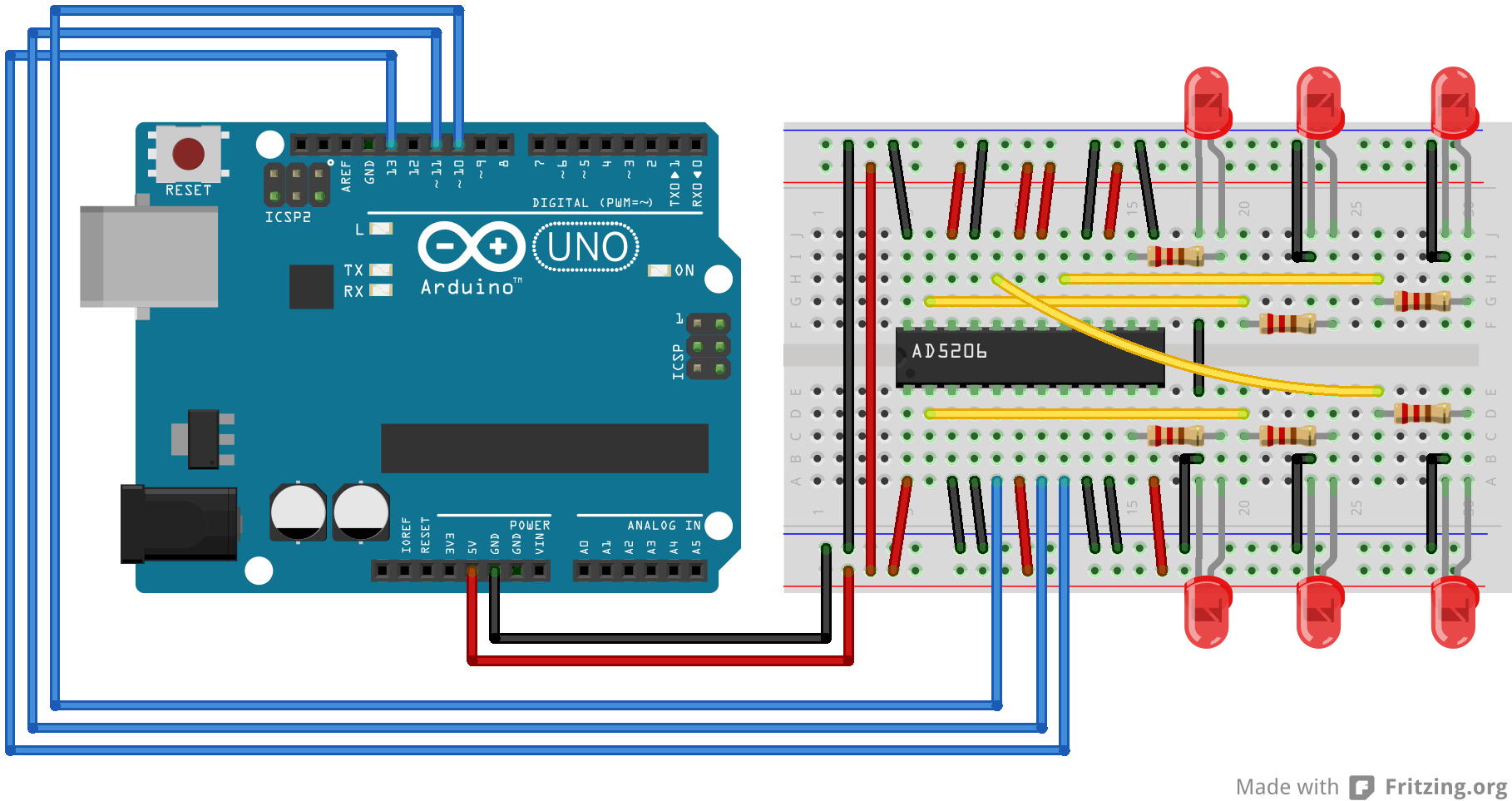
On the Controlling a Digital Potentiometer Using SPI page there's a picture with the bottom part cut off: http://arduino.cc/en/uploads/Tutorial/AD5206_arduino_bb2.png
Anyway, after checking the schematic on the same page, I fixed it in Paint, the led's too. Would anyone care to replace the broken picture with the one I added as attachment?
system
January 22, 2014, 10:59am
2
On the Controlling a Digital Potentiometer Using SPI page there's a picture with the bottom part cut off: http://arduino.cc/en/uploads/Tutorial/AD5206_arduino_bb2.png
Looks OK to me, using Firefox. What browser are you using?
I'm using Firefox, but the same problem occurs in Chrome.
edit: What the... now it looks okay in Firefox, but still cut off in Chrome?!
JimboZA
January 22, 2014, 11:59am
4
bartgrefte:
Nope... good for me in Chrome
I don't get it, what the hell is going on? Now it's screwed up in Firefox again
and in Chrome it still is
and IE11 cuts off even more
Everything else works fine, just this specific picture is being a pain in the butt.
system
January 22, 2014, 11:48pm
6
Everything else works fine, just this specific picture is being a pain in the butt.
Looks like the picture was cached, and the download failed to download the whole picture file. Try clearing your cache.
Tried that, didn't help. CTRL+F5'ing didn't help either.
Plus, that doesn't explain the difference between IE and Chrome/FF.
 and the bottom 3 led's are cut off (a bit) as well.