I have a Topway Smart TFT LCD with me, and I am going to use it to build a VU meter. You will see creating embedded system UI with Smart TFT LCD is pretty simple.
Project Parts
Display: HMT070DTA-D, 800x480 7 inch TFT Smart LCD, for showing VU meter interface.
Processor: Arduino UNO board, to process external analog audio signal and pass data to Smart TFT LCD through RS232 for displaying.
Project Design
-
Use logarithmic scale to convert analog audio signals into digital values
-
A simple circuit to extract Left / Right audio signals and feed them to Arduino board

-
Create VU meter interface with Topway’s Smart TFT LCD graphical UI editor

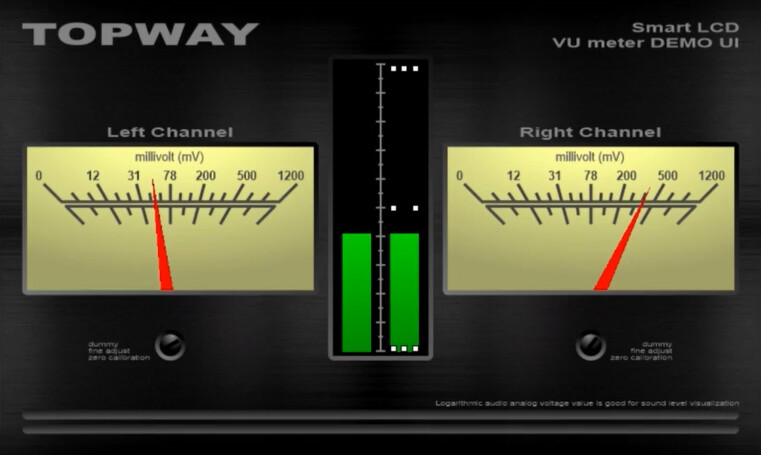
Project Implementation
UI Implementation
Create new project in free UI Editor SGTools – select proper Device Model HMT070DTA-D

Import UI background image and allocate variables to store Left Right audio channels’ data.
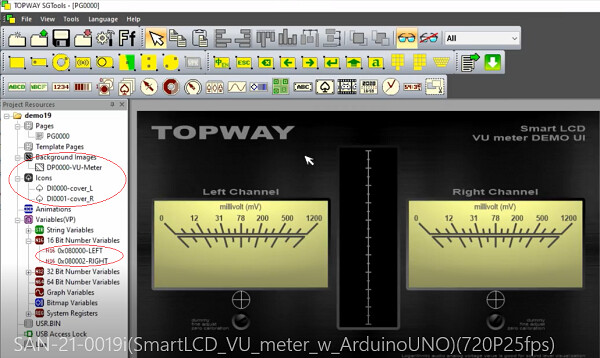
Use built-in control Tachometer as meter needle and set up their properties, associate tachometer with audio channel variable.

Similarly, we set up the center progress bar.
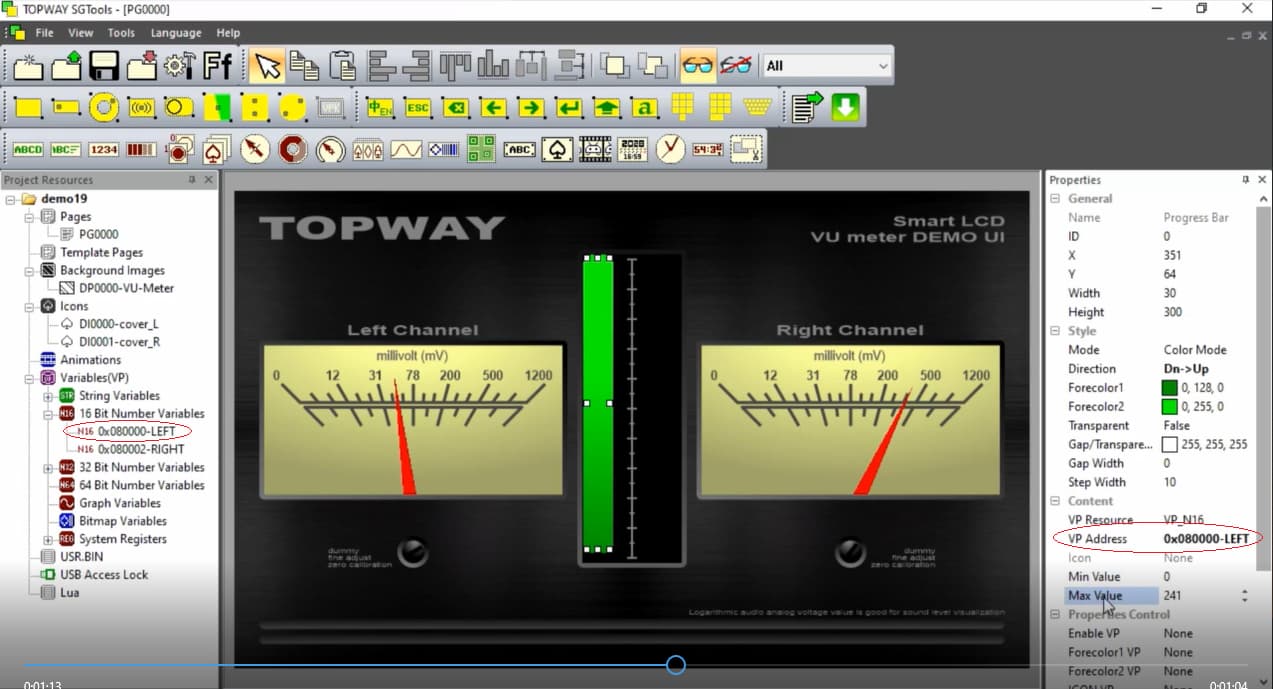
Now we connect the Smart TFT LCD to computer with USB cable, compile the design project and download it to the LCD. That is all for LCD UI design.

Arduino Program
The program logic is straight forward.
While there is analog audio input
{
convert analog signal into digital value (using log table)
send digital value to LCD module’s corresponding variable
}
Conclusion

From above example, we can tell that using Topway Smart TFT LCD can save engineer lots of effort in implementing user interface. Engineers can focus their energy on what they suppose to do, designing the actual product.