I am super new to coding/arduino, but have an electrical background. I am working on a custom display to show speed and distance on my manual treadmill. The treadmill uses a NO circuit and as you run occasionally (per X distance) completes the signal through the treadmill. Obviously using X/Time you can get speed, and with a count of total signals you can get a total distance. I am just looking to get some assistance into how to go about writing the coding because I have very limited coding knowledge. I am using the Elegoo MEGA 2560 R3 and an LCD1602 module I got in a kit. I used a modified version of the code from the kit to get the screen working how I want, but could use some help as to how to code for the signal detection/counting.
Do you know what voltage is on this signal line?
There is no voltage source so I guess its not really a signal just continuity through the loop in the treadmill more like a proximity switch
Do you have access to the circuit diagram, or some way of finding out the part number of the switch? Is it a proximity switch or a mechanical one?
A proximity switch can be inductive or capacitive and may be NPN or PNP. Different wiring needs depending. And some may have a lower limit of supply voltage needed.
Do you have a model # and manufacturer. Maybe there is an owners manual floating around the web somewhere. Alternatively you can clue a magnet to the wheel and mount a hall effect sensor
to use as an counter.
@tahlysreil Welcome to the forum..
treadmill, interesting..
mega might be a bit over kill..
here's something to get you started used a nano but code should be compatible..
Nano Treadmill
could use some more tinkering..
#include <LiquidCrystal_I2C.h>

#define FEET_PER_MILE 5280
#define TRACK_LEN 4

#define RELAY_PIN 6
#define START_BTN 4
#define PAUSE_BTN 3
#define STOP_BTN  2
#define COUNT_PIN 5

#define PAUSED 0
#define RUNNING 1
#define STOPPED 2


//define missing slash char for spin ani..
uint8_t slash[8] = {
  0b10000,
  0b10000,
  0b01000,
  0b00100,
  0b00100,
  0b00010,
  0b00001,
  0b00001,
};


//screen
LiquidCrystal_I2C lcd(0x27, 16, 2);

byte flip = 0;
unsigned long AniMilli = 0;
int IntervalAni = 50;


byte buttons[4] = {START_BTN, PAUSE_BTN, STOP_BTN, COUNT_PIN};
unsigned long lastDebounce[4];
byte lastStates[4];
byte buttonStates[4];
byte intervalDebounce = 50;
bool running = false;
byte state = PAUSED;
byte lastState = PAUSED;

unsigned long count, lastCount;
unsigned long time, lastTime;


void setup() {
  pinMode(START_BTN, INPUT_PULLUP);
  pinMode(PAUSE_BTN, INPUT_PULLUP);
  pinMode(STOP_BTN, INPUT_PULLUP);
  pinMode(COUNT_PIN, INPUT_PULLUP);
  pinMode(RELAY_PIN, OUTPUT);
  lcd.init();
  lcd.backlight();
  lcd.createChar(1, slash);
  lcd.setCursor(1, 0);
  lcd.print("MPH   : ");
  lcd.setCursor(1, 1);
  lcd.print("Miles : ");
}


void loop() {

  for (int i = 0; i < 4; i++) {
    if (millis() - lastDebounce[i] >= intervalDebounce) {
      buttonStates[i] = digitalRead(buttons[i]);
      if (buttonStates[i] != lastStates[i]) {
        lastDebounce[i] = millis();
        lastStates[i] = buttonStates[i];
        if (buttonStates[i] == LOW) {
          switch (buttons[i]) {
            case START_BTN: state = RUNNING; break;
            case PAUSE_BTN: state = PAUSED; if (!running && lastState != STOPPED) lastState = RUNNING; break;
            case STOP_BTN : state = STOPPED; break;
            case COUNT_PIN: if (running) count++; time = millis(); break;
          }
        }
      }
    }
  }

  if (state != lastState) {
    switch (state) {

      case RUNNING: if (!running) {
          running = true;
          count = 0;
          lastCount = 1;
          digitalWrite(RELAY_PIN, HIGH);
        }
        lcd.backlight();
        lcd.display();
        break;
      case PAUSED : if (running) {
          running = false;
          digitalWrite(RELAY_PIN, LOW);
        } else if (lastState != STOPPED) {
          running = true;
          state = RUNNING;
          digitalWrite(RELAY_PIN, HIGH);
        }
        lcd.backlight();
        lcd.display();
        break;
      case STOPPED: running = false;
        digitalWrite(RELAY_PIN, LOW);
        lcd.noBacklight();
        lcd.noDisplay();
        break;

    }
    lastState =  state;
  }


  if (running) {
    FlipAni();
    if (count != lastCount) {
      lastCount = count;
      unsigned long elapsed = time - lastTime;
      lastTime = time;
      float secs = float(elapsed) / 1000;
      float fps = (TRACK_LEN / secs);
      float mph = (fps / FEET_PER_MILE) / 0.00028;
      lcd.setCursor(9, 0);
      lcd.print("     ");
      lcd.setCursor(9, 0);
      lcd.print(mph, 2);
      float miles =  float((count * TRACK_LEN)) / float(FEET_PER_MILE);
      lcd.setCursor(9, 1);
      lcd.print(miles, 4);
    }
  }
}


void FlipAni() {
  if (millis() - AniMilli >= IntervalAni)
  {
    AniMilli = millis();
    switch (flip) {
      case 0: flip = 1; lcd.setCursor(0, 0); lcd.print("|"); lcd.setCursor(15, 0); lcd.print("|"); break;
      case 1: flip = 2; lcd.setCursor(0, 0); lcd.print("/"); lcd.setCursor(15, 0); lcd.print("/"); break;
      case 2: flip = 3; lcd.setCursor(0, 0); lcd.print("-"); lcd.setCursor(15, 0); lcd.print("-"); break;
      case 3: flip = 4; lcd.setCursor(0, 0); lcd.print("\x01"); lcd.setCursor(15, 0); lcd.print("\x01"); break;
      case 4: flip = 0; lcd.setCursor(0, 0); lcd.print("|"); lcd.setCursor(15, 0); lcd.print("|"); break;
    }
  }
}
have fun.. ~q
Hello tahlysreil
Welcome to the worldbest Arduino forum ever.
Take a DMM and make some measurements on o.m. interface lines.
Have a nice day and enjoy coding in C++.
Hi, Sorry for the delay. Just got to taking the treadmill apart and this is what I've found so far. The switch is mounted to the side of the frame with a magnet on the front wheel for the track, so every rotation of the front wheel activates the switch once. Also the only powersource in the entire system is 4 AA batteries on the original display I get no continuity between the power in and either pin of the switch wiring. Also by taking the header connector directly off the original display I have a nice 2 pin header connector to run with the board. I've included pictures of everything I can think might be useful.

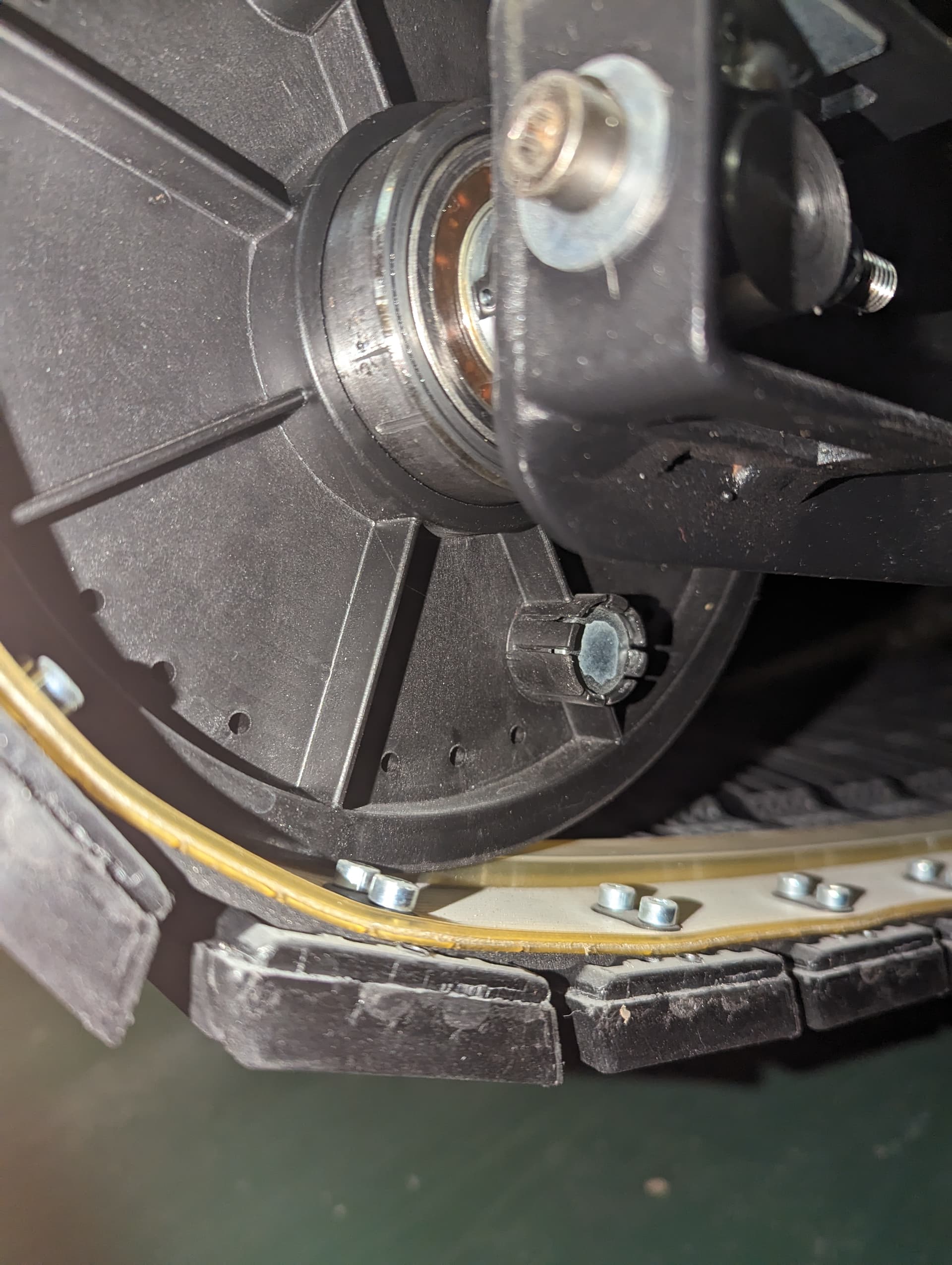
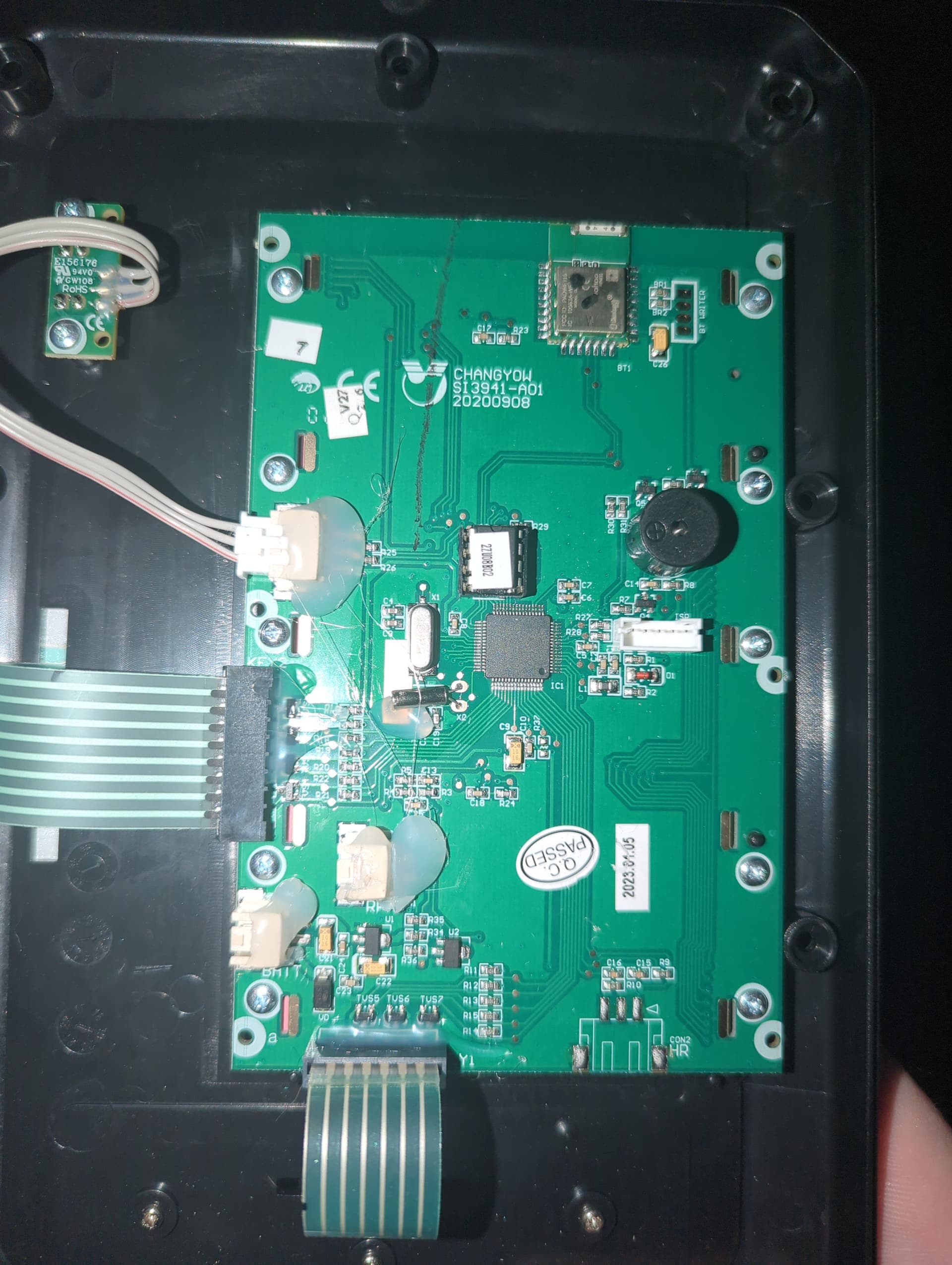

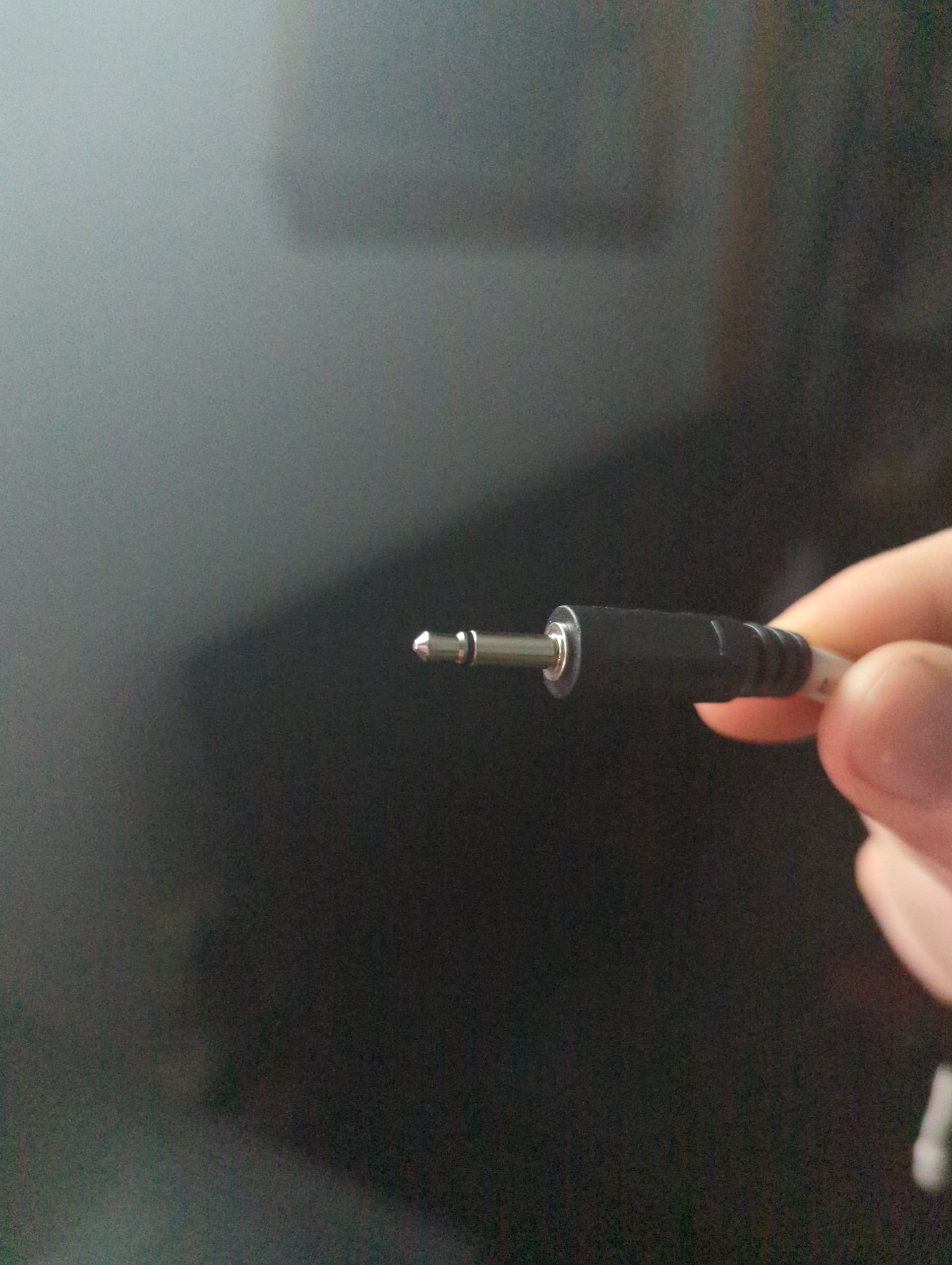
It certainly looks like the sensor is a two wire reed switch. It may be NO or NC, and change state when the magnet is near. You should be able to connect one wire to an Arduino pin set as INPUT_PULLUP and the other wire to ground. You can then read it like you would a push button switch looking at a state change.
The code example in the IDE can be found at File>Examples>02Digital>StateChangeDetection
You could also use any of the many "Button" switch libraries
Update! I spent a good amount of time on some coding that seems to work pretty well. I'll try to properly format and include it tomorrow, but one thing ive notice a few things in practical testing(holding the screen while moving on the treadmill because I am still building a mount).
-
speed seems a bit high (planning to remeasure distance per activation once I get the mount built and can serial monitor the whole process in action so not super concerned here)
-
at higher speed (I'm assuming somewhere in the 8mph range) the speed seems to jump back down to 4-5mph, and it almost feels like it is missing some counts. Wondering if I should be doing something differently in the code or if anyone has any ideas. I have to assume the sensor works to those speed since the standard display did.
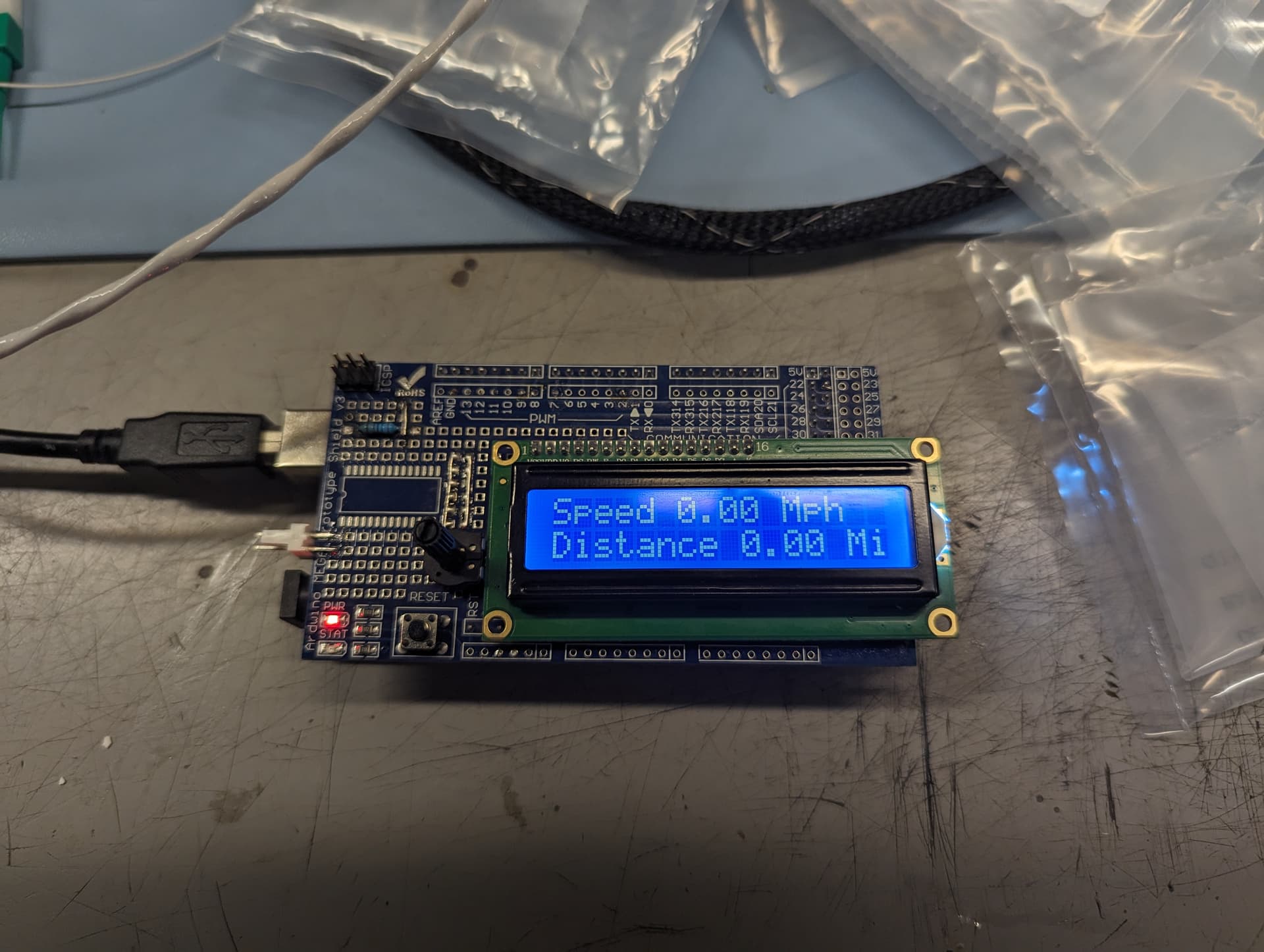
// this constant won't change:
const int switchPin = 2;  // Arduino Pin for Switch Interface
const float rotationDistance = .00041035; //Rotational Distance of Each Switch Activation

// Variables will change:


//Switch Variables
int switchActiveCounter = 0;  // counter for the number of button presses
int switchState = 0;        // current state of the button
int lastSwitchState = 0;    // previous state of the button

//Distance Variables
int distanceActiveCounter = 0;
float distance = 0;

//Speed Variables
int speedActiveCounter = 0;
float speedTimeEnd=0;
float speedTimeCounter=0;
float speed = 0;

//LCD Library
#include <LiquidCrystal.h>
// initialize the library with the numbers of the interface pins
LiquidCrystal lcd(7, 8, 9, 10, 11, 12);

void setup() {
  // initialize serial communication:
  Serial.begin(9600);
    // set up the LCD's number of columns and rows:
  lcd.begin(16, 2);
}


void loop() {
  // read the pushbutton input pin:
  switchState = digitalRead(switchPin);
  delay(5);

  // compare the buttonState to its previous state
  if (switchState != lastSwitchState) {
    // if the state has changed, increment the counter
    if (switchState == HIGH) {
      // if the current state is HIGH then the button went from off to on:
      switchActiveCounter++;
      distanceActiveCounter++;
      speedActiveCounter++;
      Serial.print("number of button pushes: ");
      Serial.println(switchActiveCounter);
      Serial.println(distance);

    }
  }
  // save the current state as the last state, for next time through the loop
  lastSwitchState = switchState;

  //Distance Calculations
  distance=distanceActiveCounter*(rotationDistance);

  //Speed Calculations
  if (speedActiveCounter==0){

  speedTimeCounter=millis();
  }

  if (speedActiveCounter==5){
    speedTimeEnd=millis();
    Serial.print("sTC");
    Serial.println(speedTimeCounter);
    Serial.print("sEC");
    Serial.println(speedTimeEnd);
    speed=(speedActiveCounter*rotationDistance)/((speedTimeEnd-speedTimeCounter)/3600000);
    speedActiveCounter=0;
    Serial.println(speed);

  }

  if((speedTimeEnd-speedTimeCounter)>=20000){
    speed=0;
  }

    lcd.setCursor(0, 0);
    lcd.print("Speed ");
    lcd.print(speed);
    lcd.print(" Mph   ");

    lcd.setCursor(0,1);
    lcd.print("Distance ");
    lcd.print(distance);
    lcd.print(" Mi");

}
Here is the code. Part of it is copied directly from some examples suggested here, and if anyone has any recommendations, or sees any potential issues please let me know.
it almost feels like it is missing some counts.
delay(5);
You need to remove the delay() which will cause you to miss counts at high speed. There is no reason to use it in your program.
The lcd printing is somewhat slow, and there are better ways to manage the display.
First, unchanging text should only be written once in setup( ).
It's not clear to me that if you want the distance shown as xx.xx (5 spaces) it can fit on the one line with "Distance " and " Mi" which take of 12 of 15 positions leaving only 3. You may need to truncate some of the text.
I may not have the lcd cursor management quite correct in my code, but you should get the idea of printing unchanging data in setup, and spaces to clear changing data in loop.
Second, changing data on the display should only be written at an interval like 500 ms, and not every pass through loop which is faster than you can visually read a changing number.
There is no advantage to the 9600 baud rate, and I would use 115200.
The rotationDistance will not be as precise as you think with
const float rotationDistance = .00041035;
On an Uno, the floats are only 6 to 7 digits of precision.
I would convert from miles to feet, use 2.167 (or 2.16665 if you must ) as a rotationDistance and then divide by 5280 when calculations are complete.
Here's some revisions to your program. Compiles, but not tested with an input signal.
// this constant won't change:
const int switchPin = 2;  // Arduino Pin for Switch Interface
//const float rotationDistance = .00041035; //Rotational Distance of Each Switch Activation
const float rotationDistance = 2.167; //feet
// Variables will change:


//Switch Variables
int switchActiveCounter = 0;  // counter for the number of button presses
int switchState = 0;        // current state of the button
int lastSwitchState = 0;    // previous state of the button

//Distance Variables
int distanceActiveCounter = 0;
float distance = 0;

//Speed Variables
int speedActiveCounter = 0;
float speedTimeEnd = 0;
float speedTimeCounter = 0;
float speed = 0;

unsigned long lastLcdUpdate;
unsigned long lcdUpdateInterval = 500;

//LCD Library
#include <LiquidCrystal.h>
// initialize the library with the numbers of the interface pins
LiquidCrystal lcd(7, 8, 9, 10, 11, 12);

void setup() {
  // initialize serial communication:
  //Serial.begin(9600);
  Serial.begin(115200);
  // set up the LCD's number of columns and rows:
  lcd.begin(16, 2);
  lcd.setCursor(0, 0);
  lcd.print("Speed ");
  lcd.setCursor (12, 0);
  lcd.print(" Mph");

  lcd.setCursor(0, 1);
  lcd.print("Distance ");
  lcd.setCursor (14, 1);
  lcd.print("M");
}


void loop() {
  // read the pushbutton input pin:
  switchState = digitalRead(switchPin);
  //delay(5);

  // compare the buttonState to its previous state
  if (switchState != lastSwitchState) {
    // if the state has changed, increment the counter
    if (switchState == HIGH) {
      // if the current state is HIGH then the button went from off to on:
      switchActiveCounter++;
      distanceActiveCounter++;
      speedActiveCounter++;
      Serial.print("number of button pushes: ");
      Serial.println(switchActiveCounter);
      Serial.println(distance);

    }
  }
  // save the current state as the last state, for next time through the loop
  lastSwitchState = switchState;

  //Distance Calculations
  distance = distanceActiveCounter * (rotationDistance);

  //Speed Calculations
  if (speedActiveCounter == 0) {

    speedTimeCounter = millis();
  }

  if (speedActiveCounter == 5) {
    speedTimeEnd = millis();
    Serial.print("sTC");
    Serial.println(speedTimeCounter);
    Serial.print("sEC");
    Serial.println(speedTimeEnd);
    speed = (speedActiveCounter * rotationDistance) / ((speedTimeEnd - speedTimeCounter) / 3600000);
    speed = speed / 5280.0; // convert back from ft to mi
    speedActiveCounter = 0;
    Serial.println(speed);

  }

  if ((speedTimeEnd - speedTimeCounter) >= 20000) {
    speed = 0;
  }

  if (millis() - lastLcdUpdate >= lcdUpdateInterval) {
    lastLcdUpdate = millis();
    //lcd.setCursor(0, 0);
    //lcd.print("Speed ");
    lcd.setCursor (0, 6);
    lcd.print("    "); //5 blank spaces to clear old data "xx.xx"
    lcd.setCursor (0, 6);
    lcd.print(speed);

    //lcd.setCursor (0, 6);
    //lcd.print(" Mph   ");

    //lcd.setCursor(0, 1);
    //lcd.print("Distance ");
    lcd.setCursor (9, 1);
    lcd.print("     "); //5 blank spaces to clear old data "xx.xx"
    lcd.setCursor (9, 1);
    lcd.print(distance);
    //lcd.print(" Mi");
  }
}
Floating point math is also relatively slow on the UNO, and if you still continue to miss pulses, we may need to revise the use of floats, or possibly move the pulse counting to an interrupt.
Thanks for this. It was very helpful, and I am fairly confident I understand all the coding changes made. It seems like it picks up alot more consistently at the higher speed. Also I measured another handful of times and came up with 24 inches per rotation which makes the math a ton easier (and makes more sense they would have a round number for their design). This also lowers the speed slightly. The speed still feels a bit fast to me but at this point I'm wondering if it isn't just the nature of this treadmill vs a conventional one. I think arduino wise I am basically done with the project. Just adding in a raspberry pi to be able to watch tv/stream music and making a mount.
Even If the switch state doesn't change your saving it to lastSwitchState on each loop. Maybe save it to lastSwitchState only when it changes.
I would probably have tried using an interrupt to catch the switch change. Agree with cattledog on upping the baud rate and get rid of the delay.
Anyway to run another arduino to just catch the switch counts and display and compare with the
your project ?