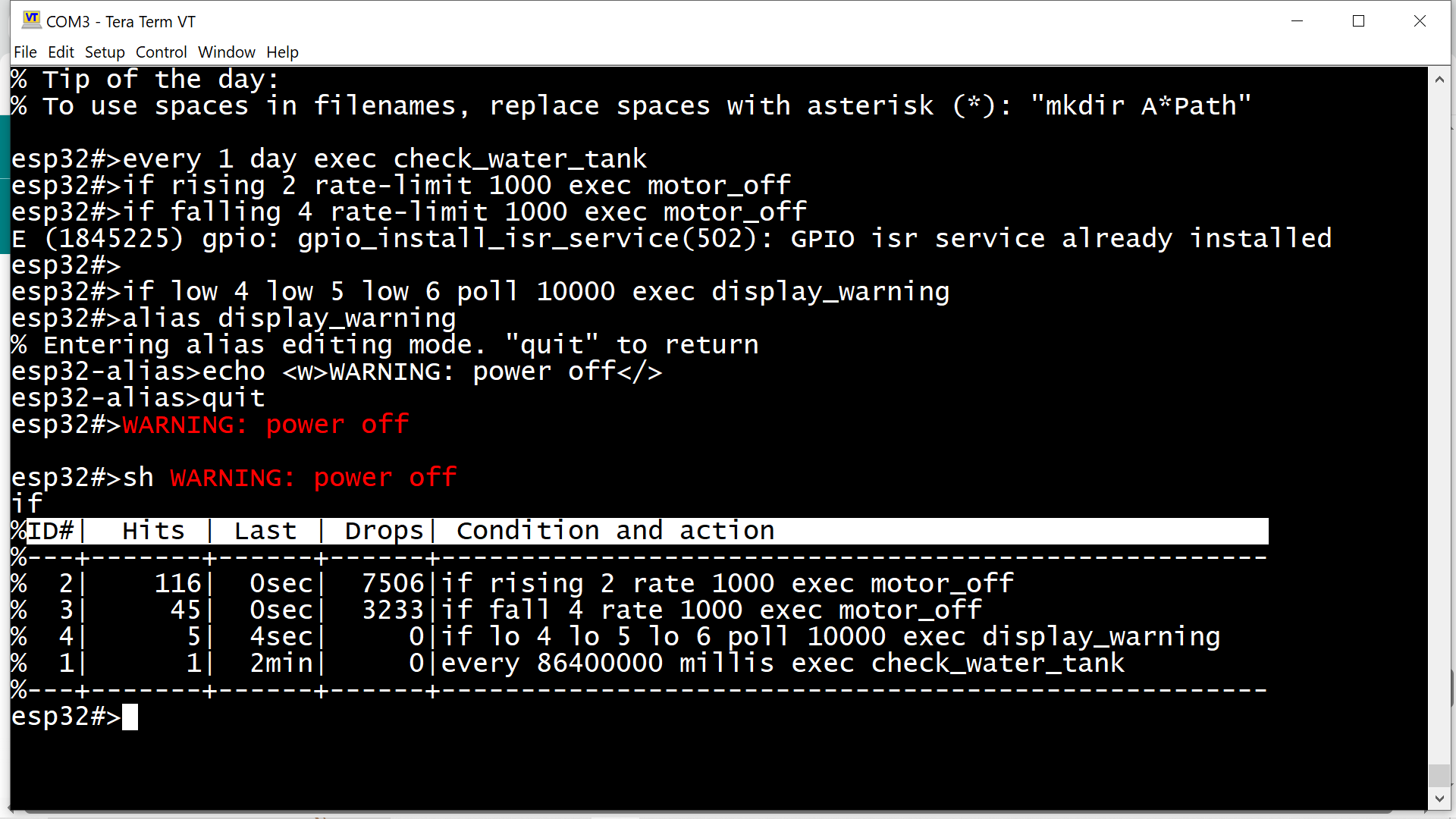
A library, which hooks up on a startup process and gains control at the very beginning to start a CLI on serial interface.
Once uploaded it creates a command line interface on UART0 which can be accessed either via Arduino IDE Serial Monitor or, much better, via terminal software (PuTTY, TeraTerm etc)
Tried to mimic Cisco's CLI look & feel
There is README.md file with a little bit more details and examples.
If anyone will find it useful - i would like to get a feedback.
Enjoy!
Too many changes to list them all. File size grew to 300kb and then I decided to split it and make a library. So I did :). It is now available through Arduino IDE Library Manager, search for "ESPShell".
It works on generic ESP32 boards, ESP32-S3 boards and ESP-CAM as well. It would be good to know if it compiles/works on other Espressif MCUs.
ESPShell expects "Serial" to be of class "HardwareSerial" . No USB-CDC console support yet :-/
Technically, yes, however it is not so much of useful info there: stack pointers, ticks etc. So I decided just to display task address (handle), its priority and name.
Yes I think I would add ability to change default “esp32“ in the prompt to user-defined prompt.
It is all configurable, I mean, every GPIO can be reassigned to any IOMUX or GPIO matrix function. For GPIO matrix one can connect IN/OUT signals also. Virtual pins (constant 1 and constant 0 are also supported :). to some extent)
Looks good, but I was hoping the board id/name could be stored on the board.
Let me try to explain better.
I am assuming what I am seeing is from a sketch that somehow stays resident or a new bootloader.
When that ^^ is created/uploaded an identifier is assigned although I don;t understand why ChipID can't be used somehow.
The utility of this is when I have a handful of boards in a drawer, I hook up the board and the first prompt from the board (and all others) is prefaced with the unique ID so I know I have the board with the XYZ sketch loaded.
Am I clear?
Consider that a user of your tool may inadvertently overwrite that area. Maybe also look at the partition feature?
I looked at the chip ID and it only uses the low-order 31 bits and is therefore not unique.
WiFi support added. Coexists with sketches that use the ESP32 WiFi library. In particular - can reconfigure WiFi in runtime from the command line while sketch is running. Two interfaces supported: AP and STA. Configuration somehow mimics Cisco shell:
You can add, delete, and modify values. You can save the entire NVS image as a binary file, or export it as CSV. Later, you can load .bin/import .csv back again.