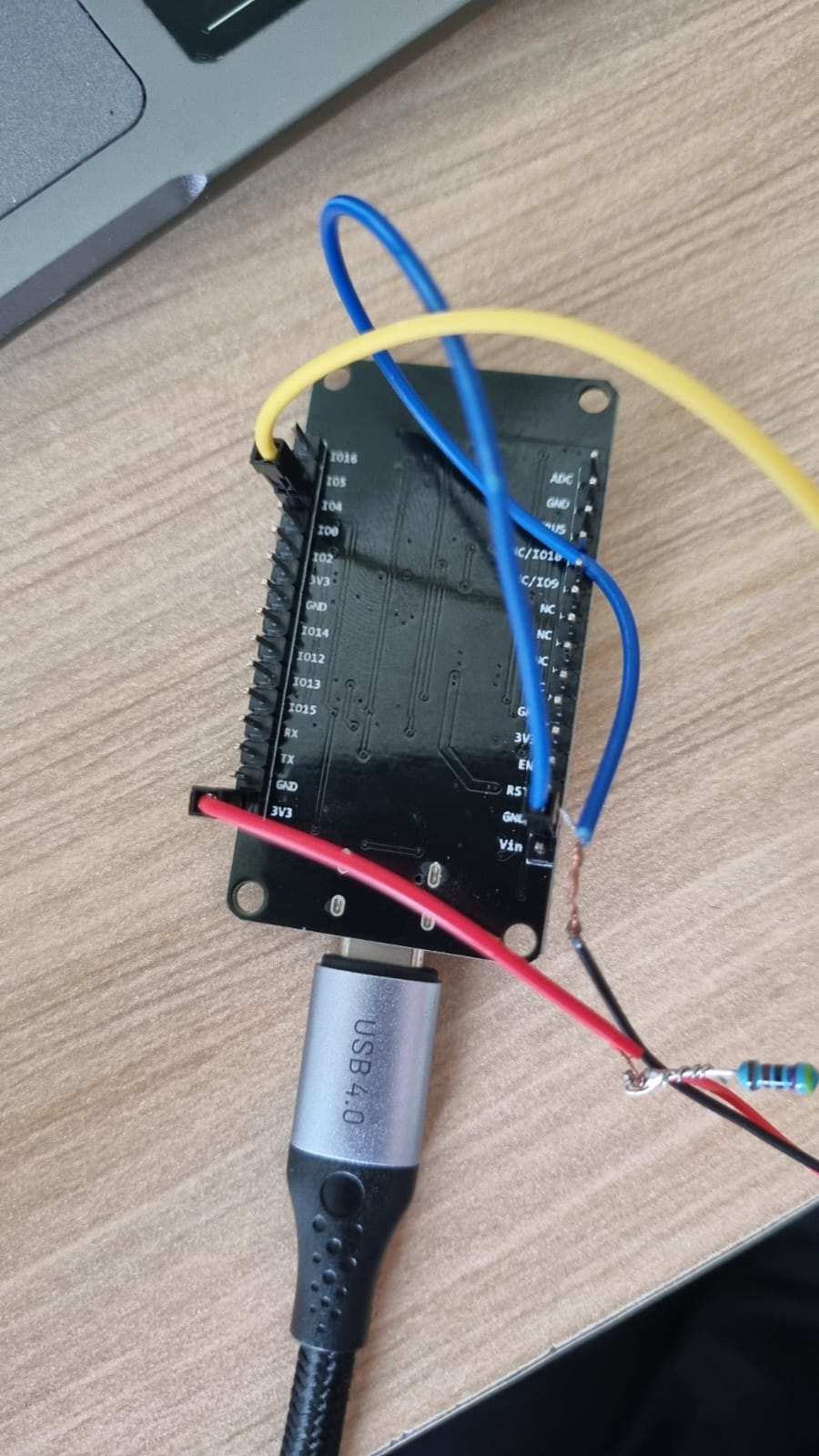
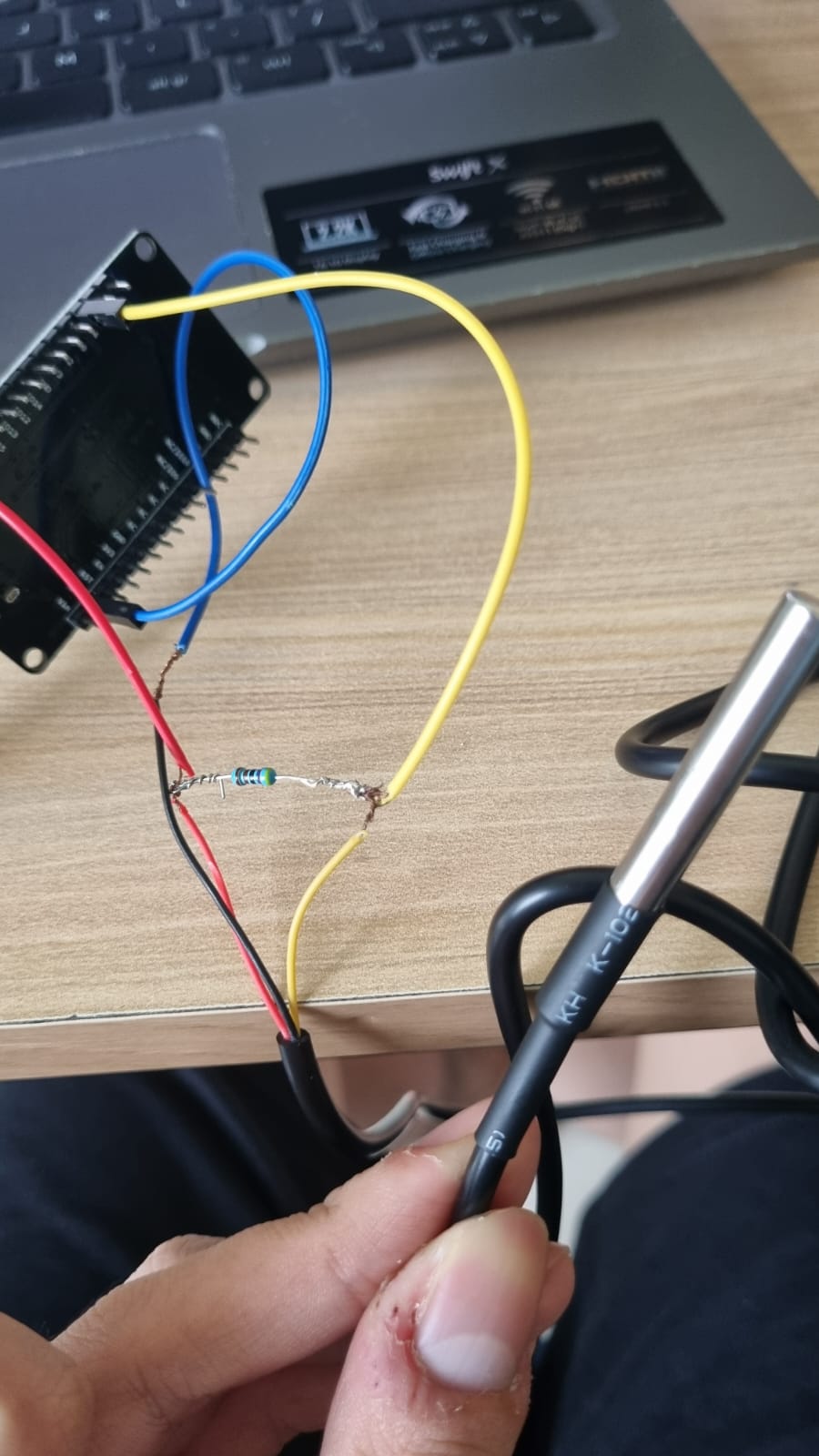
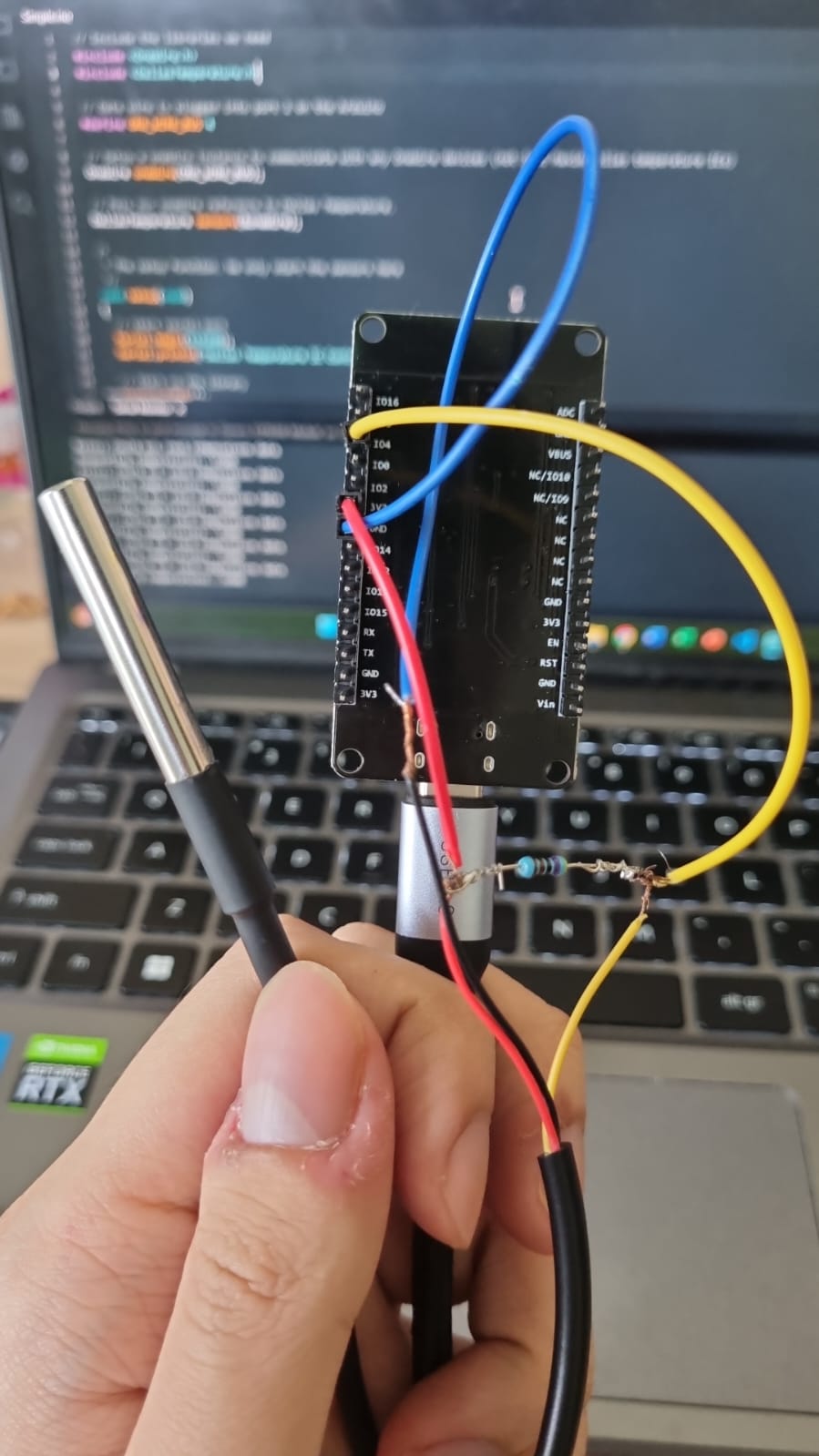
So, I have connected my ESP8266 module with DS18B20 temperature sensor. I also have connected the 3.3V wire and data wire with pull up resistor 4.7k Ohm. below are the wirings.
Then I uploaded the code below to Generic ESP8266 Module board using the DallasTemperature library's code example (Simple) for ds18b20 sensor. But it doesn't connect with my temperature.
// Include the libraries we need
#include <OneWire.h>
#include <DallasTemperature.h>

// Data wire is plugged into port 2 on the Arduino
#define ONE_WIRE_BUS 2

// Setup a oneWire instance to communicate with any OneWire devices (not just Maxim/Dallas temperature ICs)
OneWire oneWire(ONE_WIRE_BUS);

// Pass our oneWire reference to Dallas Temperature.
DallasTemperature sensors(&oneWire);

/*
 * The setup function. We only start the sensors here
 */
void setup(void)
{
  // start serial port
  Serial.begin(115200);
  Serial.println("Dallas Temperature IC Control Library Demo");

  // Start up the library
  sensors.begin();
}

/*
 * Main function, get and show the temperature
 */
void loop(void)
{
  // call sensors.requestTemperatures() to issue a global temperature
  // request to all devices on the bus
  Serial.print("Requesting temperatures...");
  sensors.requestTemperatures(); // Send the command to get temperatures
  Serial.println("DONE");
  delay(1500);
  // After we got the temperatures, we can print them here.
  // We use the function ByIndex, and as an example get the temperature from the first sensor only.
  float tempC = sensors.getTempCByIndex(0);

  // Check if reading was successful
  if (tempC != DEVICE_DISCONNECTED_C)
  {
    Serial.print("Temperature for the device 1 (index 0) is: ");
    Serial.println(tempC);
  }
  else
  {
    Serial.println("Error: Could not read temperature data");
  }
}
Is there any thing that I should check to fix this?
this works on a ESP8266 NodeMCU Dev board
DS18B20 Data wire is plugged into pin D2 GPIO4
// ESP8266 DS18B20 one-wire temperature sensor -  read the temperature

// Tools>Board set to "Generic ESP8266 module"

// connect VCC red 3v GND black GND yellow (signal) pin D2 GPIO4
//  note 4.7Kohm pullup to 3.3V


/********************************************************************/
// First we include the libraries
#include <OneWire.h>
#include <DallasTemperature.h>
/********************************************************************/
// DS18B20 Data wire is plugged into pin D2 GPIO4 on the ESP8266
#define ONE_WIRE_BUS 4
/********************************************************************/
// Setup a oneWire instance to communicate with any OneWire devices
// (not just Maxim/Dallas temperature ICs)
OneWire oneWire(ONE_WIRE_BUS);
/********************************************************************/
// Pass our oneWire reference to Dallas Temperature.
DallasTemperature sensors(&oneWire);
/********************************************************************/
void setup(void)
{
  //    pinMode(4, OUTPUT);  // SR04M  0V power
//      digitalWrite(4, LOW);
//      pinMode(6, OUTPUT);  // SR04M  5V power
//      digitalWrite(6, HIGH);

 // start serial port
 Serial.begin(115200);
 Serial.println("Dallas Temperature IC Control Library Demo");
 // Start up the library
 sensors.begin();
}
void loop(void)
{
 // call sensors.requestTemperatures() to issue a global temperature
 // request to all devices on the bus
/********************************************************************/
 Serial.print(" Requesting temperatures...");
 sensors.requestTemperatures(); // Send the command to get temperature readings
 Serial.println("DONE");
/********************************************************************/
 Serial.print("Temperature is: ");
 Serial.print(sensors.getTempCByIndex(0)); // Why "byIndex"?
   // You can have more than one DS18B20 on the same bus.
   // 0 refers to the first IC on the wire
   delay(1000);
}
serial monitor output
Temperature is: 23.63 Requesting temperatures...DONE
Temperature is: 23.69 Requesting temperatures...DONE
Temperature is: 24.06 Requesting temperatures...DONE
Temperature is: 24.56 Requesting temperatures...DONE
Temperature is: 25.06 Requesting temperatures...DONE
Temperature is: 25.50 Requesting temperatures...DONE
Temperature is: 25.88 Requesting temperatures...DONE
Temperature is: 26.19 Requesting temperatures...DONE
Temperature is: 26.44 Requesting temperatures...DONE
Temperature is: 26.69 Requesting temperatures...DONE
Temperature is: 26.94 Requesting temperatures...DONE
Temperature is: 27.13 Requesting temperatures...DONE
Temperature is: 27.31 Requesting temperatures...DONE
Temperature is: 27.44 Requesting temperatures...DONE
Multimeter is the easiest way. If you don't have, careful visual inspection at least. Are the wires soldered or just tied together? Verify resistor value with color codes.
sadly, i don't have multimeter, but I will try to ask my friend about it. But for now, I have verified the wiring for the module's cabel and I think the wiring for pullup resistor-data(yellow)-VCC(red) all good and soldered enough. But I am not pretty sure for the extension of the black one since it just tied up with blue jumper cable. And for the resistor, I have checked online but it seems the resistor have different color than it should be.