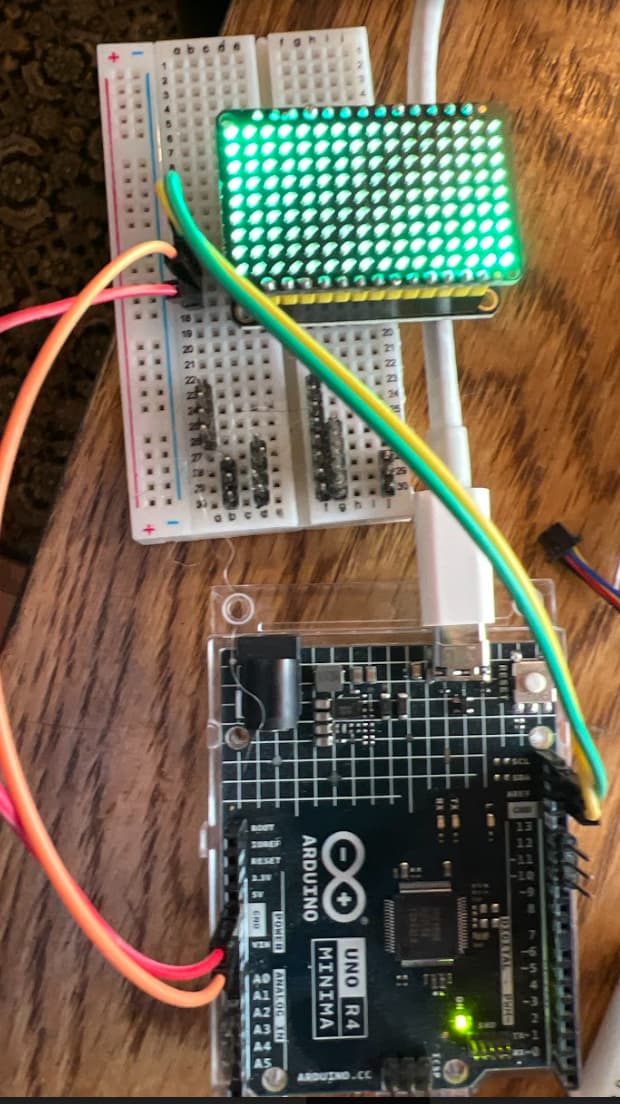
For the fun of it I have been experimenting with the LED Matrix code on the WIFI board.
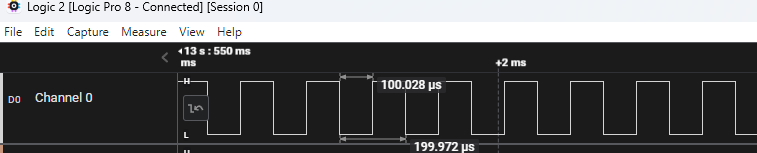
With the current code base once you do matrix.begin() the matrix codes timer will generate a 1000 interrupts per second and it takes 96 interrupts to display a frame.
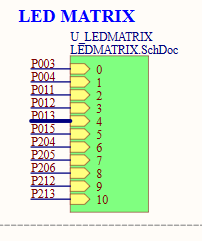
The code I am experimenting with, now takes 11 interrupts per frame. and I cut the interrupts down to 100 per second. What I am doing is for each pin of the charlieplex I have a table that when the one pin is driven high, which LEDs can be driven by turning another pin low... Which appears to be working.
If anyone is interested in this experiment, my current library header file is included below:
I may see about PR of this version of the library.
Next up I was curious, if I could make it easier to experiment drawing stuff on the display. So I hacked up a quick and dirty library that is a subclass of the Adafruit_GFX library.
So far it is pretty primitive, in that I don't overwrite many of the virtual functions. Some of it is working now... There are some issues with my test sketch. Like I tried using a canvas that is larger than the screen, to draw text in, and then try redrawing the canvas by trying to start X as negative and use clipping, to scroll the text...
I have the test sketch doing some of the normal Adafruit display library sample test sketch code, like drawing lines, and rectangles, output using their default font.
Plus played with using one of their canvas objects where I output two lines of text and then code
that scrolls through it...
It is interesting that their chip can do PWM to the different pins to get different brightness
Also it is 9x16 but they have two different Sets of pins so it is actually 2 9x8s
This is what I've been longing for since I found out the autoscroll command doesn't work. Stripped it down to just testcanvasscrolltext() and it works wonderfully and you don't need the LED matrix editor or that extra file with the Hex code character list! You can print string variables to it so I have my clock/calendar reminder messages working. Is there a way to add spaces between float and int numbers when scrolling. Thanks again.
Glad it is working. Today I was goofing off trying to see if I could get the LEDs to show up with different intensity. Sort of like the Adafruit Charlieplex matrix
My first attempt did not work overly well, where I would have the code iterate through the frame N times, and only light the pixels in a sub-set of the passes... Did not notice any differences...
Will experiment some more...
I noticed that the Adafruit board mentioned PWM, so thought I would try a little experiment:
void setup() {
  // put your setup code here, to run once:
  for (uint8_t pin = 28; pin <= 38; pin++) pinMode(pin, INPUT);
  pinMode(LED_BUILTIN, OUTPUT);
  pinMode(35, OUTPUT);
  digitalWrite(35, HIGH);

  pinMode(31, OUTPUT);
  digitalWrite(31, LOW);
  pinMode(32, OUTPUT);
  digitalWrite(32, LOW);
  pinMode(36, OUTPUT);
  digitalWrite(36, LOW);
  analogWriteResolution(8);
}
uint8_t loop_count = 0;
void loop() {
  digitalWrite(LED_BUILTIN, (loop_count++ & 1)? HIGH : LOW);
  uint16_t val;
  for (val= 0; val < 256; val++) {
    analogWrite(35, val);
    delay(10);
  }
  for (val= 255; val > 0; val--) {
    analogWrite(35, val);
    delay(10);
  }
}
Which is sort of also like what the user LED does when bootloader mode is activated.
However this is not a complete option: of the LED matrix pins (28-38) only pins 34, 35, 37, 38 have PWM capabilities, and they duplicate 4 other pins that use the same timer.
Not sure if this is the best place to ask some more generic questions on how best to use the underlying timers but will do it here as to not create another thread that ...
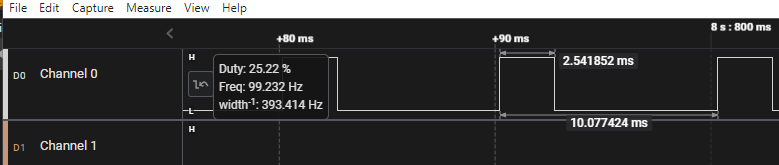
Suppose I would like to use a timer, to generate pulses on a group of pins. In this case 11 pins, to drive the LED matrix. Suppose I don't want the pulses to be the entire period, but only a portion of it. What is the best way to do so.
I know with the FspTimer code the period makes no differences in the pulses:
I could do sort of like the current implementation of the Servo library. Where for example maybe I setup to interrupt 10 times as fast as I want the frequency and count the number of interrupts to know when to turn the pin low. Which I sort of hate doing.
Alternatively, maybe can setup the timer to be one shot (TIMER_MODE_ONE_SHOT)? And then in the ISR reissue it with different period? or maybe some other way to update the period at the interrupt?
Thoughts?
Update: I have something that looks like it will work: Changed teh one callback function like:
static uint8_t isr_count = 0;
Today I significantly updated my library: arduino_r4wifi_matrix_gfx.h
In my github project.
First major thing: It no longer use the Arduino_LED_Matrix library code, but instead, my library handles all of it. Note: this library does not support most of the features of the original library. Instead, it gives you the functionality of an Adafruit GFX display library.
Now the fun stuff:
I now have the frame buffer, using 2 bits per LED, which gives me a logical 4 colors per LED.
So in addition to Black and White, I give two dimmer versions of the LED.
The inside pixels are only on 1/8th the time of the outer ones.
Lots of stuff I needed to figure out how to work, like to be able to change the interval. And then how
to change the interval on the fly without the new pulse width being buffered to the next overflow...
FYI - I just pushed up a WIP, to allow ILI9341 fonts to work.
The font test looks like:
void testdrawfontchar(void) {
  display.clearDisplay();

//  display.setFont(&FreeMono9pt7b);
 // display.setTextSize(1);              // Normal 1:1 pixel scale
  display.setILIFont(&Arial_8);
  display.setTextColor(MATRIX_WHITE);  // Draw white text

  // Not all the characters will fit on the display. This is normal.
  // Library will draw what it can and the rest will be clipped.
  for (int16_t i = ' '; i < '~'; i++) {
    display.clearDisplay();
    display.setCursor(0, 0);  // Start at top-left corner
    display.write(i);
    display.display();
    delay(125);
  }
  display.setILIFont(nullptr);
  //display.setFont();
}
For the fun of it, I added a second example, which is a font test,
which cycles through several of the ILI9341 fonts as well as the built-in GFX font and it horizontal
scrolls the text, first showing the font name and then the characters between ' ' and '~'
It pauses between each font waiting for character input to continue. If the first char you input is a $,
it turns off the waiting for character.
I also fixed some issues with drawing when you switch to other rotations. The other graphictest sketch does draw some text A-E in all 4 orientations. More things probably need to be fixed.
Yesterday found that the font_test was not showing all of the fonts. It was stuck showing the system font. Issue is that I updated the display code to handle the ILI9341 fonts, but not the GFX Canvas code.
So I moved the ILI font display out of the display code and made it callable with which GFX object you wish to draw in... So here is a better animated GIF with different font.
I also fixed a few issues with setting the rotation to anything but 0. Those were pushed up as well
Currently the code is setup to only output one LED per interrupt. So minimum of 96 interrupts per frame. For partial intensity I need to do a second interrupt to turn it off part way through the cycle. Maybe next up will be to integrate some of the per pixel intensity code into the interrupt handler I have that outputs all of the LEDs for each pin that is set to HIGH. So 11 interrupts per frame. Plus the extra complexity that I might need one or two extra interrupts to turn off a subset of the leds that were turned on...
If you are entertaining ideas, what I was curious about was using the ESP32 as the primary MCU and using the RA4M1 more as a secondary MCU for UI and IO - sort of the opposite of your Bridge Mode Variant project.
Something like the dual core Giga R1 where you can program each core independently and share data between them.
Maybe the memory available to each MCU and/or the communication link between them makes such an idea unfeasible or impossible, but it seems like the ESP32 isn't being leveraged to the fullest, or more control over programming it could open up some additional capabilities.