GPS module not working

I purchased 2 of these GPS Modules https://www.ebay.com/itm/1Set-GYNEO6MV2-GPS-module-NEO-6M-GY-NEO6MV2-board-with-ante-KH/153567598622?ssPageName=STRK%3AMEBIDX%3AIT&_trksid=p2057872.m2749.l2649 (GY-NEO6MV2) from ebay they are, or claim to be, Ublox NEO-6M GPS engines. I set one up using a Pro Mini 3.3 V 8 MHz boards, the Pro minis work well for the project I have in mind given their size and cost, Having the option of 3.3 or 5 volts is great especially as more sensors are moving to 3.3 V, makes the interfacing much easier not having to use logic-level shifters.

When I powered up the Pro Mini with the GPS power connected to the VCC and ground pins, the only connections initially just to check if any LEDs would turn on. When I powered up the pro mini no LEDs on the GPS module lit up at all. I thought maybe there is not a sign of life LED on the board showing when it has power. I tried many of the examples in the standard GPS libraries with no luck. I have interfaced GPS modules in the past with no problems, although this is the first time using these modules. The only power applied to the GPS have been from the Pro Mini so they are at 3.3V, I checked this with a DMM. I tried to the connection at all baud rates, after first trying 9600 and 4800 which are the baud rates of all GPS units I have used in the past. There was not a baud rate that the GPS worked.

Decided to make a simpler setup I connected the GPS to a 3.3 V FTDI TTL to USB convertor, I had been using it to program the Pro Mini with success so I am confident that the FTDI convertor works. The connections were RX on the FTDI to TX on the GPS module and TX on the FTDI to RX on the GPS. When I plugged in the FDTI once again I did not see any LEDs light up. The schematic http://wiki.ardumower.de/index.php?title=Datei:GY-NEO6MV2_schematics.jpg for the GY-NEO6MV2 shows an LED on the output of the voltage regulator so it should light up when power is supplied.

I fired up the Ublox U-center to see what would happen it could not find a GPS module connected at any baud rate. I fired up Putty to see if I would see any connection over serial monitor, there was no luck.

I tried the above with the second GPS module, same model number and vendor, I ordered both at the same time, and it did not work either. I have exhausted all of the possible ways of testing the modules that I can think of. I realize the price of these GPS are very low and I should not have great expectations for their performance but I would assume it would give me something.

Have any of you used these modules and had better luck than I have or do you have any recommendations?

Thanks
wade
Have you tried to Power the GPS with 5v. You did not say what voltage the gps should be.

Yes I did try using 5 volts and no joy with that either. I should have included that test in the original description.

The links you provided to the module do not work.

Links are now in

Fixed link (minus the personal tracking ID): Gyneo6mv2 GPS Module Neo-6m Gy-neo6mv2 Board With Antenna for sale online | eBay

Did you properly solder the pin connector to the module, avoiding bad joints and solder bridge short circuits?

Try this simple GPS echo program (no satellite fix needed), making sure to connect GPS "TX" to Arduino "RX". If nothing is printed, send them back to the seller.

#include <SoftwareSerial.h>

SoftwareSerial mySerial(10, 11); //(RX, TX) check correct pin assignments.

void setup() {
  mySerial.begin(9600);
  Serial.begin(9600);
  Serial.println("GPS start");
}

void loop() {
  while (mySerial.available()) {
    Serial.write(mySerial.read());
  }
}

I tried the code you supplied and no response from the GPS. I am pretty certain it is dead and was wondering if others had tried these units.

Thanks
wad

Did you properly solder the pin connector to the module, avoiding bad joints and solder bridge short circuits?

wwbrown:
When I powered up the Pro Mini with the GPS power connected to the VCC and ground pins, the only connections initially just to check if any LEDs would turn on. When I powered up the pro mini no LEDs on the GPS module lit up at all.

The LED, I only see one in the module you bought, will flash when the GPS has time sync or a fix.

So if for instance the GPS is indoors where reception is poor, the LED will not light up or flash, this is normal behaviour.

wwbrown:
I tried the code you supplied and no response from the GPS. I am pretty certain it is dead and was wondering if others had tried these units.

I would imagine that many thousands of that module have been sold and have worked.

my recommendation is try a module with a proper SMA connector. the u.fl connector on that thing is twinky.

I'm expecting to receive one of these modules shortly.

John.

srnet:
The LED, I only see one in the module you bought, will flash when the GPS has time sync or a fix.

So if for instance the GPS is indoors where reception is poor, the LED will not light up or flash, this is normal behaviour.

Actually the schematics I have seen posted for that module have 3 LEDs and I can see three of the module I have, one is connected between the 3.3V and ground with no switch so that should light up when power is on.

wwbrown:
Actually the schematics I have seen posted for that module have 3 LEDs and I can see three of the module I have, one is connected between the 3.3V and ground with no switch so that should light up when power is on.

Take a look at the picture of the module you said you have, you provided a link in your first post.

I can only see one LED in that picture, its connected to the PPS pin, so where are the other two LEDs ?

Very likely, you improperly soldered the pin connector to the module, leaving bad joints and/or solder bridge short circuits.

I've received the GPS module. I intend to commission this in a systematic documented way. I'm satisfied that GPS projects shud be developed from the ground up. It's important to prove each component (h/w & s/w) and to be able to recognise when a component works and when it is not working.

I will do this in a slow step-wise way, not proceeding to step n+1 until step n is successful. It's a crazy idea, I know, but it might just work.

I'm happy to be corrected or added to at any time by others. I'm by no means an expert.

Step 1 will be a visual inspection and exploration of the module and gathering of relevant documentation.

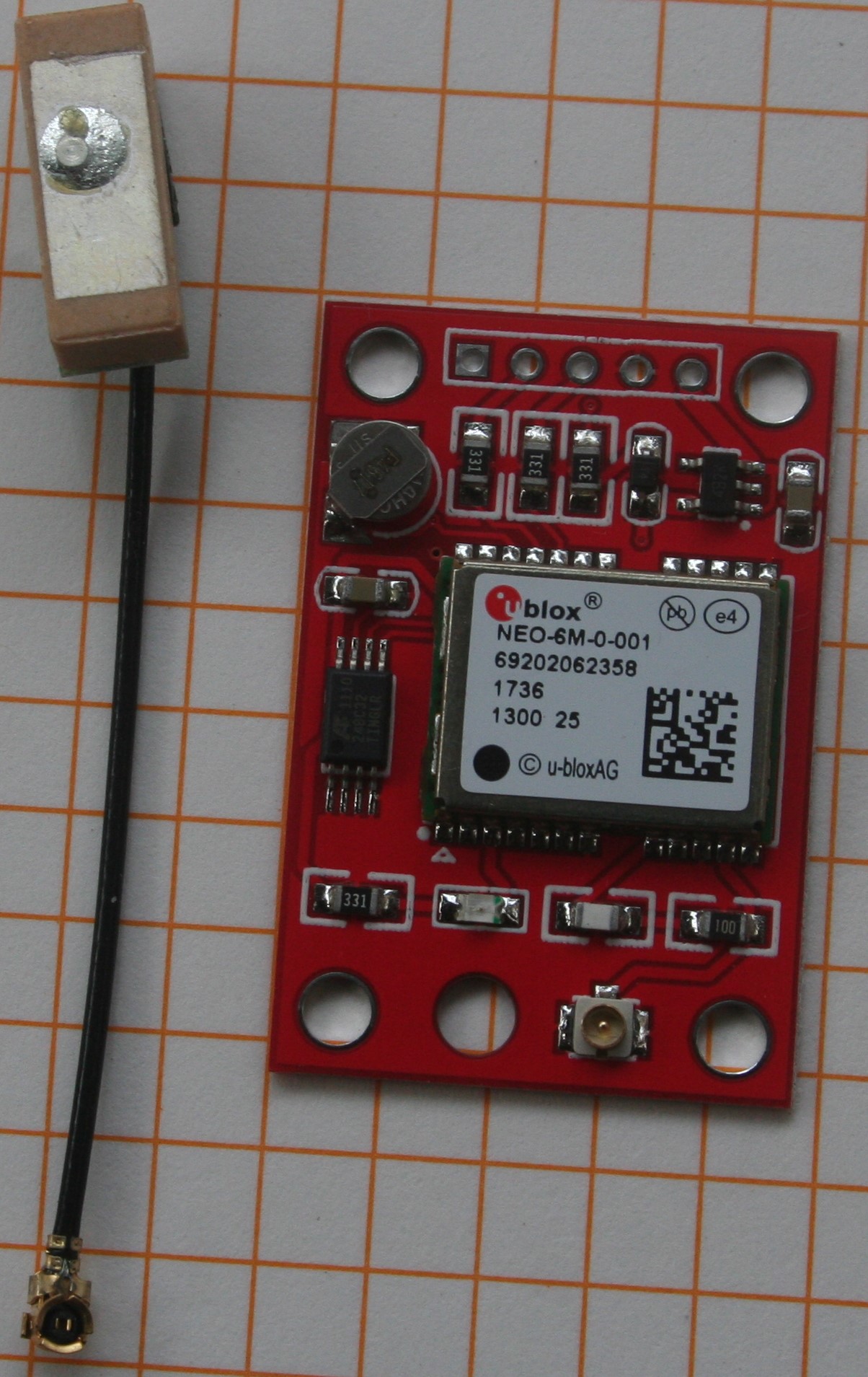
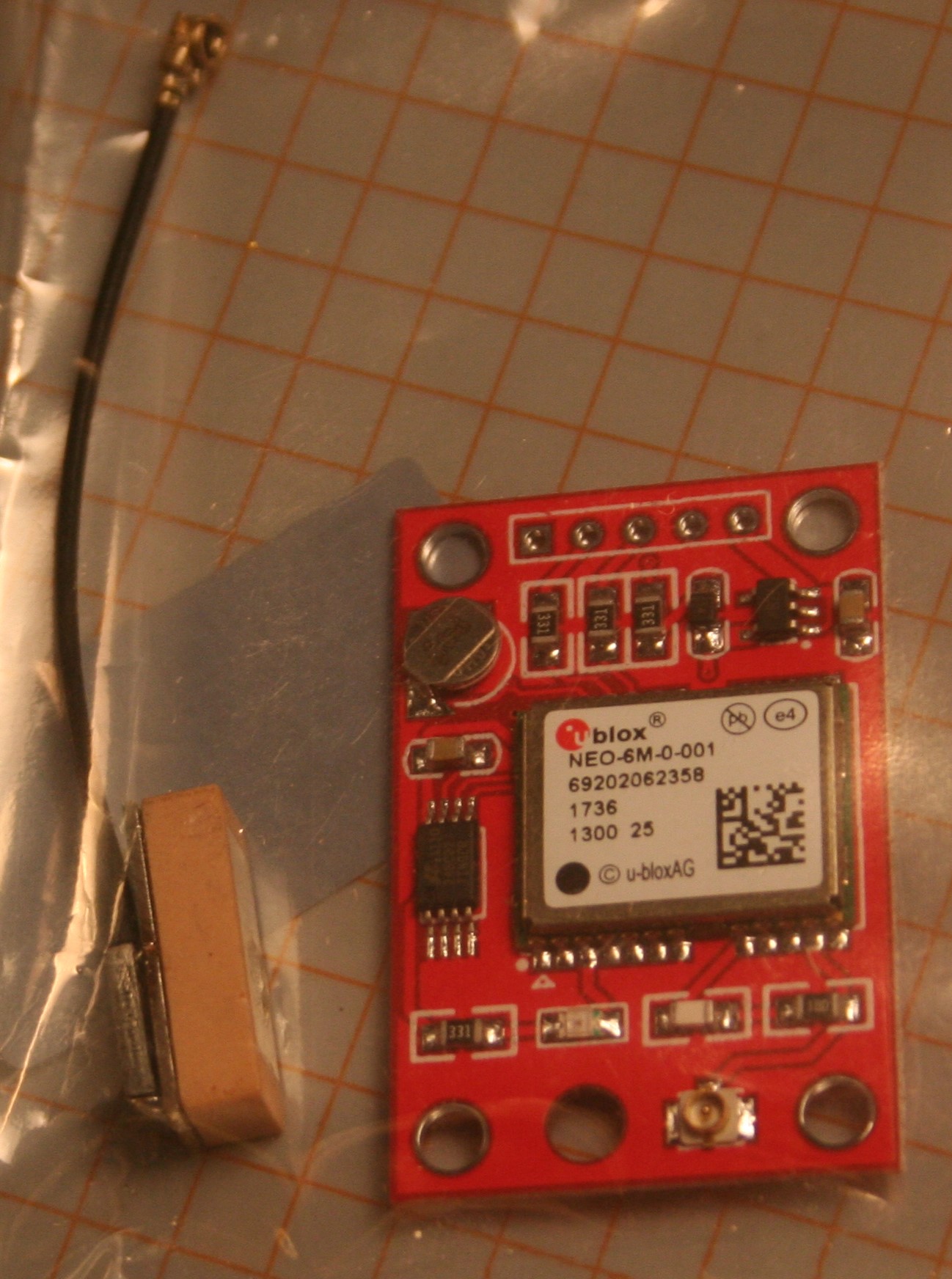
Images 1.1 & 1.2 show the unit in its electrostatic protective bag. We are advised to store our electronic boards in such bags when not in use, which advice we all follow religiously, yes?

The packaging describes it as "GPS Module, GYNEO6MV2", country of origin Tonga (I thought everything came from China). Value of 4.5 (no units, but I paid AU$7.24 incl postage & tax). Seller is winddeal(608,237), located in China. Took three weeks to arrive.

The bag includes a small aerial with a 6cm lead ending in a type u.fl connector.

The overall objective is to extract positional data from the board and display it on a few devices in controlled and deliberate ways. To get there will involve a sequence of sub-objectives, not all of a technical nature.

I'm arbitrarily defining the end user here as a "naive" GPS user. That's not a put-down term, it simply means a user who just wants the positional data without needing to know or understand how it is derived. How the data is derived is a deep subject that the "skilled" user can explore and be active in influencing that process in their GPS device. I suppose the naive user is a passive user, as far as the GPS receiver is concerned.

John.

Step 1 -- familiarisation & documentation

First two images are of the module & aerial, top & bottom. I'm looking for signs that any parts are used. All looks pristine except for the aerial block. The board looks new.

My other modules showed signs they were recycled.

The GPS receiver is labelled u-blox NEO-6M-0-001. The u-blox pundits warn there are many clone receivers in the market. The label is supposed to have clues about genuineness. Clones still work, but may not perform functions the skilled user might want as per the u-blox guide.

The aerial connector is tiny. My current module has the same connector and it often fails.

There is a LED that shud indicate power. With other modules the LED also indicates GPS fix (changes from steady to flash or vice versa).

There is no proper data sheet for the board itself (no maker's name found), just the info on the seller's page: Seller's data

This tells us:

. it has a battery backed EEPROM to save configuration data
. it has "LED signal lights"
. compatible with various flight control modules
. power supply: 3V-5V
. default baud rate: 9600

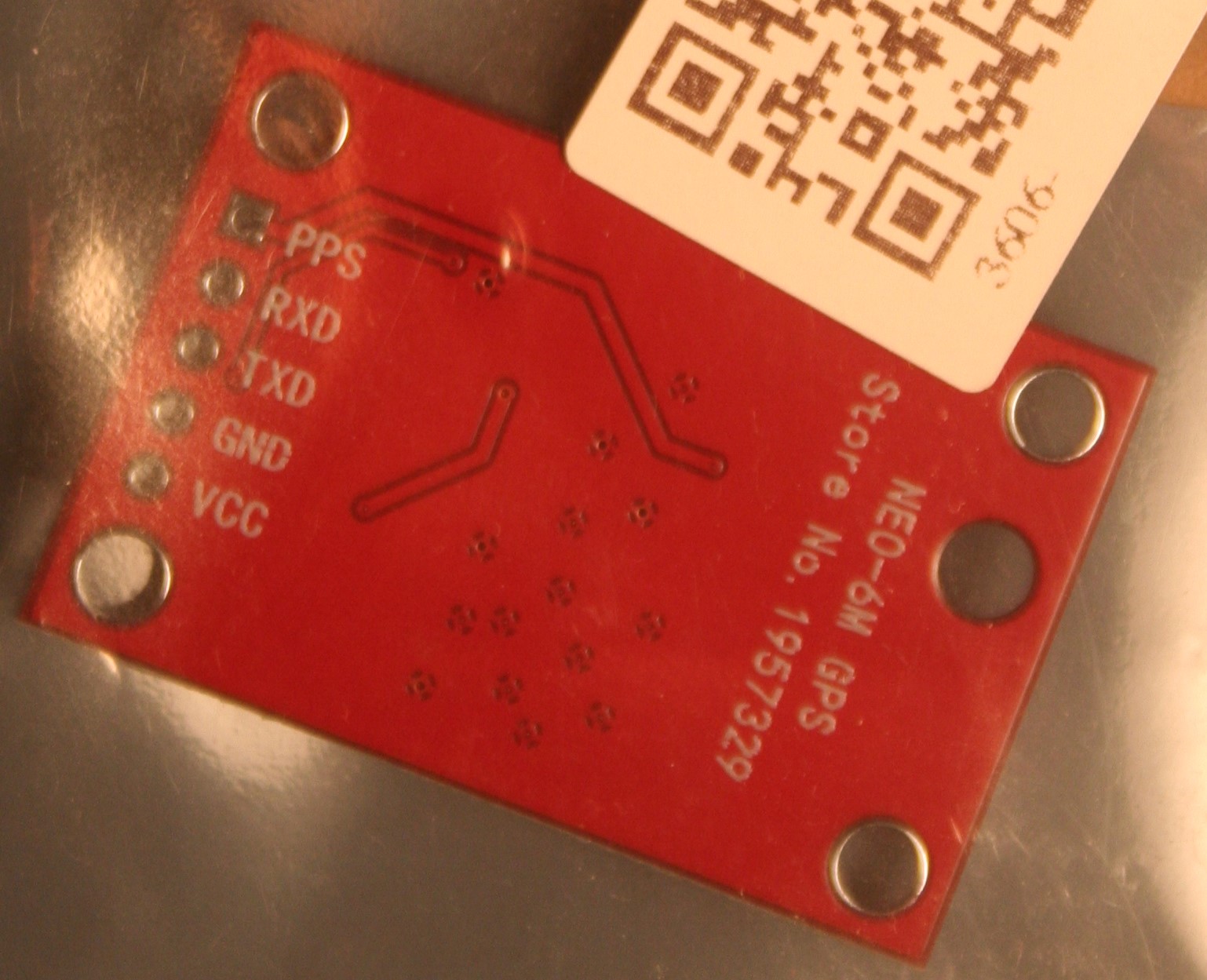
There are five connection holes: VCC, GND, TXD, RXD, PPS

I'm only going to use the first three. TXD is the data transmission, i.e., where the receiver's output appears. RXD is for receiving configuration commands, which we don't need. PPS is Pulse Per Second, which is for doing clever things.

The amount of metal around each hole is tiny -- calls for good soldering/desoldering skills. I'm going to use the module without soldering in pins to exclude the chance of my causing damage or dry joints.

There is a voltage regulator and since the info above says 3V-5V it might be 5V tolerant (The u-blox receiver is rated for a max of 3.6V).

I wouldn't mind knowing what the other components on the board are.

Documentation:

. u-blox 6M data sheet: NEO 6M data sheet

. u-blox receiver description: u-blox 6 receiver description (user guide)

Next step: Test for overheating under power

Why did you hijack wwbrown's thread?

Step 2 -- Test for overheating.

First image is of a module that becomes very hot in the area around component R5. Too hot to touch. I don't know if it was flawed when received or a result of something I did to it. It still picks up some sat signals of medium strength and emits NMEA sentences, but has never achieved a fix. I keep it as a source of a serial data stream for exploring serial comms on Arduino.

Anyway, I'll be testing any new GPS module for overheating before trying to use it.

Second image is is of another module where my hamfisted soldering and de-soldering wrecked the connector holes. I think my enthusiastic use of a solder sucker ripped out all the metal around the pin holes. I've done an ugly repair job with a jumper directly to the u-blox TX pin.

Tips: don't learn soldering on a delicate board like this -- learn on a dead board; get someone with soldering skills to install a header; be as sure as possible of the header orientation u want, parallel to the board or at right angles; practise desoldering a header on a dead board before doing it on a GPS board (break the plastic header block so each pin can be desoldered separately); use solder wick, not a solder sucker; don't allow the tip of the iron to contact the plastic surface of the board (the embedded very fine wires are easy to break).

Third image is of my test setup. I've powered the board from a "UNO"; 3V3 to VCC (red), GND to GND (grn), yellow not connected, no aerial connected. The jumpers are inserted thru the board's holes and into the breadboard. The rubber band & clip keep the holes' metal pressed against the jumper pins. More stable than it might look.

Test successful. No overheating anywhere on the board after 10 minutes. Also, the board's red LED is on steady. Hopefully it will flash when positional fix is achieved.

So far so good and the board hasn't had to endure my soldering.

Next step - read NMEA sentences from the board.

J.

Step 3 -- Read NMEA sentences.

It's important to understand two things about a GPS receiver:

. As soon as it is powered it starts doing its job of locking on to satellite signals and, when it has enuf signals of sufficient strength it will solve the position problem.

. When powered it is always putting NMEA sentence onto its TX pin, whether it has a fix or not; legible serial data shud be available to be read by another device -- if no fix, there will simply be many blank fields.

These NMEA sentences can be read by numerous devices, such as Arduino's IDE monitor, a serial terminal program, an Arduino sketch & a bluetooth serial program.Here I will use what we all have to hand -- Arduino's IDE monitor.

The setup is same as in previous step, except the GPS module's TX pin will now be connected to the "UNO's" h/w serial port which uses pins 0 & 1. Data received will automatically appear in the IDE monitor (if it is open). BUT! The sketch on the Arduino must not be using h/w serial. It must not execute the "Serial.begin()" statement. Installing a sketch like Blink or Bare Minimum from Examples will satisfy this condition.

I have the habit of putting a jumper from the board's RESET pin to GND. This kills whatever sketch is on the Arduino and keeps the h/w port available to communicate with an external serial device. (Can anyone tell me if continuously connecting RESET to GND has the potential to harm the Arduino?).

With the "UNO" connected to the laptop, Windows Device Manager is used to see what COM port number the Arduino is connnected to (COM 9, see first image). In the IDE, set the port to the same number. We want the baud rate to be 9600 (set inside the monitor), as that is the GPS module's default.

I connect the GPS TX pin to pin 0 of the "UNO". The board's TX LED lights up. So this is the board's pin on which it transmits data. I switch to pin 1 and the RX LED lights up. So pin 1 is the pin the board receives data on. This is the one I want. (Mine is a non-genuine UNO; I think Genuine UNOs use pin 0 to receive data from another device; I don't care what the pin labels say -- I observe the LEDs labelled "TX" & "RX".)

Second image is my setup with GPS TX connected to "UNO" pin 1. The GPS module's LED is on steady; the "UNO's" RX LED is flashing at about once per second. Good signs.

Now I open the IDE serial monitor. Third image is screenshot of the monitor. NMEA sentences are streaming to the monitor. There are six sentences being emitted every second. They are: RMC, VTG, GGA, GSA, GSV, GLL. As the receiver does not have a fix, there are many blank fields.

The GPS module is doing its job.

Next step -- Getafix.

John.

Monitor output - no fix.JPG