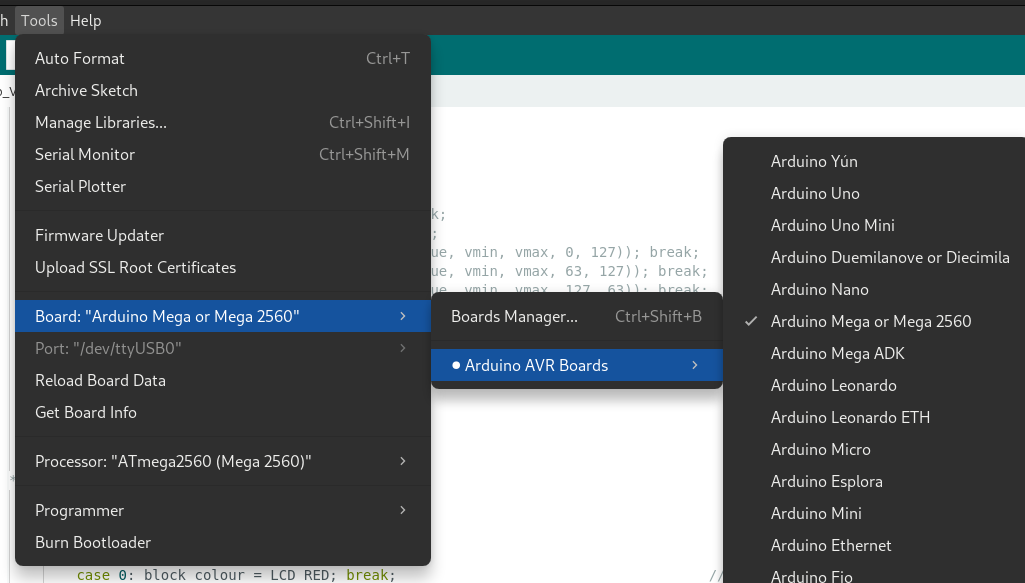
Oh and if it matters here's my original code:
const int top = 22;       // pin 7 (pins for seven segment display)
const int topLeft = 24;   // pin 9
const int topRight = 26;  // pin 6
const int mid = 28;       // pin 10
const int botRight = 30;  // pin 4
const int bot = 32;       // pin 2
const int botLeft = 34;   // pin 1

const int top2 = 23;       // pin 7 (pins for second ssg)
const int topLeft2 = 25;   // pin 9
const int topRight2 = 27;  // pin 6
const int mid2 = 29;       // pin 10
const int botRight2 = 31;  // pin 4
const int bot2 = 33;       // pin 2
const int botLeft2 = 35;   // pin 1

const int motorPin = 50;  // pin connected to the motor (or transistor in an actual model)

int countdown;  // coundown on seven segment display

unsigned long oldMillisLed = 0;    // one of multiple variables using Millis (number of ms since arduino started running) to remember the last time an action was called and run it again without using delay which stops all other code from running
unsigned long oldMillisSound = 0;  // same as above
unsigned long motorMillis = 0;     // same as above
unsigned long buttonMillis = 0;    // same as above

const int buttonIn = 10;  // variable to check button input

int num1, num2;  // the numbers displayed on the seven segment display

const int trigPin = 4;     // when this pins is fired the ultrasonic sensor releases a sound. this sounds echo is used to calculate distance
const int echoPin = 5;     // sets the pin which counts time between echo sent and received. see the first if loop in void loop
float duration, distance;  // creates two variables, duration and distance, both of which are in decimal numbers

void led1(int num1) {  // an insanely long function to set every LED on the first seven segment display for every possible number
  switch (num1) {
    case 1:
      digitalWrite(top, LOW);
      digitalWrite(topLeft, LOW);
      digitalWrite(topRight, HIGH);
      digitalWrite(mid, LOW);
      digitalWrite(botRight, HIGH);
      digitalWrite(bot, LOW);
      digitalWrite(botLeft, LOW);
      break;
    case 2:
      digitalWrite(top, HIGH);
      digitalWrite(topLeft, LOW);
      digitalWrite(topRight, HIGH);
      digitalWrite(mid, HIGH);
      digitalWrite(botRight, LOW);
      digitalWrite(bot, HIGH);
      digitalWrite(botLeft, HIGH);
      break;
    case 3:
      digitalWrite(top, HIGH);
      digitalWrite(topLeft, LOW);
      digitalWrite(topRight, HIGH);
      digitalWrite(mid, HIGH);
      digitalWrite(botRight, HIGH);
      digitalWrite(bot, HIGH);
      digitalWrite(botLeft, LOW);
      break;
    case 4:
      digitalWrite(top, LOW);
      digitalWrite(topLeft, HIGH);
      digitalWrite(topRight, HIGH);
      digitalWrite(mid, HIGH);
      digitalWrite(botRight, HIGH);
      digitalWrite(bot, LOW);
      digitalWrite(botLeft, LOW);
      break;
    case 5:
      digitalWrite(top, HIGH);
      digitalWrite(topLeft, HIGH);
      digitalWrite(topRight, LOW);
      digitalWrite(mid, HIGH);
      digitalWrite(botRight, HIGH);
      digitalWrite(bot, HIGH);
      digitalWrite(botLeft, LOW);
      break;
    case 6:
      digitalWrite(top, HIGH);
      digitalWrite(topLeft, HIGH);
      digitalWrite(topRight, LOW);
      digitalWrite(mid, HIGH);
      digitalWrite(botRight, HIGH);
      digitalWrite(bot, HIGH);
      digitalWrite(botLeft, HIGH);
      break;
    case 7:
      digitalWrite(top, HIGH);
      digitalWrite(topLeft, LOW);
      digitalWrite(topRight, HIGH);
      digitalWrite(mid, LOW);
      digitalWrite(botRight, HIGH);
      digitalWrite(bot, LOW);
      digitalWrite(botLeft, LOW);
      break;
    case 8:
      digitalWrite(top, HIGH);
      digitalWrite(topLeft, HIGH);
      digitalWrite(topRight, HIGH);
      digitalWrite(mid, HIGH);
      digitalWrite(botRight, HIGH);
      digitalWrite(bot, HIGH);
      digitalWrite(botLeft, HIGH);
      break;
    case 9:
      digitalWrite(top, HIGH);
      digitalWrite(topLeft, HIGH);
      digitalWrite(topRight, HIGH);
      digitalWrite(mid, HIGH);
      digitalWrite(botRight, HIGH);
      digitalWrite(bot, HIGH);
      digitalWrite(botLeft, LOW);
      break;
    case 0:
      digitalWrite(top, HIGH);
      digitalWrite(topLeft, HIGH);
      digitalWrite(topRight, HIGH);
      digitalWrite(mid, LOW);
      digitalWrite(botRight, HIGH);
      digitalWrite(bot, HIGH);
      digitalWrite(botLeft, HIGH);
      break;
    default:
      digitalWrite(top, LOW);
      digitalWrite(topLeft, LOW);
      digitalWrite(topRight, LOW);
      digitalWrite(mid, LOW);
      digitalWrite(botRight, LOW);
      digitalWrite(bot, LOW);
      digitalWrite(botLeft, LOW);
  }
}

void led2(int num2) {  // same as void led but for the second ssg
  switch (num2) {
    case 1:
      digitalWrite(top2, LOW);
      digitalWrite(topLeft2, LOW);
      digitalWrite(topRight2, HIGH);
      digitalWrite(mid2, LOW);
      digitalWrite(botRight2, HIGH);
      digitalWrite(bot2, LOW);
      digitalWrite(botLeft2, LOW);
      break;
    case 2:
      digitalWrite(top2, HIGH);
      digitalWrite(topLeft2, LOW);
      digitalWrite(topRight2, HIGH);
      digitalWrite(mid2, HIGH);
      digitalWrite(botRight2, LOW);
      digitalWrite(bot2, HIGH);
      digitalWrite(botLeft2, HIGH);
      break;
    case 3:
      digitalWrite(top2, HIGH);
      digitalWrite(topLeft2, LOW);
      digitalWrite(topRight2, HIGH);
      digitalWrite(mid2, HIGH);
      digitalWrite(botRight2, HIGH);
      digitalWrite(bot2, HIGH);
      digitalWrite(botLeft2, LOW);
      break;
    case 4:
      digitalWrite(top2, LOW);
      digitalWrite(topLeft2, HIGH);
      digitalWrite(topRight2, HIGH);
      digitalWrite(mid2, HIGH);
      digitalWrite(botRight2, HIGH);
      digitalWrite(bot2, LOW);
      digitalWrite(botLeft2, LOW);
      break;
    case 5:
      digitalWrite(top2, HIGH);
      digitalWrite(topLeft2, HIGH);
      digitalWrite(topRight2, LOW);
      digitalWrite(mid2, HIGH);
      digitalWrite(botRight2, HIGH);
      digitalWrite(bot2, HIGH);
      digitalWrite(botLeft2, LOW);
      break;
    case 6:
      digitalWrite(top2, HIGH);
      digitalWrite(topLeft2, HIGH);
      digitalWrite(topRight2, LOW);
      digitalWrite(mid2, HIGH);
      digitalWrite(botRight2, HIGH);
      digitalWrite(bot2, HIGH);
      digitalWrite(botLeft2, HIGH);
      break;
    case 7:
      digitalWrite(top2, HIGH);
      digitalWrite(topLeft2, LOW);
      digitalWrite(topRight2, HIGH);
      digitalWrite(mid2, LOW);
      digitalWrite(botRight2, HIGH);
      digitalWrite(bot2, LOW);
      digitalWrite(botLeft2, LOW);
      break;
    case 8:
      digitalWrite(top2, HIGH);
      digitalWrite(topLeft2, HIGH);
      digitalWrite(topRight2, HIGH);
      digitalWrite(mid2, HIGH);
      digitalWrite(botRight2, HIGH);
      digitalWrite(bot2, HIGH);
      digitalWrite(botLeft2, HIGH);
      break;
    case 9:
      digitalWrite(top2, HIGH);
      digitalWrite(topLeft2, HIGH);
      digitalWrite(topRight2, HIGH);
      digitalWrite(mid2, HIGH);
      digitalWrite(botRight2, HIGH);
      digitalWrite(bot2, HIGH);
      digitalWrite(botLeft2, LOW);
      break;
    case 0:
      digitalWrite(top2, HIGH);
      digitalWrite(topLeft2, HIGH);
      digitalWrite(topRight2, HIGH);
      digitalWrite(mid2, LOW);
      digitalWrite(botRight2, HIGH);
      digitalWrite(bot2, HIGH);
      digitalWrite(botLeft2, HIGH);
      break;
    default:
      digitalWrite(top2, LOW);
      digitalWrite(topLeft2, LOW);
      digitalWrite(topRight2, LOW);
      digitalWrite(mid2, LOW);
      digitalWrite(botRight2, LOW);
      digitalWrite(bot2, LOW);
      digitalWrite(botLeft2, LOW);
  }
}

void setup() {
  led1(11);  // sets both ssgs to blank
  led2(11);
  pinMode(trigPin, OUTPUT);        // sets trig pin as output
  pinMode(echoPin, INPUT);         // sets echo pin as input
  pinMode(motorPin, OUTPUT);       // sets motor pin as output
  for (int i = 22; i < 36; i++) {  // uses a for loop to set all the pins to output
    pinMode(i, OUTPUT);
  }
  pinMode(buttonIn, INPUT);  // sets the pin reading the button to input
  countdown = 30;            // sets the countdown to 30
  Serial.begin(9600);        // starts serial communications at 9600 bits per second
}

void loop() {
  unsigned long nowMillis = millis();  // sets nowMillis to the output of millis (the number of milliseconds since the program started running)
  if (nowMillis - oldMillisSound > 2000) {
    digitalWrite(trigPin, LOW);          // makes sure proximity sensor is turned off at the start of the program
    delayMicroseconds(2);                // gives the sensor some time to register the variable being set
    digitalWrite(trigPin, HIGH);         // turns the proximity sensor on
    delayMicroseconds(10);               // lets the ultrasonic sensor send an echo out for long enough to be detected by the echo pin
    digitalWrite(trigPin, LOW);          // turns the proximity sensor off after 10 us (microseconds, idk how to type the u with a line)
    duration = pulseIn(echoPin, HIGH);   // uses pulseIn to count the amount of time between the echo being sent and the sensor receiving it
    distance = (duration * 0.0343) / 2;  // uses the speed of sound to calculate the distance between the sensor and the object using the time it takes for the echo to return
    oldMillisSound = nowMillis;          // updates the variable to remember the last time this action was called
  }
  if (distance < 5) {
    countdown = 30;  // if the fridge door is closed resets the countdown
  }
  if (distance > 5 && countdown > 0) {      // if the countdown is above zero and the distance is above five runs the code
    if (nowMillis - oldMillisLed > 1000) {  // if its been more than 1 second since this code last ran the if loop lets it run again
      int num1 = countdown / 10;            // uses a quirk of integer division to obtain the 10s place of the countdown (namely decimal points being truncated by default)
      int num2 = countdown - (num1 * 10);   // uses the 10s place to find the 1s place
      led1(num1);                           // updates the first led with the 10s place
      led2(num2);                           // updates the second led with the ones place
      oldMillisLed = nowMillis;             // updates a variable to the time this snippet of code ran
      countdown -= 1;                       // reduces countdown by 1
    }
  }
  if (countdown == 0) {            // runs if the countdown is zero
    digitalWrite(motorPin, HIGH);  // powers the motor
    motorMillis = nowMillis;       // same as every other line of similar code
  }
  if (nowMillis - motorMillis > 5500) {  // if the motor has been running for more than 5.5 seconds
    digitalWrite(motorPin, LOW);         // turns it off
  }
  if (digitalRead(buttonIn) == HIGH) {      // if the button is pressed
    if (nowMillis - buttonMillis > 1000) {  // if the button hasn't been pressed in the last second
      countdown += 30;                      // adds 30 seconds to the countdown
      buttonMillis = nowMillis;             // updates one of the timer variables to reflect that this code was run
    }
  }
}