Hello, everyone! Hope everything is ok!
I’m having a problem with prototyping: i want to use a standalone atmega328 to power a HC-SR04 to give me the distance from some objects when i press a button, then show the distance in a 16X2 LCD. However, whenever i power the atmega, there’s nothing on the serial monitor and nothing on the LCD (the letters appeared one time, but when i unplugged and plugged it again they never appeared again).
Things to keep in mind:
- I do use a USB to TTL converter
- I se an external bootloader that works, as i tested the “blink” example on the standalone atmega and the led blinked normally
- I have the atmega setup with the 16MHz crystal, capacitors etc
- I’ll send the code and images here, but pinning is as follows:
USB/TTL: - RX on 0 (pin 2 of atmega) - TX on 1 (3)
HC-SR04: - trig on 2 (4) -echo on 3 (5)
LCD with I2C (skech dosen’t have I2C but real one does): - SDA on A4 (27) - SCL on A5 (28)

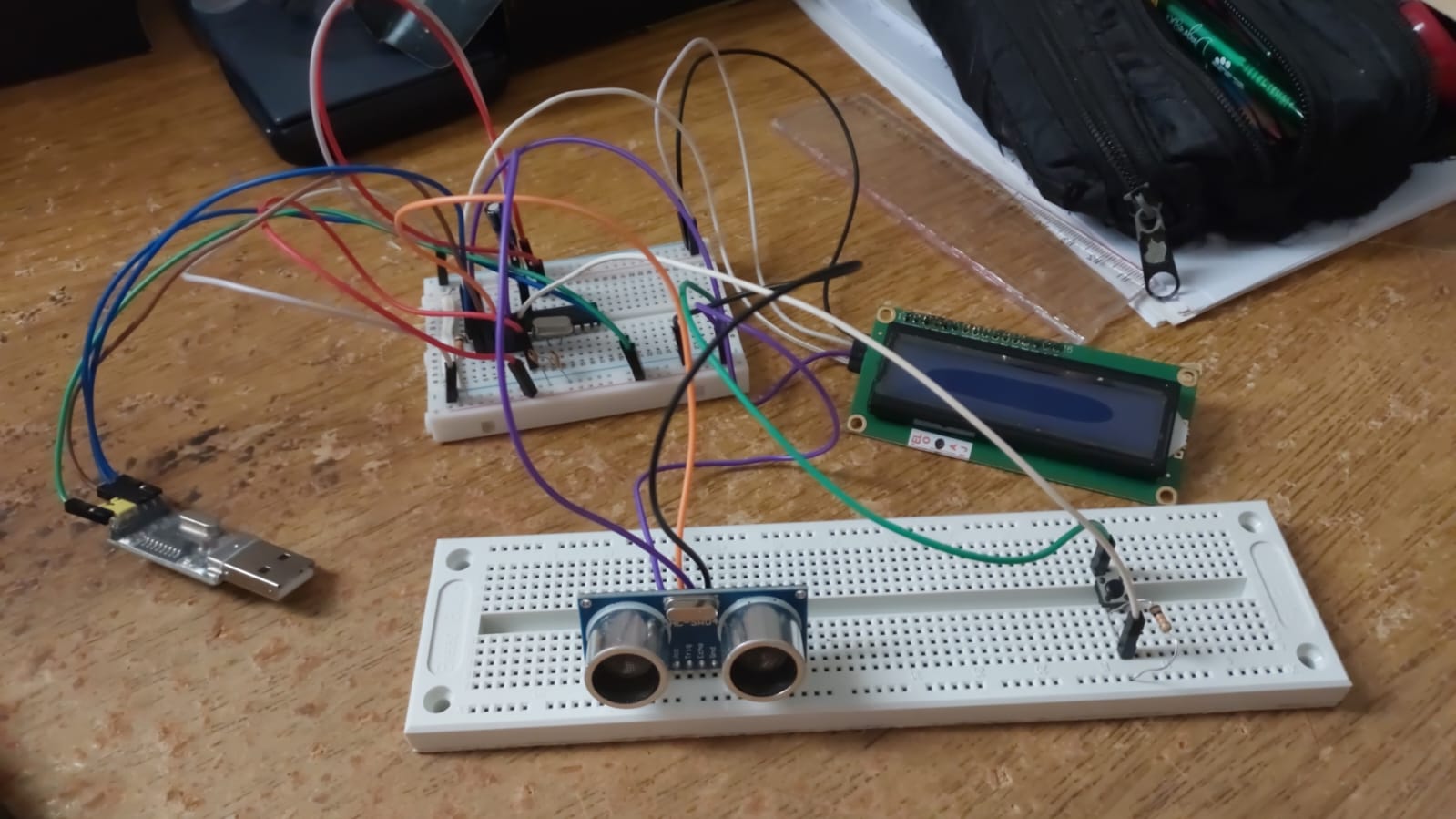
Here’s the code:
#include <Wire.h>
#include <LiquidCrystal_I2C.h>

LiquidCrystal_I2C lcd(0x27, 16, 2);

int trig = 2;
int echo = 3;
int botao = 4;  // botão no pino 4

void setup() {
  Serial.begin(9600);
  pinMode(trig, OUTPUT);
  pinMode(echo, INPUT);
  pinMode(botao, INPUT_PULLUP); // botão com resistor interno de pull-up

  // Inicializa o LCD
  lcd.begin();
  lcd.backlight();
  lcd.clear();
  lcd.setCursor(0, 0);
  lcd.print("Pressione o botao");
}

void loop() {
  // Espera o botão ser pressionado (nível LOW porque tem pull-up)
  if (digitalRead(botao) == LOW) {
    long duration;
    float mm, soma = 0;

    // Mensagem de medindo
    lcd.clear();
    lcd.setCursor(0, 0);
    lcd.print("Medindo...");

    // Faz 100 medições
    for (int i = 0; i < 100; i++) {
      digitalWrite(trig, LOW);
      delayMicroseconds(2);
      digitalWrite(trig, HIGH);
      delayMicroseconds(10);
      digitalWrite(trig, LOW);

      duration = pulseIn(echo, HIGH);
      mm = (duration / 29.0 / 2.0) * 10.0; // agora em milímetros
      soma += mm;

      delay(20); // intervalo entre medições
    }

    // Média das 100 medições
    float media = soma / 100.0;

    // Mostra no Serial Monitor
    Serial.print(media, 1);
    Serial.println(" mm");

    // Mostra no LCD
    lcd.clear();
    lcd.setCursor(0, 0);
    lcd.print("Distancia media:");
    lcd.setCursor(0, 1);
    lcd.print(media, 1);
    lcd.print(" mm");

    delay(1000); // evita repetir rápido se botão ficar pressionado
  }
}
Could you guys help me figure it out what i’m doing wrong? I’m a novice in this.
Thanks in advance!


