Hi all!
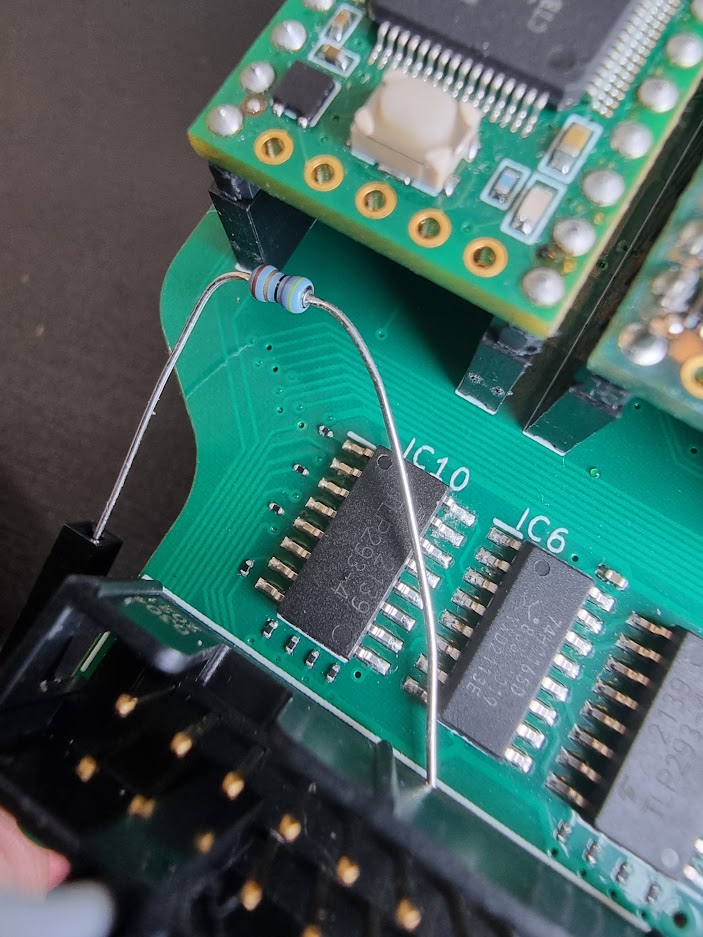
I recently ordered a new PCB design for my project after testing a number of items on my breadboard. One of them was a shift-in register, and although the test was quite brief, I do remember it working without any problems.
My general plan is to add 16 additional inputs to my Teensy 3.5 via a pair of shift-in registers connected to 4off 4 way opto couplers. The circuit I ordered is shown below:
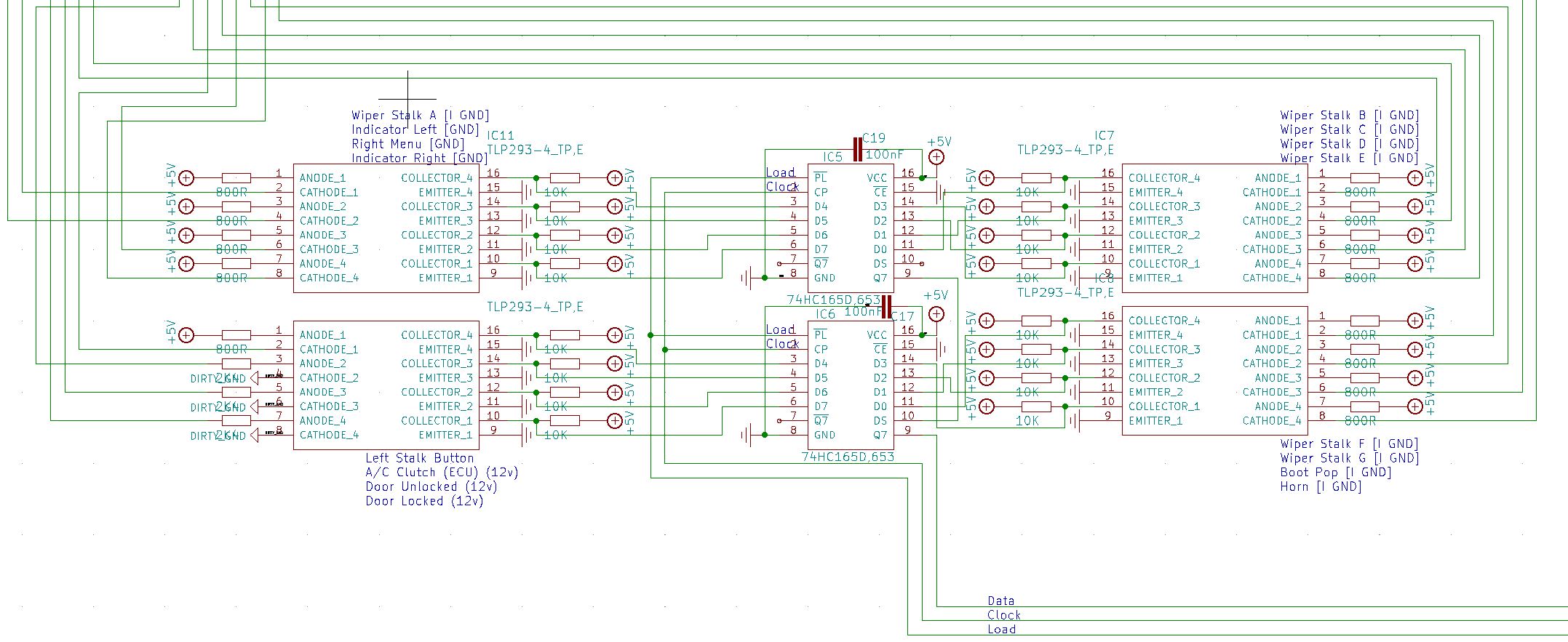
Essentially, each opto-coupler channel is driven by an off-board input, then the Arduino side of the isolator has a 10k resistor connected to 5v and this is connected to the HC165 input channel. The opto-coupler then pulls the pin low to ground when activated.
I included de-coupling caps between VCC and ground very close to each 165 IC then take the inputs back to the Teensy (Data, Clock and Load). For the clock inhibit line, I just grounded this to keep it low permanently so the IC is never inhibited.
When I received the board in the post, I set about testing each function of the board and noticed that I don't seem to be able to get an input from the pair of 165 ICs. Using some very basic test code and the ArduinoShiftIn library, I just get an input of 1111111111111111 every time from pin Q7.
To verify that the code was working, I decided to go back to the breadboard and start from basic principles. I have wired up a single 165 in the same way using the same pins on the Teensy 3.5, but have only connected one of the 165's inputs up to a push button, with the same configuration as the opto isolator arrangement on my circuit diagram. The only difference is that I haven't included a de-coupling cap since I don't have one to hand that can be breadboard mounted (aside from a 22uF cap - I could use this but it may be too big??)
I'm using the following basic code:
#include <ShiftIn.h>

ShiftIn<1> shift;

void setup() {
  Serial.begin(9600);
  // declare pins: pLoadPin, clockEnablePin, dataPin, clockPin
  shift.begin(25, 28, 39, 14); //HC165 Shift In
}

void HC165Inputs() {
  for (int i = 0; i < 8; i++){
    Serial.print( shift.state(i) ); // get state of button i
  }
  Serial.println();
}

void loop() {
  //if (shift.update()) HC165Inputs; //Check shift in register
  delay(1000);
  HC165Inputs();
}
The first issue I had was that using the code with line 19 (if (shift.update()) HC165Inputs;), I got nothing in the Serial monitor, so nothing was triggering the shift.update function. I added the last 2 lines to force printing of the inputs, and what I have is a bit random. These are 1 second apart, and include me pressing the button several times for ~1.5 each - which doesn't appear to have any effect on the printed numbers:
00111001
00000001
00000000
00000000
00000000
00000000
00000000
00000000
00000000
00000000
00000000
00000000
00000000
00000000
00000000
00000000
00000000
00000000
00000000
01000110
11111110
11111111
11111111
11111111
11111111
11111111
11111111
11111111
11111101
00111001
00010001
00000000
00000000
So I'm a little confused now. Before going back to testing the PCB, I'd like to be sure I have some test code that can correctly read on the breadboard, but I don't really understand where I'm going wrong. Any ideas where I can start??