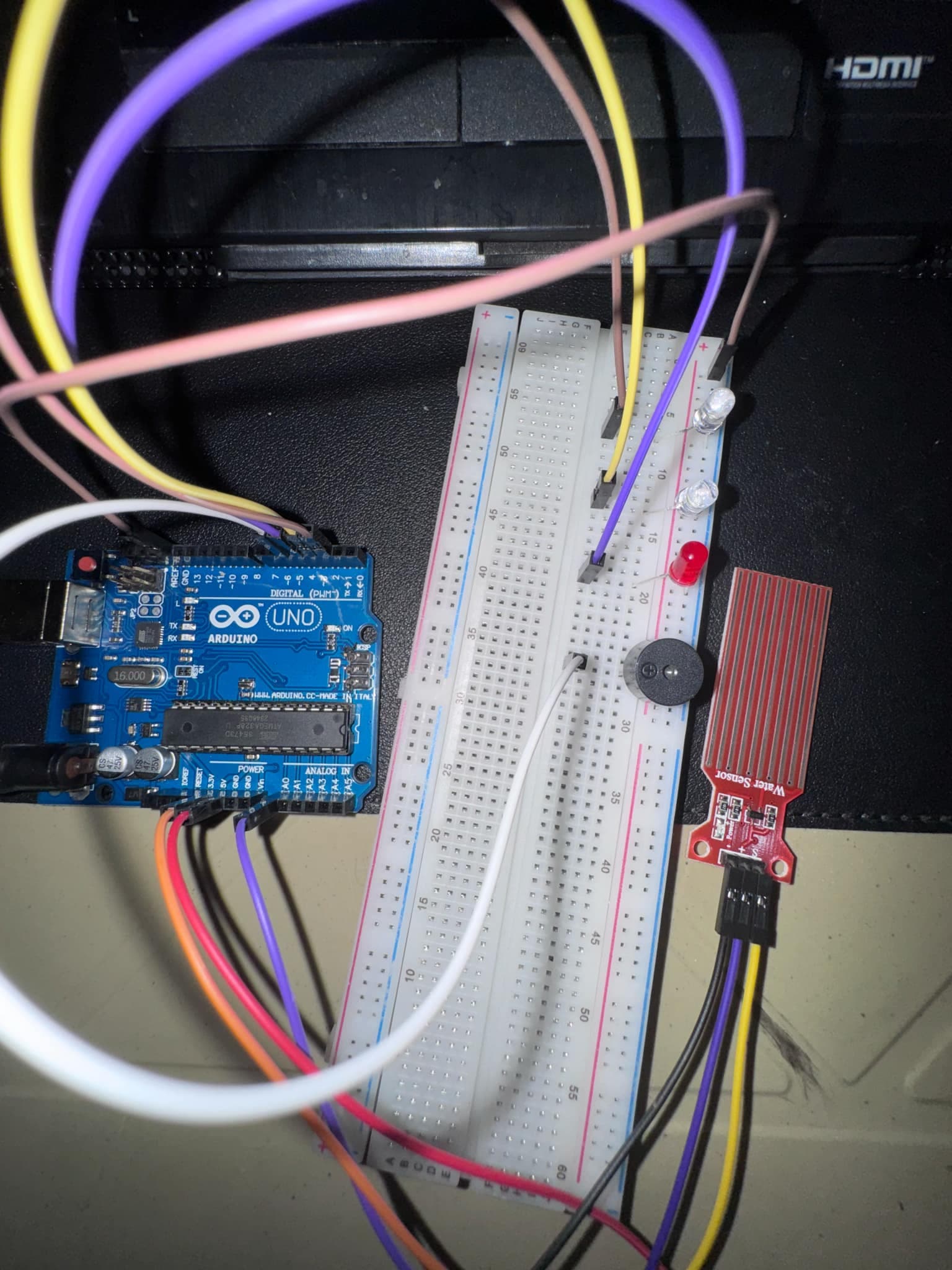
Hello! Very new to coding arduino, but I used a youtube tutorial to create this water sensor which triggers the buzzer if there is enough water on the water sensor. However, I would like to add a switch on and off button so that the user can turn off a buzzer when it is triggered or can just switch it to silent when the sensor is triggered.
Pictures in this case are not helpfull. Hand draw a wiring diagram then post a picture of it.
Try to reword your problem. At the moment, it is unclear if you have one (ON/OFF switch) or a second silent mode requirement. Also, a button and a switch can be the same thing or two very different things; the button is generally SPST and is only 'active' while pressed, while a switch like a wall light switch can also be SPST but stays in either ON or OFF state after removing your hand/finger.
Correct code can only be written for unambiguous requirements statements.
The pushbutton to stop the buzzer will require knowing when the buzzer is active, reading the button, disabling the output to the buzzer. Maybe a bit much for now, but good to learn about.
You should use "descriptive variable names" for these four pin numbers, not like this...
...but like this...
Adding the variable naming will look like this:
const int pinBUZZER = 2;
const int pinLEDred = 3;
const int pinLEDyel = 4;
const int pinLEDgrn = 5;

void setup() {
  pinMode(pinLEDred,OUTPUT);
  pinMode(pinLEDgrn,OUTPUT);
  pinMode(pinLEDblu,OUTPUT);
  pinMode(pinBUZZER,OUTPUT);
  Serial.begin(115200); // 9600 is old speed
}

void loop() {
  // loop code
}
There you will find a description of an alarm that can be invoked, silenced and reset, and a link to a simulation of the essential logic.
alarm makes the beeping alarm sound start. shhh shuts it up, further alarms are ignored. reset means now alarms will once again beep.
What you'll need to do is find where in the code you want to make the alarm start, um, alarming.
Silencing and resetting are entirely independent, and require only that your loop gets around to executing that logic "frequently", that is to say the rest of your loop does not block either through delay() of significance or protracted computations.
Also, you might like the wokwi simulator. It's reasonably easy to use, very faithful at least for what it claims to be good at, and can save time and money if you work out details using it before you even buy and destroy anything real.