I want to control RGB LED with 6 inputs push switches. When any ONE of the switch is pressed I want LED to turn Yellow. When any TWO switches are pressed I want LED to be blue. And when more than THREE switches are pressed I want LED to turn Green. Can anyone help me out. I'm new to this. Thanks.
Poll all the switches each time the loop runs, count the number that are pressed, change the condition of the RGB LED.
Hello praskrish
Post your current sketch, well formated, with comments and in so called code tags "</>" and a schematic, not a Fritzy diagram, to see how we can help.
Have a nice day and enjoy coding in C++.
Дайте миру шанс
Here is a thorough pushbutton article. Lots examples.
https://roboticsbackend.com/arduino-push-button-tutorial/
make a drawing how you will connect the switches and the RGB LED and post it to the forum
Start writing a sketch - at least the pin assignment and the setup with all the pinmodes must be designed by you.
When you have posted your schematic (a nice hand drawn schematic should be sufficent) and your sketch - we might be able to help you with the next step.
If it is for school - post the full assignment.
If it is for private use and you don't want to write your own code - ask for an offer and give a price you are willing to pay (in EUR or USD).
Simply count all the buttons that are pressed, then use if statements with the count value to switch on the appropriate LEDs in your RGB package.
I want to control RGB LED with push switch. When switch is pressed once LED should turn Yellow. When switch is pressed second time LED should turn blue. And when switch is pressed third time LED should turn Green. And continue to stay Green till sixth press. When I upload the code, case 1 and case 2 skipping and directly going to case 3. Can anybody help what I'm doing wrong.

  int count = 0;
  int newcount;

  int button = 2;

  int red_pin= 6;
  int green_pin = 5;
  int blue_pin = 3;


void setup() {
  pinMode(button, INPUT);

  pinMode(red_pin, OUTPUT);
  pinMode(green_pin, OUTPUT);
  pinMode(blue_pin, OUTPUT);

}

void loop()
{
  if (digitalRead(2)==HIGH)
  {
    newcount=count+1;
      if (newcount!=count)
      {
        switch (newcount)
        {
          case 1: digitalWrite(9,HIGH);   //for OUTPUT YELLOW
                  digitalWrite (10,HIGH);
                  digitalWrite (11,LOW);

                  break;
          case 2: digitalWrite(11,HIGH); //for OUTPUT BLUE
                  digitalWrite (10,LOW);
                  digitalWrite (9,LOW);

                  break;
          case 3: digitalWrite(10,HIGH);  //for OUTPUT GREEN
                  digitalWrite (9,LOW);
                  digitalWrite (11,LOW);

                  break;
          case 4: digitalWrite(10,HIGH);  //for OUTPUT GREEN
                  digitalWrite (9,LOW);
                  digitalWrite (11,LOW);

                   break;
          case 5: digitalWrite(10,HIGH);  //for OUTPUT GREEN
                  digitalWrite (9,LOW);
                  digitalWrite (11,LOW);

                   break;
          case 6: digitalWrite(10,HIGH);  //for OUTPUT GREEN
                  digitalWrite (9,LOW);
                  digitalWrite (11,LOW);

                   break;

          default:  digitalWrite (9,LOW);
                    digitalWrite (10,LOW);
                    digitalWrite (11,LOW);
                    newcount=0;
                    break;

        }
        count=newcount;
      }
      delay(100);

  }

}
See the state change detection tutorial. Use the pushButtonCounter in your switch case structure.
I have merged your cross-posts @praskrish.
Cross-posting is against the rules of the forum. The reason is that duplicate posts can waste the time of the people trying to help. Someone might spend a lot of time investigating and writing a detailed answer on one topic, without knowing that someone else already did the same in the other topic.
Repeated cross-posting can result in a suspension from the forum.
In the future, please take some time to pick the forum category that best suits the subject of your question and then only post once to that forum category. This is basic forum etiquette, as explained in the "How to get the best out of this forum" guide. It contains a lot of other useful information. Please read it.
Thanks in advance for your cooperation.
Thanks @pert for merging the post.
I wasn't aware
@praskrish
the descriptions in your posts #1 and #7 don't fit together.
Please describe how many buttons you have and give a correct schematic.
Here is a solution. Every time a change is noted the state register is shifted so only one LED comes on at a time:
//
const int ledR      = 29;   // RGB LED red    - ACTIVE LOW - these might move to PWM's for dimming.
const int ledG      = 30;   // RGB LED green
const int ledB      = 31;   // RGB LED blue
//
int RGBstate          = 0b00001000;   // Default to all off
int lastLDR = false;            // LDR state presumed off
int tmp;              // Working var
//

... inside setup() - initialize mask

  if ( (RGBstate <= 0b00000000) || (RGBstate > 0b00001000)) RGBstate = 0b00001000;  // Uninitialized maps to all off

... Warm up IO's

  //
  // RGB LED
  //
  pinMode(ledR, OUTPUT);
  pinMode(ledG, OUTPUT);
  pinMode(ledB, OUTPUT);

  // Tiny bit of logic to init LDR toggle
  lastLDR = digitalRead(LDR_DI);

... Inside loop() - watch for rising edge of switch

    //
    // Watch for rising edge on LDR and sequence RGB led
    //
    tmp = digitalRead(LDR_DI);    // Don't let state change as we rattle thru logic
    //
    if (tmp)      // is high
      {
      //
      if  (lastLDR != tmp)    // Wasn't
        {
        //
        // Rising edge
        //
        lastLDR = tmp;        // is now
        //
        // Walk RGB LED thru its paces
        //
        RGBstate = RGBstate << 1;    // Shift left once
        if (RGBstate > 0b00001000) RGBstate = 0b00000001;
        //
        setRGB();
        //
        }
      //
      // Is and was or just rose, do nothing
      //
      }
    else
      {
      //
      // Is low, force same for next rising edge
      //
      lastLDR = false;
      //
      }
    //

... Sub that actually turns LEDs off and on.

void setRGB()
{
digitalWrite(ledR, !(RGBstate & 0b001) );
digitalWrite(ledG, !(RGBstate & 0b010) );
digitalWrite(ledB, !(RGBstate & 0b100) );
}
This logic drives a 10mm common anode RGB led:
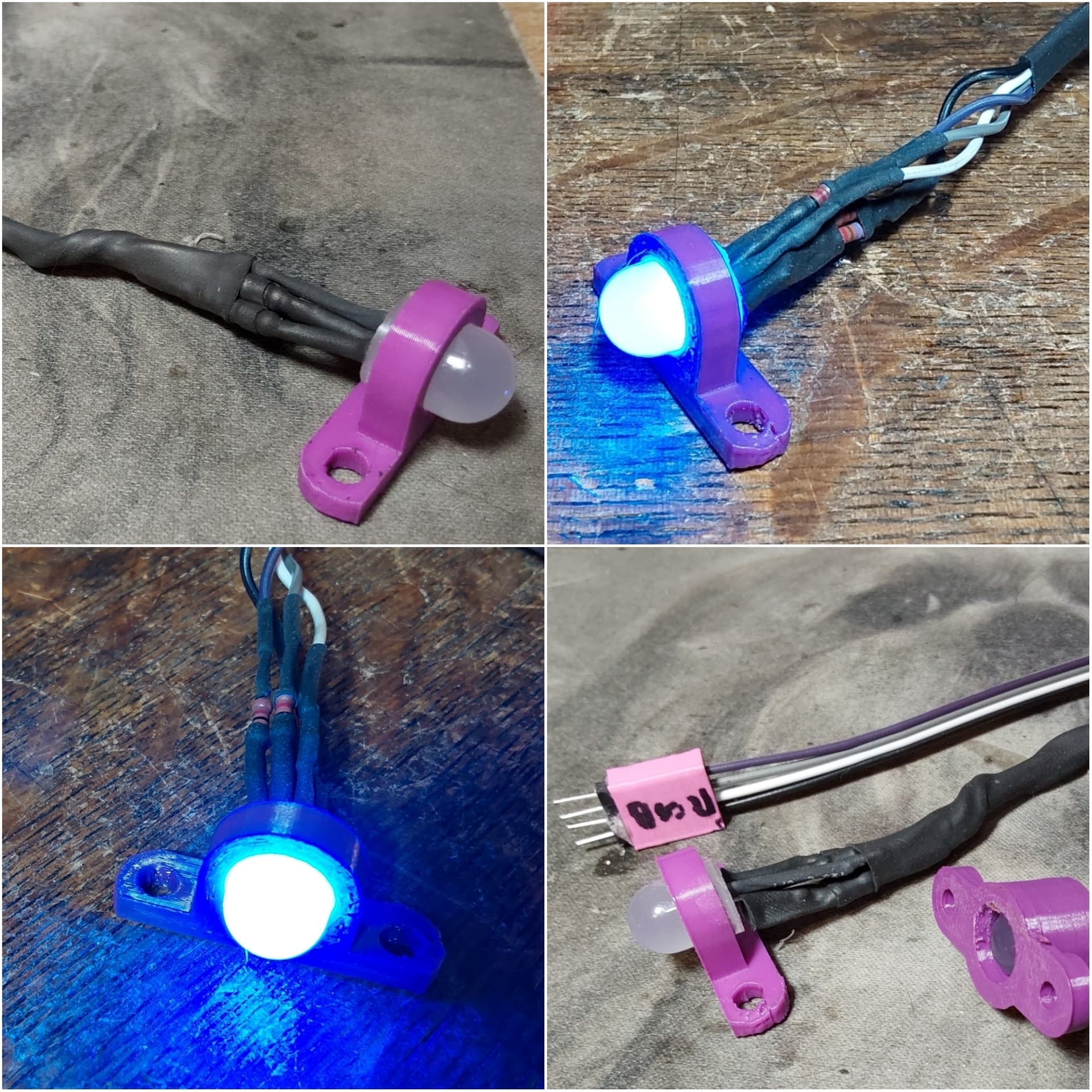
Well that is an interesting mounting. What were you using that for?
Interior decorative lighting. The case of this project has a lot of lexan and this mount allows some interior lighting. Currently the code ties it to a LDR sensor. Every time the sensor goes dark the LED takes a step from R to G, B, and out.
Display dim blanks the RGB LED and sets the LED matrix disply to 0, dimmest.