Continuing the discussion from White screen - Using TFT 3.2" LCD shield (ILI9327) on arduino Mega 2560:
my sons gave me a 3.2" Open Smart display with ILI9327 and an Arduino Mega board.
Only after reading david_prentice suggestions, on various websites, did I understand how to make it work, making some changes to the MCUFRIEND_kbv.cpp library.
I managed to create a project, using a BME280 sensor and an RTC DS3231, which shows on the display the date (day, month and year), the hour and the minutes, the current temperature, humidity and pressure, and the respective minimum and maximum values.
In addition, using the micro SD on board, I have added the record of the date and of the minimum and maximum values of the last 24 hours, every midnight.
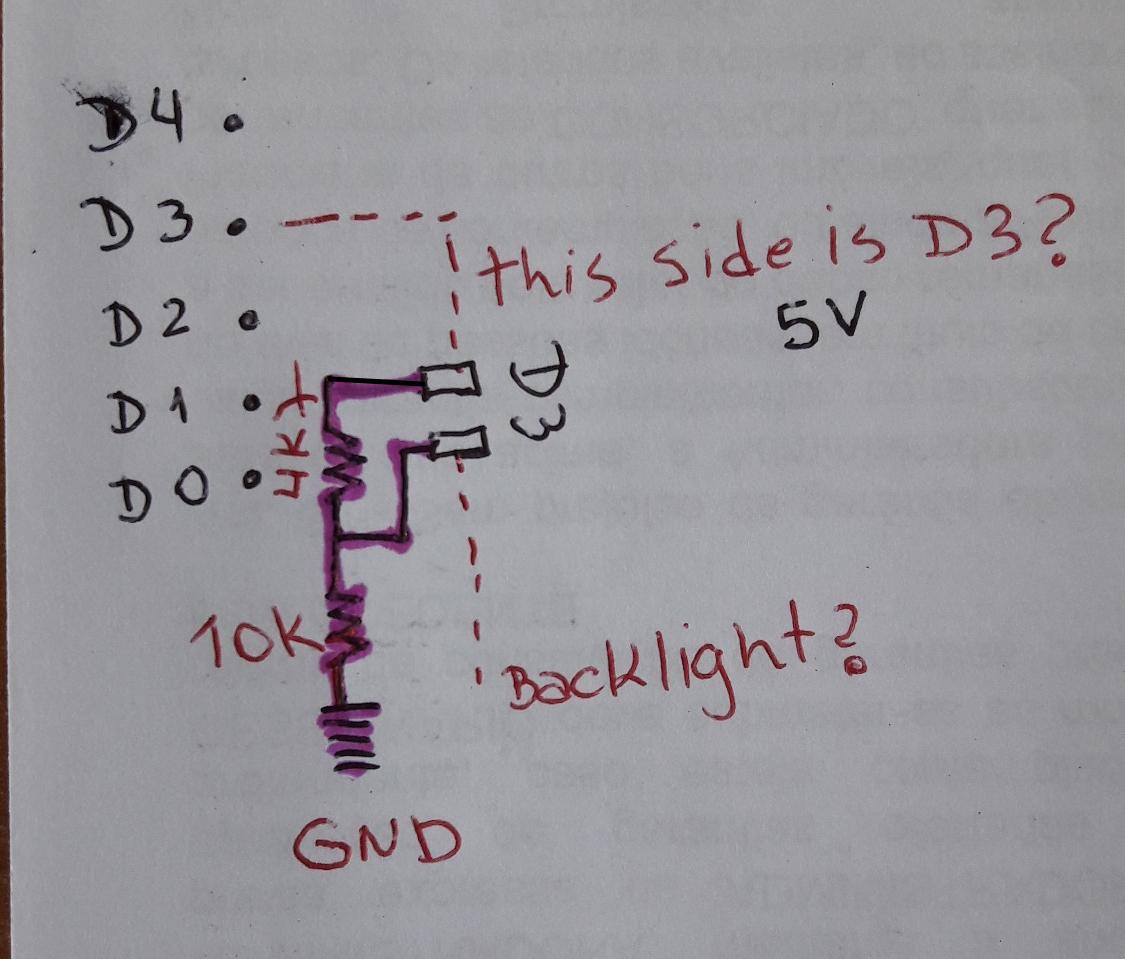
Since there is an area on the display card with indications relating to the backlight, I would like to ask somebody, and David_prentice, in particular, how to use it to turn off only the display backlight during the night.
Could anybody show me the necessary connections and the instructions to add to the sketch? In the post #11, david_prentice says to use two resistors to reduce the signal from 5V to 3.3V, but I don't understand how to make the connections and to what.
I'm not a great expert, and I'm afraid of damaging everything.
I hope somebody can help me (maybe david).
P.S. I posted the project on https://www.instructables.com/Build-a-Clock-a-Calendar-and-an-Accurate-Thermomet/