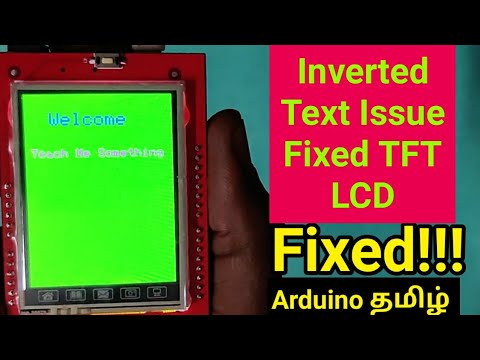
I'm using an old Duemilanove with the display shield plugged in directly.
I tried the supplier's code from this reference:
All the examples show inverted text (back-to-front) and colours.
As to the 'inverted' text: appears to write right-to-left rather than left-to right.
I also tried the mcufriend_kbv library and the examples show the same inversions.
I read most of the posts from other users experiencing the same problem but many of the posts date back some 5-7 years and the code examples don't match the current libraries.
The mcufriend_kbv examples have two useful diagnostic sketches. Here is the output:
graphictest_kbv output:
Serial took 0ms to start
ID = 0x0
LCD_ID_readreg output:
Read Registers on MCUFRIEND UNO shield
controllers either read as single 16-bit
e.g. the ID is at readReg(0)
or as a sequence of 8-bit values
in special locations (first is dummy)
Hello. I tried your suggestion. Although the link is for the 480x320 display there is an example for the 320x240. Unfortunately the display remained blank.
There were some warnings during compilation but this did not prevent compilation. The code itself is very large and the RinkyDink website warns the user the fact that it is not really suitable for the UNO due to lack of memory.
Sorry it didn't work out but it was a good call.
Ric
The suggestion was made to negate the logic in the IL9431 section (inserting "!" in each case):
 if (driver == ID_9341) {
   // MEME, HX8357D uses same registers as 9341 but different values
   uint16_t t;

   switch (rotation) {
   case 2:
     t = ! ILI9341_MADCTL_MX | ILI9341_MADCTL_BGR;
     break;
   case 3:
     t = ! ILI9341_MADCTL_MV | ILI9341_MADCTL_BGR;
     break;
  case 0:
    t = ! ILI9341_MADCTL_MY | ILI9341_MADCTL_BGR;
    break;
   case 1:
     t = ! ILI9341_MADCTL_MX | ILI9341_MADCTL_MY | ILI9341_MADCTL_MV | ILI9341_MADCTL_BGR;
     break;
  }
This worked and the text appears correct left-right.
Four of the colours still remain well, not quite inverted but, changed with
BLACK, WHITE, MAGENTA and CYAN displayed correctly but the following colours remapped:
RED ==> BLUE
CYAN ==> YELLOW
YELLOW ==> CYAN
BLUE ==> RED
I do not want to kludge the descriptors by swapping names but prefer to maintain the RGB565 colour values as standard.
Making changes to registers.h was a kludge after all and I've reverted to the original definitions.
Having looked again at SPFD5408_Adafruit_TTFLCD.cpp (The version modified for SPFD5408 by Joao Lopes), all the necessary changes for the version of the board supplied through eBay (above) are contained within the one section of the file. The negation of the four cases shown above breaks the rotation of the text display and should NOT be used.
Here are my changes (with comments):
 if (driver == ID_9341) {
/*
Note: here are the MADCTL definitions
#define MADCTL_MY 0x80  ///< Bottom to top
#define MADCTL_MX 0x40  ///< Right to left
#define MADCTL_MV 0x20  ///< Reverse Mode
#define MADCTL_ML 0x10  ///< LCD refresh Bottom to top
#define MADCTL_RGB 0x00 ///< Red-Green-Blue pixel order
#define MADCTL_BGR 0x08 ///< Blue-Green-Red pixel order
#define MADCTL_MH 0x04  ///< LCD refresh right to left
*/
   // MEME, HX8357D uses same registers as 9341 but different values
   uint16_t t;

   switch (rotation) {
  case 0: // portraint, USB top-right
    t = ! ILI9341_MADCTL_MY | ILI9341_MADCTL_RGB;
    break;
   case 1: // landscape, USB bottom-right
     t = ! ILI9341_MADCTL_MX | ILI9341_MADCTL_MY | ILI9341_MADCTL_MV | ILI9341_MADCTL_RGB;
     break;
   case 2: // portrait, USB bottom-left
     t = ILI9341_MADCTL_MX |  ILI9341_MADCTL_MY | ILI9341_MADCTL_RGB;
     break;
   case 3: // landscape, USB top-left
     t = ! ILI9341_MADCTL_MY | ILI9341_MADCTL_MX | ILI9341_MADCTL_MV | ILI9341_MADCTL_RGB;
     break;
  }
The red-blue inversion is corrected by changing ILI9341_MADCTL_BGR to ILI9341_MADCTL_RGB.
Ric
By the way I just purchased the ELEGOO 2.8" TFT LCD touch and it worked straight out of the box using the supplied drivers and examples on the CD. Deep joy not to have to hack things about just to get a working display.