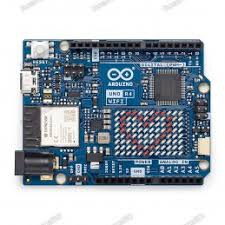
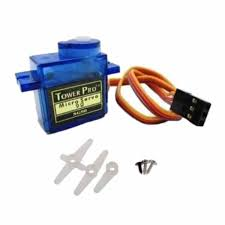
Running an Arduino R4 Wifi to control a servo.
When connected to the Ccomputer trought USB, Everything works well.
But when disconnect USB and powering with external supply, The L Light is blinking (1sec on, 1 sec off) And the programm is not running.
How exactly are you powering the board when it is not connected using USB ?
Please post the sketch that you are testing, using code tags when you do
In my experience the easiest way to tidy up the code and add the code tags is as follows
Start by tidying up your code by using Tools/Auto Format in the IDE to make it easier to read. Then use Edit/Copy for Forum and paste what was copied in a new reply. Code tags will have been added to the code to make it easy to read in the forum thus making it easier to provide help.
It is also helpful to post error messages in code tags as it makes it easier to scroll through them and copy them for examination
I do power my board with an external 12V Power supply.
No error message while uploading the code in "USB Mode". everything works well while connected to the PC. but When i disconnect USB en plug the power supply, nothing happens and the L Led is blinking.
Here is the code.
#include <Servo.h>
#include <pins_arduino.h>

Servo Servo1;

int potPin = A5;
int servoPin = 9;

void setup() {
  // put your setup code here, to run once:
  Servo1.attach(servoPin);
}

void loop() {
  // put your main code here, to run repeatedly:
  int reading = analogRead(potPin);
  int angle = map(reading, 0, 1023, 0, 180);
  Servo1.write(angle);
}
If you are using the above items and you have connected them together, then check with a multimeter that the GND-pin of Servo is shorted with GND-pin of UNOR4Wifi and the negative terminal of the Battery.
Hi
The schematic is not complete. I asked you to show ALL connections, including GND wires. The only servo shown in full, with all it's three wires.
But even from this incomplete diagram we can see a source of problem. You trying to power the servo from the board 5v pin while the board itself is powered via VIN input. It can't work this way.
The VIN pin is an input of on-board voltage regulator that not designed to provide a current for anything except a board itself.
The rule of thumb - the board is not a power supply.
You need an external 5V PSU at least for your servo. I can't say about your another modules, because your diagram is not finished.
You haven't said what servo you are using. So I'll assume a generic servo with a stall current of 1000mA.
Can the 5V buck converter on an R4, in addition to running the R4, supply 1000mA fast enough to keep the servo happy every time it starts moving? Or will the servo load the buck converter sufficiently to cause it brown out enough to reset the R4? Maybe. Maybe not. I can't imagine the buck converter was designed to accommodate the current requirements of a servo. That would cost extra and not many companies would go to the added expense, especially when the unwritten rule is that "the Arduino is not a power source."
What does the 5V line look like on a scope when the problem occurs? I'm sure you've looked at that, as it's a basic thing to check out and be sure there are no issues. What did you see?
Exact, but after some test, i found that the problem should come from the VIN trought the Jack. If i power up my Arduino Trought USB-C Phone charger, it run correctly.
I found in the R4 documentation that the VIN is limited to 1000mA of current, as the USB-C Powering to 2000mA.
Next step, i'll try to power the Arduino and the Servo with a 5V industrial power supply, merging the ground wire for this two devices.
That does not make sense because VIN is an input pin and it is connected directly to the DC input jack. Please post a link to where you read you saw thi
Not OP, but what they meant was that the power draw from the 5V pin is limited to 1200 mA (including current consumed by the board components themselves) when the board is powered from the VIN pin, but 2000 mA when the board is powered by USB (using a USB power supply capable of delivering at least this amount of current). The source for this information is here: