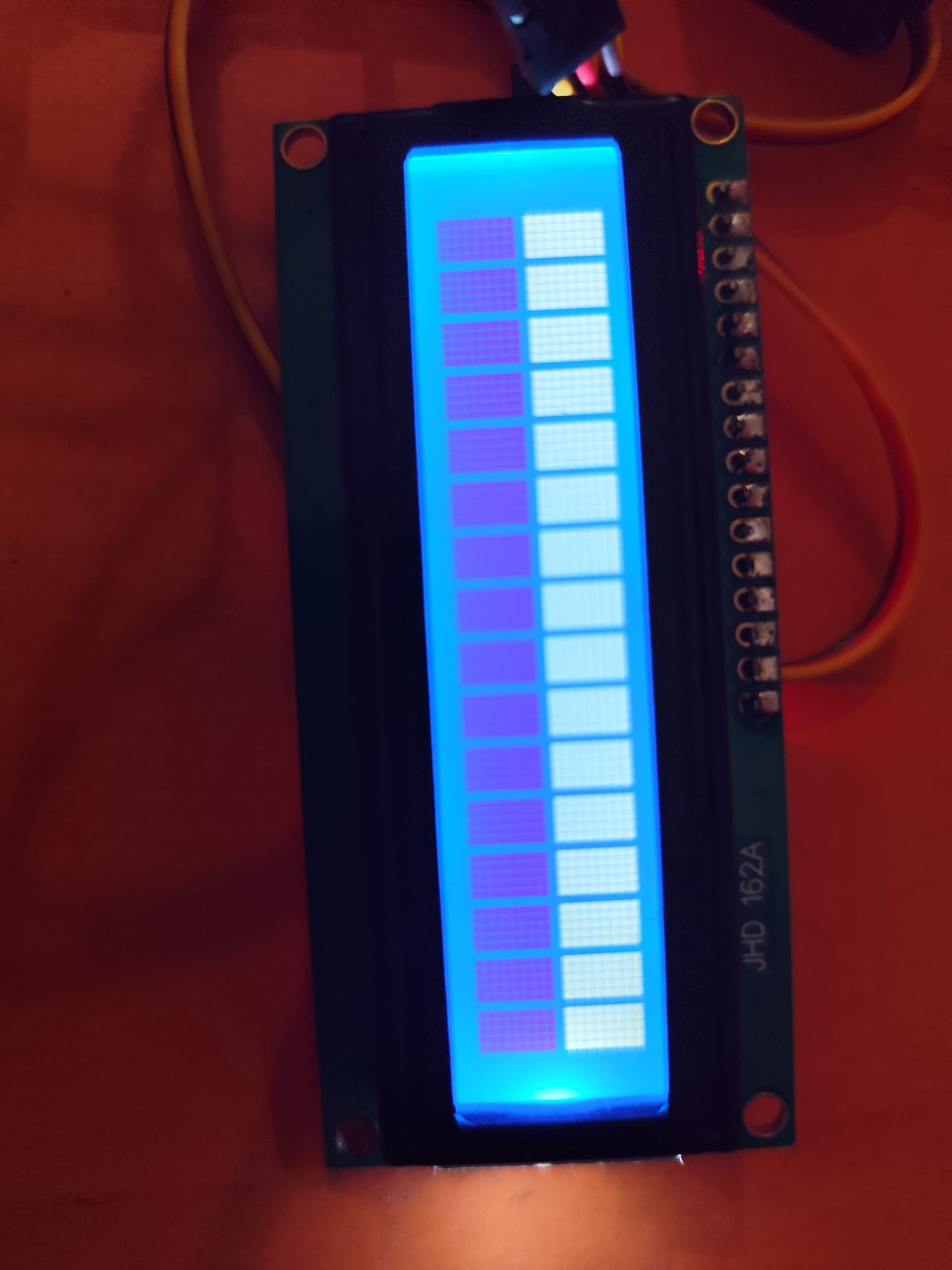
Lcd just glowing and showing white boxesbut not showing any text

I am a complete newbie and I was making a car parking system with ARDUINO, IR SENSOR, LCD and I2C MODULE. My main problem is in the lcd which is just glowing and showing white boxes but no text. I adjusted the potentiometer and checked all the wirings but still some problem is occurring. I used this code

#include <Wire.h> 

#include <LiquidCrystal_I2C.h>

LiquidCrystal_I2C lcd(0x27,16,2);   

#include <Servo.h> 
Servo myservo;
int IR1 = 2;

int IR2 = 3;
int Slot = 4;           //Total number of parking Slots
int flag1 = 0;

int flag2 = 0;


void setup() {

  Serial.begin(9600); 

    lcd.init(); //initialize the lcd

    lcd.backlight(); //open the backlight
pinMode(IR1, INPUT);

pinMode(IR2, INPUT);


myservo.attach(4);

myservo.write(100);
lcd.setCursor (0,0);

lcd.print("     ARDUINO    ");

lcd.setCursor (0,1);

lcd.print(" PARKING SYSTEM ");

delay (2000);

lcd.clear();  

}
void loop(){ 


if(digitalRead (IR1) == LOW && flag1==0){

if(Slot>0){flag1=1;

if(flag2==0){myservo.write(0); Slot = Slot-1;}

}else{

lcd.setCursor (0,0);

lcd.print("    SORRY :(    "); 
lcd.setCursor (0,1);

lcd.print("  Parking Full  "); 

delay (3000);

lcd.clear(); 

}

}
if(digitalRead (IR2) == LOW && flag2==0){flag2=1;

if(flag1==0){myservo.write(0); Slot = Slot+1;}

}
if(flag1==1 && flag2==1){

delay (1000);

myservo.write(100);

flag1=0, flag2=0;

}


lcd.setCursor (0,0);

lcd.print("    WELCOME!    ");

lcd.setCursor (0,1);

lcd.print("Slot Left: ");

lcd.print(Slot);

}

My circuit diagram is like this--
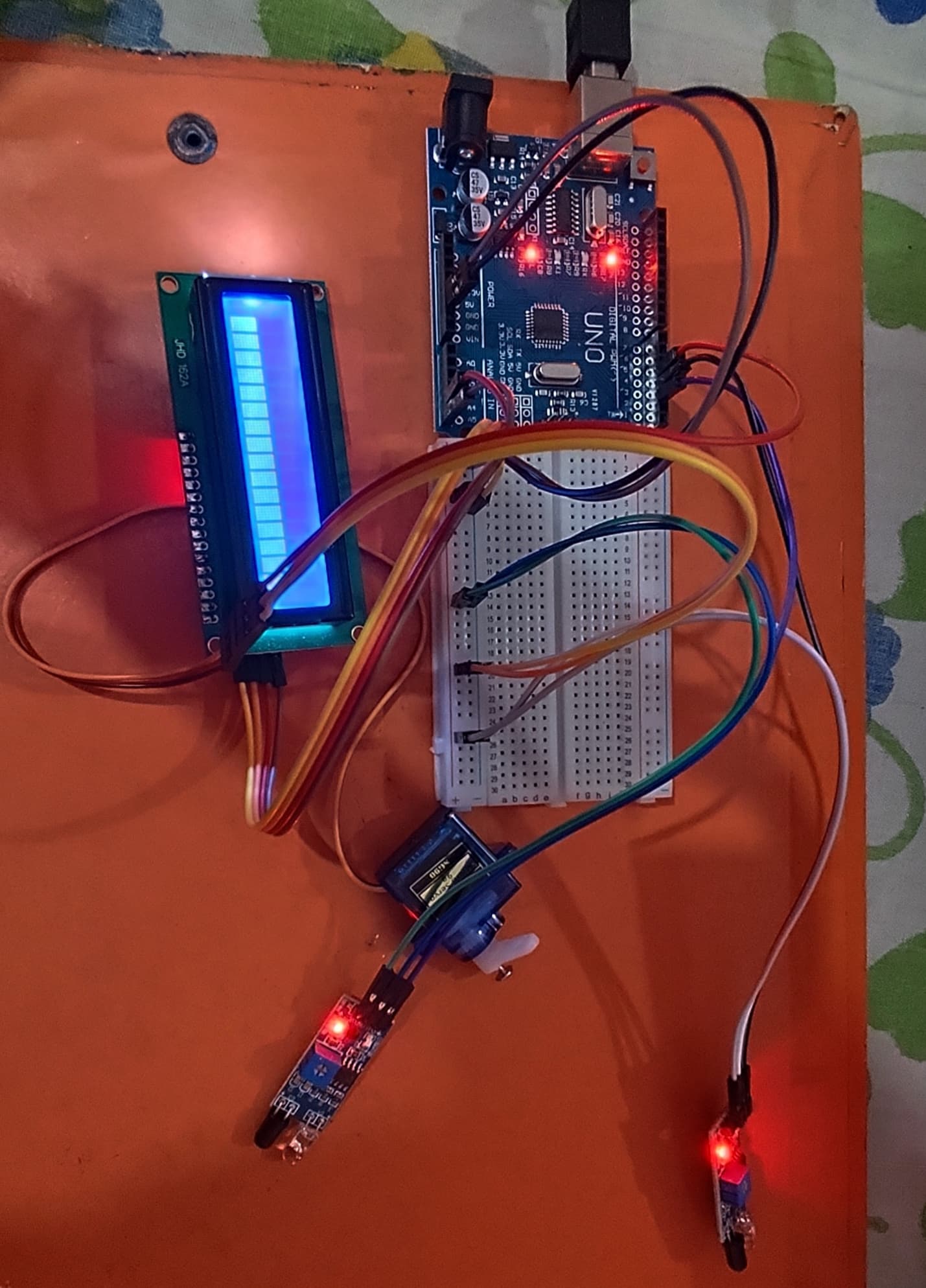
The LCD is like this -
Help me....this is my school project........

First thing is please edit ASAP your post and enclose the code within "code" tags, because if you put it as is, the forum filters will make it almost unreadable and we're unable to test it.
Just select all the whole and only code lines, then click on the "<CODE/>" button from the editor toolbar and save.

Then, check the I2C address of that display adapter. There are a few to choose from, but if you use 0x27 (it's the first parameter of the constructor) and the adapter uses another one, no information will be sent to the LCD.
To know it, you can either check from the site where you have bought it, or using an I2C scanner sketch.

Last but not least, the adapter solderings look very badly made:

If you added the I2C adapter, you need to make better solderings, make sure you covered the whole base area with the soldering tin.

Did you run the I2C scanner example (available in the IDE) to check if the LCD is detected and what its address is?
Did you test the LCD without anything else connected to the Uno?
Did you turn the contrast potentiometer on the back of the LCD module a bit down so the white blocks are only faintly visible?

Please edit your post, select all code and click the <CODE/> button; next save your post. This will apply code tags which will make the code easier to read, easier to copy and the forum software will display it correctly.

Test with a simplified code just to show hello world in the I2C LCD screen. There must be a volume POT on the I2C adapter. You may need to adjust that.