Limit byte values with Encoder

HI, I am trying different ways to limit values with rotary encoder menu. Ex.: temp max= 20 temp min = 0
I tried with constrain()...no results:

setting1 = constrain(setting1, 0, 20);

Also tried this, but I did not work or I put it at he wrong place un my code:

void limitSettingVal(int setting1){
  if (Mode ==1){
   if (setting1 < 0 ){ 
          encoderPos = 20;
        }
        if (setting1 > 20) { 
          encoderPos = 0;
        }
        
  }
}  

Here is the full code. the values I want to constrain are: setting1 and setting2

 #include <LiquidCrystal_I2C.h> 
 LiquidCrystal_I2C lcd(0x27, 20, 4);

// Rotary encoder declarations
static int pinA = 2; // Our first hardware interrupt pin is digital pin 2
static int pinB = 3; // Our second hardware interrupt pin is digital pin 3
volatile byte aFlag = 0; // let's us know when we're expecting a rising edge on pinA to signal that the encoder has arrived at a detent
volatile byte bFlag = 0; // let's us know when we're expecting a rising edge on pinB to signal that the encoder has arrived at a detent (opposite direction to when aFlag is set)
volatile byte encoderPos = 0; //this variable stores our current value of encoder position. Change to int or uin16_t instead of byte if you want to record a larger range than 0-255
volatile byte oldEncPos = 0; //stores the last encoder position value so we can compare to the current reading and see if it has changed (so we know when to print to the serial monitor)
volatile byte reading = 0; //somewhere to store the direct values we read from our interrupt pins before checking to see if we have moved a whole detent
bool rising = true;   //global variable for encoder interrupt routine

// Button reading, including debounce without delay function declarations
const byte buttonPin = 4; // this is the Arduino pin we are connecting the push button to
byte oldButtonState = HIGH;  // assume switch open because of pull-up resistor
const unsigned long debounceTime = 10;  // milliseconds
unsigned long buttonPressTime;  // when the switch last changed state
boolean buttonPressed = 0; // a flag variable

// Menu and submenu/setting declarations
byte Mode = 0;   // This is which menu mode we are in at any given time (top level or one of the submenus)
const int modeMax = 4; // This is the number of submenus/settings you want
const int tempMax = 20; //Temperature max dans setting1
const int tempMin = 0; //Temperature min dans setting1
const int humiMax = 99; //Humidite max dans setting2
const int humiMin = 35; //Humidite min dans setting2

byte setting1 = 0;  // a variable which holds the value we set 
byte setting2 = 0;  // a variable which holds the value we set 
byte setting3 = 0;  // a variable which holds the value we set 
byte setting4 = 0;  // a variable which holds the value we set 
int ledPin1 = 5;
int ledPin2 = 6;


/////
/* Note: you may wish to change setting etc to int, float or boolean to suit your application. 
 Remember to change "void setAdmin(byte name,*BYTE* setting)" to match and probably add some 
 "modeMax"-type overflow code in the "if(Mode == N && buttonPressed)" section*/

void setup() {
  //Rotary encoder section of setup
  pinMode(ledPin1, OUTPUT);    //Del verte sur breadBoard
  pinMode(ledPin2, OUTPUT);    //Del verte sur breadBoard
  pinMode(pinA, INPUT_PULLUP); // set pinA as an input, pulled HIGH to the logic voltage (5V or 3.3V for most cases)
  pinMode(pinB, INPUT_PULLUP); // set pinB as an input, pulled HIGH to the logic voltage (5V or 3.3V for most cases)
  //attachInterrupt(0,PinA,RISING); // set an interrupt on PinA, looking for a rising edge signal and executing the "PinA" Interrupt Service Routine (below)
  //attachInterrupt(1,PinB,RISING); // set an interrupt on PinB, looking for a rising edge signal and executing the "PinB" Interrupt Service Routine (below)
  //essaie attach interrupt furum
  pinMode(pinA, INPUT_PULLUP);
  pinMode(pinB, INPUT_PULLUP);
  if (digitalRead(pinA)) {
    attachInterrupt(0,PinA,FALLING);
    attachInterrupt(1,PinB,FALLING);
    rising = false;
  }
  else {
    attachInterrupt(0,PinA,RISING);
    attachInterrupt(1,PinB,RISING);
  }
  // button section of setup
  pinMode (buttonPin, INPUT_PULLUP); // setup the button pin
  // DEBUGGING section of setup
 
  Serial.begin(9600);     // DEBUGGING: opens serial port, sets data rate to 9600 bps

  //démarre LCD
  lcd.init();                      // initialize the lcd   
  lcd.backlight();
  //message power ''on'' sur LCD
  lcd.setCursor(5,0); //Defining positon to write from first row, first column .
  lcd.print("CHARCUPRO");
  lcd.setCursor(3,2);
  lcd.print("Version 1.1.1");

  lcd.setCursor(0,2); //Second row, first column
  lcd.print(""); 
  delay(3000); //wait 8 sec
  lcd.clear(); //clear the whole LCD
  lcd.setCursor(1,1); 
  lcd.print("TEMP"); //text
  //----------------------
  lcd.setCursor(1,3); 
  lcd.print("HUMI"); //text
  //----------------------
  lcd.setCursor(12,1); 
  lcd.print("VENT"); //text
  //----------------------
  lcd.setCursor(12,3); 
  lcd.print("UV"); //text
  //----------------------
  lcd.setCursor(8,1); 
  lcd.print((char)223); //signe de degrees
  //----------------------
  lcd.setCursor(9,1); 
  lcd.print("C"); //signe de degrees
  //----------------------
  lcd.setCursor(9,3);
  lcd.print("%"); //text
  //----------------------
  lcd.setCursor(17,1); 
  lcd.print("off"); //text
  //----------------------
  lcd.setCursor(17,3); 
  lcd.print("off"); //text
  //----------------------
  //lcd.setCursor(14,0); 
  //lcd.print("retour"); //text
  //----------------------
  //lcd.setCursor(0,0); 
  //lcd.print("Ajuster"); //text
  //----------------------

  
}

//void printLCD(){
  //These are the values which are not changing the operation
  
//}
void loop() {
  rotaryMenu();
  showSetting (setting1, setting2 );
  //limitSettingVal(setting1);
  // carry out other loop code here 
}

////////****TOP ROTARY MENU*****////////
void rotaryMenu() {  //This handles the bulk of the menu functions without needing to install/include/compile a menu library

     
  //DEBUGGING: Rotary encoder update display if turned
   if(oldEncPos != encoderPos) { // DEBUGGING
    Serial.println(encoderPos);// DEBUGGING. Sometimes the serial monitor may show a value just outside modeMax due to this function. The menu shouldn't be affected.
    oldEncPos = encoderPos;// DEBUGGING

   }
  // DEBUGGING
  // Button reading with non-delay() debounce - thank you Nick Gammon!
  byte buttonState = digitalRead (buttonPin); //toujours lire si bouton pesé ou pas
  if (buttonState != oldButtonState){
    if (millis () - buttonPressTime >= debounceTime){ // debounce
      buttonPressTime = millis ();  // when we closed the switch 
      oldButtonState =  buttonState;  // remember for next time 

      if (buttonState == LOW){
        Serial.println ("Button was pressed"); // DEBUGGING: print that button has been closed
        buttonPressed = 1;
      }
      else {
        Serial.println ("Button opened"); // DEBUGGING: print that button has been opened
        buttonPressed = 0;  
      }  
    }  // end if debounce time up
  } // end of  button state change


//********** MODE MENU**********
  //Main menu section
  if (Mode == 0) {
    if (encoderPos > (modeMax+10)) encoderPos = modeMax; // check if out of bounds below 0 and correct if we have
    else if (encoderPos > modeMax) encoderPos = 0; // check we haven't gone out of bounds above modeMax and correct if we have

    //fleche de curseur
    switch(encoderPos){
    case 0 :              //MENU RETOUR
     lcd.setCursor(0,1);lcd.print(" ");lcd.setCursor(0,3);lcd.print(" ");lcd.setCursor(11,1);
     lcd.print(" ");lcd.setCursor(11,3);lcd.print(" ");lcd.setCursor(0,0);lcd.print("<<");
     //delay(1000);lcd.setCursor(0,0);lcd.print("   ");delay(700);
     break;

     case 1:
     lcd.setCursor(13,0);lcd.print(" ");lcd.setCursor(0,3);lcd.print(" ");lcd.setCursor(11,3);
     lcd.print(" ");lcd.setCursor(11,1);lcd.print(" ");lcd.setCursor(0,1);lcd.print(">");
     lcd.setCursor(0,0);lcd.print("   ");
     break;

     case 2:
     lcd.setCursor(13,0);
     lcd.print(" ");
     lcd.setCursor(0,1);
     lcd.print(" ");
     lcd.setCursor(11,1);
     lcd.print(" ");
     lcd.setCursor(11,3);
     lcd.print(" ");
     lcd.setCursor(0,0);lcd.print("  ");
     lcd.setCursor(0,3);
     
     lcd.print(">");
     
     break;

     case 3:
     lcd.setCursor(13,0);
     lcd.print(" ");
     lcd.setCursor(0,1);
     lcd.print(" ");
     lcd.setCursor(0,3);
     lcd.print(" ");
     lcd.setCursor(11,3);
     lcd.print(" ");
     lcd.setCursor(0,0);
     lcd.print("   ");
     
     lcd.setCursor(11,1);
     lcd.print(">");
     
     break;

     case 4:
     lcd.setCursor(13,0);
     lcd.print(" ");
     lcd.setCursor(0,1);
     lcd.print(" ");
     lcd.setCursor(0,3);
     lcd.print(" ");
     lcd.setCursor(11,1);
     lcd.print(" ");
     lcd.setCursor(0,0);
     lcd.print("   ");
     lcd.setCursor(11,3);
     lcd.print(">");
    
    
     break;
     }

    if (buttonPressed){ 
      Mode = encoderPos; // set the Mode to the current value of input if button has been pressed
      Serial.print("Mode selected: "); //DEBUGGING: print which mode has been selected
      Serial.println(Mode); //DEBUGGING: print which mode has been selected
      buttonPressed = 0; // reset the button status so one press results in one action
      }
    
      if (Mode == 1){
        Serial.println("TEMP_Mode 1"); //DEBUGGING: print which mode has been selected
        encoderPos = setting1; // start adjusting TEMP from last set point
        
      }
       if (Mode == 2) {
         Serial.println("HUMID_Mode 2"); //DEBUGGING: print which mode has been selected
         encoderPos = setting2; // start adjusting HUMIDITY from last set point
        }

        if (Mode == 3) {
         Serial.println("FAN_Mode 3"); //DEBUGGING: print which mode has been selected
         encoderPos = setting3; // start turning FAN on or off
        }

        if (Mode == 4) {
         Serial.println("UV_Mode 4"); //DEBUGGING: print which mode has been selected
         encoderPos = setting4; // start turning UV on or off
        }
    }
        
  
   //**********SET SETTING VALUES**************
   if (Mode == 1 && buttonPressed) {
    setting1 = encoderPos; // record whatever value your encoder has been turned to, to setting 1
    
    if(setting1 > 0){   //DEBUGGING
     digitalWrite(5, HIGH);//DEBUGGING
    }
     if (setting1 == 0){   //DEBUGGING
     digitalWrite(5,LOW);//DEBUGGING
    }
    lcd.setCursor(6,1);
    lcd.print("  ");
    lcd.setCursor(6,1);
    lcd.print(setting1);
//remettre curseur
    lcd.setCursor(0,1);
    lcd.print(">");
    
    setAdmin(1,setting1);
    
    
    //code to do other things with setting1 here, perhaps update display 
    
  }
   
  if (Mode == 2 && buttonPressed) {
    setting2 = encoderPos; // record whatever value your encoder has been turned to, to setting 2

    if (setting2 > 0){   //DEBUGGING
     digitalWrite(6, HIGH);//DEBUGGING
    }
    if (setting2 == 0){   //DEBUGGING
     digitalWrite(6,LOW);//DEBUGGING
    }

    lcd.setCursor(6,3);
    lcd.print("  ");
    lcd.setCursor(6,3);
    lcd.print(setting2);
    
    setAdmin(2,setting2);
    //code to do other things with setting1 here, perhaps update display
   
  }
   if (Mode == 3 && buttonPressed){
     setting3 = encoderPos; // record whatever value your encoder has been turned to, to setting 3
     setAdmin(3,setting3);
     //code to do other things with setting3 here, perhaps update display 
   }
   if (Mode == 4 && buttonPressed){
     setting3 = encoderPos; // record whatever value your encoder has been turned to, to setting 4
     setAdmin(4,setting4);
    
     //code to do other things with setting4 here, perhaps update display 
    }
} 
//void limitSettingVal(int setting1){
  //if (Mode ==1){
  // if (setting1 < 0 ){ 
        //  encoderPos = 20;
       // }
        //if (setting1 > 20) { 
         // encoderPos = 0;
        //}
        //setting1 = constrain(setting1, 0, 20);
 // }
//}  
void showSetting (int setting1, int setting2 ) {   //FONCTION AFFICHE VAL TEMPS REEL
  if (Mode == 1) {
   lcd.setCursor(6,1);
   lcd.print("  ");
   lcd.setCursor(6,1);
   lcd.print(encoderPos);
   delay(20);
   
  } 

  if (Mode == 2) {
   lcd.setCursor(6,3);
   lcd.print("  ");

   lcd.setCursor(6,3);
   lcd.print(encoderPos);
   delay(20);
  }  

}

// Carry out common activities each time a setting is changed
void setAdmin(byte name, byte setting){
  Serial.print("Setting "); //DEBUGGING
  Serial.print(name); //DEBUGGING
  Serial.print(" = "); //DEBUGGING
  Serial.println(setting);//DEBUGGING
  encoderPos = Mode; // reorientate the menu index put 0 to go automatically to main menu
  buttonPressed = 0; // reset the button status so one press results in one action
  Mode = 0; // go back to top level of menu, now that we've set values
  Serial.println("Main Menu"); //DEBUGGING
}

//Rotary encoder interrupt service routine for one encoder pin
void PinA(){
  cli();
  reading = PIND & 0xC;
  if (rising) {
    if(reading == B00001100 && aFlag) {
      encoderPos --;
      bFlag = 0;
      aFlag = 0;
      EICRA &= B11111010;
      rising = false;
    }
    else if (reading == B00000100) bFlag = 1;
  }
  else {
    if(reading == 0 && aFlag) {
      encoderPos --;
      bFlag = 0;
      aFlag = 0;
      EICRA |= B00000101;
      rising = true;
    }
    else if (reading == B00001000) bFlag = 1;
  }
  sei();
}

void PinB(){
  cli();
  reading = PIND & 0xC;
  if (rising) {
    if (reading == B00001100 && bFlag) {
      encoderPos ++;
      bFlag = 0;
      aFlag = 0;
      EICRA &= B11111010;
      rising = false;
    }
    else if (reading == B00001000) aFlag = 1;
  }
  else {
    if (reading == 0 && bFlag) {
      encoderPos ++;
      bFlag = 0;
      aFlag = 0;
      EICRA |= B00000101;
      rising = true;
    }
    else if (reading == B00000100) aFlag = 1;
  }
    sei();
}

// end of sketch!
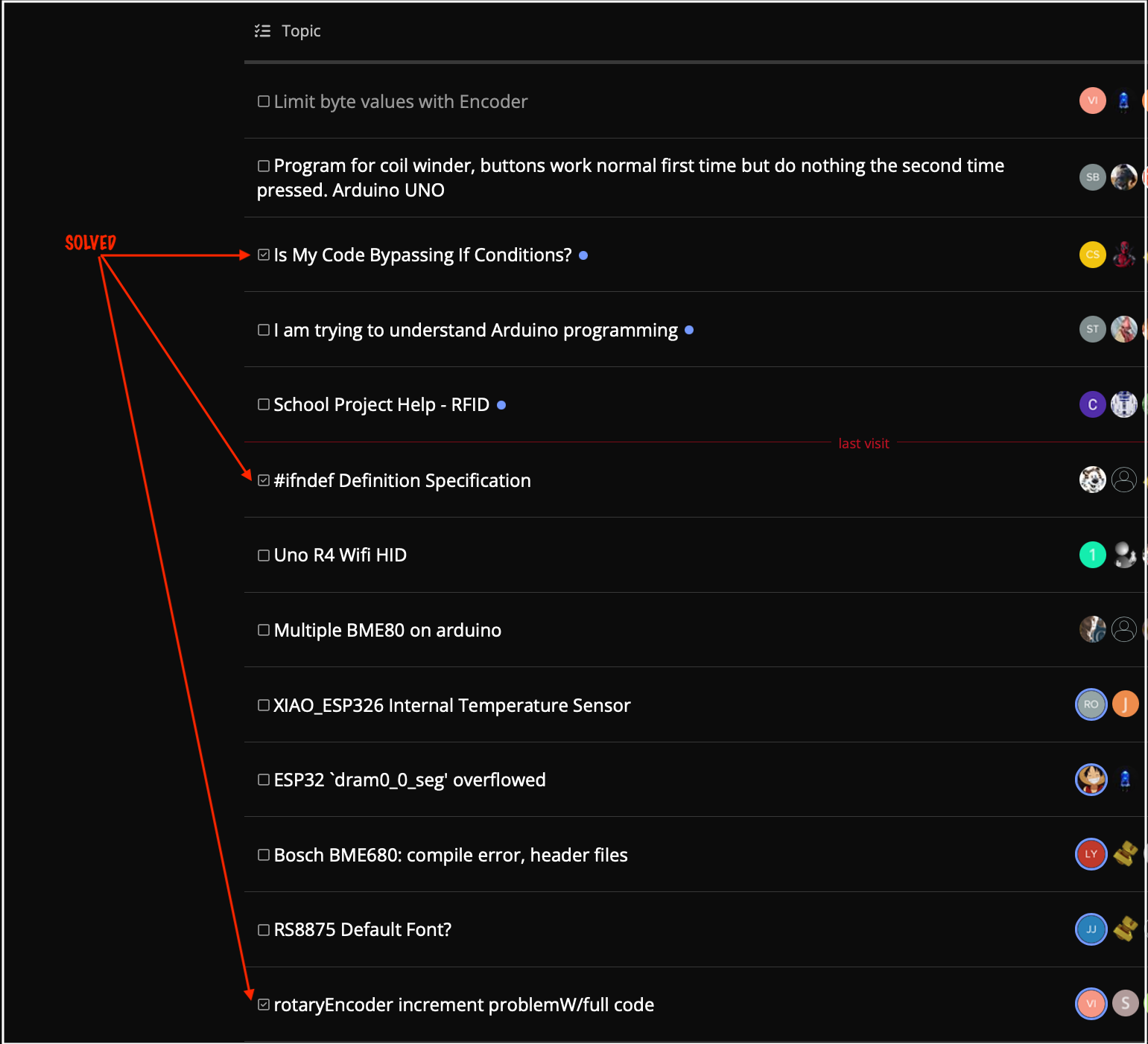
Is your other topic not the same subject?
rotaryEncoder increment problemW/full code..

The increment problem one was solved. I don't know how to write it as solved or delete a subject. This new issue is a different issue on same code.

You would make your code way more readable if you were to use a button library and an encoder library… it’s too spaghetti to read on my iPhone at the moment…

Nonsense. There is always a result.

For sensible ways to get help on this forum, take a look at the "How to get the best out of this forum" post, linked at the head of every forum category.

If you use this encoder-library limiting the value will be delivered by the library itself

Demo-Code

#include "Arduino.h"
#include "NewEncoder.h"

// Pins 2 and 3 should work for many processors, including Uno. See README for meaning of constructor arguments.
// Use FULL_PULSE for encoders that produce one complete quadrature pulse per detnet, such as: https://www.adafruit.com/product/377
// Use HALF_PULSE for endoders that produce one complete quadrature pulse for every two detents, such as: https://www.mouser.com/ProductDetail/alps/ec11e15244g1/?qs=YMSFtX0bdJDiV4LBO61anw==&countrycode=US&currencycode=USD
NewEncoder encoder(2, 3, -20, 20, 0, FULL_PULSE);
int16_t prevEncoderValue;

void setup() {
  NewEncoder::EncoderState state;

  Serial.begin(115200);
  delay(2000);
  Serial.println("Starting");

  if (!encoder.begin()) {
    Serial.println("Encoder Failed to Start. Check pin assignments and available interrupts. Aborting.");
    while (1) {
      yield();
    }
  } else {
    encoder.getState(state);
    Serial.print("Encoder Successfully Started at value = ");
    prevEncoderValue = state.currentValue;
    Serial.println(prevEncoderValue);
  }
}

void loop() {
  int16_t currentValue;
  NewEncoder::EncoderState currentEncoderState;

  if (encoder.getState(currentEncoderState)) {
    Serial.print("Encoder: ");
    currentValue = currentEncoderState.currentValue;
    if (currentValue != prevEncoderValue) {
      Serial.println(currentValue);
      prevEncoderValue = currentValue;
    } else
      switch (currentEncoderState.currentClick) {
        case NewEncoder::UpClick:
          Serial.println("at upper limit.");
          break;

        case NewEncoder::DownClick:
          Serial.println("at lower limit.");
          break;

        default:
          break;
      }
  }
}

If you want the value range to be 0..20

// encoder(PinA, PinB, Min-value, max-value, start-value, one count per detent or one count per 2 detents)
NewEncoder encoder(2, 3, 0, 20, 0, FULL_PULSE);

you can append "- Solved" to the title

I will try that. But what if I want 4 different limits for 4 different variables. I cannot put the limite in de voidSetup. Do I determine a different function loop for every different encoder limit associated to every variable?

that's the old way - now we we have a way to mark a post as the solution (a click under the suitable answer) and the thread will be shown with a checkmark in the list of posts

Yes got it, you actually put on an arrow where I just marked as solved, thanks for the hint. Tis subject we are writing into is not solved yet.

if your menu is just manageing variables, you can create a table with variable limits as well as a pointer ot the variable and a lable string to generically handle any # of variables

look this over

// menu setting variable values

char s [90];

// -----------------------------------------------------------------------------
byte pinsBut [] = { A1, A2, A3 };
#define N_BUT   sizeof(pinsBut)

byte butState [N_BUT];

const int NoBut = -1;

// -------------------------------------
int
butGet ()
{
    for (unsigned n = 0; n < sizeof(pinsBut); n++)  {
        byte but = digitalRead (pinsBut [n]);

        if (butState [n] != but)  {
            butState [n] = but;

            delay (10);     // debounce

            if (LOW == but)
                return n;
        }
    }
    return NoBut;
}

// -------------------------------------
void
butInit ()
{
    for (unsigned n = 0; n < sizeof(pinsBut); n++)  {
        pinMode (pinsBut [n], INPUT_PULLUP);
        butState [n] = digitalRead (pinsBut [n]);
    }
}

// -----------------------------------------------------------------------------
struct Var {
    const int   Min;
    int         val;
    const int   Max;
    const char *lbl;
}
var [] = {
    {  15,  20,  50, "tempC" },
    {   0,  15,  50, "dewPtC" },

    { 100, 100, 105, "alpha" },
    { 100, 100, 105, "beta" },
    { 100, 105, 105, "gamma" },
    { 100, 100, 105, "gamma" },
};
const int Nvar = sizeof(var)/sizeof(Var);
unsigned  idx;

// -------------------------------------
void
varDisp ()
{
    sprintf (s, "  %6s %3d %3d %3d",
        var [idx].lbl, var [idx].Min, var [idx].val, var [idx].Max);
    Serial.println (s);
}

// -----------------------------------------------------------------------------
enum { M_Menu, M_Set };
int mode;

enum { B_Sel, B_Up, B_Down };

void
loop ()
{
    int but = butGet ();
    if (NoBut == but)
        return;

    switch (mode)  {
    case M_Set:
        switch (but) {
        case B_Sel:
            mode = M_Menu;
            break;

        case B_Up:
            if (var [idx].Max > var [idx].val)
                var [idx].val++;
            break;

        case B_Down:
            if (var [idx].Min < var [idx].val)
                var [idx].val--;
            break;
        }
        break;

    case M_Menu:
        switch (but) {
        case B_Sel:
            mode = M_Set;
            break;

        case B_Up:
            idx = ++idx % Nvar;
            break;

        case B_Down:
            idx = --idx % Nvar;
            break;
        }
        break;
    }

    varDisp ();
}

// -----------------------------------------------------------------------------
void
setup ()
{
    Serial.begin (9600);

    butInit ();
    varDisp ();
}

In your code where it increments or decrements the encoder position, you could provide for limits, and you could change the limits as needed:

if (whatever) {
  encoderPos++;
  if (encoderPos > upperLimit) encoderPos = upperLimit;
}
.
.
.
if (whatever) {
  encoderPos--;
  if (encoderPos < lowerLimit) encoderPos = lowerLimit;
}

Sure you can set new values
Here is a demo-code that does this

// start of macros dbg and dbgi
#define dbg(myFixedText, variableName) \
  Serial.print( F(#myFixedText " "  #variableName"=") ); \
  Serial.println(variableName);
// usage: dbg("1:my fixed text",myVariable);
// myVariable can be any variable or expression that is defined in scope

#define dbgi(myFixedText, variableName,timeInterval) \
  do { \
    static unsigned long intervalStartTime; \
    if ( millis() - intervalStartTime >= timeInterval ){ \
      intervalStartTime = millis(); \
      Serial.print( F(#myFixedText " "  #variableName"=") ); \
      Serial.println(variableName); \
    } \
  } while (false);
// usage: dbgi("2:my fixed text",myVariable,1000);
// myVariable can be any variable or expression that is defined in scope
// third parameter is the time in milliseconds that must pass by until the next time a
// Serial.print is executed
// end of macros dbg and dbgi

#include "Arduino.h"

void PrintFileNameDateTime() {
  Serial.println( F("Code running comes from file ") );
  Serial.println( F(__FILE__));
  Serial.print( F("  compiled ") );
  Serial.print(F(__DATE__));
  Serial.print( F(" ") );
  Serial.println(F(__TIME__));
}


boolean TimePeriodIsOver (unsigned long &periodStartTime, unsigned long TimePeriod) {
  unsigned long currentMillis  = millis();
  if ( currentMillis - periodStartTime >= TimePeriod )
  {
    periodStartTime = currentMillis; // set new expireTime
    return true;                // more time than TimePeriod) has elapsed since last time if-condition was true
  }
  else return false;            // not expired
}

unsigned long MyTestTimer =  0;                   // variables MUST be of type unsigned long
const byte    OnBoard_LED = 13;

unsigned long buttonReleaseTimer;

void BlinkHeartBeatLED(int IO_Pin, int BlinkPeriod) {
  static unsigned long MyBlinkTimer;
  pinMode(IO_Pin, OUTPUT);

  if ( TimePeriodIsOver(MyBlinkTimer, BlinkPeriod) ) {
    digitalWrite(IO_Pin, !digitalRead(IO_Pin) );
  }
}


#include "NewEncoder.h"

const byte EncChA_Pin = 2;
const byte EncChB_Pin = 3;
const int minVal = -20;
const int maxVal =  20;
const int startVal = 2;

// Pins 2 and 3 should work for many processors, including Uno. See README for meaning of constructor arguments.
// Use FULL_PULSE for encoders that produce one complete quadrature pulse per detnet, such as: https://www.adafruit.com/product/377
// Use HALF_PULSE for endoders that produce one complete quadrature pulse for every two detents, such as: https://www.mouser.com/ProductDetail/alps/ec11e15244g1/?qs=YMSFtX0bdJDiV4LBO61anw==&countrycode=US&currencycode=USD

NewEncoder myEncoderObject(EncChA_Pin, EncChB_Pin, minVal, maxVal, startVal, FULL_PULSE);
// myEncState is a variable of type EncoderState
// EncoderState is a structured variable that has two "simple" variables
// .currentValue which is type int16_t
// (16 bit signed integer valuerange -36767 to 36767)
// currentValue counts up / down with each pulse created through rotating the encoder
// and
// .currentClick which is of type "EncoderClick"
// the variable type "EncoderClick" can have just 3 values
// NoClick, DownClick, UpClick where "click" means a "pulse" created through rotating the encoder
NewEncoder::EncoderState myEncState;
//NewEncoder::EncoderState myDummyState;

int16_t currentValue;
int16_t prevEncoderValue;

int16_t tempMin = 10;
int16_t tempMax = 30;
int16_t actualTemperature;
int16_t storedTemperature;

int16_t rpmMin = 40;
int16_t rpmMax = 50;
int16_t actualRpm;
int16_t storedRpm;


const byte EncBtnPin = 4;

const byte TEMPERATURE_MODE = 0;
const byte RPM_MODE = 1;

byte myMode = TEMPERATURE_MODE;
byte myLastMode = myMode;


void setup() {
  pinMode(EncBtnPin, INPUT_PULLUP);

  Serial.begin(115200);
  PrintFileNameDateTime(); 

  Serial.println("Starting");

  if (!myEncoderObject.begin()) {
    Serial.println("Encoder Failed to Start. Check pin assignments and available interrupts. Aborting.");
    while (1) {
      yield();
    }
  } else {
    // store values of currentValue and EncoderClick into variable myEncState
    myEncoderObject.getState(myEncState);
    Serial.print("Encoder Successfully Started at value = ");
    prevEncoderValue = myEncState.currentValue;
    Serial.println(prevEncoderValue);
  }
}

void pushBtnTogglesMode(byte p_IO_Pin, byte &p_mode) {

  static int buttonState;             // the current reading from the input pin
  static int lastButtonState = LOW;   // the previous reading from the input pin

  // the following variables are unsigned longs because the time, measured in
  // milliseconds, will quickly become a bigger number than can be stored in an int.
  static unsigned long lastDebounceTime = 0;  // the last time the output pin was toggled
  unsigned long debounceDelay = 50;    // the debounce time; increase if the output flickers

  // read the state of the switch into a local variable:
  int reading = digitalRead(p_IO_Pin);

  // check to see if you just pressed the button
  // (i.e. the input went from LOW to HIGH), and you've waited long enough
  // since the last press to ignore any noise:

  // If the switch changed, due to noise or pressing:
  if (reading != lastButtonState) {
    // reset the debouncing timer
    lastDebounceTime = millis();
  }

  if ((millis() - lastDebounceTime) > debounceDelay) {
    // whatever the reading is at, it's been there for longer than the debounce
    // delay, so take it as the actual current state:

    // if the button state has changed:
    if (reading != buttonState) {
      buttonState = reading;

      // only toggle the LED if the new button state is HIGH
      if (buttonState == HIGH) {
        if (p_mode == 1) {
          p_mode = 0;
        }
        else {
          p_mode = 1;
        }
      }
    }
  }
  // save the reading. Next time through the loop, it'll be the lastButtonState:
  lastButtonState = reading;  
}

void CheckForModeChange() {
  if (myMode != myLastMode) {
    myLastMode = myMode;
    Serial.print("mode changed new mode ");
    
    if (myMode == TEMPERATURE_MODE) {
      Serial.println("Temperature");      
    }
    if (myMode == RPM_MODE) {
      Serial.println("rpm");      
    }

    if (myMode == RPM_MODE) {
      storedTemperature = actualTemperature; // store actual temperature for later RE-storing
      myEncoderObject.newSettings(rpmMin, rpmMax, 22, myEncState); // setup encoder for rpm-mode
      //myEncoderObject.getAndSet(storedRpm,myDummyState,myEncState);
      actualRpm = myEncState.currentValue;
      dbg("RPM-Mode active", actualRpm);
      Serial.println();
    }

    if (myMode == TEMPERATURE_MODE) {
      storedRpm = actualRpm;                  // store actual RPM for later RE-storing
      actualTemperature = storedTemperature;  // restore temperature as we are changing to temperature-mode
      myEncoderObject.newSettings(tempMin, tempMax, actualTemperature, myEncState); // setup encoder for temperature-mode
      //myEncoderObject.getAndSet(storedTemperature,myDummyState,myEncState);
      actualTemperature = myEncState.currentValue;
      dbg("TemperatureMode active", actualTemperature);
      Serial.println();
    }
  }
}

void PrintEncoderValue() {
  // very important ! this stores actual values into variable myEncState
  if (myEncoderObject.getState(myEncState)) { //<<<== very important
    Serial.print("Encoder: ");
    if (myMode == TEMPERATURE_MODE) {
      Serial.print("Temperature=");      
    }
    if (myMode == RPM_MODE) {
      Serial.print("rpm=");      
    }
    currentValue = myEncState.currentValue;

    // if currentValue has REALLY changed print new currentValue
    if (currentValue != prevEncoderValue) {
      Serial.println(currentValue);
      prevEncoderValue = currentValue;

      // if currentValue stayed the same because the number is at upper/lower limit
      // check if encoder was rotated by using the UpClick / DownClick-values
    } else
      switch (myEncState.currentClick) {
        case NewEncoder::UpClick:
          Serial.println("at upper limit.");
          break;

        case NewEncoder::DownClick:
          Serial.println("at lower limit.");
          break;

        default:
          break;
      }
  }
}  


void loop() {
  pushBtnTogglesMode(EncBtnPin, myMode); // check if button was pressed if Yes change value of variable myMode

  CheckForModeChange();

  PrintEncoderValue();
  
  // update value according to active mode
  if (myMode == TEMPERATURE_MODE) {
    actualTemperature = myEncState.currentValue;
  }
  else {
    actualRpm = myEncState.currentValue;
  }
}

I already tried something like this before and it does not work:


    if (buttonPressed){ 
      Mode = encoderPos; // set the Mode to the current value of input if button has been pressed
      Serial.print("Mode selected: "); //DEBUGGING: print which mode has been selected
      Serial.println(Mode); //DEBUGGING: print which mode has been selected
      buttonPressed = 0; // reset the button status so one press results in one action
      }
   
      if (Mode == 1){
        Serial.println("TEMP_Mode 1"); //DEBUGGING: print which mode has been selected
        encoderPos = setting1; // start adjusting TEMP from last set point
       encoderPos++;
       if (encoderPos > tempMax) encoderPos = tempMax;
       }

      if (Mode == 1) {
      encoderPos--;
      if (encoderPos < tempMin) encoderPos = tempMin;
    }
       
      }

mode1 and mode2 will be unsigned between 0 and 75. mode3 and mode4 will call for different "on" and "off" time routines Ex.: 4 hours "on" 20 hours "off". I guess they will be related to functions. void (myTimerRoutine3), void(myTimerRoutine4

So i like the Idea of tables, I will study the function. This is an example for press buttons instead of encoder, but I would like to make it work with encoder. I am not not confortable with sprintf (s, " %6s %3d %3d %3d", I will study the function.

I don't understand this part of the code,:

struct Var {
    //const int   Min;
   // int         val;
   // const int   Max;
    const char *lbl;
}
var [] = {
    {  15,  20,  50, "tempC" },
    {   0,  15,  50, "dewPtC" },

    { 100, 100, 105, "alpha" },
    { 100, 100, 105, "beta" },
    { 100, 105, 105, "gamma" },
    { 100, 100, 105, "gamma" },
};
const int Nvar = sizeof(var)/sizeof(Var);
unsigned  idx; 

// -------------------------------------
void
varDisp ()
{
    sprintf (s, "  %6s %3d %3d %3d",
        var [idx].lbl, var [idx].Min, var [idx].val, var [idx].Max);
    Serial.println (s);
}
`

this is a table, an array of a user defined struct (see page 127 in the C Programming Language). each struct is intended to hold a value, the variables, along with other information (yes, there's an extra gamma)

the struct defines a multi-field variable containing 3 integers and a string. The integers are a value and a Min and Max for that value.

varDisp() displays the table by indexing thru the array of structs and and displaying the individual fields of each element of the array

see page 153 of the C Programming Language for an explanation of the output formats. sprintf() formats a c-string and uses Serial.println() to output it

don't understand you comment on mode. when using a menu which has a +/- input, there need to be a mode where +/- advance the menu and a separate mode where the menu item is modified.

yep I got it for the array, I am just studing it. Can I put variables in the array that will call for functions ? and yes What I am doing right now is reading the explanation of what I find in the code you sent me. Variables names are very short so by changing them one by one when understood, I see more clearly in the code, make it mine.

I will also check if I can do an array of function pointers.

Why are the first fields commented out and used later on for initialization ?

1 Like

yes. I used the following in a more complicated menu system that supported different funcitons for the menu buttons

// button and display function pointers
typedef struct {
    void (*menu) (void *);
    void (*sel)  (void *);
    void (*up)   (void *);
    void (*dn)   (void *);
    void (*disp) (void *);
} Func_t;
1 Like