Thanks for enlighten me, I'm on deep water here... but my battery operated sender is using too much power even in MCU sleep mode.
So I need power saving on sender side, on receiver side I have power, and uses a LiLiGO TTG OLED ESP32.
I use this library, obviously then the wrong one, so I will update:
#include <SX127XLT.h>
I don't have a sleep function direct to SX1262, but set MCU to sleep:
esp_deep_sleep_start();
From library, SX126x_Arduino-2.0.24, I fond this text in 'Low_Power_Example.md' :
It is not as perfect implemented as for example on the ESP32 MCU's where specific sleep functions can be called.
I use ESP32
Is this a solution to this one command as you wrote?:
LoRa.sleep();
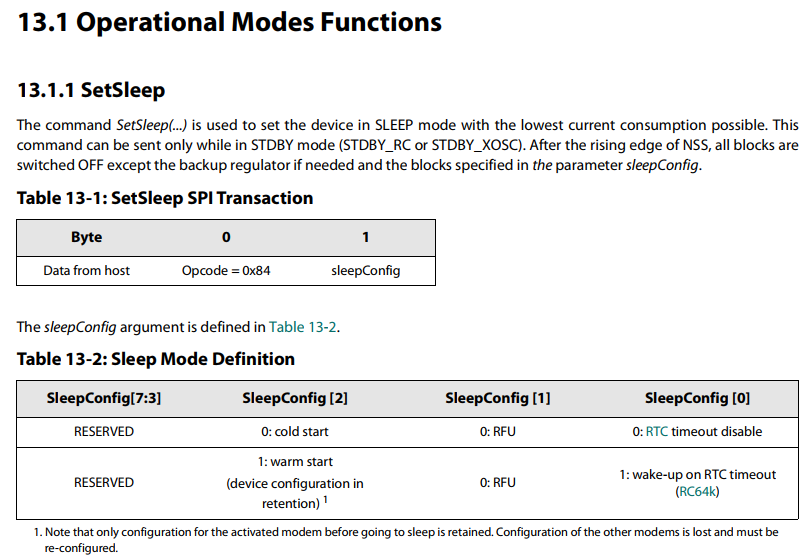
or must I implement the bytes coding?
Lora is configured like this in my code on sender side:
#define NSS     5                                 //select pin on LoRa device
#define NRESET 14                                 //reset pin on LoRa device
#define LED1   -1                                 //on board LED, high for on
#define DIO0   16                                 //DIO0 pin on LoRa device, used for RX and TX done
#define DIO1   -1                                 //DIO1 pin on LoRa device, normally not used so set to -1
#define DIO2   -1                                 //DIO2 pin on LoRa device, normally not used so set to -1
#define LORA_DEVICE DEVICE_SX1278                 //we need to define the device we are using

//*******  Setup LoRa Parameters Here ! ***************

//LoRa Modem Parameters
const uint32_t Frequency = 868000000;             //frequency of transmissions in hertz
const uint32_t Offset = 0;                        //offset frequency for calibration purposes

const uint8_t Bandwidth          = LORA_BW_125;  //LoRa bandwidth
const uint8_t SpreadingFactor    = LORA_SF7;     //LoRa spreading factor
const uint8_t CodeRate           = LORA_CR_4_5;  //LoRa coding rate
const uint8_t Optimisation       = LDRO_AUTO;    //low data rate optimisation setting, normally set to auto
const int8_t TXpower             = 10;           //LoRa transmit power in dBm
const uint16_t packet_delay      = 10000;        //mS delay between packets
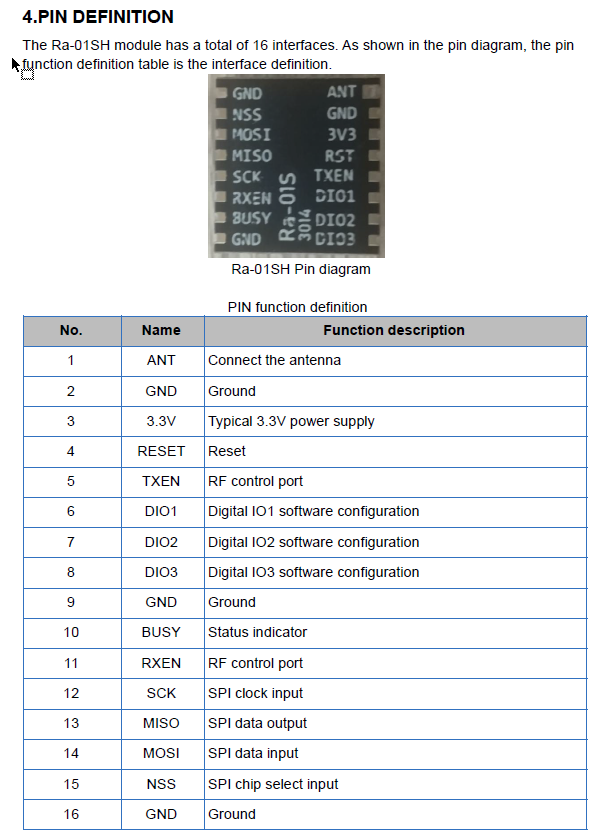
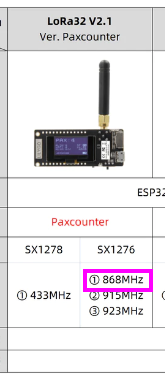
I have 2 different lora modules, sender and receiver
Receiver 868 MHz:
Can you confirm that this may be a good place to start?
DeepSleep.ino
/**
 * Put SX126x into RX mode and ESP32 into deep-sleep mode
 */
void goToSleep(void)
{
    // Start waiting for data package
    Radio.Standby();
    SX126xSetDioIrqParams(IRQ_RX_DONE | IRQ_RX_TX_TIMEOUT,
                          IRQ_RX_DONE | IRQ_RX_TX_TIMEOUT,
                          IRQ_RADIO_NONE, IRQ_RADIO_NONE);
    // To get maximum power savings we use Radio.SetRxDutyCycle instead of Radio.Rx(0)
    // This function keeps the SX1261/2 chip most of the time in sleep and only wakes up short times
    // to catch incoming data packages
    Radio.SetRxDutyCycle(2 * 1024 * 1000 * 15.625, 10 * 1024 * 15.625);

    // Go back to bed
#ifdef LOG_ON
    Serial.println("Start sleeping");
#endif
    // Make sure the DIO1, RESET and NSS GPIOs are hold on required levels during deep sleep
    rtc_gpio_pulldown_en((gpio_num_t)PIN_LORA_DIO_1);
    rtc_gpio_pullup_en((gpio_num_t)PIN_LORA_RESET);
    rtc_gpio_pullup_en((gpio_num_t)PIN_LORA_NSS);
    // Setup deep sleep with wakeup by external source
    esp_sleep_enable_ext0_wakeup((gpio_num_t)PIN_LORA_DIO_1, RISING);
    // Finally set ESp32 into sleep
    esp_deep_sleep_start();
}
That code, not that I have tried it, looks like it puts the SX126X into receive mode, then the ESP32 into deep sleep mode ready to wake up when a packet arrives.
Do remember that when an ESP32 comes from deep sleep its as if it has been reset or just powered up, care with code needed to avoid clearing the received packet from the LoRa module.
The LoRa module in RX mode will consume circa 7mA, so why not just put the ESP32 in light sleep mode, code should be much easier.