Hi,
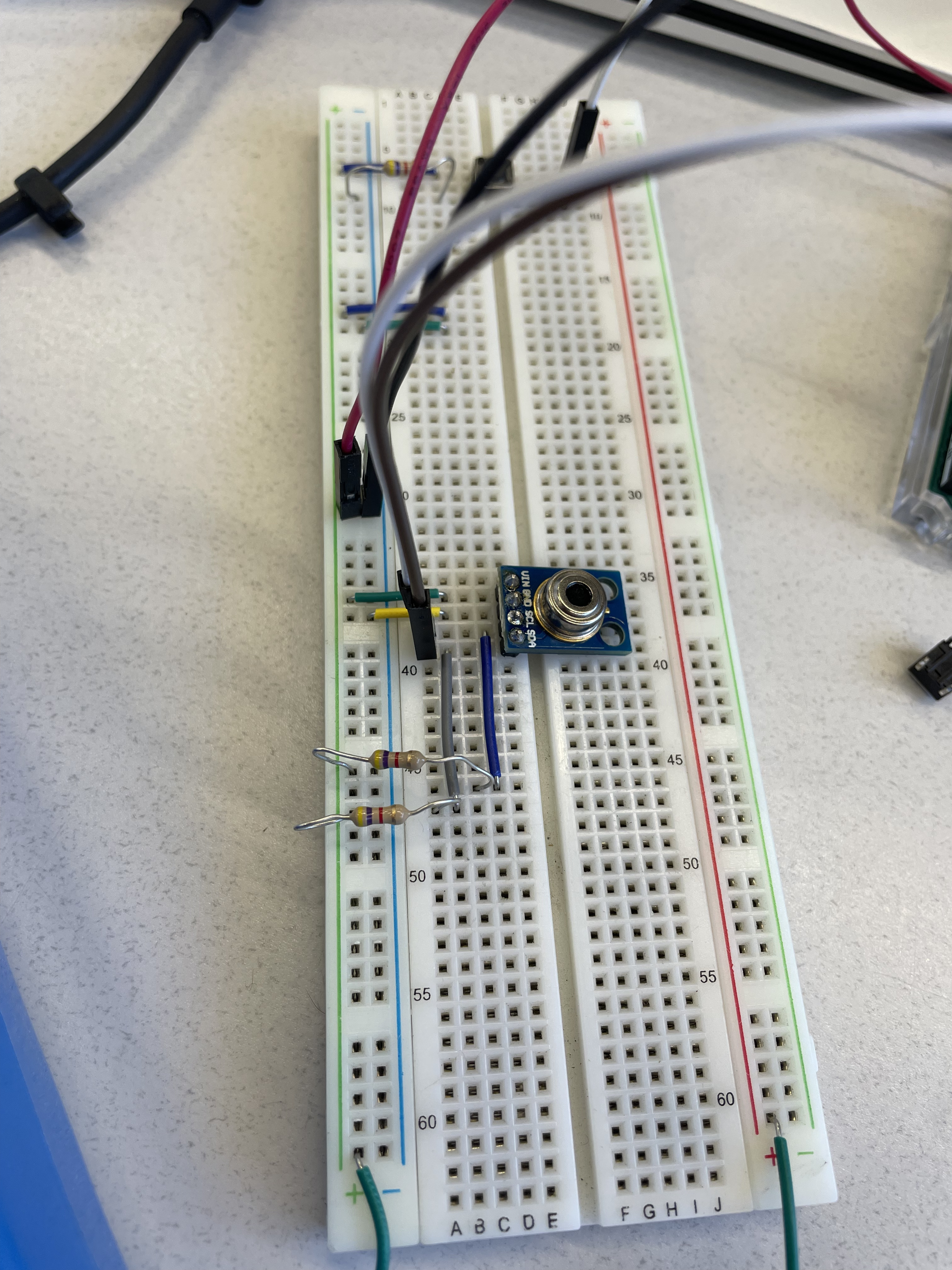
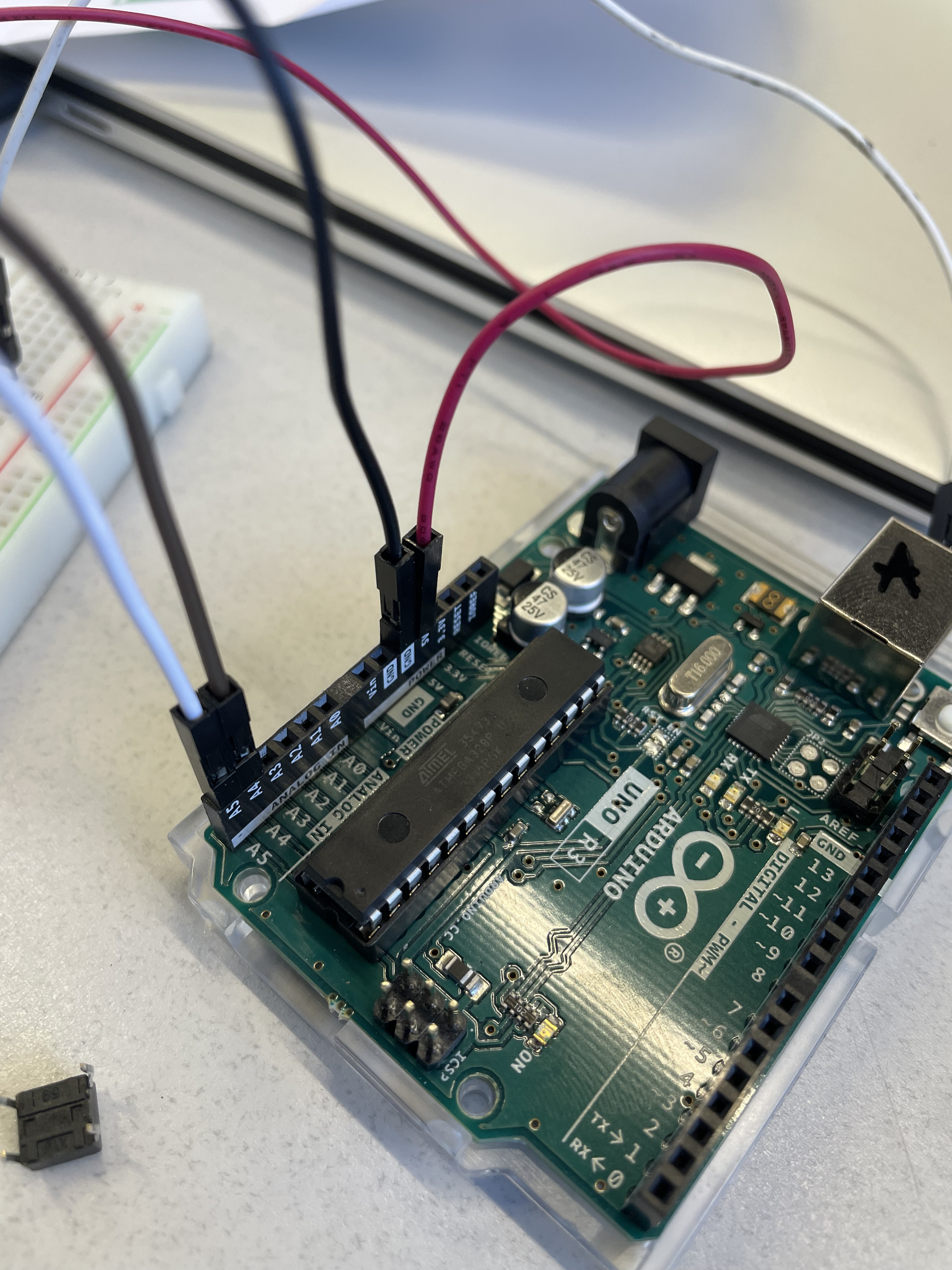
I'm trying to use an MLX90614 Temp sensor with no luck. I've added the 4.7K pullups and checked all my wiring with a muli. I've tried this with the A5/A4 as well as the dedicated SDA SCL pins on the Uno. Not really sure what's going on. I've used this board for other I2C (Adafruit OLED) with no problems. I have 3 of these sensors and none of them work, but they are all previously used on projects before me. Should I buy more sensors? Should I look for internal shorts on the device?
Any input is appreciated.
Thanks,
Leo
(The LED is the Pyrometer. From left to right inputs are VIN,GND,SCL,SDA)
// SPDX-FileCopyrightText: 2023 Carter Nelson for Adafruit Industries
//
// SPDX-License-Identifier: MIT
// --------------------------------------
// i2c_scanner
//
// Modified from https://playground.arduino.cc/Main/I2cScanner/
// --------------------------------------
#include <Arduino.h>
#include <Wire.h>


// Set I2C bus to use: Wire, Wire1, etc.
#define WIRE Wire
void setup() {
  WIRE.begin();

  Serial.begin(9600);
  while (!Serial)
     delay(10);
  Serial.println("\nI2C Scanner");
}


void loop() {
  byte error, address;
  int nDevices;

  Serial.println("Scanning...");

  nDevices = 0;
  for(address = 1; address < 127; address++ )
  {
    // The i2c_scanner uses the return value of
    // the Write.endTransmisstion to see if
    // a device did acknowledge to the address.
    WIRE.beginTransmission(address);
    error = WIRE.endTransmission();

    if (error == 0)
    {
      Serial.print("I2C device found at address 0x");
      if (address<16)
        Serial.print("0");
      Serial.print(address,HEX);
      Serial.println("  !");

      nDevices++;
    }
    else if (error==4)
    {
      Serial.print("Unknown error at address 0x");
      if (address<16)
        Serial.print("0");
      Serial.println(address,HEX);
    }
  }
  if (nDevices == 0)
    Serial.println("No I2C devices found\n");
  else
    Serial.println("done\n");

  delay(5000);           // wait 5 seconds for next scan
}
Getting the output:
---- Opened the serial port COM4 ----
11:15:06:093 ->
11:15:06:093 -> I2C Scanner
11:15:06:107 -> Scanning...
11:15:06:107 -> No I2C devices found
11:15:06:107 ->
11:15:11:500 -> Scanning...
11:15:11:501 -> No I2C devices found
I've no experience of your particular sensor, but a quick read of the datasheet for it says that it is an SMBUs compatible device. Paragraph 8.4.7 of the datasheet says:
The MLX90614 meets all the timing specifications of the SMBus [1]. The maximum frequency of the MLX90614 SMBus is 100 KHz and the minimum is 10 KHz.
Since the MLX90614 should have the internal pullups in place, I tried that code (Multi speed I2C scanner) with and without pullup resistors. Without pullups it gets stuck, with pullups it shows no devices. So my sensor must be bad?
We're reaching the limits of my knowledge on SMBus. I wonder is there is some subtle difference between I2C and SMBus that is causing the issue?
Do you have any other hardware that can interrogate the MLX?
Grasping at straws here, but another thing that may be worth trying is a software I2C port just to see if there's any response from the MLX that way. Being a software implementation, it could give you the potential to tweak the timing of the I2C bus signals in a way that the real hardware I2C interface can't - assuming of course that's the issue.
Did you get the MLX devices from a reputable source?
These were pulled out of an existing project. Looking at the documentation they ran one of these exact sensors off of just SCL/ SDA/GND/3.3V. So maybe I just burned this one out by testing with 5V. :0
Page 1 of the datasheet I posted says that there are 3v and 5v versions and it gives a breakdown of the part number. Does that tie in with any printing on the device itself?
That's just some generic module identification. There are lots of breakout modules with all sorts of sensors that seem to have a similar format of marking: HW-xxx.
Page 53 of the datasheet covers the actual part marking and it says:
The MLX90614 is laser marked with 10 symbols. First 3 letters define device version (AAA, BCC, etc), and the last 7 are the lot number. Example: “ACC9307308” – MLX90614ACC from lot 9307308.
The AAA or BCC appears to refer to the 3 letter option code as detailed on the bottom of the front page of the datasheet.
Unfortunately I couldn't find out (or I missed it), where the actual marking is on the physical device. It would make sense for it to be around the circumference of the metal case rather than underneath the device where the pins are.
Take another look at your device to see if there is any laser etching visible.
It may be completely blank if the sensor is some generic Chinese clone.
Hi xcode,
So my problem ended up being that I applied 5v to a 3.3v sensor, and probably cooked it. I bought new ones and kept it to 3.3v; that worked with the example code.