Dear community. I have acquired a NaNo 33 IoT and I have configured it on my Arduino Cloud account. I can see it Online right next to my Opta PLC. I can even make the Opta share a word variable to the the Nano. All seems fine until it suddenly disconnects and shows offline.
I have to go there and power cycle for it to restart.
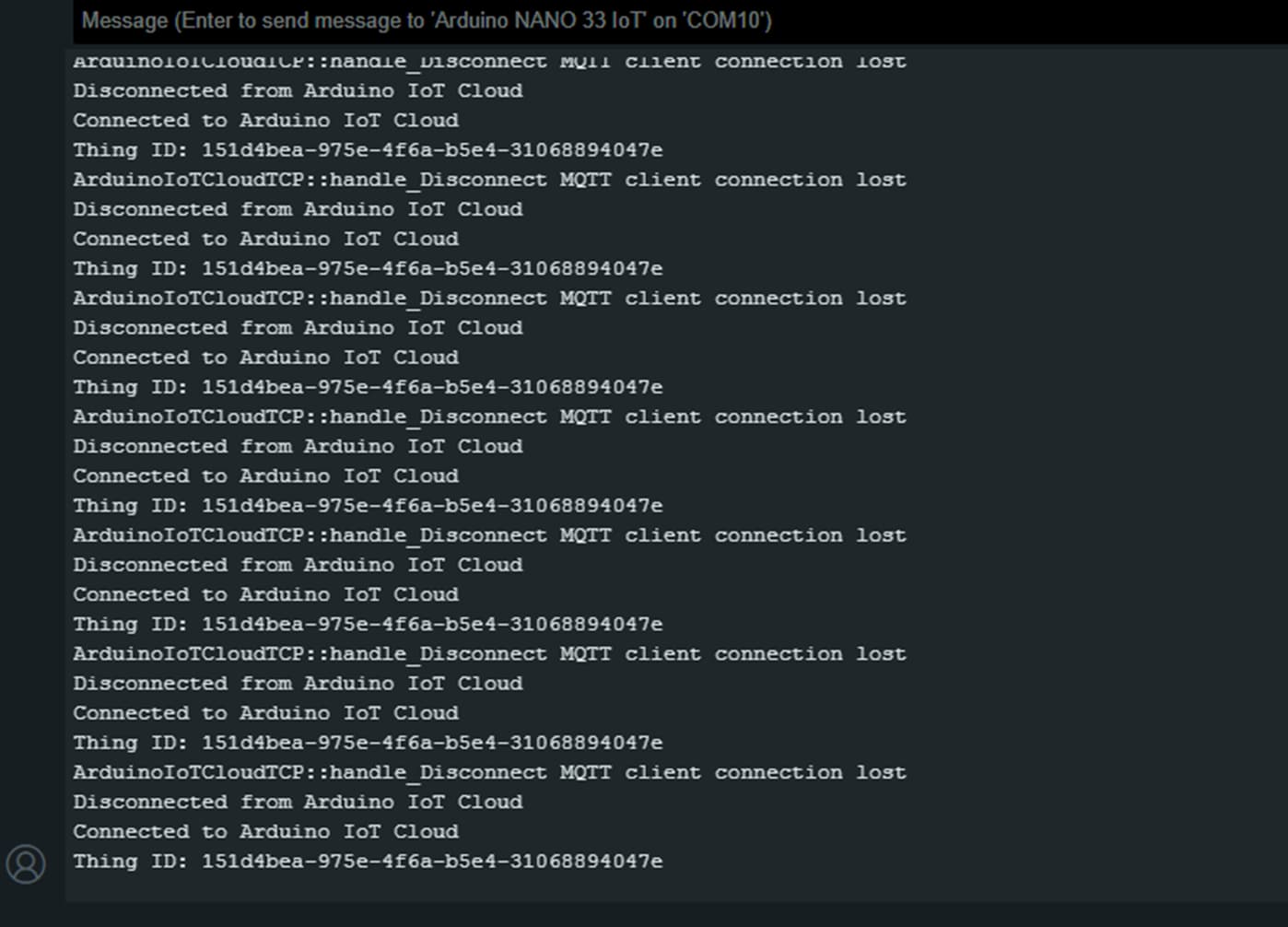
I have connected the serial port to it and it shows a log with the Arduino IoT Cloud and says:
"Connected" then "Disconnected"
Some times it says MQTT client connection lost.
See pictures below:
There is a small code blinking a Built in LED so I know its running.
And I have another blinking LED coming form OPTA's PLC and that one freezes some times and some times runs fine. But is not stable.
I was hoping to use the NaNo as a remote IO station controlled by the Optas PLC using ModbusTCP Client and Server through the Wifi of both systems but I tried the Arduinos official ModbusTCP on the Nano and it wont respond even when the compilation is succefull. Anyway that is a different topic. So I decided to use the Arduino Cloud since that is what the NANO IoT supossed to be but now it is not stable connected.
Anyone has experienced this issue?
If so
How did you solve it?
Not uncommon to have flaky networks. You need to examine the return code of each wifi or mqtt function call and deal with every possible result. You will still get disconnects, but now you will know why and take appropriate action. That is the best you can do.
Here attached is the code I'm using. I used the Arduino cloud to generate the base and then I added some extra stuff to read and write to the IO's. That is all.
I don't see anything else on my loop().
But please take a look and let me know.
Additionally to this I also tried to use it as ModbusTCP server for the Nano becuase I my objective is to communicate it with an Opta WIFI PLC and It compiles ok but when I use the Client the connection times out. I used Wireshark and I can see the client sends the request and in the Flags section within Wire shark the servers answers back with (RST, ACK) which means Nano is closing the connection. The server tries a couple of more time and same answer from Nano even so it claims to be running the ModbusTCP server from the Arduino serial port. Modbus client works fine with other devices so I know is not it. It has to do with the Nano I think. See my code below and pictures with wireShark capture and Arduino serial console. What I'm trying to do is have the OPTA command several devices either using Arduino cloud or local modbus TCP but I can't get either to work.
Hope you can help me sort this out.
#include <SPI.h>
#include <WiFiNINA.h>
#include <ArduinoModbus.h>

// Ensure the server instance is declared.
ModbusTCPServer modbusTCPServer;

const char ssid[] = "xxxxx";           // "Your_SSID" -->
const char pass[] = "xxxx";   // "Your_PASSWORD" -->

WiFiServer wifiServer(502);

void setup() {
  Serial.begin(9600); // initialize serial communication
  while (!Serial);

  // attempt to connect to Wi-Fi network
  Serial.print("Attempting to connect to SSID: ");
  Serial.println(ssid);
  while (WiFi.begin(ssid, pass) != WL_CONNECTED) {
    // wait 10 seconds for connection:
    delay(10000);
    Serial.println("Retrying...");
  }

  Serial.println("Connected to wifi");
  Serial.print("IP address: ");
  Serial.println(WiFi.localIP());

  // start the Modbus TCP server with specified number of registers and coils
  if (!modbusTCPServer.begin()) { // 10 holding registers and 10 coils
    Serial.println("Failed to start Modbus TCP Server!");
    while (1);
  } else {
     Serial.println("Modbus TCP Server started");
  }


  // configure the Modbus TCP server with 10 coils and 10 holding registers
  modbusTCPServer.configureCoils(0, 10);
  modbusTCPServer.configureHoldingRegisters(0, 10);
}

void loop() {
  // poll for Modbus TCP requests
  modbusTCPServer.poll();

  // example of how to set Modbus coils or registers
  modbusTCPServer.coilWrite(0, HIGH);    // set coil 0 to HIGH
  //int sensorValue = analogRead(A0); // read the input on analog pin A0
  int sensorValue1 = 123;
  int sensorValue2 = 456;
  modbusTCPServer.holdingRegisterWrite(0, sensorValue1); // set register 0 to sensor value
  modbusTCPServer.holdingRegisterWrite(1, sensorValue2); // set register 0 to sensor value
}