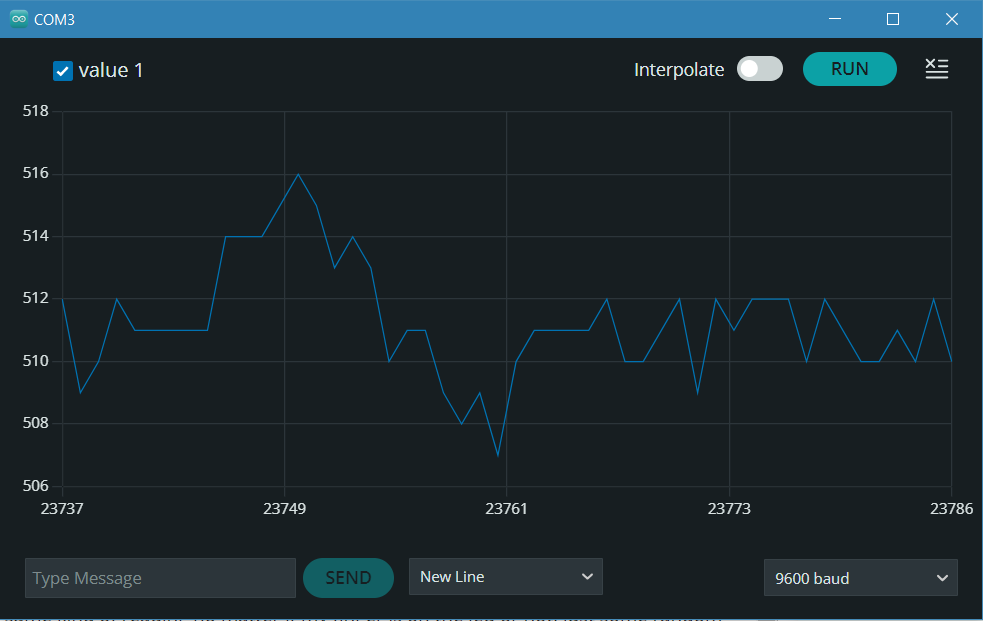
Hi everyone. I just got a pulse sensor and the thing is being a headache. It just gives me the same kind of reading no matter if my finger is on the LED or not, just some random numbers in the 500's (mostly between 508 - 520, but sometimes goes to 550's) I know the sensor is doing something because the numbers greatly change when I'm in the process of moving my finger (putting on or taking off), but a second later it's back to the 500's.
To illustrate, this is a print of my plotter when my finger is on:
and this is when it's off:
and this is the exact second I took my finger off:
I'm using this "getting started" example from the Pulse Sensor playground:
so code supposedly shouldn't be the issue, right? The sensor is also connected directly to my Arduino Uno, with nothing to interfere with. I'm a bit lost about how to troubleshoot this, has anyone faced a similar problem? is there anything I'm missing? I know this sensor is not perfectly accurate, but I need it to show something at least resembling a pulse. This is for a class, my deadline is looming and things are not looking great here...
Thanks in advance for your help
Most likely, you have a defective sensor or a wiring problem. Please post a close up, focused photo of your setup.
Thank you! I had a look at this one before, but unfortunately, I cannot use anything to amplify the signal. The tutorial showed it working alone, so I bought just the sensor and don't have time to order anything else 
How many sensors of this type do you have?
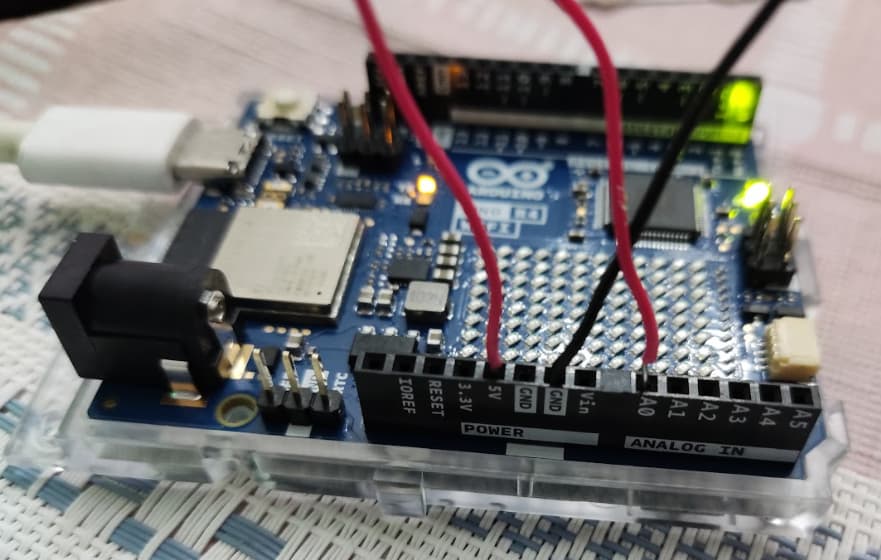
Yeah, I'm considering that it might be broken. It's wired just this:
"-" on GND, "+" on 5V, "S" on A0. The only difference from the site is that my wire doesn't have the jumper-like pin at the end. Could this cause the problem? I never used wires like this, but that's how they came so it's supposed to work.
Only this one. If it's broken I might try contacting the store to see if I can get a replacement
The bare wires shown in the photo are not making reliable connections. You need to use connectors with square pins.
You could try folding the bare wire back on itself, so it makes a tighter connection in the header socket.
Or, if you have jumper wires with square pins, cut a jumper wire in half, strip the insulation off the free end, and twist the wires together tightly (for each of the three sensor wires).
Thank you! I'll try that now 
Added the square pins from some jumpers like you recommend. There's more difference between fingers on/off now and the graph is slightly better with more defined peaks, but the problem remains. Only a very small variation in the early 500's, nothing that looks much like a heartbeat 
My guess is that you have a defective sensor.
I'll try contacting the store. Thank you so much for your time and help, tho, you're an angel
I bought 3 of these sensors and all 3 don't work correctly.
At the moment I'm traveling, but when I return I intend to modify one of them and use it with a second amplification stage.
Someting like this.
None of the 3 works? Wow, that's terrible. Did you get them from the same place or different places?
Have a nice trip. If you remember later, let me know if your plan worked! It's going to be a good reference for the future