Pir Motion sensor Logs Motion detected when no motion

So,
I have a active buzzer and a PIR motion sensor.

While I try to achieve, when there is motion then a buzzer to make the beep sound and between each motion to be a delay.

But As soon as i uploaded the code The buzzer started beeping continuously, but there was no motion.

This is the code

int buzz = 8;
int inputPin = 2;
int val = 0;

void setup() {
  pinMode(buzz, OUTPUT);
  digitalWrite(buzz, LOW);

  pinMode(inputPin, INPUT_PULLUP);

  Serial.begin(9600);
  Serial.println("Function pin is called");
}

void play_tone() {
  digitalWrite(buzz, HIGH);
  delay(1000);
  digitalWrite(buzz, LOW);
  delay(1000);
}

void loop() {
  val = digitalRead(inputPin);

  if (val == HIGH) {
    Serial.println("Motion detected!");
    play_tone();
  } else {
    digitalWrite(buzz, LOW);
    Serial.println("Motion ended!");
  }

  val = digitalRead(inputPin);
  Serial.print("raw pin value: ");
  Serial.println(val);

  delay(500);
}

and I get this on Serial Monitor

Motion Detected
raw pin value: 1

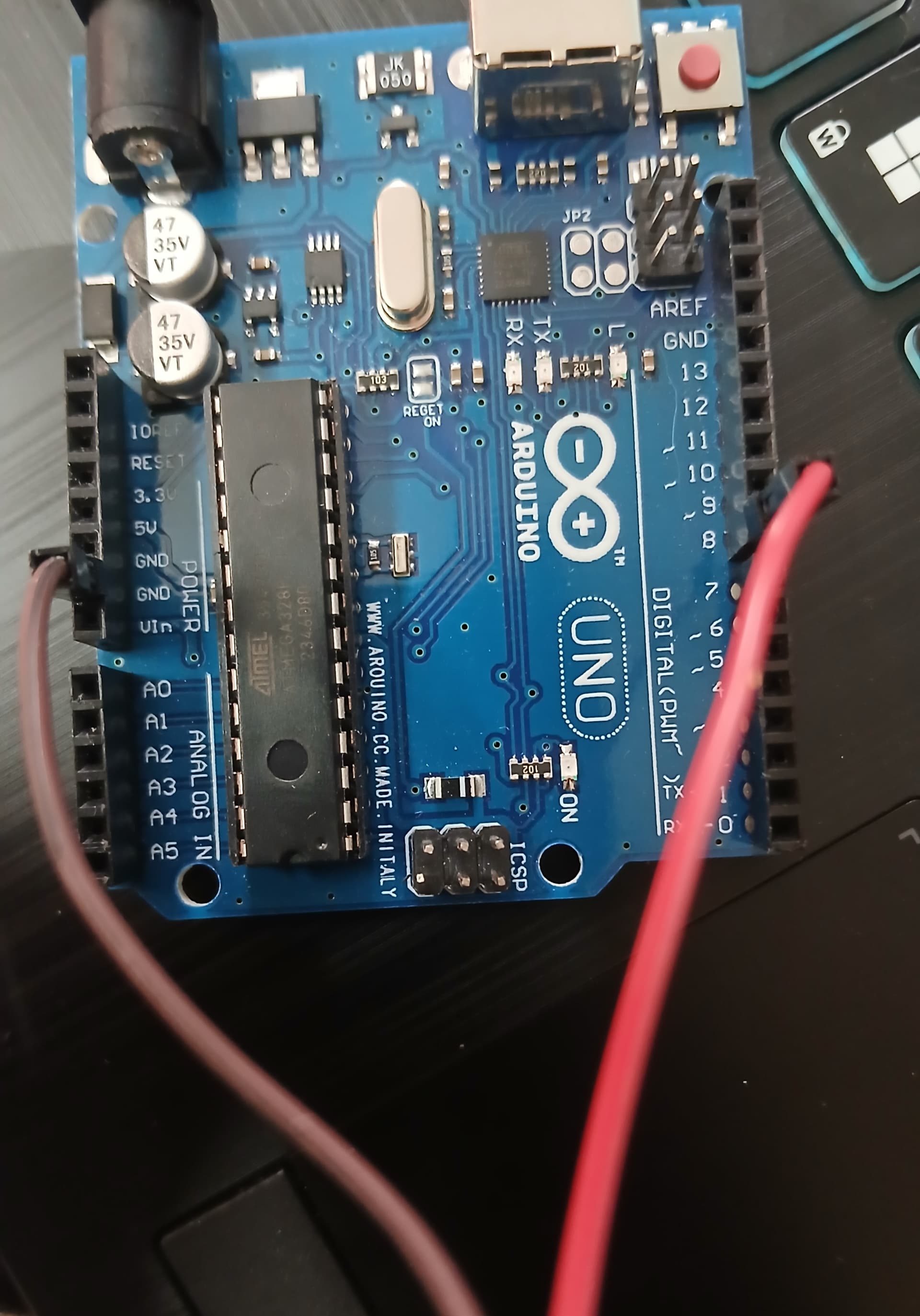
And these are the connection images.
Pir Motion sensor Image:


Buzzer Connection Image

Looking it at you have

pinMode(inputPin, INPUT_PULLUP);

if (val == HIGH) {
    Serial.println("Motion detected!");
    play_tone();
  } else {
    digitalWrite(buzz, LOW);
    Serial.println("Motion ended!");
  }

INPUT_PULLUP will force the pin high so the val == HIGH is going to be true all the time unless the PIR pulls the pin low on detection and if that's the case no detection will keep the buzzer going as the val == HIGH stays true with the current code ; Not sure what type of output PIR you're using.

If the PIR outputs a positive voltage when a detection is made then you would want to pull the input pin to ground with a resistor and the PIR drives it high.

I also used the

pinMode(inputPin, INPUT)

But that also did not work, Any Solution ??

I am a beginner here in this thing.

What type of PIR do you have, does it output a voltage on detection or pull the pin low ?

If the PIR pulls its output LOW ( open drain / collector ) then you could try ;

pinMode(inputPin, INPUT_PULLUP);

if (val == LOW) {
    Serial.println("Motion detected!");
    play_tone();
  } else {
    digitalWrite(buzz, LOW);
    Serial.println("Motion ended!");
  }

This would then trigger if the PIR detects something and the pin gets pulled low.

If the PIR drives its output HIGH - outputs a voltage on detection then try this and place a 10K ohm + resistor between the PIR output and ground

In this case the input is held LOW by the resistor and then driven HIGH by the PIR output on detection, the resistor is needed to define a LOW state on the pin when the PIR is not outputting a voltage.

pinMode(inputPin, INPUT);

if (val == HIGH) {
    Serial.println("Motion detected!");
    play_tone();
  } else {
    digitalWrite(buzz, LOW);
    Serial.println("Motion ended!");
  }

Ok, everyone was at some point. So admitting this, it should be obvious that you will have to spend some time learning as much as you need to with every component. Those PIR sensors can be tricky, despite how easy they seem. See the two little potentiometers on the module? You may need to experiment with those to "dial in" the sensor response type and sensitivity you require.

Another tip with those modules: take a discarded toilet paper tube and cut it and maybe tape it to the module to create a little tunnel-shaped "window" surrounding the sensor, so the sensor is sort of "looking down" the tube. Those sensors capture warm bodies very well and very quickly if they are set as such. The TP tube really helps avoid those unwanted sensor events while you experiment around with things.

Also, read through this:

With that can i conclude that As i have tried,

setting it to low. But i had the same issue. So, Can i conclude that it outputs the voltage, as i don't have a resistor with me at the moment...

so i should try specifically using resistor ?.

Thanks.

That device looks more like an IR thermometer than a PIR detector (usually with fresnel lens and substantial circuit on the module)

wth :sob::sob:. it is a pir sensor that i can confirm.

Okay. It is a PIR.

By looking at your code, it needs no Arduino. The output of the PIR you connect it to pin 2 as an input. This pin (on the PIR) will either transition from HIGH to LOW or LOW to HIGH. Capture that with a multimeter.

Understand that you are triggering it just by being in the area, so you must leave the room for the timeout period (could be seconds, could be minutes).

Get the part number and find the datasheet.

I don't have a multimeter.

and about the part number i got it from a wholesale shop who just gave me this and this was the first time myself trying arduino.

Okay... try this...

To verify Pin 2 is working as an input. Connect a jumper to Arduino GND pin. Run this sketch:

byte pinTwo = 2;

void setup() {
  pinMode(pinTwo, INPUT_PULLUP); // pull pinTwo HIGH
  pinMode(LED_BUILTIN, OUTPUT);
}

void loop() {
  digitalRead(pinTwo);
  if (digitalRead(pinTwo) == 0) // transition pinTwo LOW
    digitalWrite(LED_BUILTIN, HIGH); // "L" ON when GND is shorted to Pin 2
  else
    digitalWrite(LED_BUILTIN, LOW); // "L" OFF when GND is not shorted to Pin 2
}

You should see the "L" LED turn ON when you touch the jumper from ground to Pin 2.

What do you observe?

(I will be writing the next test as you do this)

I did that and i also touched the jumper wire which in resutl i did not see the led turn on.

Looks like you need pin 2 pulled DOWN, connect a 10k resistor from pin 2 to GND, delete:

pinMode(inputPin, INPUT_PULLUP);

can you elaborate it a bit more.

removing that line I don't think coz that is input right ?.

please explain a bit

If you ran the sketch in Post #11, and grounded Pin 2 during the sketch, and the "L" LED did not light, Pin 2 might have been compromised. Try the sketch on another DIO pin, changing this line to reflect the change.

Without a DMM, showing how to test for LOW and HIGH with small sketches are what is needed, not guessing what the module does and changing a sketch that might or might not be accurate. After learning how to detect, measure outputs, then try analyzing the original sketch.

@unknown-force Here is the next sketch to test... it looks very similar... it is for trying to find what your PIR does when INACTIVE or ACTIVE...

byte PIR = 2; // use a working DIO pin... Pin 2 seems to be compromised.

void setup() {
  Serial.begin(115200);
  pinMode(PIR, INPUT_PULLUP); // pull PIR input pin HIGH
  pinMode(LED_BUILTIN, OUTPUT);
}

void loop() {
  digitalRead(PIR);
  if (digitalRead(PIR) == 0) // testing PIR for LOW output when INACTIVE
    digitalWrite(LED_BUILTIN, LOW); // inactive PIR turns "L" OFF
  else
    digitalWrite(LED_BUILTIN, HIGH); // active PIR turns "L" ON for 5 seconds
}

On startup, pins are input by default unless configured for output, try this modification.

int buzz = 8;
int inputPin = 2;
int val = 0;

void setup() {
  pinMode(buzz, OUTPUT);
  digitalWrite(buzz, LOW);

  pinMode(inputPin, INPUT);

  Serial.begin(9600);
  Serial.println("Function pin is called");
}

void play_tone() {
  digitalWrite(buzz, HIGH);
  delay(1000);
  digitalWrite(buzz, LOW);
  delay(1000);
}

void loop() {
  val = digitalRead(inputPin);

  if (val == LOW) {
    Serial.println("Motion detected!");
    play_tone();
  } else {
    digitalWrite(buzz, LOW);
    Serial.println("Motion ended!");
  }

  val = digitalRead(inputPin);
  Serial.print("raw pin value: ");
  Serial.println(val);

  delay(500);
}

After, when i ran the sketch the "L", was always on. It was not turnning of.

Okay but what about the resistor thing you were saying..

I'm assuming the PIR has "push/pull" output that will be connected to GND when OFF and Vcc (5V?) when ON, then no pulldown required, but you didn't say which PIR you have.