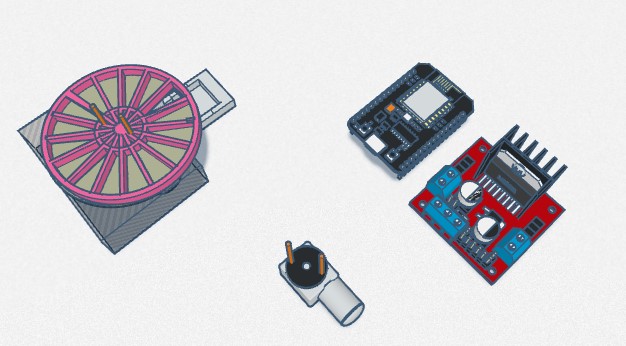
Here is my update for the project as promised. I ve decided to go with the DRV8825 Motor Driver, Nema 17 Stepper Motor, 7805 voltage regulator, DS3231 Clock module, 10 uF Cap on Volt Reg., 100uF Cap on Power 12V 2 Amps., red colored led, 10k resistor on button, and for the processing module I am using a NodeMCU 32S Dev Board. Attached is the schematics and code.
- 1st problem - Led fails to light when triggered at time period designated in code.
- 2nd problem - Nema 17 hums until called on and gets very hot.
Please see the code and the schematics for reference.
Thank you
John
#include <Arduino.h>
#include <LiquidCrystal_I2C.h> // For LCD
#include <RTClib.h> // For RTC DS3231
#include <DRV8825.h> // For Stepper Driver
#define setStepsPerRevolution 100
LiquidCrystal_I2C lcd(0x27,16,2); // Create LCD with I2C address 0x27, 16 characters per line, 2 lines
RTC_DS3231 rtc; // Create RTC for the DS3231 RTC module
//time settings for pill dispensing at 6am
int Hr = 6;
int Min = 0;
int Sec = 0;
const int dirPin = 18; // Pins 16, 17, 18 and 19 perminetly set to (ledPin, button, dirPin and stepPin)
const int stepPin = 19;
const int button = 17;
const int ledPin = 16;
//int buttonStateTwo = 0; // Sets buttonTwo off at initial state
int buttonState = 0; // Sets button off at initial state
// Minimum and maximum values structure for each input.
typedef struct minMax_t {
int minimum;
int maximum;
};
/*
Function to validate user input.
Returns TRUE if value in range, FALSE otherwise.
*/
bool checkInput(const int value, const minMax_t minMax) {
if ((value >= minMax.minimum) &&
(value <= minMax.maximum))
return true;
Serial.print(value);
Serial.print(" is out of range ");
Serial.print(minMax.minimum);
Serial.print(" - ");
Serial.println(minMax.maximum);
return false;
}
/*
Function to update RTC time using user input using "u" in serial input.
*////////////////////////////////////////////////////////////////////////////////////////////////////////
void updateRTC()
{
lcd.clear();
lcd.setCursor(0, 0);
lcd.print("Edit Mode...");
// Prompts for user input at "u" call. Sets paramaters for time.
const char txt[6][15] = {
"year [4-digit]", "month [1~12]", "day [1~31]",
"hours [0~23]", "minutes [0~59]", "seconds [0~59]"
};
// Define limits of user inputs.
const minMax_t minMax[] = {
{2000, 9999}, // Year
{1, 12}, // Month
{1, 31}, // Day
{0, 23}, // Hours
{0, 59}, // Minutes
{0, 59}, // Seconds
};
String str = "";
long newDate[6];
DateTime newDateTime;
// The outer loop. Goes around and around until we get a valid
// date and time. Thats all 6 inputs valid. It does not validate
// February and/or leap years - it doesn't have to DateTime.isValid()
// does that for us.
while (1) {
while (Serial.available()) {
Serial.read(); // Clear serial buffer
}
// We have 6 different user inputs to capture.
for (int i = 0; i < 6; i++) {
// This loop exits when one user input is valid in
// as far as being numeric and in range, sort of.
// Leap years and month end dates are validated later
// when we have the complete date and time.
while (1) {
Serial.print("Enter ");
Serial.print(txt[i]);
Serial.print(" (or -1 to abort) : ");
while (!Serial.available()) {
; // Wait for user input
}
str = Serial.readString(); // Read user input
// The actual value depends on the line ending configured in
// the Serial Monitor. The configured line end character(s)
// are part of the input string!
// If the value is -1, then we abort the clock change
// completely and bale out of this function.
if ((str == "-1") || (str == "-1\n") ||
(str == "-1\r") || (str == "-1\r\n")) {
Serial.println("\nABORTED");
return;
}
newDate[i] = str.toInt(); // Convert user input to number and save to array
// Validate input is in range, exit this inner while() loop
// if so, otherwise, lets go round again.
if (checkInput(newDate[i], minMax[i]))
break;
}
Serial.println(newDate[i]); // Show user their input
}
newDateTime = DateTime(newDate[0], newDate[1], newDate[2], newDate[3], newDate[4], newDate[5]);
if (newDateTime.isValid())
break;
Serial.println("Date/time entered was invalid, please try again.");
}
// Update RTC as we have a valid date & time.
rtc.adjust(newDateTime);
Serial.println("RTC Updated!");
}
// Function to update LCD text
void updateLCD()
{
// Get time and date from RTC.
DateTime rtcTime = rtc.now();
/*
Buffers to format the date and time (on separate lines of the LCD)
If either "AP" or "ap" is used, the "hh" specifier uses 12-hour mode
(range: 01--12). Otherwise it works in 24-hour mode (range: 00--23).
The specifiers within _buffer_ will be overwritten with the appropriate
values from the DateTime. Any characters not belonging to one of the
above specifiers are left as-is.
*/
char dateBuffer[] = "DD MMM hh:mm";
//char timeBuffer[] = "hh:mm:ss AP"; //12 hour with Am Pm settings
// char timeBuffer[] = "hh:mm:ss"; //24 hour
// char hoursBuffer[] = "hh";
//char minsBuffer[] = "mm";
//move LCD cursor to top left
lcd.setCursor(2, 0);
lcd.print(rtcTime.toString(dateBuffer));
//Then after above move LCD cursor to top line,
//far left position.
// lcd.setCursor(5, 0);
// lcd.print("Time");
//lcd.setCursor(4, 1);
//lcd.print(rtcTime.toString(timeBuffer));
}
/////////////////////////////////////////////////////////////////////////////////////////////////////////////////
void setup()
{
Serial.begin(9600);
lcd.display();
lcd.init();
lcd.clear();
lcd.backlight();
//lcd.noBacklight(); // Switch-off lcd backlight
rtc.begin(); // Initialize RTC module.
pinMode(stepPin, OUTPUT);
// set both step and dir pins to output from board
pinMode(dirPin, OUTPUT);
// set led pin to output
pinMode(ledPin, OUTPUT);
// set button pin to INPUT
pinMode(button, INPUT);
// set buttonTwo pin to INPUT
//pinMode(buttonTwo, INPUT);
}
///// Begin Dispensing
void rotate() {
// Set motor direction clockwise
digitalWrite(dirPin, HIGH);
// Spin motor
for (int i = 0; i < setStepsPerRevolution; i++) {
digitalWrite(stepPin, HIGH);
delayMicroseconds(1000);
digitalWrite(stepPin, LOW);
delayMicroseconds(1000);
}
delay(1000); // Wait a second
}
/////////////////////////////////////////////////////////////////////////////////////////////////////////////////
void loop()
{
// Get time and date from RTC.
DateTime rtcTime = rtc.now();
// read the state of the pushbutton value:
buttonState = digitalRead(button);
//buttonStateTwo = digitalRead(buttonTwo);
updateLCD();
if (rtcTime.hour() == Hr && rtcTime.minute() == Min && rtcTime.second() == Sec){
lcd.clear();
lcd.setCursor(0,1);
lcd.print("Pills Ready");
digitalWrite(ledPin,HIGH);
rotate(); //start stepper
}
if (buttonState == HIGH) {
lcd.backlight(); // Switch-on lcd backlight
lcd.clear();
digitalWrite(ledPin, LOW);
lcd.setCursor(0, 1);
lcd.print("Pills Taken");
}
// Press button when pills taken. Check if the pushbutton is pressed.
// If it is, the buttonState is HIGH:
if (Serial.available()) {
char input = Serial.read();
if (input == 'u') updateRTC();
}
}