Hi,
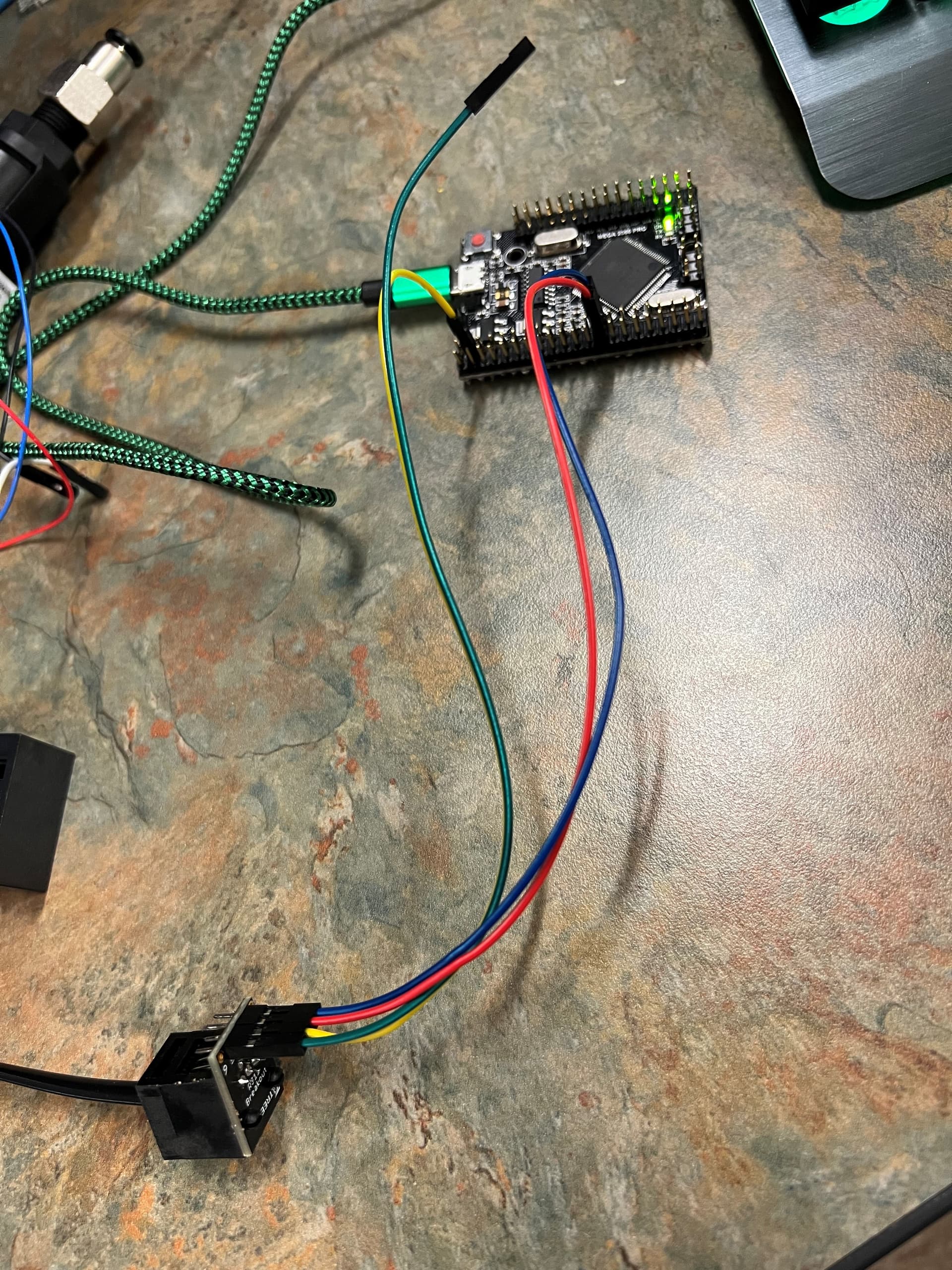
I am new here and to arduino. I am using an ATMEGA2560 clone. I am using Serial3(pins 14,15). Using windows 11. I have uploaded my setup shows it is transmitting, snip of docklight as proof that data is sending, attempt code, and the documentation for the Vantage Pro 2 (weather station). I have established a connection with the weather station and it is sending.
My issue is how to receive? Most sources I find online are for two Arduino uno communicating or Arduino UART with LED which haven't been helpful. I am first attempting to send "TEST\r" and successfully get "“TEST\n” back (as stated in documentation) also can be seen in the doclight snip. If successful I want to go on to explore the other commands.
Your topic was MOVED to its current forum category which is more appropriate than the original as it has nothing to do with Installation and Troubleshooting of the IDE
Please follow the advice given in the link below when posting code, in particular the section entitled 'Posting code and common code problems'
Use code tags (the </> icon above the compose window) to make it easier to read and copy for examination
void setup()
{
//  connect to the serial monitor
  Serial.begin(9600);
//  connect to the vantage pro 2
//  SERIAL_8N1 = 8 bits, no parity, 1 stop bit
  Serial3.begin(19200, SERIAL_8N1);
}

String reply;
void loop()
{
  Serial3.print("TEST\r"); // send command
  delay(3000);

  if (Serial3.available() > 0) //any response received?
  {
    reply = Serial3.read();
    Serial.println(reply); //send it to the PC
  }
}
can you provide links to the actual Arduino board and breakout module you are using?
also a schematic showing the wiring (it is difficult to see from the image what is connected to what)
the Vantage documentation states the default baudrate is 19200 your code is using 9600 otherwise the code looks ok
try this code
// Arduino Mega Serial3 test

// mega pin 14 is Tx
//      pin 15 is Rx
// for loopback test connect pin 14 to pin 15

// for RS232 shield connect pin 14 to Tx and pin 15 to Rx
// for loopback test connect 9 pin D connector pins 2 and 3

unsigned long time;

void setup() {
  Serial.begin(115200);   // initialise serial monitor port
  Serial3.begin(115200);  // initialise Serial3
  Serial.write("Arduino Mega Serial3 test -  for loopback test connect pin 14 to pin 15\n");
}

void loop() {
  if (Serial3.available())  // read from Serial1 output to Serial
    Serial.write(Serial3.read());
  if (Serial.available()) {  // read from Serial outut to Serial1
    int inByte = Serial.read();
    Serial.write(inByte);     // local echo if required
    Serial3.write(inByte);
  }
}
you type commands into the serial monitor which are transmitted over serial to the remote device and any response displyed
Idk how to get a schematic to you. I have ground with ground of atmega 2560. TX from vantage pro with RX of atmega2560 and RX with TX of atmega2560. When I say atmega 2560 I mean the clone. Let me know if you have a way I can draw you a schematic other than by hand.
I will give this code a try. When it comes to parsing the weather data. Would I store it in an array?
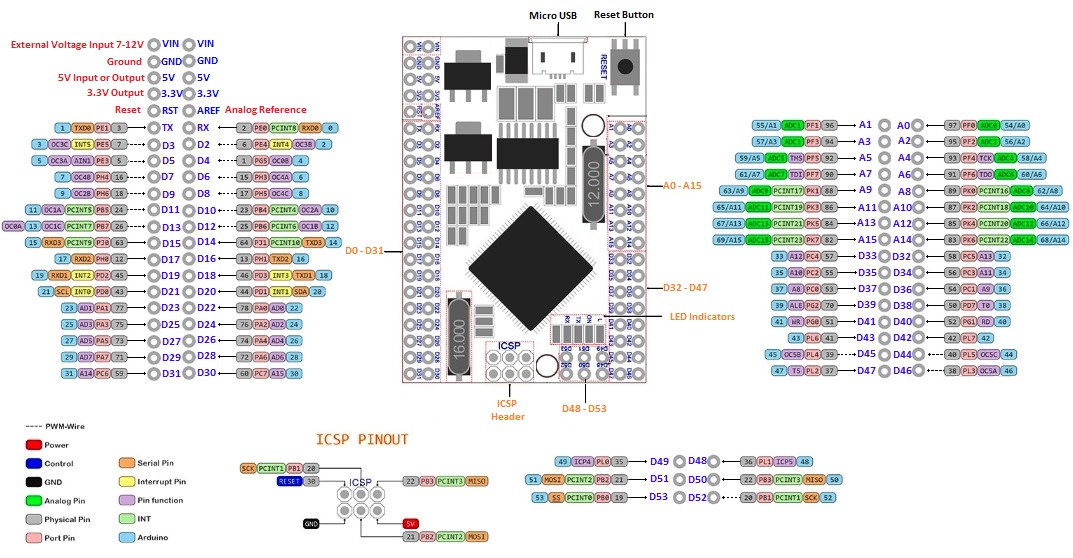
looking at the Mega-2560-Pro-Pinout your Serial3 connections look OK
is there any details on the Vantage pro breakout module
make sure you change the Serial3 baudrate in my code from 115200 baud to 19200
hand drawn schematics are OK or could use kiCAD
once you have basic communications you could read a response fom the Vantage into an array of char which you could then parse to extract information
have a look at the Vantage Serial Communications Manual V. Waking up the Console
I was missing the RS232 shield to use between the weather station and the Arduino. After I connected them shield it was good to go.
I connected the weather station to the DB9.
VCC from shield to 5v on arduino
GND to GND
TX from shield to RX on arduino
RX from shield to TX on arduino