CONGRATULATIONS ON YOUR SUCCESS !
I read all the threads which occurred ILI9341, but I was not wise from that.
Here is a very short video that I now made:

WAY COOL !
I moved the wires from the D4-D7 to D48-D53 and now do experiments with library Adafruit_ILI9340 - it works fast and fine.
Part of definition/wiring:
#define _cs 53
#define _sclk 52
#define _mosi 51
#define _miso 50
#define _dc 49
#define _rst 48

// Using software SPI is really not suggested, its incredibly slow
//Adafruit_ILI9340 tft = Adafruit_ILI9340(_cs, _dc, _mosi, _sclk, _rst, _miso);
// Use hardware SPI
Adafruit_ILI9340 tft = Adafruit_ILI9340(_cs, _dc, _rst);
Before that I tried UTFT library, but it did not work. Although wiring is the same and the definition in program is obvious:
#define TFTcs   53
#define TFTsclk 52
#define TFTmosi 51
#define TFTdc   49
#define TFTrst  48
UTFT myGLCD(TFT01_22SP,TFTmosi,TFTsclk,TFTcs,TFTrst,TFTdc);//SERIAL_DATA_INPUT_SDI_MOSI,SERIAL_CLOCK_SCLK_SCK,CHIP_SELECT_CS,RESET_RST,REGISTER_SELECT_RS_DC
So question is: what is wrong?
PS: UTFT works on my Mega 2560 with 1.8" TFT / ST7735S (identical wiring)
Did your re-define these ports (done on the MEGA)
#define TFTcs   53
#define TFTsclk 52
#define TFTmosi 51
#define TFTdc   49
#define TFTrst  48
for the DUE ?
And in the UTFT-part i miss the following:
#define TFTmiso 50
The SPI-Pins are hardware-coded (for each board-type other) and cant be changed by software (AFAIK)
The MOSI-Pins are hardware-coded
Call me naive but is that just programmer speak for "those pins are reserved for SPI in the "STANDARD"
(if there is one) or "Those pins are reserved for MOSI by the Arduino designers..."
I don't know about the Mega2560 but I know that all the SPI stuff I've used with my UNO
uses the following pin assignment which I assume is inherent in the design:
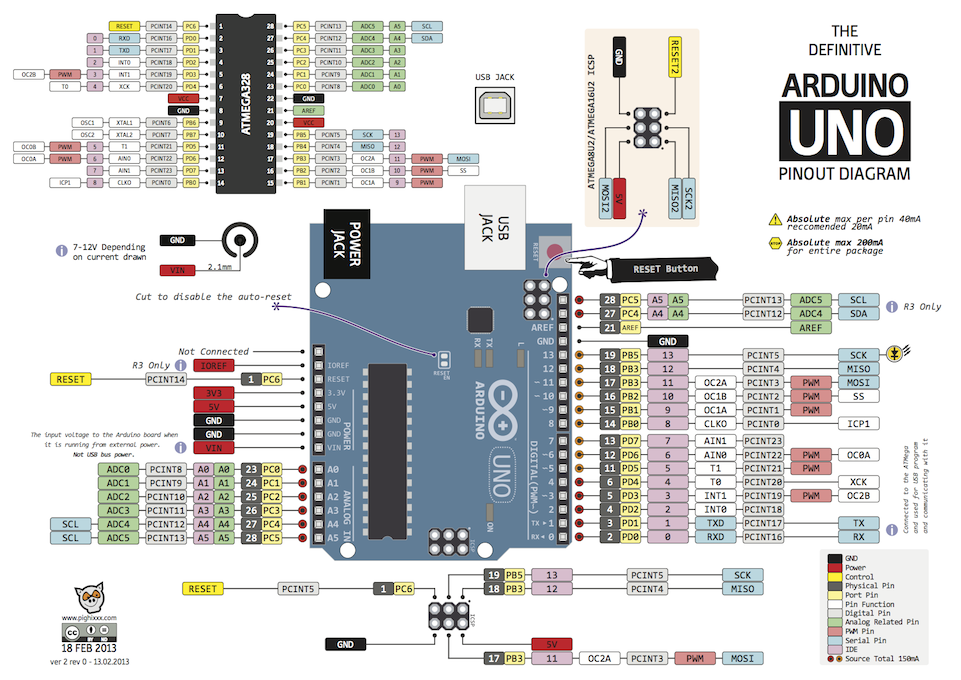
CS to digital 10 (SS)
SCK to digital 13 (SCK)
SDI to digital 11 (MOSI)
DO to digital 12 (MISO)
And in the UTFT-part i miss the following:
Was does that exactly mean
Does that mean you omitted it?
Can you clarify the word "miss" , because I'm "missing" what just happened here.
It sounds to me that because your [present] testing method is using libraries and examples onling
and "editing" them, that somewhere along the way you made an "editing" error of some sort.
is that what you mean ? If so , I completely understand, I'v done the same thing more than once.
A.R.Ty:
Did your re-define these ports (done on the MEGA)#define TFTcs 53
#define TFTsclk 52
#define TFTmosi 51
#define TFTdc 49
#define TFTrst 48
for the DUE ?
Thank you! That's right note! The answer is no - and that is the reason for the failure. The display started working after I've changed the definition:
#define TFTcs   53
#define TFTsclk 76 //HW SPI
#define TFTmosi 75 //HW SPI
#define TFTdc   49
#define TFTrst  48
A.R.Ty:
And in the UTFT-part i miss the following:#define TFTmiso 50
UTFT does not read state of SPI-based displays, so information where is the MISO is not required.
A.R.Ty:
The SPI-Pins are hardware-coded (for each board-type other) and cant be changed by software (AFAIK)
Yes, I know about it. I thought that when the pin arrangement is equal on the MEGA and the DUE, that they are identical functions.

Thank you! That's right note! The answer is no - and that is the reason for the failure. The display started working after I've changed the definition:
Yehaaw XD
I captured another video (UTFT fonts demo), as well as I published the source code files of modified examples and libraries.
As we can see again: there are no problems, only unknown solutions 8)
ode:
#define TFTcs 53
#define TFTsclk 76 //HW SPI
#define TFTmosi 75 //HW SPI
#define TFTdc 49
#define TFTrst 48
Where did you get this ?
I downloaded all the files you mentioned and looked at the pin map for the 2560 and can't find it.
I investigate, that we can use predefined constants instead of numbers:
#if defined(__SAM3X8E__)
#define TFTcs   53
#define TFTsclk PIN_SPI_SCK
#define TFTmosi PIN_SPI_MOSI
#define TFTmiso PIN_SPI_MISO
#define TFTdc   49
#define TFTrst  48
#endif

#if defined(__AVR_ATmega2560__)
#define TFTcs   SS   //CS
#define TFTsclk SCK  //SCK - hw SPI
#define TFTmosi MOSI //SDA - hw SPI
#define TFTmiso MISO //SDO - hw SPI
#define TFTdc   49   //A0/RS
#define TFTrst  48
#endif

#if defined(__AVR_ATmega328P__)
#define TFTcs   10   //CS
#define TFTsclk SCK  //SCK - hw SPI
#define TFTmosi MOSI //SDA - hw SPI
#define TFTmiso MISO //SDO - hw SPI
#define TFTdc    9   //A0/RS
#define TFTrst   8
#endif
OK, but how (or why) did you choose pins 75 & 76 ?
I'm just trying to understand why you used those pins .
I investigate, that we can use predefined constants instead of numbers
Good job - Like 
raschemmel:
OK, but how (or why) did you choose pins 75 & 76 ?
I'm just trying to understand why you used those pins .
Because:
A.R.Ty:
Did your re-define these ports (done on the MEGA) for the DUE ?
...because the Arduino DUE has SPI pins only on the ICSP connector (and if not, I have not found them elsewhere) and these pins are numbered as 74 to 76 instead of Arduino Mega 2560, where pins 50 to 52 are wired directly to ICSP header.
Arduino DUE versus Arduino Mega 2560 pinouts
Got it.
Thanks for the clarification.
I never know if I'll need that ...
I investigate, that we can use predefined constants instead of numbers
So what do call what I'm doing now ? I investigate too but it usually turns out to be more like a
bull in a china shop...
Good job - Like smiley-grin
I'm sorry KSCZ , my last post was meant for Yoda,
Reading this thread (and many others) seems to offer hope to those wanting to get this display working on .. anything.
Like many, I've tried about 7 different libraries to drive this module without success. I've tried all sorts of suggested wiring arrangements without success. In just about every instance where someone has managed to get this screen to work, their job is over, never to return to tell the rest of the world how it was done. Or, they say how it was done ... while leaving out 80% of the important information.
I write technical instructions for a living and I have to say, most threads have a 10% chance of allowing people to replicate what others claim to accomplish.
So for my experience, I will ask all the questions people are wishing to ask and put this muddy grey instruction in the clear. To do this, I need people here to be able to answer every question I ask ... even if it sounds simple. There is no "given" when writing technical instruction.
For my situation, I'm starting with the standard in Arduino. The Mega 2560. In case I blow a display, I bought a second as a backup.
So lets get something cleared off straight away:
• What is SPI and is it something I need to get hardware for?
• What is the current working sketch on a Mega 2560 using Arduino 1.0.5 (Mac)?
• What is the wiring diagram for the supplied sketch?
• What are the locations of the noted wire placement on the Mega 2560?
• How can you ensure all the support libraries are loaded and installed correctly?
More questions will follow. In the end, I will write a fool-proof step-by-step walkthrough for everyone else lost on the internet.
Thanks.
Drexus:
• What is SPI and is it something I need to get hardware for?
Serial Peripheral Interface - you do not need anything else, SPI is present on each Arduino
Drexus:
• What is the current working sketch on a Mega 2560 using Arduino 1.0.5 (Mac)?
Mega 2560 uses 5V TTL logic, so it is not possible connect TFT with 3V TTL logic directly. So I do not know, where is really working sketch for Mega 2560. I can believe that my sketch will work with the appropriate level convertor.
Demo sketch for unmodified "Adafruit_GFX" and "Adafruit_ILI9340" libraries - working with Arduino Due
Drexus:
• What is the wiring diagram for the supplied sketch?
wiring for Arduino Due - wiring for Mega is almost the same
Drexus:
• What are the locations of the noted wire placement on the Mega 2560?
#if defined(__AVR_ATmega2560__)
#define TFTcs   SS   //CS
#define TFTsclk SCK  //SCK - hw SPI
#define TFTmosi MOSI //SDA - hw SPI
#define TFTmiso MISO //SDO - hw SPI
#define TFTdc   49   //A0/RS
#define TFTrst  48
#endif
To learn about pins, inspect the file Arduino/hardware/arduino/variants/mega/pins_arduino.h where you can see:
static const uint8_t SS   = 53;
static const uint8_t MOSI = 51;
static const uint8_t MISO = 50;
static const uint8_t SCK  = 52;
Drexus:
• How can you ensure all the support libraries are loaded and installed correctly?
Correct way to import ZIP file is:
Libraries resides in your document folder (I have no Mac, so my path is C:\Users\myname\Documents\Arduino\libraries