I'm trying to use the PCA9685 servo controller to control a couple of servo motors, however, none of them move. I've tried setting the frequency to 50hz and still nothing. Using a servo tester they all move correctly, however, when plugged into the PCA9685 they are all dead. The servo tester and PCA9685 use the same power source and I've tried powering the servos directly. Power doesn't seem to be the issue, and yes, everything is grounded correctly. Based on my tests power doesn't seem to be the issue and it has something to do with the signal. Using a 2-channel oscilloscope I compared the signals from the tester and the controller, and they have the same voltage, band width etc, but they do not seem to be in phase. Using the setPWMFreq() function I've tried figuring out the tester's frequency but I can never match it. setting it to 48.999999999 is slightly behind, and 49 is way too far ahead, so I've got no clue how I can try and get the signals to align. If anyone has any experience with this issue and knows the solution help would be much appreciated.
Can you post an annotated schematic with links to each of the hardware items technical information?
I think this diagram is accurate,

And here is the code if it helps at all, I'm using radio to communicate with the esp32, by sending x,y to the esp32, where X is one of the outputs of the PCA9685 and y is the pwm length, expect if x=9 where it changes the frequency of the pwm signals.
#include <RadioLib.h>
#include <Adafruit_PWMServoDriver.h>
#include <Wire.h>
Si4432 radio = new Module(5, 16, 17);
Adafruit_PWMServoDriver pca9685 = Adafruit_PWMServoDriver(0x40);
#define SERVOMIN  80  // Minimum value
#define SERVOMAX  600  // Maximum value
#define SER0 0
#define SER1 1
#define SER2 2
#define SER3 3
#define SER4 4
#define SER5 5
#define SER6 6
#define SER7 7
#define SER8 8
#define SER9 9
String joint;
int str2;
float strf;
int pwm0;
int pwm1;
int pwm2;
int pwm3;
int pwm4;
int pwm5;
int pwm6;
int pwm7;
int pwm8;
int pwm9;
int weight;
void setup() {
  Serial.begin(9600);
  delay(1000);
  pca9685.begin();
  pca9685.setPWMFreq(45);
  // initialize Si4432 with default settings
  Serial.print(F("[Si4432] Initializing ... "));
  pinMode(4, OUTPUT);
  int state = radio.begin();
  if (state == RADIOLIB_ERR_NONE) {
    Serial.println(F("success!"));
  } else {
    Serial.print(F("failed, code "));
    Serial.println(state);
    while (true);
  }

  // set the function that will be called
  // when new packet is received
  radio.setPacketReceivedAction(setFlag);

  // start listening for packets
  Serial.print(F("[Si4432] Starting to listen ... "));
  state = radio.startReceive();
  if (state == RADIOLIB_ERR_NONE) {
    Serial.println(F("success!"));
  } else {
    Serial.print(F("failed, code "));
    Serial.println(state);
    while (true);
  }

  // if needed, 'listen' mode can be disabled by calling
  // any of the following methods:
  //
  // radio.standby()
  // radio.sleep()
  // radio.transmit();
  // radio.receive();
  // radio.readData();
}

// flag to indicate that a packet was received
volatile bool receivedFlag = false;

// this function is called when a complete packet
// is received by the module
// IMPORTANT: this function MUST be 'void' type
//            and MUST NOT have any arguments!
#if defined(ESP8266) || defined(ESP32)
  ICACHE_RAM_ATTR
#endif
void setFlag(void) {
  // we got a packet, set the flag
  receivedFlag = true;
}

void loop() {
  // check if the flag is set
  if(receivedFlag) {
    // reset flag
    receivedFlag = false;

    // you can read received data as an Arduino String
    String str;
    int state = radio.readData(str);

    if (state == RADIOLIB_ERR_NONE) {
      // packet was successfully received
      // Serial.println(F("[Si4432] Received packet!"));


      Serial.println(str);
      joint = str.charAt(0);
      str.remove(0, 2);
      strf = float(str.toInt());
      if (joint.toInt() == 9) {
        pca9685.setPWMFreq(strf);
      } else {
      str2 = str.toInt();
      pwm0 = map(str2, 0, 180, SERVOMIN, SERVOMAX);
      // Write to PCA9685
      pca9685.setPWM(joint.toInt(), 0, pwm0);
      }

    } else if (state == RADIOLIB_ERR_CRC_MISMATCH) {
      // packet was received, but is malformed
      Serial.println(F("CRC error!"));

    } else {
      // some other error occurred
      Serial.print(F("failed, code "));
      Serial.println(state);

    }

    // put module back to listen mode
    radio.startReceive();
  }
}
I think the problem might be more related to my code regarding floats as 49hz looked identical to 49.9999999hz, and there was a big difference between 49.9999999hz and 50hz. Anyone see a problem with my code? Or is it the library that doesn't accept floats? I don't have much C knowledge so I can't look into it that far.
Your pictorial diagram will not work, the battery will not supply enough energy. Please explain how you are getting such precision on your frequency. I have ISO certified instruments that are not that accurate. I do not open text files, As far as code it was not posted, Please spend the time and read the forum guidelines and follow them that makes it easier for all involved. When somebody works on your question they have a finite amount of time, the more spent reading junk the less goes into solving your problem. Please use code tags. What does "(Out of frequency) telling us?
I was using the 9v as a representative of my 40 cell li-ion bank, and my original posts says the power does indeed work, and I'm posting this on my phone and don't have the tags memorised, and the set frequency function takes a float in so I was giving it the float of 49.999999, not getting that as the output of that frequency.
At this point I suggest you get a copy of the arduino cookbook and skim it cover to cover. Then read the perternant sections. Then read the data sheet, start here: PCA9685 | NXP Semiconductors The PWM hardware is binary based and knows nothing about decimal points and what follows them. In other words RTFM (Read The Full Manual).
I don't have very good knowledge or reading data sheets and all, and shouldn't all of that be handled by the library? I edited my above post to include the code, not just the txt file with it, can you see and errors where the floats might not be working correctly and converting to an int at all?
What is in the library is entirely up to the person(s) that wrote it. There is no requirement the library explains or conforms to the data sheet and or its limits.
Do not feel bad, I have been reading data sheets for over 60 years and I am not that good at it either. Each time I read one I learn something new, over time that adds up.
The purpose of the data sheet is to describe what the part can do and how to basically use it, it does not nor was it intended to solve a particular application although examples may be given.
The Arduino float data type has only 6-7 decimal digits of precision. That means the total number of digits, not the number to the right of the decimal point . This is from the Arduino reference: float - Arduino Reference Spend some time with the cookbook it will help.
After a bit of research, I found the setOcillatorFrequency() function and tuned to the controller to be the same as the servo tester. I ran out of digits before I got it exact, but it takes around 6-7 seconds to jump one period ahead so it is pretty close. I don't think that the frequency is the issue because the servos should have like a 1-2hz tolerance so it must be something else. everything but the frequency looks identical on an oscilloscope, the power is the same so I'm out of ideas. The wrong frequency was my last hope. Got any other ideas?
-
Logic power of the PCA9685 module should connect to the 3.3volt pin of the ESP32, not to 5volt.
-
I2C requires pull up resistors (to the processor's logic voltage), not pull down resistors (to ground).
Remove those resistors to ground. Pull up are not needed if I2C wiring is short (~20cm), because the PCA module already has (10k) pull up resistors fitted. If I2C wiring is longer than that, then use extra (4k7) pull up resistors to 3.3volt of the processor.
Leo..
Thanks alot for this, today I thought I would completely rewire everything cause of all my testing the breadboard was a bit messy. After taking everything out and putting it back in the pca9685 outputted nothing and my hopes dropped further. I had everything wired correctly the first time I just didn't trace the cables properly, you just saved even hours of troubleshooting. With everything correct the servos are still not moving. On an oscilloscope the PWM signals from the tester and PCA are both almost identical, I can send a picture tmrw morning (AEDT) but the only difference is the PCA's voltage is a tiny bit higher and as mentioned above has just an ever so slight increase in frequency. I've also found that using a specific PCA out of the 3 I have I can get one servo to move out of the 6 I have. It's a less powerful servo than the other ones, I don't know exactly what servo as it's all black (maybe I'll find some engraving on it tmrw?) But the ones that don't work with the PCA are 35kg and 60kg dsservo motors. I haven't found any known cases of non-compatibility and the servos were working at one point (to which I changed nothing and yet here we are). Any ideas?
Stop worrying about the frequency.
Servos work fine if the frequency is off by a large amount.
Servo problems are usually power related, so how are you powering the servos.
I see a breadboard supply, and you mention a 40-cell LiPo battery.
How are these cells configured. Series, parallel, and what is the final voltage of the pack.
Don't assume that a breadboard supply can power a servo.
Small (SG-90) servos draw close to 1Amp each, and slightly larger ones draw 2.5A stall.
Breadboard supplies top at 0.5A.
Leo..
The batteries are in a 4x10 arraignment with an output of 15-16 volts going into a 5v regulator. as it's 4 banks of 10. Power can't be the issue as using the servo tester from the same power source is fine, even with 3 plugged it the same time, the controller doesn't even work even with 1. (I even tested taking the power from the tester and signal from the controller)
What regulator. I hope it's not a linear one. Which servos.
Did you try the Adafruit servo example before adding the extra code.
I think it's time to see real pictures of the setup.
Leo..
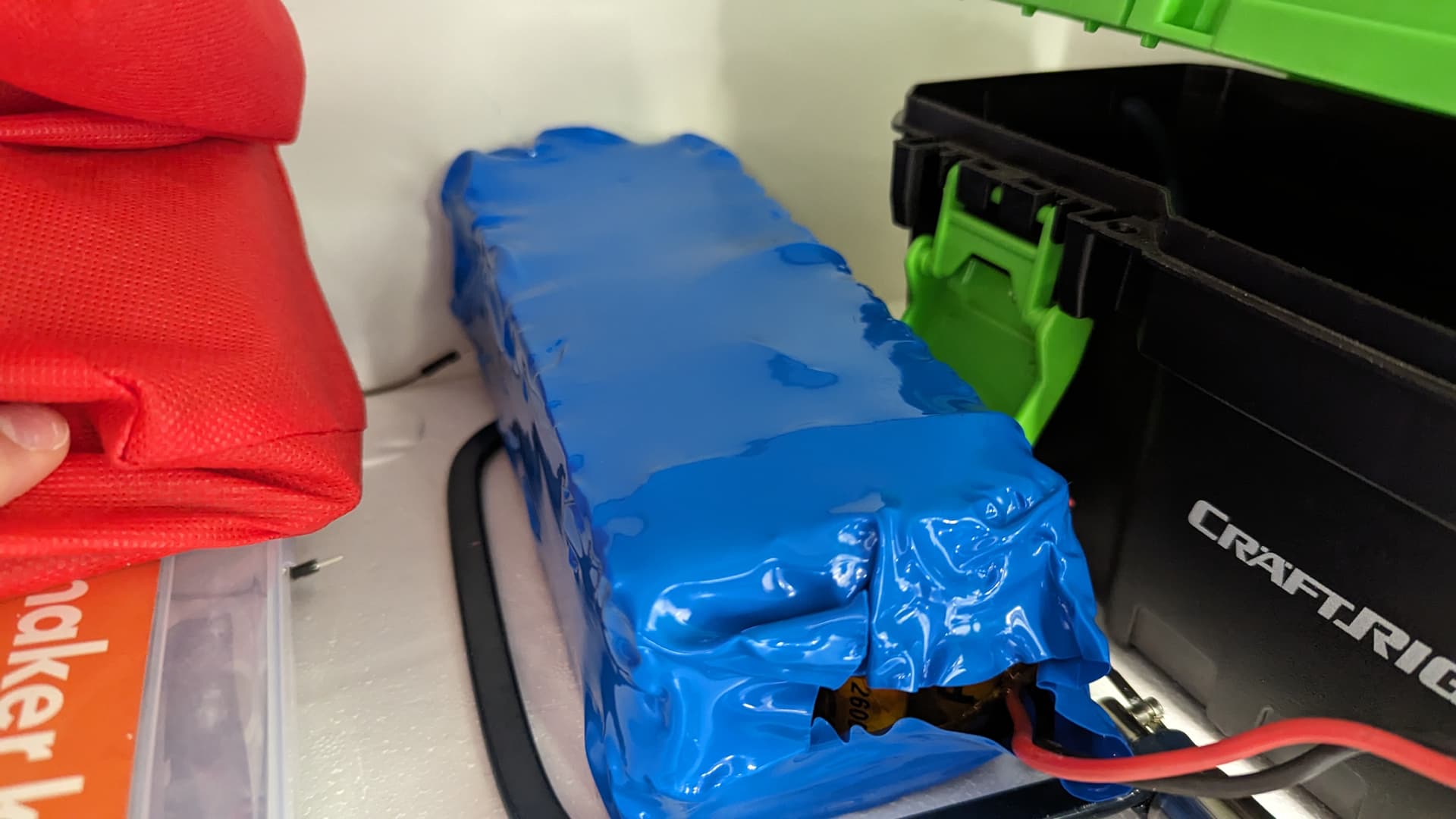


Your pictures are fuzzy and are you have yet to post a schematic as asked for in the first answer. Without a readable schematic I am out, guessing games are not my thing. Remember not everybody has the same parts as you do and descriptions are not consistant.
This topic was automatically closed 180 days after the last reply. New replies are no longer allowed.