Hi everybody,
I often use two different instances of the arduino-IDE:second desktop-shortcut to a different arduino.exedifferent place on my harddisc
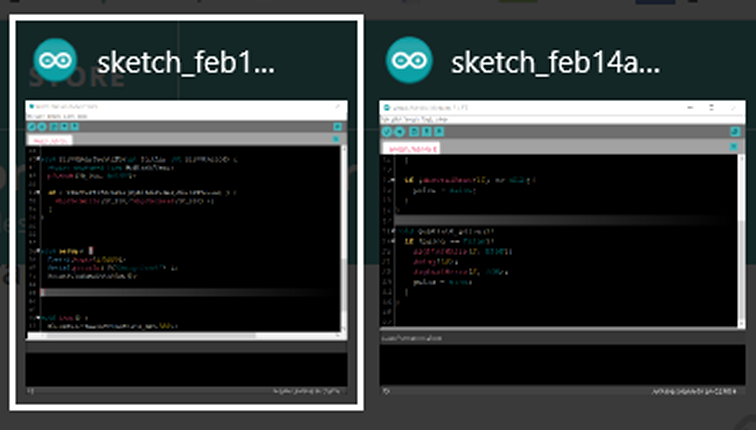
As you can see in the task-manager
two different instances
How can I change the color of the taskbar -icon for easier distinguishing which IDE is what?
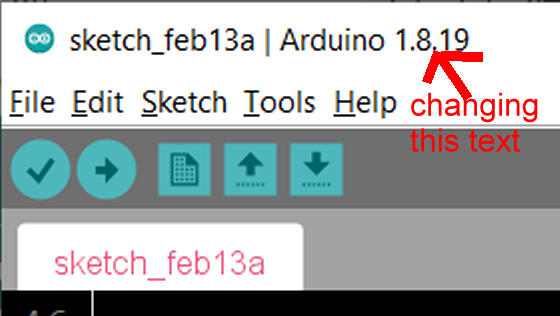
Or as a second possability where can I change the version number in the headline of the window?
I looked up the arduino.exe with UltraEdit to see if this text is stored there but I did not find it
best regards Stefan
LarryD
February 14, 2022, 6:06pm
2
I just give a quick glance at the top line to see the name of the file.
Yes this works,
but I want to explicitly see it in the taskbar -icon through different colors
the filename is shortened and no longer readable to the end,
And Icon-color is the same
To my knowledge you can't change it; those icons are in some way part of the executable. It would mean that they have to include N different coloured icons.
in0
February 14, 2022, 8:11pm
5
Here:
          import cc.arduino.packages.BoardPort;

          import static processing.app.I18n.tr;
          import static processing.app.helpers.filefilters.OnlyDirs.ONLY_DIRS;

          public class BaseNoGui {

            /** Version string to be used for build */
            public static final int REVISION = 10819;
            /** Extended version string displayed on GUI */
            public static final String VERSION_NAME = "1.8.19";
            public static final String VERSION_NAME_LONG;

            // Current directory to use for relative paths specified on the
            // commandline
            static String currentDirectory = System.getProperty("user.dir");

            static {
              String versionNameLong = VERSION_NAME;
              File hourlyBuildTxt = new File(getContentFile("lib"), "hourlyBuild.txt");
              if (hourlyBuildTxt.exists() && hourlyBuildTxt.canRead()) {
Instructions for building the IDE from source are available here:
Hi in0,
thank you for posting the info.
I decided to not dive into this.
I changed the Icon that is stored inside the Arduino.exe-file with ressource-hacker.http://www.angusj.com/resourcehacker/#download
But this did not change the Icon shown in the Taskbar
Then I removed the arduino_icon.ico and the arduino.png -logo files and this changed the icon to the standard java-icon
So it must be on of those
@LarryD @sterretje @in0
Finally I narrowed it down.
The Icon that appears in the upper-left-corner of the IDE-Window and the Serial-Monitor-Window is loaded from the subdirectory
C:\Program Files (x86)\Arduino\lib\icons\256x256\apps
And there is a png-graphic-file called arduino.png
I modified this png-file to negative-colors turns green into red and white into black
As you can see this file is loaded as the icon
The same appearance in the task-switcher shown after pressing Alt-TAB
And in the Taskbar too
best regards Stefan