hello I've added some code to my project to convert an intigar to a string then a char, however when its converted to a string only the first digit of the int gets displayed (e.g. int = 3.14 and the string value = 3)
below is the section of code that does the conversion.
    int a=v2;     //declaring integer
  char b[2];   //declaring character array
  String str;  //declaring string

 char input[30];


  str=String(a); //converting integer into a string
 str.toCharArray(input, 30);
the v2 is the int that is being converted into char input
str=String(a); //converting integer into a string
str.toCharArray(input, 30);
To convert a numeric variable to a character array, you don't need to use Strings (capital S). You can go directly to a character array aka (small s) string using sprintf.
What do you want to do with the character array once it has the numeric value converted into it?
#include "ST7565.h"


 const int numReadings = 10;

int readings[numReadings];      // the readings from the analog input
int index = 0;                  // the index of the current reading
int total = 0;                  // the running total
int average = 0;                // the average

int inputPin = A0;


 float vPow = 4.9;
 float r1 = 18000;
 float r2 = 4700;
 int psu = 3;

 // the LCD backlight is connected up to a pin so you can turn it on & off
#define BACKLIGHT_LED 10

// pin 9 - Serial data out (SID)
// pin 8 - Serial clock out (SCLK)
// pin 7 - Data/Command select (RS or A0)
// pin 6 - LCD reset (RST)
// pin 5 - LCD chip select (CS)
ST7565 glcd(9, 8, 7, 6, 5);

#define LOGO16_GLCD_HEIGHT 16
#define LOGO16_GLCD_WIDTH  16


 void setup() {
   Serial.begin(9600);


    // turn on backlight
  pinMode(BACKLIGHT_LED, OUTPUT);
  digitalWrite(BACKLIGHT_LED, HIGH);

  // initialize and set the contrast to 0x18
  glcd.begin(0x18);


glcd.clear();


   for (int thisReading = 0; thisReading < numReadings; thisReading++)
    readings[thisReading] = 0;

   // Send ANSI terminal codes
   Serial.print("\x1B");
   Serial.print("[2J");
   Serial.print("\x1B");
   Serial.println("[H");
   // End ANSI terminal codes

   Serial.println("--------------------");
   Serial.println("DC VOLTMETER");
   Serial.print("Maximum Voltage: ");
   Serial.print((int)(vPow / (r2 / (r1 + r2))));
   Serial.println("V");
   Serial.println("--------------------");
   Serial.println("");

   delay(2000);
 }

 void loop() {

     // subtract the last reading:
  total= total - readings[index];
  // read from the sensor:
  readings[index] = analogRead(inputPin);
  // add the reading to the total:
  total= total + readings[index];
  // advance to the next position in the array:
  index = index + 1;

  // if we're at the end of the array...
  if (index >= numReadings)
    // ...wrap around to the beginning:
    index = 0;

  // calculate the average:
  average = total / numReadings;


   analogWrite(psu, 56);

   float v = (average * vPow) / 1024.0;
   float v2 = v / (r2 / (r1 + r2));


    int a=v2;     //declaring integer
  char b[2];   //declaring character array
  String str;  //declaring string

 char input[30];


  str=String(a); //converting integer into a string
 str.toCharArray(input, 30);  //passing the value of the string to the character array
glcd.clear();


  glcd.drawstring(0, 5, input);
   glcd.display();


   Serial.println(b);
   delay(1000);
 }
the idea simpily is that it reads A0 smooths the reading, by creating an average. then a voltage decider calculation calculates a voltage (witch is v2 and usually = 3.14) then that gets converted to a char and displayed on an lcd once per second
thanks again for your time
Edit - the serialprint(b) was set for testing and will usually be serialprint(input)
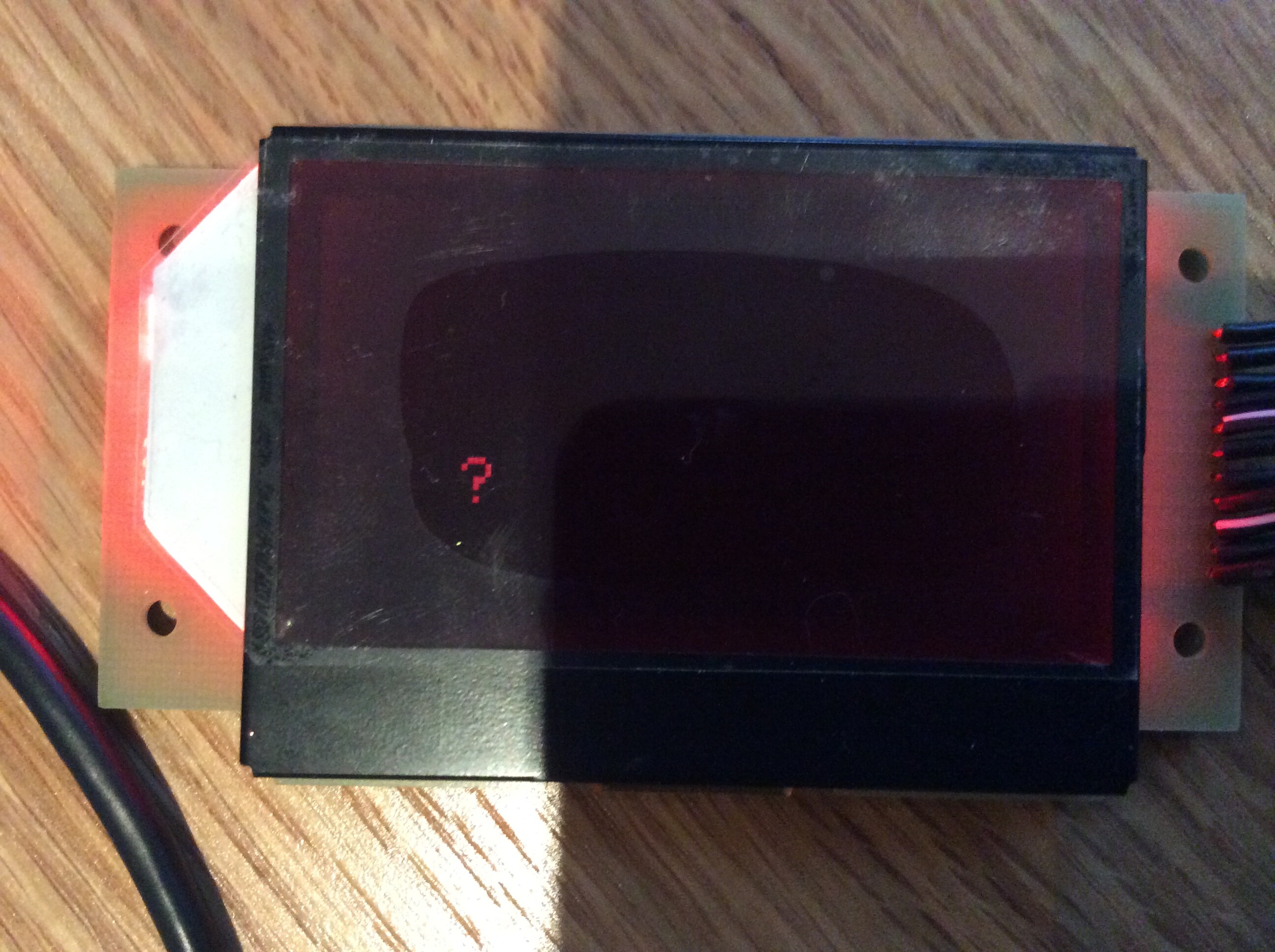
Thanks I recompiled and ran the code however on the LCD there's just a '?' (See attached picture)
I've tried using dtostrf() however that wouldn't compile at all