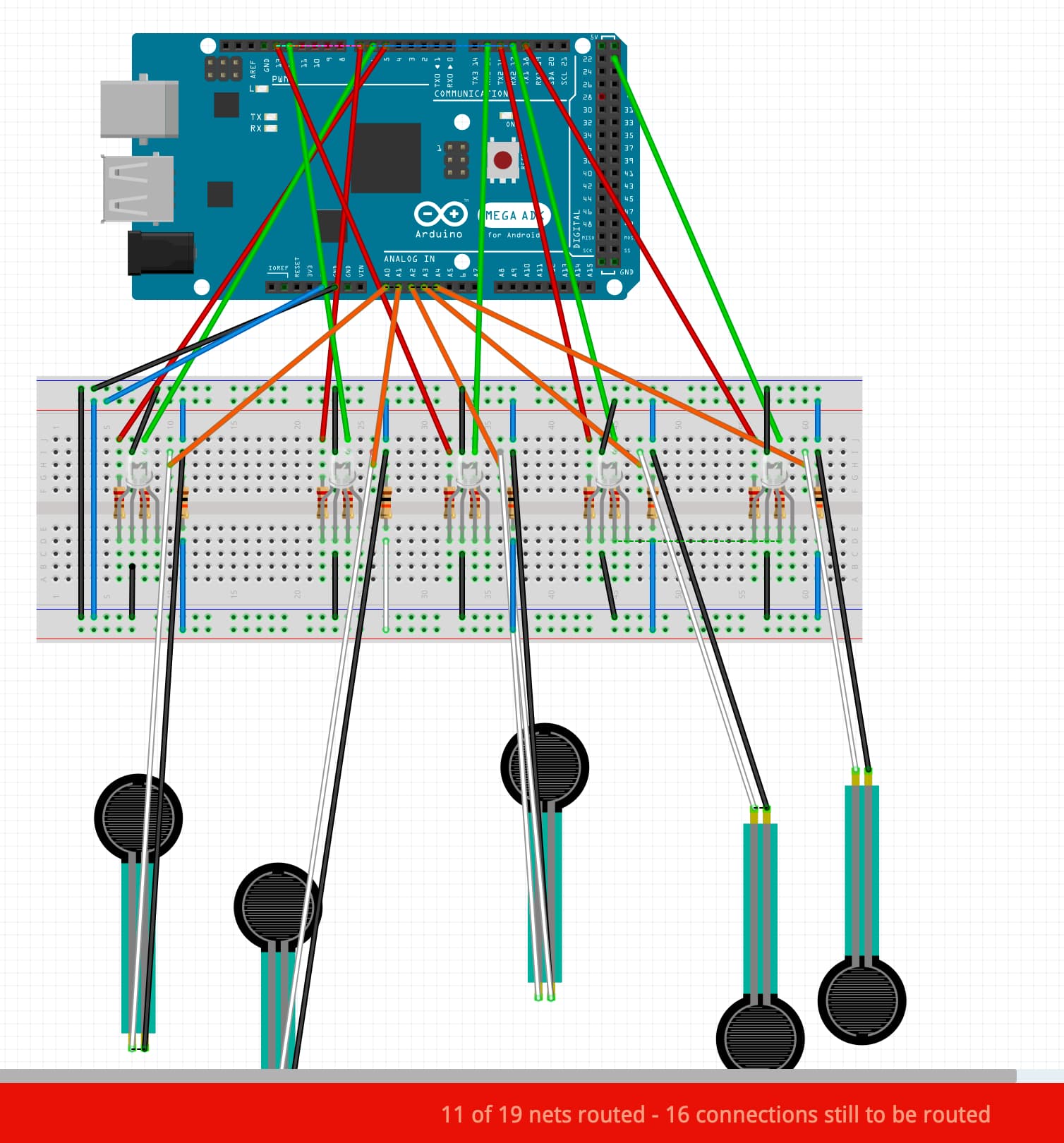
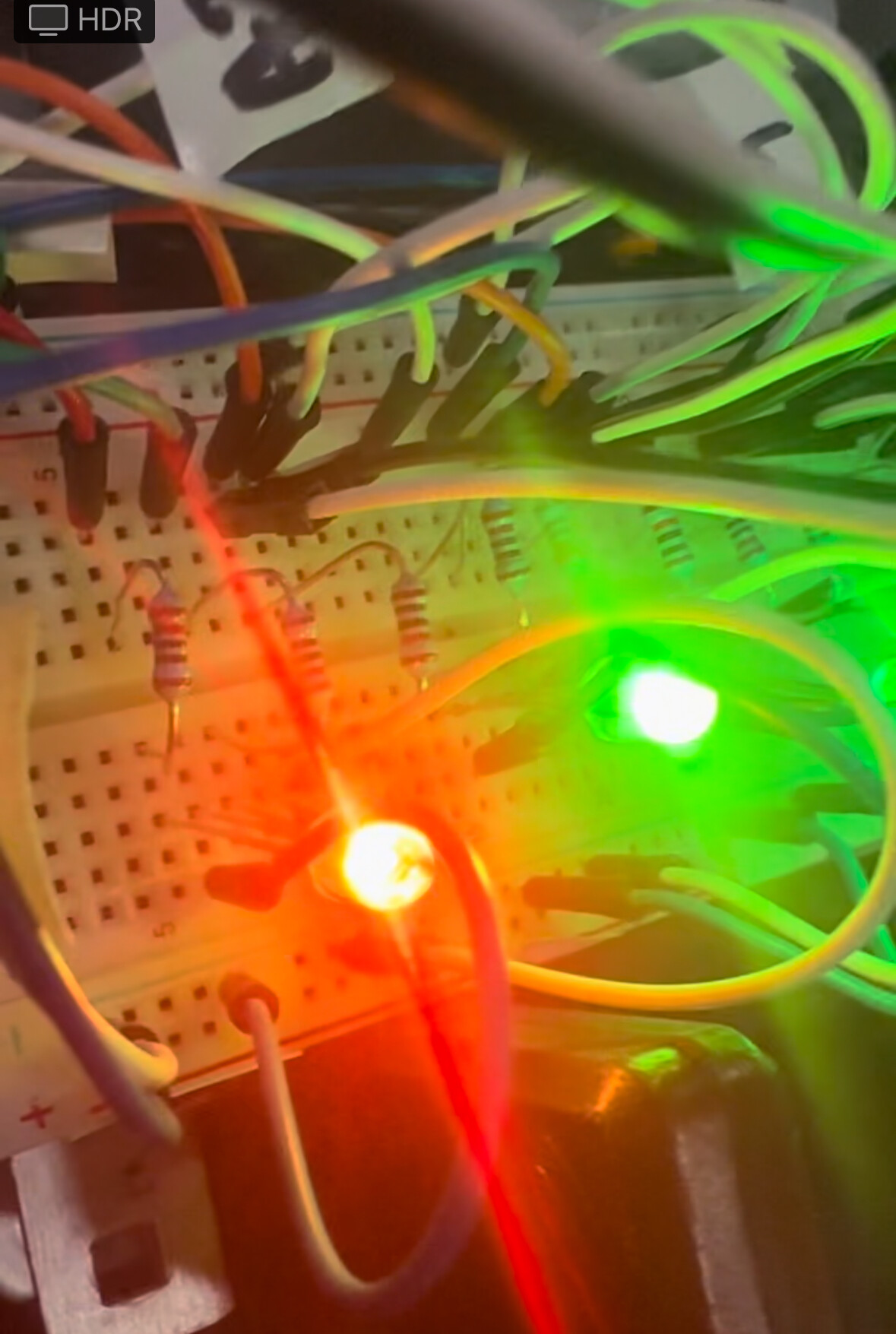
I'm trying to map pressure sensors with LEDs. The pressure sensors are reporting it's value however, the leds are not even on.
When I stick the ground pin in the resistor that's suppose to bee green, it lights up
here is my code and picture
- Blue = 5v
- black = GND
- orange = analog
- white (for pressure sensor is where the analog will be shown,)
- black (for pressure sensor, connected to 5v)
- green = for green led
- red = for red led
// Pin Definitions
const int numSensors = 5; // Number of sensors and LEDs

// Arrays to hold pin numbers for sensors and RGB LEDs
const int forceSensorPins[numSensors] = {A0, A1, A2, A3, A4}; // Analog inputs for force sensors
const int redPins[numSensors] = {5, 7, 13, 16, 18}; // Red LED pins for each LED
const int greenPins[numSensors] = {6, 12, 15, 17, 23}; // Green LED pins for each LED
const int bluePins[numSensors] = {9, 4, 2, 1, 3}; // Blue LED pins for each LED (not used, but reserved)

// Rescaled max value for force sensor reading
const int maxForceValue = 300;  // Maximum practical value for your application
// Color boundaries for Green to Yellow to Red transition
const int greenToYellowEnd = maxForceValue / 2;  // Midpoint where color is fully Yellow (Green+Red)
const int yellowToRedEnd = maxForceValue;  // End at Red (maxForceValue)

void setup() {
  // Initialize all LED pins as outputs
  for (int i = 0; i < numSensors; i++) {
    pinMode(redPins[i], OUTPUT);
    pinMode(greenPins[i], OUTPUT);
    pinMode(bluePins[i], OUTPUT);
  }

  Serial.begin(9600); // For debugging purposes
}

void loop() {
  // Loop through all sensors and adjust the corresponding LED color
  for (int i = 0; i < numSensors; i++) {
    // Read the force sensor value
    int forceValue = analogRead(forceSensorPins[i]);


    // Print the force value to the serial monitor for debugging
    Serial.print("Force Sensor ");
    Serial.print(i);
    Serial.print(": ");
    Serial.println(forceValue);

    // Adjust the color based on the force value with a smooth gradient
    if (forceValue <= greenToYellowEnd) {
      // Green to Yellow transition
      int redValue = map(forceValue, 0, greenToYellowEnd, 0, 255);
      int greenValue = 255;
      setColor(i, redValue, greenValue, 0); // No blue used
    } else if (forceValue <= yellowToRedEnd) {
      // Yellow to Red transition
      int redValue = 255;
      int greenValue = map(forceValue, greenToYellowEnd, yellowToRedEnd, 255, 0);
      setColor(i, redValue, greenValue, 0); // No blue used
    }

    delay(50); // Small delay for smooth visual transition
  }
}

// Function to set the RGB LED color for a specific sensor
void setColor(int sensorIndex, int redValue, int greenValue, int blueValue) {
  analogWrite(redPins[sensorIndex], redValue);
  analogWrite(greenPins[sensorIndex], greenValue);
  analogWrite(bluePins[sensorIndex], blueValue);
}