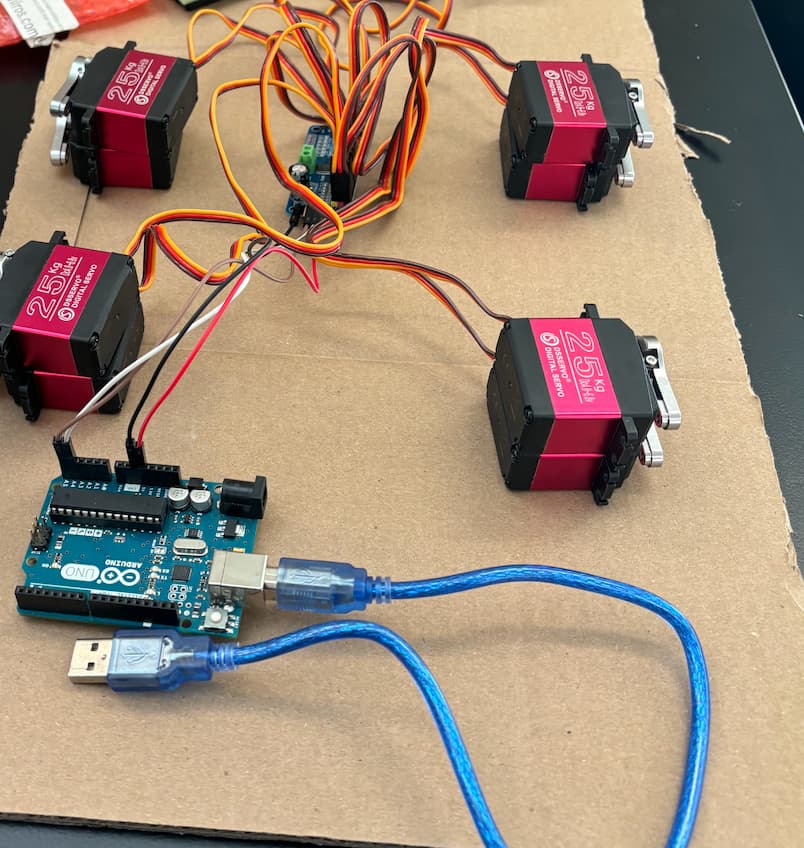
This is my first year working on a project for a school like this. But we are trying to assemble a quadruped robot. It's a very complex system, but as of now, we have the following components:
Arduino UNO R4 WiFi
DROK DC Buck Converter, 5.3V-32V to 1.2V-32V 12A Adjustable Power Supply
Zeee 7.4V Lipo Battery 2S 50C 5200mAh
HiLetgo PCA9685 16 Channel 12-Bit PWM Servo Motor Driver
8 SSERVO DS3225MG 25KG Waterproof Metal Gear Digital Servos
We also have all the extra jumper cables and any other cables we need to connect everything on the side.
As of now, our main issue is trying to connect everything to power.
This is the current setup:
7.4v Battery --> Buck Converter ---> PCA9685 ---> (Both) 8x Servos and the Arduino.
The first issue is the connection between the Buck converter and the PCA9685, the buck converter is receiving power, and we have it set to output 5.09V from the about 7V input from the battery. However, the light indicator for the PCA9685 that says it's receiving power has never turned on no matter what settings we have changed on the buck converter. The buck converter is necessary as of now to run our servos at 5V. We've tried removing the buck converter from the equation and still, the PCA receives no power. We are unsure what the issue is.
The other thing is now that we know that the setup for power to the Arduino is just wrong. We are confused about whether the power connection should go through the PCA9685 or come from somewhere else. We've searched countless YouTube videos and forums, and it seems like our setup and robot are way different than what's out there.
This is for a high school club project, and it is the first year of the club since our robotics advisor doesn't come in until later this year, which is why we have so many problems and questions in the first place. This robot is designed for fun and just to have a head start on the club and we don't plan on using it for any competitions. The Arduino is what will be controlling the robot wirelessly and as of now, coding isn't an issue.
Any help, or tips would help us out a lot and it would be much appreciated! This robot is still a work in progress for us.
The MCU or MPU should NOT power any motors etc, so that means something like USB power via a wall wart for the board. The power for the motors should come from a battery pack or separate power supply that has enough power at PEAK. The grounds of these PSU's should be connected at one point.
Your servos have high stall current, so your power supply might not be able to power them all simultaneously. But for testing you can start with only one servo connected.
If power supply is set to 5V you can supply that directly to arduino 5V/USB.
You could as well supply directly 7.4V battery voltage to arduino VIN.
We've tried just connecting the PCA9685 to power without any servos to power. No times has the power ran through it though for some reason as the power light indicator has never turned on. Im confused if this is just an issue with the PCA9685 or something else. We also don't plan on running all servos simultaneously, maybe the most is 4 running at the same time.
Also for what you've said, do you think it's possible to have the power that's being outputted at 5V somehow be going on seperate cables to both the arduino and the PCA9685? I'm just unsure of the arduino can handle anything around 5V and how that system would work overall.
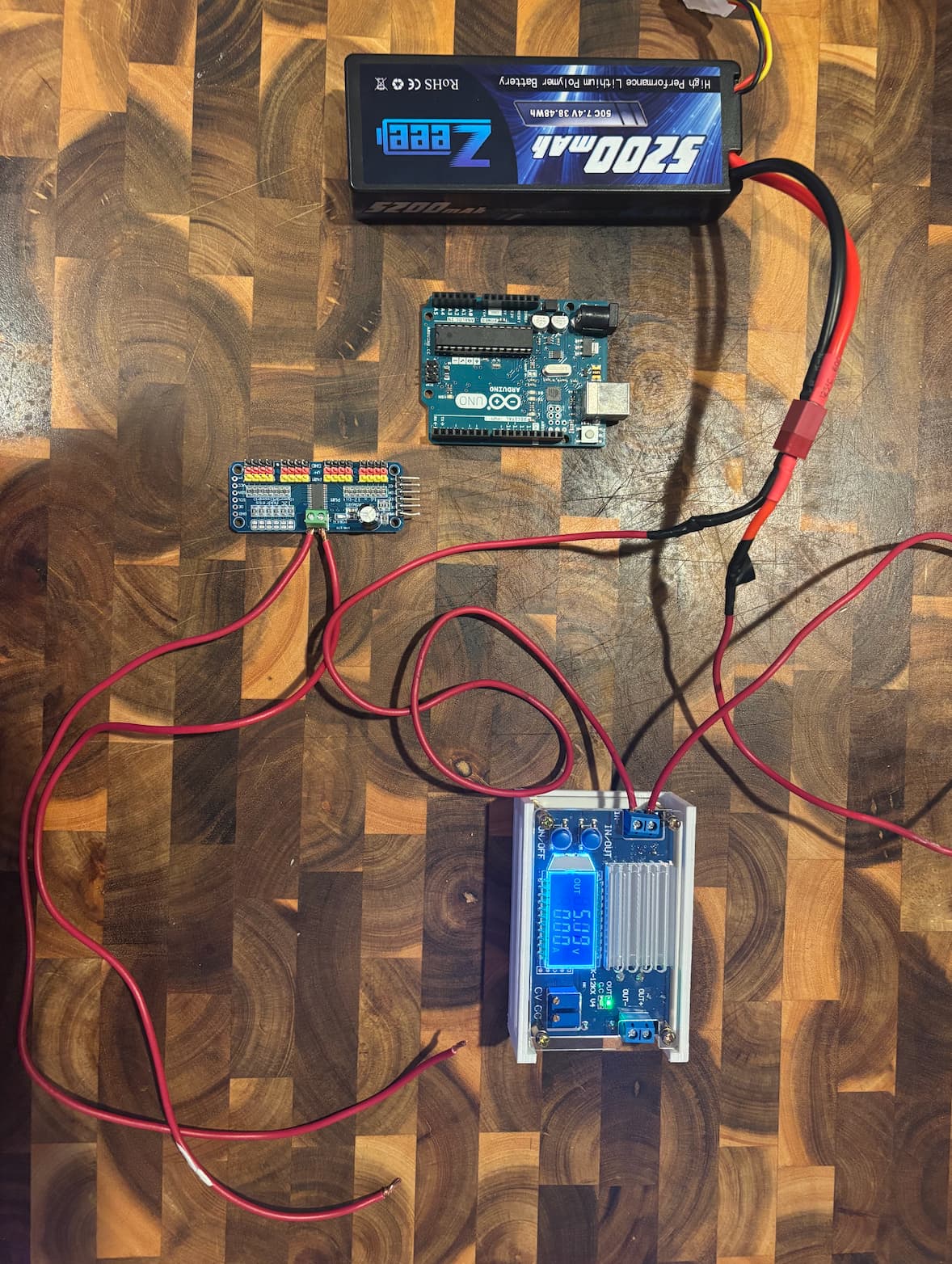
This is what the current setup is. I've temporarily disconnected the PCA9685 from the buck converter. I've also removed temporarily all the servo connections from the PCA for testing. The Arduino you see is not the one we will be using, it's a temporary one as one of my friends is currently using our Arduino r4 WIFI to code. We also have the small breadboard Jumper Wires.
This is the current connection I have right now in front of me. Sorry that the wires for the electrical connections are both red. What Im looking for is for the led indicator next to the power connection on the PCA 9685 to turn on which its not. When that turns on it means its getting power. The Buck converter is also reading 0A for some reason. Could be that.
You should never attempt to use the Arduino 5V output to power motors or servos. It is designed at most for a couple of LEDs or low power sensors, and overloads can severely damage the Arduino.
The servos have a stall current of about 2 Amperes at 5V, and briefly draw that every time they start moving.
To power eight of them, the servo power supply should be rated for 4.8 to 6V at 16 Amperes or more. Very few buck converters can handle even a significant fraction of that amperage, so you may have to divide the power supply up into parallel systems, say 4 x 4 Amperes, each for two of the servos.
Likewise, the PCA9685 control board can't handle 16 Amperes, so you will need more than one of them. Four might be a good choice.
Finally, check the "C" rating of the battery pack and make sure it can supply well over 16 Amperes at peak current draw.
So the "C" rating is enough to handle over 16 Amperes at peak current draw. The battery has a C rating of 50C and a capacity of 5200mAh (5.2Ah).
Note: I have two of these 7.4V batteries available, and the Buck converter I have can handle: Input 5.3V-32V to Output 1.2V-32V 12A per the description on Amazon.
Now is it possible for you to describe to me how you suggest I set this up like the diagrams I've made above. Such as for my understanding of what your telling me:
?(Power) - > Arduino -> ?(Unsure how to connect Arduino to the multiple PCA 9685's)
The reason I only put 2 PCA9685's in the diagram is because I do have a budget around $320 and we've spent $220 already on parts, and we're trying to save if possible. The robot body will be 3D printed also I won't be sure if we can fit 4 different PCA9685's in there.
I've seen many YouTube videos of people managing to work out 8 servos with just one PCA9685 such as this one, https://www.youtube.com/watch?v=wtf0RDwPl0c&list=LL&index=16 , and I am wondering if my issue is just the fact that my servos are a bit more powerful. This video is also a great example of what I'm trying to achieve and it's pretty similar to the components I have, except for his power supply.
I do greatly appreciate your explanation though, it does help me out understand this a lot better.
This is the first year I've ever gotten into something related to Arduino with a couple of friends of mine in school and we've been learning everything from scratch. I'm trying to gather as much information as I can to try and resolve our issues as we've begun to assemble this. Unfortunately, we don't have a teacher or advisor yet since our robotics club went down due to the pandemic so it's hard to get answers we can't find on the internet. We've tried doing a bunch of research on systems close to ours, but every system is different in some way. I've tried my best to explain and show my wiring diagrams above, and I haven't ignored any advice given to me yet, I've just asked for some clarity to ensure I know what I'm doing is right. If this question is not a conversation meant for this forum, I completely understand then.
This is a good place to start learning how to draw standard schematic diagrams, which are the universal language used to communicate circuits: How to Read a Schematic - SparkFun Learn
If you intend to pursue the hobby, this is an essential skill to master early on.
PCBs that are not designed to handle such high current loads tend to fail instantly. I strongly recommend to find a local professional with the expertise to advise your group on the electronics.
Output 1.2V-32V 12A per the description on Amazon
Be very skeptical of specifications advertised for anything sold on Amazon, Alibaba and the like. If you have a question about a specific product, post a link to the product page.
This is what I have online, Some of the wiring in between the PCA9685 and the Arduino is different from the photos I've posted, but this is my wiring diagram.