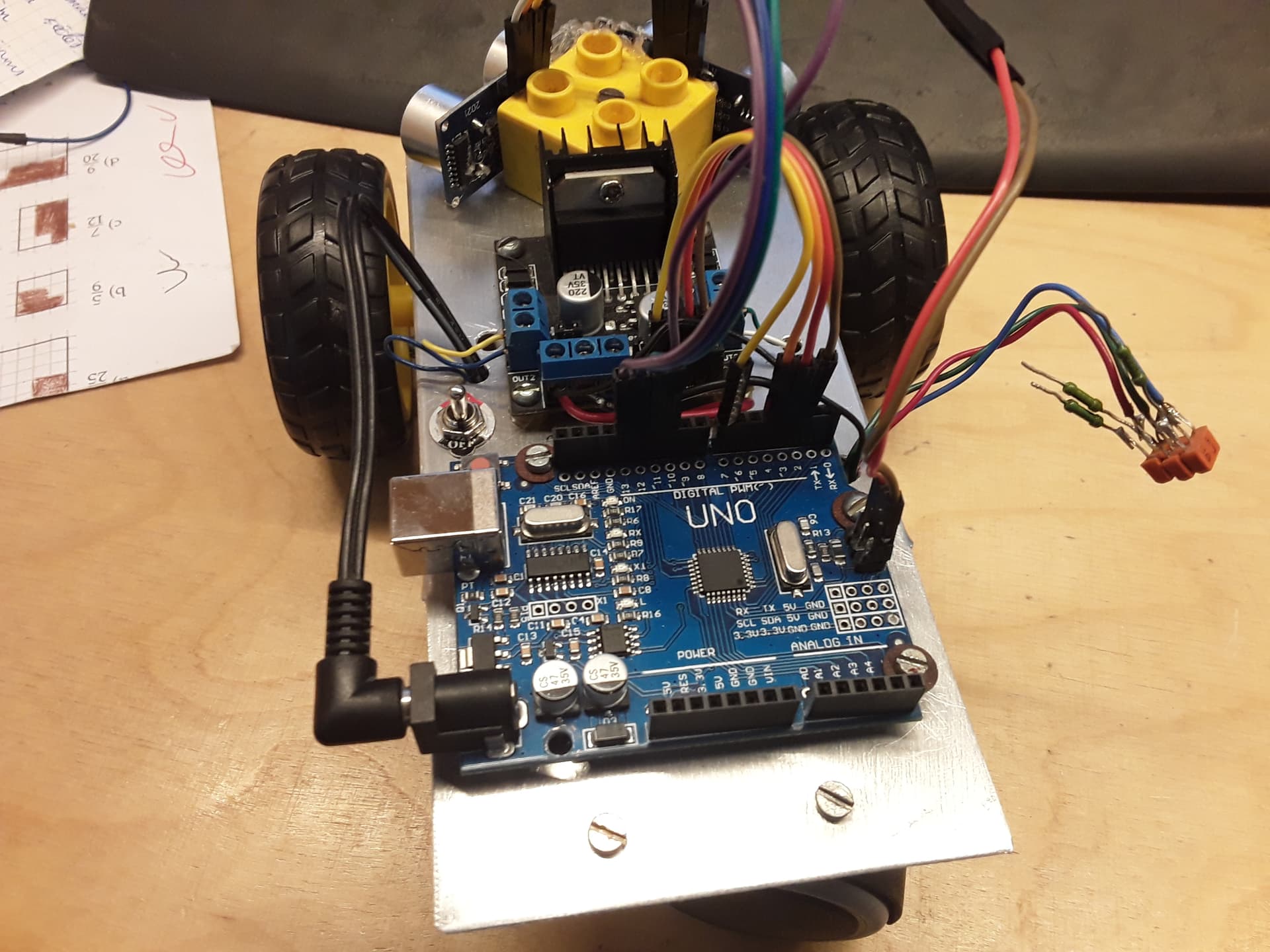
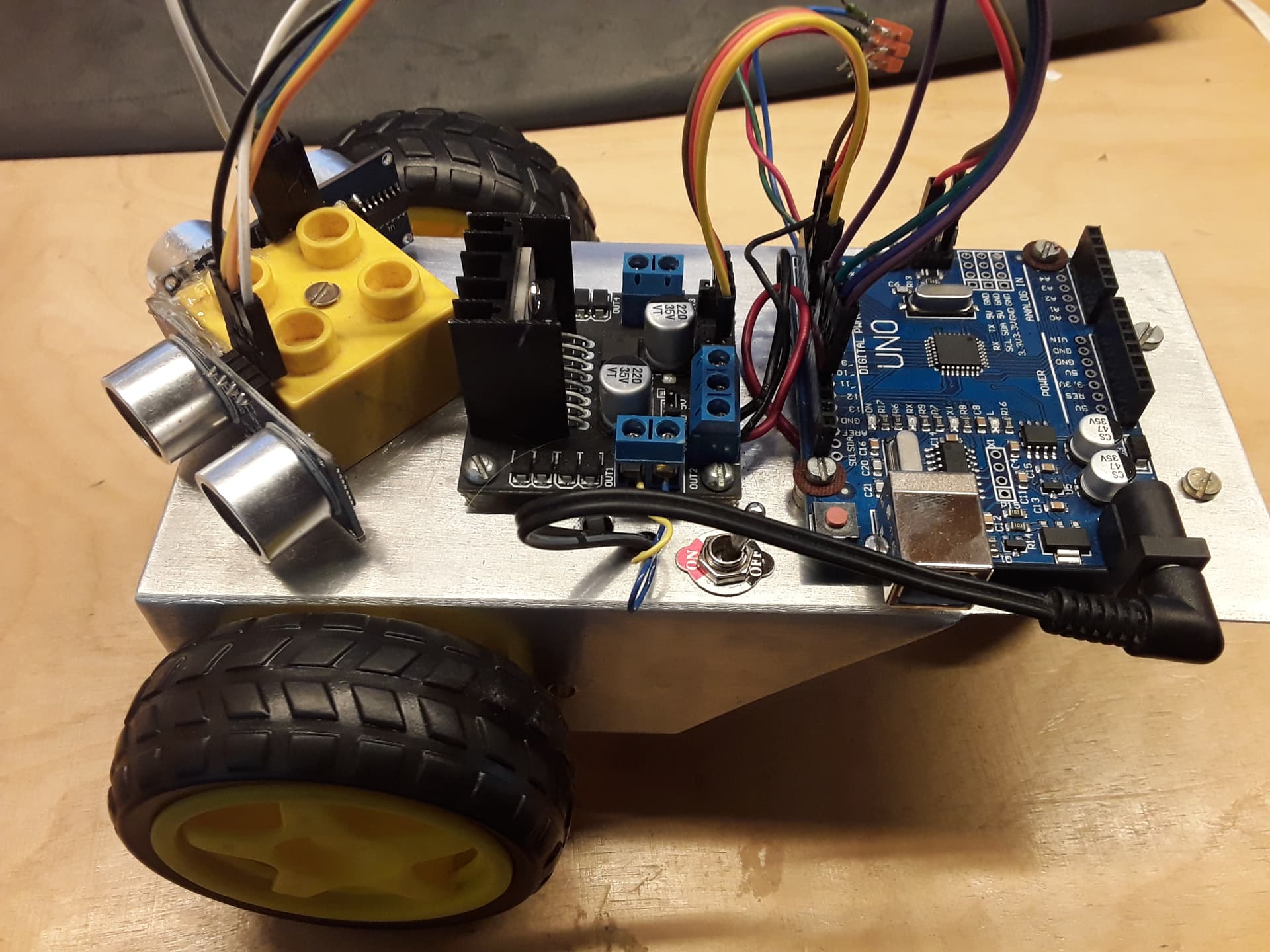
Ultrasonic sensors stop sending data to the uno

hello ! i have made a robot with 2x hc-sr04 sensors and a l289n connected to a uno board
it's has to avoid obstacles . But it runs olny for a while and then stops sending data
my code is
#include <Arduino.h>
#include <Wire.h>
#include <SoftwareSerial.h>

double angle_rad = PI/180.0;
double angle_deg = 180.0/PI;
float getDistance(int trig,int echo){
pinMode(trig,OUTPUT);
digitalWrite(trig,LOW);
delayMicroseconds(2);
digitalWrite(trig,HIGH);
delayMicroseconds(10);
digitalWrite(trig,LOW);
pinMode(echo, INPUT);
return pulseIn(echo,HIGH,30000)/58.0;
}

void setup(){
_delay(5);
pinMode(2,OUTPUT);
pinMode(3,OUTPUT);
pinMode(4,OUTPUT);
pinMode(7,OUTPUT);
}

void loop(){
if(((getDistance(11,10)) < (15 )) || ((getDistance(13,12)) < (15))){
if((getDistance(11,10)) < (15 )){
digitalWrite(2,0);
digitalWrite(3,1);
digitalWrite(4,1);
digitalWrite(7,0);
}
if((getDistance(13,12)) < (15)){
digitalWrite(2,1);
digitalWrite(3,0);
digitalWrite(4,0);
digitalWrite(7,1);
}
}else{
digitalWrite(2,1);
digitalWrite(3,0);
digitalWrite(4,1);
digitalWrite(7,0);
}
_loop();
}

void _delay(float seconds){
long endTime = millis() + seconds * 1000;
while(millis() < endTime)_loop();
}

void _loop(){
}
i'dot realy understad code can sobody plese help

Let's see a schematic of your robot as well as a couple of photos that clearly show how everything is connected.

That can have several causes, but power supply issues are always way at the top of the list of things to exclude. Hence the question above.

1 Like

hello this is my schematic

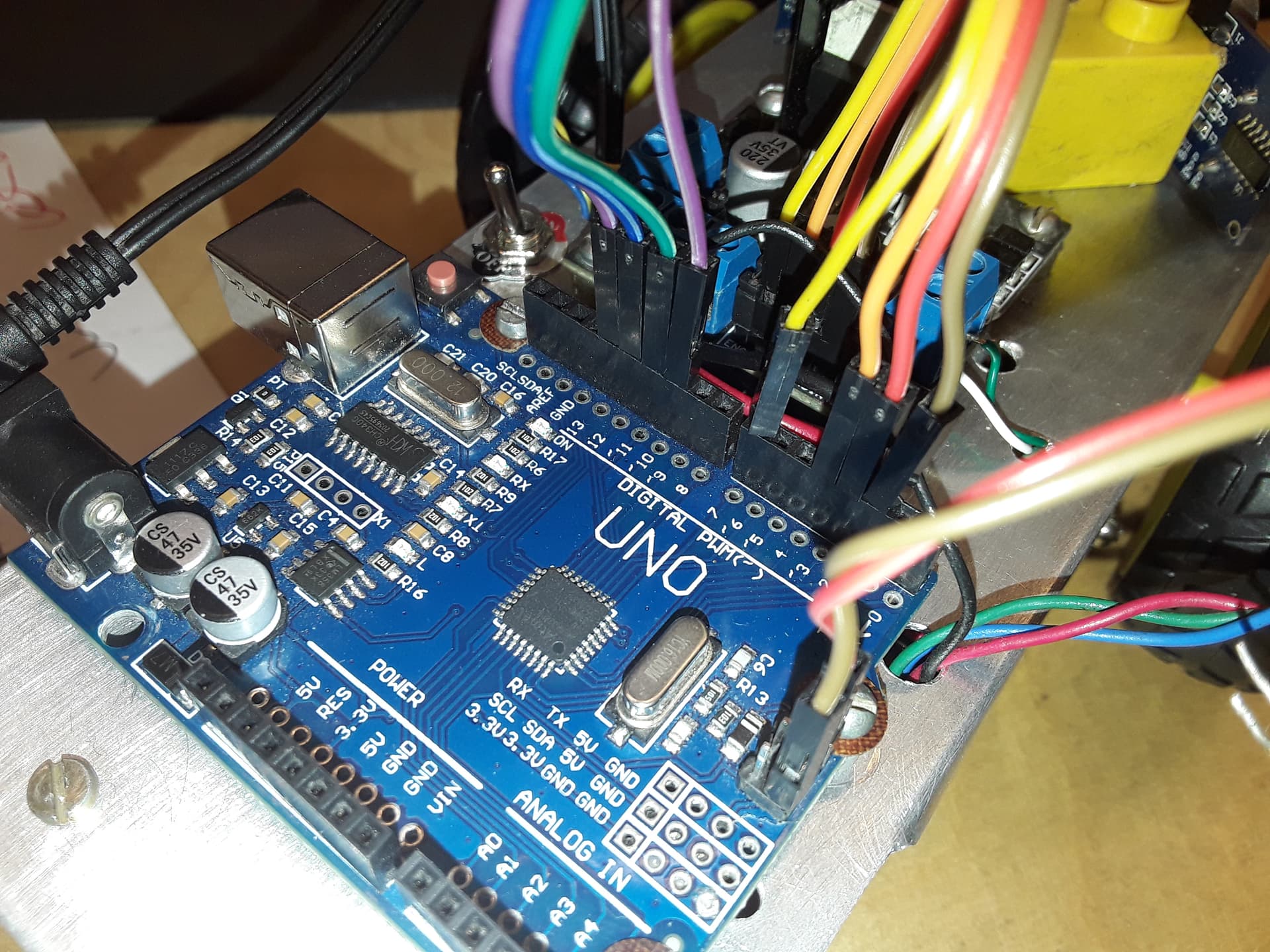
i will send some images


In the IDE under the EDIT menu click on Copy for Forum and paste your code here.
It will make it much easier for us to read and analyse.

#include <Wire.h>
#include <SoftwareSerial.h>

double angle_rad = PI/180.0;
double angle_deg = 180.0/PI;
float getDistance(int trig,int echo){
pinMode(trig,OUTPUT);
digitalWrite(trig,LOW);
delayMicroseconds(2);
digitalWrite(trig,HIGH);
delayMicroseconds(10);
digitalWrite(trig,LOW);
pinMode(echo, INPUT);
return pulseIn(echo,HIGH,30000)/58.0;
}

void setup(){
_delay(5);
pinMode(2,OUTPUT);
pinMode(3,OUTPUT);
pinMode(4,OUTPUT);
pinMode(7,OUTPUT);
}

void loop(){
if(((getDistance(11,10)) < (15 )) || ((getDistance(13,12)) < (15))){
if((getDistance(11,10)) < (15 )){
digitalWrite(2,0);
digitalWrite(3,1);
digitalWrite(4,1);
digitalWrite(7,0);
}
if((getDistance(13,12)) < (15)){
digitalWrite(2,1);
digitalWrite(3,0);
digitalWrite(4,0);
digitalWrite(7,1);
}
}else{
digitalWrite(2,1);
digitalWrite(3,0);
digitalWrite(4,1);
digitalWrite(7,0);
}
_loop();
}

void _delay(float seconds){
long endTime = millis() + seconds * 1000;
while(millis() < endTime)_loop();
}

void _loop(){
}

Much bettor
However your schematic connections seem to be quite different from what your pictures show

image
Is this actually your power source? If so, try replacing it with a battery that's more suited to this kind of project. A pair of 18650's would be a good start.

Also, the dupont connectors in combination with a moving robot may result in contact problems, causing erratic behavior.

image
What is this...thing?

Quite, indeed.

that is the transistor system for color led strips on the under .


i have three of these for 11 volts

Are you referring to the resistors sticking into the air? Is any of that connected to...anything? No transistors that I can see either.

Anyway, stripp off everything from the system except one motor. Have that motor run CW and CCW alternatingly from a simple sketch that does nothing else (and maybe print CW/CCW to Serial). This should be able to run undisturbed for hours. See if it does that.

In other words: isolate parts of your system to find which element is responsible for the lockups.

i was thinking is it that the sensors sometimes don't boot at all
because when i tested the sensors they worked well
also did the the motors and driver
maybe it's the uno's not responding

Translate your thinking into testable hypotheses and verify them.

and thee orange blocks are some old cccr transistors that prevent the uno from friying it self

realy funy :rofl: im a latvian. so want a perfect gramar from a 5th grader

yes i did test them in real life and

dimension

Are they capacitors maybe? How are they connected to the Arduino?

Test what, under which conditions and what were the outcomes?

I'm sorry, I notice I have to keep guessing about what's going on on your side and that just doesn't work. The best advice I can give you is to isolate single parts of your system until you find the fault. Given that I can't get a clear view on what you've tested and what results it yielded, there's not much more I can do.

Good luck with your project.

Thanks for the help "rsmls"

This topic was automatically closed 180 days after the last reply. New replies are no longer allowed.