UNO R4 Bluetooth remote car using L298N giving command is not moving at all

I was not aware of Dabble, but it looks interesting as I know many want to interact between smartphone and an MCU board (like the UnoR4).

There is a library available for the ESP32 and knowing about ArduinoBLE I gave it a try for adapting to the UNOR4 Wifi.

Sofar I have ONLY focused on the gamepad (example 03) and got that to work.
Forget about the other examples... for now... don't even waste time on it.

Just be aware this is alpha-version, so NOT ready for release, but would be interested in your feedback.
DabbleBLE-1.5.1.zip (57.7 KB)

regards,
Paul

Thx I was at uni and 2 of the motors we thought is servos turned out to be dc as well just smaller output, i will have 121 with the teacher tomorrow and will take this to her as well trying to move forward I did started to think to have different software for controlling my car

Good luck. Just to make sure we are in sync. This library for the UNOR4 can communicate to the gamepad controller in your post #6.

regards,
Paul

So I have managed to simplify the code and make it focus on moving the device without the Bluetooth atm. I managed to get the main DC motor on managed to increase or decrees the speed however is not responding to the delay, Can someone shed some light on why?

int MAINDCLEFT_IN1 = 3;
int MAINDCLEFT_IN2 = 2;
int MAINDCRIGHT_IN3 = 1;
int MAINDCRIGHT_IN4 = 0;
int MAINDCLEFT_ENA = 9;
int MAINDCRIGHT_ENB = 11;
 
int ARMLEFT_IN1 = 4;
int ARMLEFT_IN2 = 5;
int ARMRIGHT_IN3 = 6;
int ARMRIGHT_IN4 = 7;
 
int A360_IN1 = 8;
//int A360_IN2 = 9;
int GRABBER_IN3 = 10;
//int Grabber_IN4 = 11;


void setup() {
  // Initialize Serial
  //this starts the communication between my PC to my Arduino
  Serial.begin(9600);
  Serial.println("HELLO_my_name_is_OCOWAN");
 
 
  // Set all the motor control pins to outputs
  pinMode(MAINDCLEFT_IN1, OUTPUT);
  pinMode(MAINDCLEFT_IN2, OUTPUT);
  pinMode(MAINDCRIGHT_IN3, OUTPUT);
  pinMode(MAINDCRIGHT_IN4, OUTPUT);
  pinMode(MAINDCLEFT_ENA, OUTPUT);
  pinMode(MAINDCRIGHT_ENB, OUTPUT);
  Stop_ALL();
  Serial.println("SETUP FINISHED");
}
 
void Stop_ALL()
{
  // Turn off motors - Initial state
  digitalWrite(MAINDCLEFT_IN1, LOW);
  digitalWrite(MAINDCLEFT_IN2, LOW);
  digitalWrite(MAINDCRIGHT_IN3, LOW);
  digitalWrite(MAINDCRIGHT_IN4, LOW);
Serial.println("WHAT IS GOING ON ");
  analogWrite(MAINDCLEFT_ENA, 0);
  analogWrite(MAINDCRIGHT_ENB, 0);
}
 
void Forward()
{
  // Turn off motors - Initial state
  analogWrite(MAINDCLEFT_ENA,155);
  analogWrite(MAINDCRIGHT_ENB,155);
  digitalWrite(MAINDCLEFT_IN1, HIGH);
  digitalWrite(MAINDCLEFT_IN2, LOW);
  digitalWrite(MAINDCRIGHT_IN3, HIGH);
  digitalWrite(MAINDCRIGHT_IN4, LOW);
Serial.println("MOTORS Moving FOrward ");
}
 
void loop() {
 Forward();
 Serial.println("STARTING 3SEC DELAY ");
 delay(3000);
 Stop_ALL();
}

made more lines up but will need to test them and will introduce Bluetooth as well not sure if I want joystick or a standard remote


int MAINDCLEFT_IN1 = 3; 
int MAINDCLEFT_IN2 = 2; 
int MAINDCRIGHT_IN3 = 1; 
int MAINDCRIGHT_IN4 = 0; 
int MAINDCLEFT_ENA = 9;
int MAINDCRIGHT_ENB = 11;

int ARMLEFT_IN1 = 4; 
int ARMLEFT_IN2 = 5; 
int ARMRIGHT_IN3 = 6; 
int ARMRIGHT_IN4 = 7; 
//int ARMLEFT_ENA = ;
//int ARMRIGHT_ENB = ;

int A360_IN1 = 8; 
//int A360_IN2 = 9; 
int GRABBER_IN3 = 10; 
//int GRABBER_IN4 = 11; 
//int A360_ENA = ;
//int GRABBER_ENB = ;


void setup() {
  // Initialize Serial
  //this starts the communication between my PC to my Arduino 
  Serial.begin(9600);
  Serial.println("HELLO_my_name_is_OCO_ONE");
  // Set all the motor control pins to outputs
	pinMode(MAINDCLEFT_IN1,  OUTPUT);
	pinMode(MAINDCLEFT_IN2,  OUTPUT);
	pinMode(MAINDCRIGHT_IN3, OUTPUT);
	pinMode(MAINDCRIGHT_IN4, OUTPUT);
  pinMode(MAINDCLEFT_ENA,  OUTPUT);
  pinMode(MAINDCRIGHT_ENB, OUTPUT);
  STOP_ALL();
  Serial.println("SETUP FINISHED");
}

void STOP_ALL()
{
	// Turn off motors - Initial state
	digitalWrite(MAINDCLEFT_IN1,  LOW);
	digitalWrite(MAINDCLEFT_IN2,  LOW);
	digitalWrite(MAINDCRIGHT_IN3, LOW);
	digitalWrite(MAINDCRIGHT_IN4, LOW);
  Serial.println("WHAT IS GOING ON ");
  analogWrite(MAINDCLEFT_ENA,  0);
  analogWrite(MAINDCRIGHT_ENB, 0);
}

void FORWARD()
{
	// Turn on Main DC Motors Clockwise
  analogWrite(MAINDCLEFT_ENA,   155);
  analogWrite(MAINDCRIGHT_ENB,  155);
	digitalWrite(MAINDCLEFT_IN1,  HIGH);
	digitalWrite(MAINDCLEFT_IN2,  LOW);
	digitalWrite(MAINDCRIGHT_IN3, HIGH);
	digitalWrite(MAINDCRIGHT_IN4, LOW);
Serial.println("MOTORS Moving Forward ");
}

//void BACKWARD()
//{
	// Turn on Main DC Motors Anticlockwise
//  analogWrite(MAINDCLEFT_ENA,   155);
//  analogWrite(MAINDCRIGHT_ENB,  155);
//	digitalWrite(MAINDCLEFT_IN1,  LOW);
//	digitalWrite(MAINDCLEFT_IN2,  HIGH);
//	digitalWrite(MAINDCRIGHT_IN3, LOW);
//	digitalWrite(MAINDCRIGHT_IN4, HIGH);
//Serial.println("MOTORS Moving Backwards ");
//}

//void LEFT()
//{
	// Turn on Main DC Motors left
//  analogWrite(MAINDCLEFT_ENA,   155);
// analogWrite(MAINDCRIGHT_ENB,  155);
//	digitalWrite(MAINDCLEFT_IN1,  LOW);
//	digitalWrite(MAINDCLEFT_IN2,  HIGH);
//	digitalWrite(MAINDCRIGHT_IN3, LOW);
//	digitalWrite(MAINDCRIGHT_IN4, HIGH);
//Serial.println("MOTORS Moving Left ");
//}

//void RIGHT()
//{
	// Turn on Main DC Motors Right
//  analogWrite(MAINDCLEFT_ENA,   155);
//  analogWrite(MAINDCRIGHT_ENB,  155);
//	digitalWrite(MAINDCLEFT_IN1,  LOW);
//	digitalWrite(MAINDCLEFT_IN2,  HIGH);
//	digitalWrite(MAINDCRIGHT_IN3, LOW);
//	digitalWrite(MAINDCRIGHT_IN4, HIGH);
//Serial.println("MOTORS Moving Right ");
//}


//void ARMLEFT_FORWARD()
//{
	// ARM LEFT MOVING FORWARD
//  analogWrite(ARMLEFT_ENA,   155);
//	digitalWrite(ARMLEFT_IN1,  LOW);
//	digitalWrite(ARMLEFT_IN2,  HIGH);
//Serial.println("ARM LEFT MOVING FORWARD");
//}


//void ARMLEFT_BACKWARD()
//{
	// ARM LEFT MOVING BACKWARD
//  analogWrite(ARMLEFT_ENA,   155);
//	digitalWrite(ARMLEFT_IN1,  LOW);
//	digitalWrite(ARMLEFT_IN2,  HIGH);
//Serial.println("ARM LEFT MOVING BACKWARD");
//}


//void ARMRIGHT_FORWARD()
//{
 	// ARM RIGHT MOVING FORWARD
//  analogWrite(ARMRIGHT_ENB,  155);
//	digitalWrite(ARMRIGHT_IN3, LOW);
//	digitalWrite(ARMRIGHT_IN4, HIGH);
//Serial.println("ARM RIGHT MOVING FORWARD");
//}


//void ARMRIGHT_BACKWARD()
//{
 	// ARM RIGHT MOVING BACKWARD
//  analogWrite(ARMRIGHT_ENB,  155);
//	digitalWrite(ARMRIGHT_IN3, LOW);
//	digitalWrite(ARMRIGHT_IN4, HIGH);
//Serial.println("ARM RIGHT MOVING BACKWARD ");
//}


//void A360_CLOCKWISE()
//{
 	// TURN ARM 360 CLOCKWISE
//  analogWrite(A360_ENB,  155);
//	digitalWrite(A360_IN3, LOW);
//	digitalWrite(A360_IN4, HIGH);
//Serial.println("TURN ARM 360 CLOCKWISE ");
//}


//void A360_ANTI_CLOCKWISE()
//{
 	//  TURN ARM 360 ANTICLOCKWISE 
//  analogWrite(A360_ENB,  155);
//	digitalWrite(A360_IN3, LOW);
//	digitalWrite(A360_IN4, HIGH);
//Serial.println("TURN ARM 360 ANTICLOCKWISE   ");
//}

//void GRABBER_OPEN()
//{
 	// OPEN GRABBER
//  analogWrite(A360_ENB,  155);
//	digitalWrite(A360_IN3, LOW);
//	digitalWrite(A360_IN4, HIGH);
//Serial.println("GRABBER OPEN  ");
//}


//void GRABBER_CLOSE()
//{
 	// CLOSE GRABBER
//  analogWrite(A360_ENB,  155);
//	digitalWrite(A360_IN3, LOW);
//	digitalWrite(A360_IN4, HIGH);
//Serial.println("GRABBER CLOSE  ");
//}


void loop() {
 FORWARD(); 
 Serial.println("STARTING 3SEC DELAY ");
 delay(3000);
 STOP_ALL();
}
have changed it all DC motor makes it easier now.

also found this link for the app and it has lot of info

like:

begin(Bluetooth_Name) – initializes BLE(Bluetooth Low Energy) on ESP32 with the name written in place of “Bluetooth_Name”.

processInput() – This function should be continuously called in the loop to refresh data received from Dabble app.

Function Return Type Function Brief Description Returning Value
isUpPressed() Boolean The function tells whether the Up button is pressed or not. 1 when Up button is pressed; 0 when Up button is not pressed.
isDownPressed() Boolean The function tells whether the Down button is pressed or not. 1 when Down button is pressed; 0 when Down button is not pressed.
isLeftPressed() Boolean The function tells whether the Left button is pressed or not. 1 when Left button is pressed; 0 when Left button is not pressed.
isRightPressed() Boolean The function tells whether the Right button is pressed or not. 1 when Right button is pressed; 0 when Right button is not pressed.
isTrianglePressed() Boolean The function tells whether the Triangle button is pressed or not. 1 when Triangle button is pressed; 0 when Triangle button is not pressed.
isCirclePressed() Boolean The function tells whether the Circle button is pressed or not. 1 when Circle button is pressed; 0 when Circle button is not pressed.
isCrossPressed() Boolean The function tells whether the Cross button is pressed or not. 1 when Cross button is pressed; 0 when Cross button is not pressed.
isSquarePressed() Boolean The function tells whether the Square button is pressed or not. 1 when Square button is pressed; 0 when Square button is not pressed.
isStartPressed() Boolean The function tells whether the Start button is pressed or not. 1 when Start button is pressed; 0 when Start button is not pressed.
isSelectPressed() Boolean The function tells whether the Select button is pressed or not. 1 when Select button is pressed; 0 when Select button is not pressed.
getAngle() Integer This function returns the angle value between the x-axis and the line joining the dot and the center of the joystick. The value varies from 0 to 360 degrees with a step of 15 degrees.
getRadius() Integer The function returns the distance between the center of the joystick and the dot. The value varies from 0 to 7.
getXaxis() float The function returns the x position of the dot on the joystick. The value varies from -7 to 7.
getYaxis() float The function returns the y position of the dot on the joystick. The value varies from -7 to 7.

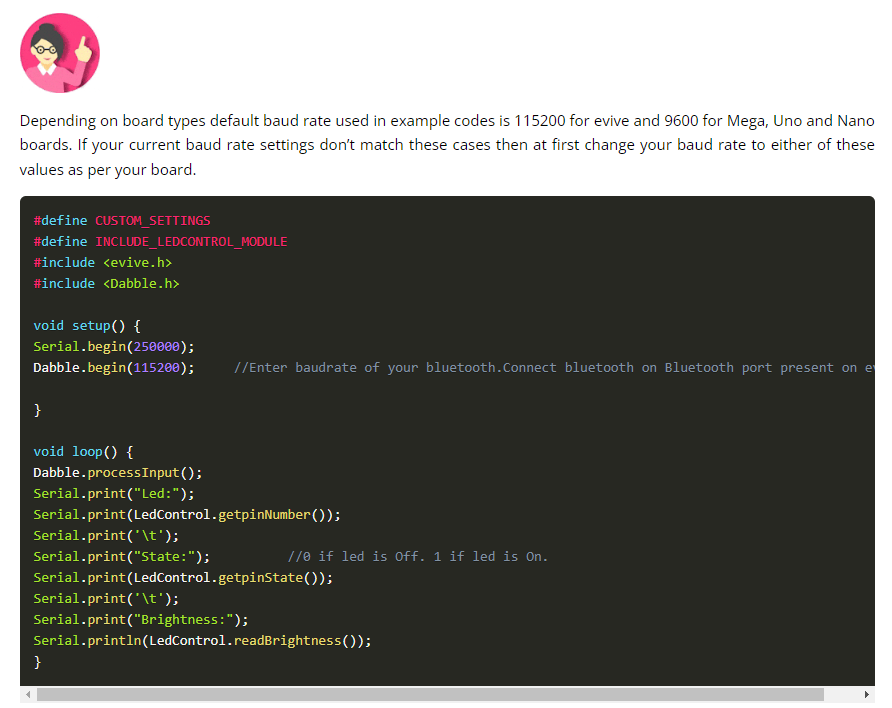
not sure how much the dabble rate is relating for R4+ wifi

This topic was automatically closed 180 days after the last reply. New replies are no longer allowed.