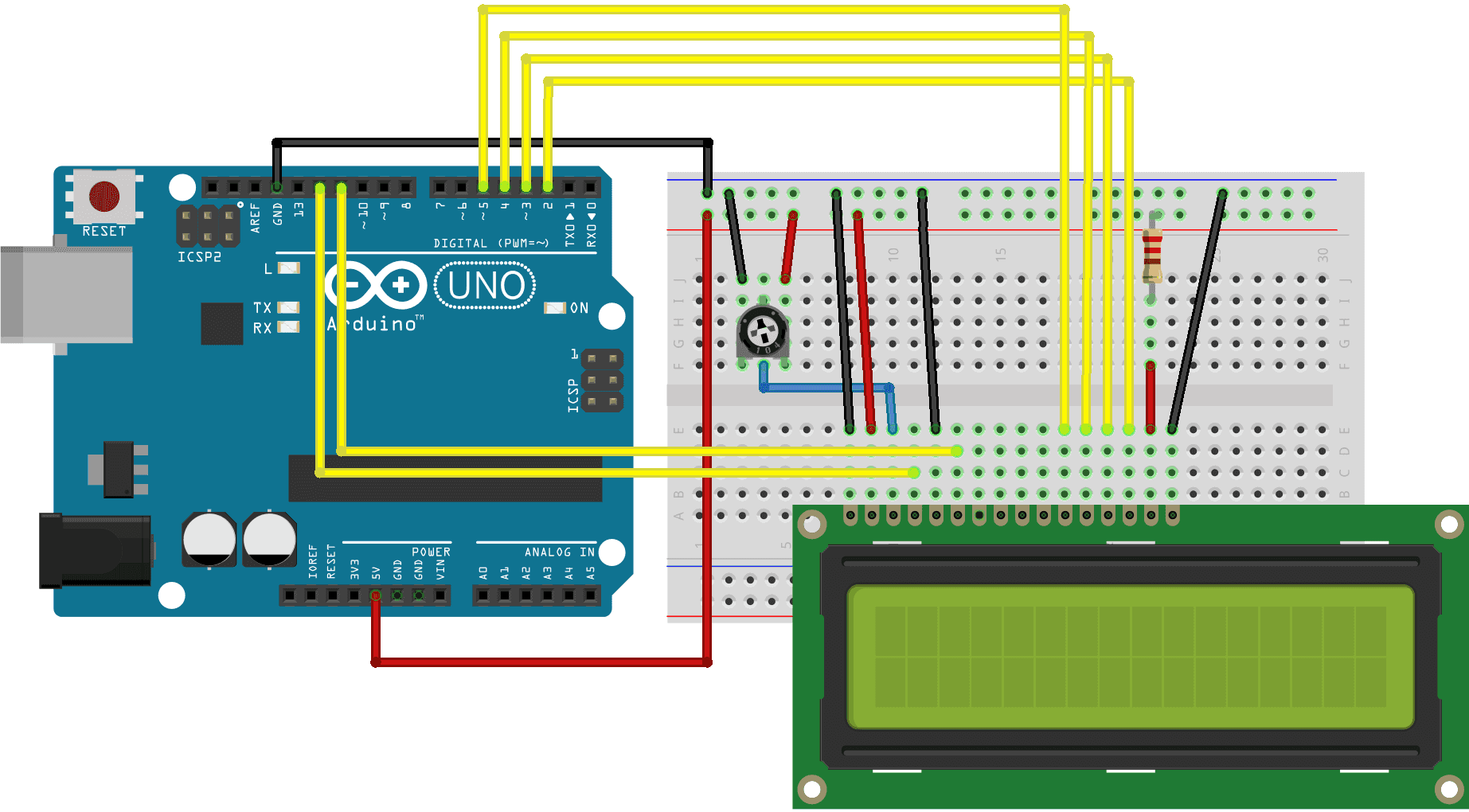
the problem I'm facing, is the code it works but when i change the text 'aaaa' to something else like a real name e.g:"Ayoub","John","Count:" it shows me weird charachers or nothing, I test other strings text and it works,
We don't want to see a sketch that works, we would like to see the sketch that has a problem.
Do you use a breadboard ? Breadboards can have bad contacts and jumper wires can be broken.
Do you have a multimeter ? Those cheap LCD displays need at least 4.5V. You could try a better USB cable.
Can you show a photo of your project with the wiring and with the weird characters ?
I would first check the four data wires and the voltage.
Your sketch in Wokwi simulation:
I can not get weird character by removing one of the data lines, but I can get weird characters by creating a short circuit between the first two data lines.
See that they are the only instructions in the loop, so the speed will be very high
and the I2C and LCD may be doing one action and receive "orders" to do another function.
Test by placing a delay just below the " lcd.print(millis()/1000);" instruction.
Yes, I use a breadboard, it's the same sketch I change just the text on lcd.print("CHanging text here broke the display"); , yes I have a multimeter and yes I check the resistance of the potentiometer and it seems working, I'm using the USB cable of the Arduino from Elegoo kit, do you suggest to change it?
It doesn't work, I tried with delay(1000);, I even make the text with more char
like lcd.print("aaaaa:"); and that works but when I tried with lcd.print("count:");
Post an annotated schematic showing how you connected and the code you are driving it with. But before doing that work put a delay(2000); at the end of your loop. Your problem may be two fold, wiring and writing to fast, this will help figure it out.
Where did you put the delay?
You print " aaaaa" in setup() only once then no delay then you over ride that in loop() .
In the loop() you print millis no "aaaaa" so where do you print "count"?